Your Ultimate Business Continuity Planning Checklist for Indiana

TL;DR: Downtime costs up to $9,000 per minute. This business continuity planning checklist is your roadmap to prevent that loss. We'll show you how to conduct a business impact analysis to find your biggest financial risks, establish a 3-2-1 backup strategy with immutable off-site backups to defeat ransomware, and create a tested incident response plan. By documenting critical systems, like UniFi networking hardware, and ensuring compliance with standards like HIPAA or CMMC, you convert unpredictable tech disasters into manageable events. A solid plan turns "wasted tech time" into billable hours and a predictable monthly budget, keeping your Greenwood or Johnson County business running no matter what.
Imagine a tornado rips down the I-65 corridor, taking out the power grid. Or, more likely, a construction crew accidentally severs a fiber optic cable, plunging your entire Greenwood office into digital silence. The clock starts ticking, and every minute your business is offline costs you. Industry studies peg that cost at a staggering $9,000 per minute for mid-sized companies. That’s not just lost sales; it’s salaries paid for zero productivity, client deadlines missed, and a hit to your reputation that’s hard to quantify.
This isn't just about preparing for a natural disaster. It's about the silent killers of profitability: the aging server hardware in a Johnson County business park that finally gives up the ghost, a sophisticated ransomware attack that encrypts decades of client data, or spotty Wi-Fi in an old brick building downtown that brings your operation to a crawl. These are the mundane catastrophes that bleed Indiana businesses dry, turning productive work hours into "wasted tech time" and sunk costs.
Forget abstract theories. This article is your straightforward, actionable business continuity planning checklist, built specifically for Hoosier decision-makers. We’re cutting through the noise to give you a direct plan that protects your revenue and keeps your team productive. We’ll cover everything from conducting a business impact analysis to implementing immutable off-site backups and meeting tough compliance standards like HIPAA or CMMC. The goal is simple: to shift your company from reacting to disasters to building a resilient operation that keeps running, no matter what. Let’s turn that "wasted tech time" into a predictable, secure, and profitable asset.
1. Conduct a Comprehensive Business Impact Analysis (BIA)
Think of a Business Impact Analysis (BIA) as the diagnostic scan you run before the disaster. It’s not just a fuzzy "what if" exercise; it’s a systematic process to pinpoint exactly which parts of your business are mission-critical and what happens to your bottom line when they go offline. This is the foundational step in any serious business continuity planning checklist. Without it, you’re just guessing where to point the fire extinguisher.
The BIA forces you to map out your operations and identify dependencies. For instance, a manufacturing firm on the I-65 corridor might discover its entire production floor grinds to a halt if the inventory management server fails. It’s not just about the server; it’s about the lost production, missed deadlines, and contractual penalties that destroy profitability. A healthcare practice in Carmel must know that while billing systems can wait a day, access to HIPAA-protected patient records has a near-zero tolerance for downtime.
In our 17 years of local service, we once helped a financial services client in downtown Indy quantify that every hour their core transaction system was down cost them a staggering $50,000. That number got executive attention faster than a free lunch, immediately justifying the investment in resilient infrastructure that prevents such downtime.
Actionable BIA Tips:
- Interview Your Team: Don’t assume you know what’s critical. Sit down with department heads and the folks on the ground. The receptionist often knows more about communication bottlenecks than the CEO.
- Quantify the Pain: Translate downtime into dollars and cents. This moves the conversation from a vague inconvenience to a direct threat to profitability.
- Define Your Timelines: Establish your Recovery Time Objective (RTO) and Recovery Point Objective (RPO) for each critical system. RTO is how fast you need it back; RPO is how much data you can afford to lose.
- Review and Revise: A BIA is not a one-and-done document. Your business changes, you add software, you move offices. Schedule an annual review to keep it relevant.
Completing a BIA gives you a prioritized recovery roadmap. When disaster strikes, you’ll know whether to restore the accounting software first or the custom application that runs your entire warehouse. For many Johnson County business owners, this analysis is the first time they see the intricate web connecting their tech to their revenue. If this process feels daunting, our Free Network Assessment can help you map these technical dependencies and build a resilient foundation.
2. Document All Critical Systems and Their Dependencies
If the Business Impact Analysis is your diagnostic scan, consider this step the detailed anatomical chart of your company’s technology. It’s about creating a comprehensive inventory of all the hardware, software, and network components that keep your business running. Without this master document, trying to recover from a disaster is like trying to assemble a 1,000-piece puzzle without the picture on the box. This documentation is a core part of any effective business continuity planning checklist.
This inventory goes beyond a simple list of computers. You must map out how everything connects. For example, a Zionsville logistics company might find their custom dispatching software relies on an obscure, undocumented SQL server that no one remembered to include in the backup schedule. An accounting firm in Fishers could realize their cloud-based tax software underperforms because its performance depends on specific UniFi networking hardware that isn't configured for their needs. The goal is to eliminate unpleasant surprises when the pressure is on.
When we dissembled a similar client’s failing RAID array, we discovered the issue wasn’t the drives but a single, ancient server running a legacy app. Nobody knew who had the admin password or even what the server did until it failed, taking the entire operation with it. That documentation gap cost them a full day of production and thousands in lost revenue.
Actionable Documentation Tips:
- Visualize the Connections: Use tools like Visio or Lucidchart to create dependency maps. A visual chart showing that your ERP system can’t function without Server A, which in turn needs Network Switch B, is instantly understandable in a crisis.
- Include Vendor Details: For every piece of hardware and software, document the vendor, your account number, and their support contact information. When your firewall fails, you don’t want to be digging through old emails for a phone number.
- Automate Where Possible: A Configuration Management Database (CMDB) can help automate the tracking of IT assets. This creates a dynamic, real-time inventory instead of a static spreadsheet that’s outdated the moment you save it.
- Store It Securely & Accessibly: Keep copies of this documentation in multiple secure locations, including a physical copy off-site and an encrypted cloud copy. If your primary server room is inaccessible, your documentation can’t be trapped inside it.
Having a meticulously maintained system inventory means your team can act decisively during an incident. You’ll know exactly what needs to be restored, in what order, and who to call for help. For many businesses across Marion and Johnson County, building this inventory is the key to transforming chaos into a structured recovery. If creating this technical map feels overwhelming, a Security Risk Audit can discover and document these critical systems for you, ensuring you're prepared.
3. Establish Data Backup and Recovery Procedures
If your Business Impact Analysis is the diagnosis, then your data backup strategy is the life-support system. It’s the single most critical defense against ransomware, hardware failure, employee error, or a literal flood in your server room. A solid backup and recovery process isn't just about making copies; it’s about having a tested, documented, and reliable way to get your business back online with minimal data loss. This element is a non-negotiable part of any serious business continuity planning checklist.
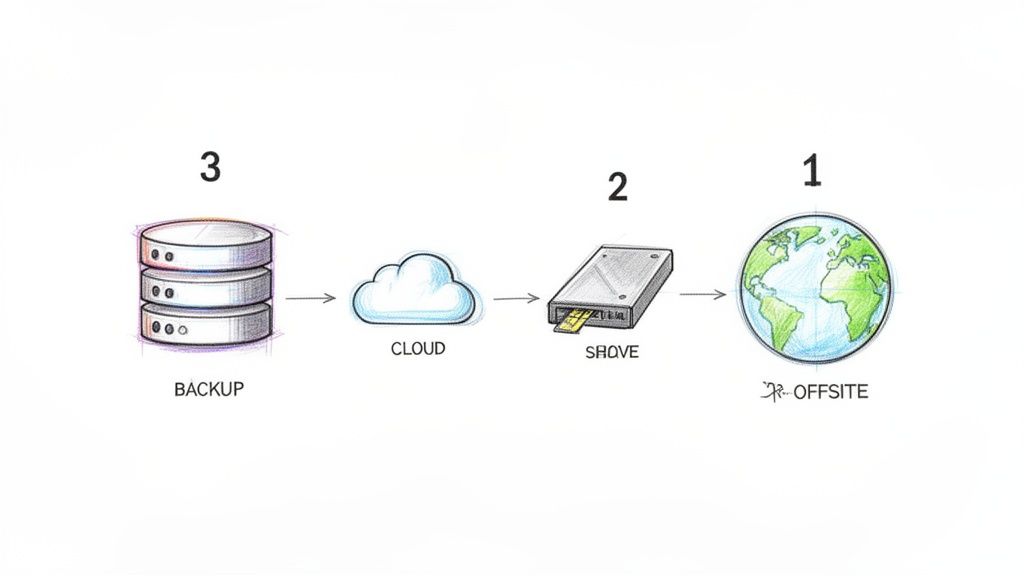
This means implementing the classic 3-2-1 rule: three copies of your data, on two different media types, with one copy stored offsite. For a law firm in Greenwood, this could be on-site Veeam backups for quick file restores, replicated to a cloud provider, with a third air-gapped copy stored securely. A Noblesville manufacturing firm needs to ensure its backups cover not just file servers but the virtual machines running its custom production software.
We once worked with a Hamilton County healthcare practice that got hit with a nasty ransomware variant. Their local backups were encrypted, too. Because they had immutable off-site backups, we bypassed the ransom demand entirely and restored their systems, protecting patient data and avoiding HIPAA breach notifications. They were back to seeing patients within hours, not weeks, preventing massive revenue loss.
Actionable Backup & Recovery Tips:
- Implement the 3-2-1 Rule: Three copies, two media types, one offsite. This is the gold standard for a reason.
- Test Your Restores: A backup you haven’t tested is just a hope. Schedule monthly or quarterly full restore tests for critical systems to verify data integrity and confirm your RTO is realistic.
- Document Everything: Create a step-by-step guide for recovery. When you’re under pressure, you don’t want to be guessing which server to restore first or trying to remember a password.
- Go Air-Gapped or Immutable: For ultimate ransomware protection, ensure one backup copy is "air-gapped" (physically disconnected) or "immutable" (cannot be altered or deleted). This is your last line of defense.
Knowing your data is safe and recoverable transforms a potential catastrophe into a manageable inconvenience. If your backups are an afterthought or you’re unsure if they’d survive a real test, it's time for a professional review. Finchum Fixes IT specializes in designing and managing resilient backup solutions, from bit-level data recovery to fully automated, multi-location strategies that keep Johnson County businesses running.
4. Create and Maintain an Incident Response Plan
If the Business Impact Analysis is the pre-game diagnostic, your Incident Response (IR) plan is the emergency playbook you grab the second the alarm bells start ringing. This isn't your broader business continuity plan, which focuses on long-term operational survival. The IR plan is about the immediate, chaotic first few hours of a crisis. It dictates precisely who does what, who they call, and what buttons they push to contain the damage from a security breach, server crash, or other disruptive event.
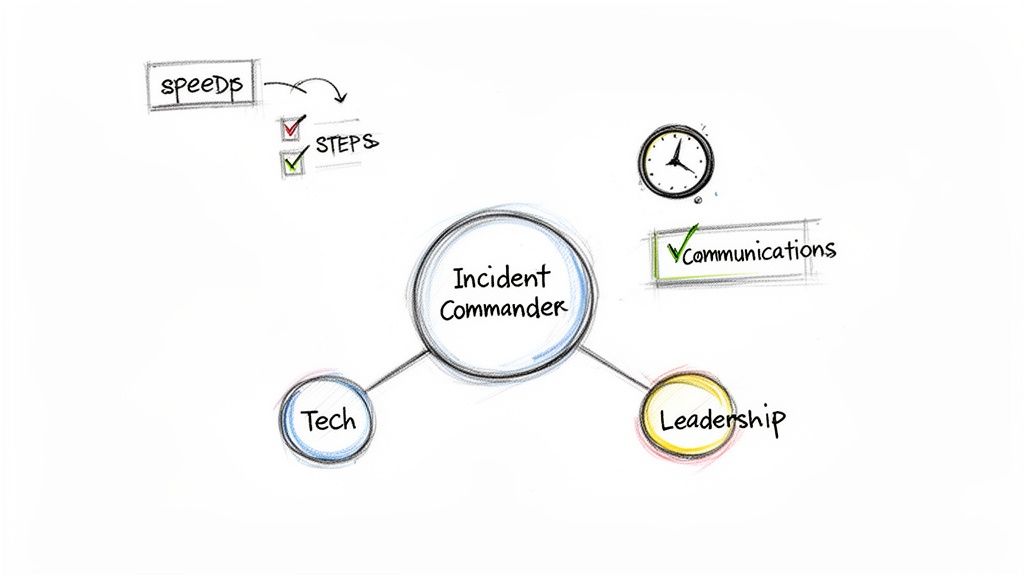
Think of it this way: a manufacturing facility in a Greenwood business park needs different immediate actions for a ransomware attack versus a facility-wide power outage. The IR plan provides distinct, documented procedures for each scenario. A defense contractor in a Hamilton County growth area needs a clear protocol for CMMC compliance during an incident, which is far different from the steps needed to handle a failed network switch. A solid IR plan replaces panic with process.
We once guided a Johnson County law firm through a tabletop exercise where their primary server "failed." Their initial plan was to call their IT guy. Our IR plan defined roles, established a virtual war room, and had pre-approved communication templates. The difference? From chaos to coordinated action in under 15 minutes, preventing costly mistakes and wasted time.
Actionable Incident Response Tips:
- Define Severity Levels: Classify incidents based on their impact on business operations, not just technical jargon. A "Severity 1" incident that threatens revenue or compliance (like CMMC for defense contractors or NIST CSF for general security) should trigger a different, faster response than a minor glitch.
- Establish a "War Room": Designate a physical or virtual (like a dedicated Microsoft Teams channel) meeting place for the incident response team to coordinate without distraction.
- Create Quick-Reference Cards: Nobody is reading a 50-page binder during a crisis. Distribute one-page laminated cards with key contacts, escalation paths, and immediate first steps.
- Pre-Authorize Spending: The middle of a ransomware attack is a bad time to seek budget approval for emergency remediation services. Pre-authorize a certain amount for incident response expenses to eliminate delays.
- Practice with Tabletop Exercises: Run through simulated disaster scenarios quarterly. These drills reveal gaps in your plan, test your team’s readiness, and build muscle memory.
An IR plan is a critical component of any modern business continuity planning checklist, ensuring you can manage the initial shock of an event effectively. This allows your broader continuity strategy to kick in for sustained recovery. For many local businesses, the cybersecurity component is the most intimidating. A Security Risk Audit can help build a robust IR plan, especially for threats that require advanced tools like SOC-as-a-Service monitoring and a Zero Trust architecture.
5. Develop a Communication and Notification Plan
When a disaster hits, technology isn't the only thing that breaks; so does the flow of information. A communication and notification plan is your pre-scripted playbook for controlling the narrative, reducing panic, and keeping everyone from staff to customers informed. It specifies exactly who needs to know what, when they need to know it, and how you're going to tell them. Without this part of your business continuity planning checklist, you’ll be answering a thousand frantic phone calls instead of actually fixing the problem.
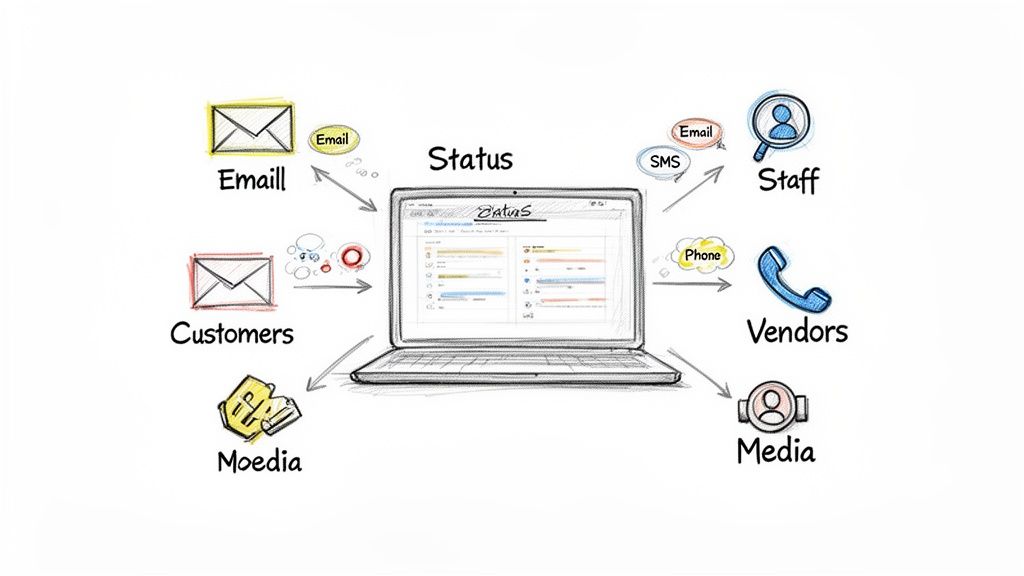
Imagine your custom order-entry software goes down at your manufacturing plant in Franklin. Your customers can’t place new orders, and your production team doesn't know what to build next. An effective plan means you aren’t improvising. Key customers get an automated SMS alert, while your internal team gets a detailed Slack message about the technical response. For a SaaS company in a downtown Indy tech hub, this means using a status page to show real-time updates on a server outage, preventing a flood of support tickets and protecting billable hours.
We saw a local healthcare provider in Plainfield face a network outage. Because they had pre-approved message templates and a designated spokesperson, they kept patients and staff calm. They avoided HIPAA communication missteps by having a clear, practiced protocol instead of writing updates on the fly during a crisis. This prevented panic and maintained trust.
Actionable Communication Tips:
- Create Message Templates: Don't write your crisis emails during the crisis. Prepare templates with placeholders for specific incident details. This ensures your messaging is clear, consistent, and approved ahead of time.
- Establish a Single Source of Truth: Implement a status page tool like Atlassian StatusPage or Incident.io. This provides one central, public-facing place for all updates, reducing customer support calls and internal confusion.
- Assign Communication Roles: Designate a specific person (and a backup) as the sole information officer. This "information freeze" prevents conflicting messages and ensures all communications are authorized.
- Segment Your Channels: Use different channels for different audiences. Technical staff might get real-time updates via a dedicated Slack channel, while customers receive polished emails, and vendors get a direct call.
A solid communication plan turns chaos into a managed process. It builds trust with your stakeholders by demonstrating that you are in control, even when your systems are not. For Indiana businesses that depend on custom applications, integrating these communication protocols directly into your software can be a powerful move. If you need help building such integrated notification systems, explore how Finchum Fixes IT can assist with custom software development to make your response seamless.
6. Implement Redundancy and Failover Systems
Redundancy isn't just about having a spare; it's about having a spare that knows when to jump into action automatically. This is the part of your business continuity planning checklist that builds a safety net directly into your tech infrastructure. It means deploying backup systems-like internet connections, servers, or storage-that are ready to take over the moment a primary system stumbles, ensuring your operations barely miss a beat.
Think about a busy law firm in downtown Indy. If their primary internet connection goes down, they can't access cloud documents, file court papers, or communicate with clients. A second, redundant internet connection from a different provider, set for automatic failover, means the switch happens in seconds, not hours. For a manufacturing plant in a Greenwood business park, redundant production floor systems mean a single component failure doesn't shut down the entire assembly line, saving thousands in lost output and converting tech failures into uptime.
We once worked with a financial services firm whose primary router failed. Because we had implemented a redundant router with automatic failover, their entire network switched over in less than 30 seconds. Their team didn’t even notice the outage until we alerted them that the backup was active. That's the power of proactive redundancy preventing downtime and protecting revenue.
Actionable Redundancy Tips:
- Prioritize Critical Systems: You don't need two of everything. Start with the systems identified in your BIA as mission-critical. Focus on your core servers, primary internet connection, and essential data storage.
- Automate Where It Counts: For systems with a Recovery Time Objective (RTO) under one minute, automatic failover is non-negotiable. Manual failover is fine for less critical functions but introduces human delay and error.
- Test Your Failover: Don't assume the backup works. Schedule quarterly tests to trigger a failover. Many "redundant" systems fail silently, and you won't know until you actually need them.
- Monitor Both Systems: Your monitoring shouldn't just watch the primary system; it needs to constantly check the health of the backup, too. This helps you catch issues before a double failure occurs.
- Consider Geography: If your business is vulnerable to regional disasters like tornadoes or floods, consider geographically distributed redundancy. Hosting backups in a different AWS region or Azure availability zone can keep you online even if a whole data center goes dark.
Implementing redundancy moves you from a reactive to a proactive state of readiness. It’s the difference between panicking when your internet drops and calmly continuing your work. A robust and well-configured network is the backbone of any good failover strategy. If you're unsure where to start, the experts at Finchum Fixes IT can design a redundant networking solution that fits your budget and operational needs.
7. Establish a Testing and Exercise Program
Your Business Continuity Plan is like a parachute; it looks great on paper, but you only find out if it works when you actually need it. A testing and exercise program is the process of jumping out of the plane at a safe altitude to make sure it deploys correctly. It’s a systematic, scheduled series of drills designed to find weaknesses in your plan before a real disaster forces you to discover them when every second counts. This is a non-negotiable part of any serious business continuity planning checklist.
Merely having a backup doesn't mean you can restore it. A manufacturing firm in a Plainfield business park might discover during a test that their "immutable off-site backups" were corrupted for the last three months, rendering them useless. A healthcare practice in Carmel could run an annual failover drill and find that while the cloud servers came online, the VPN connection for remote staff was misconfigured, blocking access to critical HIPAA-protected patient records. Testing turns theory into proven capability.
In our 17 years of local service, we walked a client through their first tabletop exercise. The plan said the marketing lead was responsible for updating the website, but she had left the company six months prior. No one knew the login. That simple, 30-minute exercise prevented a massive communication failure and saved countless billable hours during a real event.
Actionable Testing Tips:
- Schedule, Document, Repeat: Don’t wait for a slow day. Put tests on the calendar quarterly or semi-annually. Document the start time, duration, results, and any issues found. This creates a record of due diligence.
- Define Success: Before you start, know what a "win" looks like. Is it restoring a specific file in under 15 minutes? Is it confirming the sales team can access the CRM from a remote location?
- Test Like You Fight: Follow your documented recovery procedures to the letter. If a step is wrong or missing, don't just work around it; stop and fix the documentation. The goal is to improve the plan, not just pass the test.
- Failures Are Lessons: A failed test isn't a reason for punishment; it's a gift. It's a free opportunity to find and fix a hole in your defenses without the high cost of a real-world outage.
Regularly exercising your plan builds muscle memory for your team and validates your technical solutions. It ensures that when a server on the I-65 corridor goes down, you're not fumbling through a binder, you're executing a well-rehearsed procedure. If you need help designing a testing protocol that validates your RTO and RPO, a Security Risk Audit can establish the right drills for your unique operational needs.
8. Secure Remote Access and Disaster Recovery Site Setup
What happens if a tornado hits your Greenwood office or a burst pipe turns your server room into a swimming pool? A core part of your business continuity planning checklist must address this physical reality: sometimes, you just can't get into the building. This step is about ensuring your team can keep working from anywhere, securely and efficiently, transforming a potential catastrophe into a manageable inconvenience. It's about building a business that isn't tied to a single physical location.
For many Indiana businesses, this means having a tested plan for both remote access and, if necessary, a secondary location. A professional services firm we work with in Fishers can run its entire operation remotely because their critical case management software is cloud-based. When their office had a power outage for two days, it was a non-event; everyone simply worked from home without missing a beat. This isn’t an accident; it’s a deliberate strategy that turns potential downtime into continued billable hours.
We once had a logistics client near the Indianapolis airport whose main office became inaccessible due to a chemical spill on a nearby road. Their remote VPN access allowed planners and dispatchers to keep trucks moving along the I-65 corridor, preventing a supply chain nightmare. The investment in secure remote infrastructure paid for itself in a single afternoon.
Actionable Remote Access & DR Site Tips:
- Prioritize Cloud Applications: Move critical functions to secure, cloud-based platforms. This is the simplest way to make your data and tools accessible from any internet connection, whether it's at home or a hotel conference room.
- Implement a Zero-Trust Security Model: Never assume a remote network is safe. Zero-Trust architecture requires verification from every person and device trying to access your resources, drastically reducing the risk of a breach originating from an employee's home Wi-Fi.
- Test, Test, and Test Again: Don't wait for a disaster to find out your remote access plan has holes. Conduct regular drills where employees actually work from home for a day to identify and fix any technical or procedural snags.
- Establish a DR Site Strategy: Determine if you need a hot site (ready in minutes), a warm site (ready in hours), or a cold site (basic space you can move into). Your RTOs from the BIA will dictate this choice. This could be a formal agreement with a provider or a simple plan to utilize a sister office.
By preparing for displacement, you ensure that an issue with your building doesn't have to shut down your business. If your team suddenly needs to work from home, you’ll also need reliable IT support for their remote setups. Whether it's a malfunctioning laptop or a connectivity issue, a plan for expert computer repair and support is essential to keeping your remote workforce productive during an emergency.
9. Maintain Compliance and Regulatory Requirements
Think of regulations as the rules of the road that don't disappear just because a tornado hit Plainfield. Ignoring compliance in your business continuity planning checklist isn't just risky; it can lead to crippling fines, lost certifications, and a public relations nightmare that outlasts the initial disaster. For many Indiana businesses, from healthcare to defense contractors, your disaster recovery plan is not complete until it meets the strict letter of the law.
This means mapping your specific regulatory mandates directly to your recovery procedures. For a healthcare practice in Fishers governed by HIPAA, the plan must detail how to secure patient data during an outage, test recovery annually, and notify affected individuals of a breach within 60 days. A defense contractor on the I-65 corridor subject to CMMC isn't just worried about getting systems back online; they must prove they can do it while maintaining a secure environment that follows the NIST CSF.
Auditors don't care about your good intentions. We worked with a SaaS company preparing for a SOC 2 audit that was almost tripped up by this. Their recovery plan was solid, but they hadn't documented their incident response procedures or audit trails. Proving you did it is just as important as doing it. Failing this can mean losing business.
Actionable Compliance Tips:
- Identify Your Regulations: Don’t guess. Research the specific state and federal rules for your industry (HIPAA, PCI-DSS, CMMC, etc.) and document every requirement related to data availability, security, and breach notification.
- Map Rules to Your Plan: Create a matrix that explicitly connects each regulatory requirement to a specific section or procedure in your continuity plan. For example, "HIPAA Security Rule §164.308(a)(7)(ii)(A)" maps to "Section 4.1: Annual Data Recovery Test."
- Document Everything: Maintain meticulous records of every test, every update, and every incident response action. This documentation is your proof of compliance when auditors come knocking. For a deeper dive into the broader landscape of regulatory adherence, a comprehensive resource such as the Modern Playbook for Corporate Compliance can be incredibly useful.
- Schedule Compliance Audits: Treat internal compliance checks like you treat tax deadlines. Schedule them in advance to give yourself time to fix any gaps you discover, rather than scrambling right before an external audit.
Failing to build compliance into your recovery strategy means you could survive a disaster only to be taken down by a regulator. It's a critical layer of protection for your business's long-term health. If you’re a Johnson County business owner struggling to align your IT infrastructure with complex rules like HIPAA or CMMC, a Security Risk Audit can identify gaps and build a recovery plan that keeps both your operations and your auditors happy.
10. Train, Educate, Review and Update the Plan Regularly
A business continuity plan collecting dust on a shelf is worse than having no plan at all; it creates a false sense of security. The plan is a living document, and its effectiveness depends entirely on your team knowing what to do and the plan itself reflecting your current business reality. This is why a cycle of training, education, review, and updates is a non-negotiable part of any serious business continuity planning checklist.
Without regular training, your carefully crafted roles and procedures are just words on a page. When an actual incident hits, people will panic and revert to guesswork. A manufacturing firm in a Greenwood business park needs its incident commander to act decisively, not fumble through a binder for the first time. Similarly, a healthcare practice in Fishers must train its staff on how to communicate a system outage professionally to maintain patient trust, a skill that doesn’t come naturally during a crisis.
A law firm client of ours discovered a huge blind spot during an annual review. Three key contacts for their cloud-based document management system had left the company over the past year. If an outage had occurred, no one on staff would have had the credentials or authority to initiate the recovery process. That review turned a potential multi-day disaster into a 15-minute fix, preventing days of lost billable hours.
Actionable Training & Review Tips:
- Make Training Role-Specific: Don't waste time forcing your IT team to sit through customer communication training. Create focused sessions: awareness training for all staff during onboarding, role-specific drills for leadership, and technical walkthroughs for your IT crew.
- Schedule Your Reviews: Put it on the calendar. A comprehensive plan review should happen annually. Contact lists and vendor information should be checked quarterly. Trigger an immediate review after any significant change, like moving to a new office or implementing new core software.
- Use Scenarios, Not Lectures: Engage your team by walking them through "what if" scenarios. "The server room is flooded, what’s the first thing you do?" This is far more effective than a PowerPoint presentation.
- Version Control Everything: Treat your BCP like a software release. Every time you update it, save it with a new version number (e.g., BCP_v2.1_10-2024) and a log of what changed. This prevents confusion and ensures everyone is working from the correct document.
This continuous loop of training and revision ensures your people, processes, and technology are aligned and ready. It transforms your plan from a static document into an active defense system. If your plan feels outdated or your team seems unprepared, a Security Risk Audit can identify these gaps and help you build a robust, testable continuity strategy.
10-Point Business Continuity Checklist Comparison
| Item | 🔄 Implementation Complexity | ⚡ Resource Requirements | ⭐📊 Expected Outcomes | 💡 Ideal Use Cases | Key Advantages |
|---|---|---|---|---|---|
| Conduct a Comprehensive Business Impact Analysis (BIA) | 🔄 High — cross-department interviews, data collection and analysis | ⚡ Moderate–High: time, stakeholder involvement, financial modelling | ⭐📊 Clear RTO/RPO, prioritized recovery sequence, quantified downtime costs | 💡 Organizations needing data-driven recovery priorities and investment justification | ⭐ Visibility into critical systems; supports resource allocation |
| Document All Critical Systems and Their Dependencies | 🔄 Medium — detailed inventory and mapping effort | ⚡ Moderate: tools (CMDB/diagrams), ongoing maintenance | ⭐📊 Faster troubleshooting, reduced missed dependencies, compliance evidence | 💡 Complex mixed environments, multi-vendor or legacy systems | ⭐ Rapid incident context, improved vendor/troubleshooting efficiency |
| Establish Data Backup and Recovery Procedures | 🔄 Medium — process design and automation setup | ⚡ Moderate: storage, bandwidth, backup tools, testing cadence | ⭐📊 Reduced RPO/RTO, protection from data loss and ransomware | 💡 Any data-driven organization; high-value or regulated data | ⭐ Reliable data recovery; multiple recovery options and compliance support |
| Create and Maintain an Incident Response Plan | 🔄 Medium — process definitions, roles, escalation workflows | ⚡ Moderate: role training, playbooks, communication templates | ⭐📊 Faster, consistent incident handling and communications | 💡 Organizations facing cyber, operational, or regulated risks | ⭐ Reduces chaos; ensures clear responsibilities and timely decisions |
| Develop a Communication and Notification Plan | 🔄 Low–Medium — templates, contact sequencing, channel setup | ⚡ Low–Moderate: status tools, contact lists, templates | ⭐📊 Controlled messaging, fewer customer support surges, reputation protection | 💡 Customer-facing services and regulated industries | ⭐ Transparent updates; reduces misinformation and supports compliance |
| Implement Redundancy and Failover Systems | 🔄 High — architecture design, synchronization and testing | ⚡ High: redundant hardware/cloud resources, network capacity | ⭐📊 Near-zero downtime, automatic failover, improved performance | 💡 Mission-critical services (finance, SaaS, operations) | ⭐ Minimizes outages; enables maintenance without interruption |
| Establish a Testing and Exercise Program | 🔄 Medium — scheduled tests, drills, after-action reviews | ⚡ Moderate: staff time, coordination, test environments | ⭐📊 Validated plans, trained teams, discovery of gaps before outages | 💡 Regulated orgs or those needing proven resilience | ⭐ Reveals weaknesses and improves recovery confidence |
| Secure Remote Access and Disaster Recovery Site Setup | 🔄 Medium–High — secure connectivity and DR site planning | ⚡ Moderate–High: VPN/Zero Trust, staged equipment, cloud services | ⭐📊 Continuity when primary site unusable; flexible remote operations | 💡 Hybrid workforces, regional disaster risk, business continuity needs | ⭐ Enables secure remote work and rapid relocation capability |
| Maintain Compliance and Regulatory Requirements | 🔄 Medium — mapping regs to controls, evidence collection | ⚡ Moderate–High: audits, documentation, technical controls | ⭐📊 Audit readiness, reduced legal/regulatory risk, benchmarked practices | 💡 Healthcare, finance, payment processors, GDPR/SOC 2 scopes | ⭐ Demonstrates due diligence; supports customer and regulator confidence |
| Train, Educate, Review and Update the Plan Regularly | 🔄 Medium — recurring training and plan governance | ⚡ Moderate: training materials, time, version control | ⭐📊 Improved execution, current plans, organizational preparedness | 💡 Any organization that must keep plans current and staff ready | ⭐ Builds resilience culture; keeps plans actionable and accurate |
Stop Reacting. Start Building Resilience.
You’ve made it through the checklist. You now have a solid roadmap detailing what it takes to protect your Indiana business from the unexpected, whether that's an aging server in a Greenwood business park or a cyberattack targeting a downtown Indy tech firm. But let's be blunt: a checklist on a desk is just paper. It doesn't stop a ransomware attack with Bitdefender GravityZone at 2 a.m. or get your team back online when a construction crew cuts a fiber line on the I-65 corridor. Execution is everything.
The difference between a business that survives a disaster and one that becomes a cautionary tale is the shift from a reactive mindset to one of proactive resilience. Reacting is scrambling to find a data recovery expert after your critical files are encrypted. Resilience is knowing your immutable off-site backups are already restoring, your team is switching to a secure remote work environment, and your customers are being kept in the loop automatically, all because you had a plan and you practiced it. This is the core of a modern business continuity planning checklist; it’s not a document, it’s a living, breathing operational strategy.
From Theory to Tangible ROI
Think about the concepts we've covered. A Business Impact Analysis (BIA) isn't just paperwork; it’s the financial blueprint that shows you which systems, if they go down, cost you the most money. Establishing your RTOs and RPOs isn't an academic exercise; it's the commitment that dictates whether you lose a minute of data or a full day's work. These aren't just IT terms. They are business terms with direct bottom-line consequences.
Every hour your team spends troubleshooting spotty Wi-Fi in an old brick building or waiting on a slow, aging server is an hour they aren't billing clients or driving growth for your Johnson County enterprise. That "wasted tech time" adds up, silently draining your profits. A robust continuity plan, executed by a partner who understands the tech, converts that unpredictable downtime into predictable uptime and a stable monthly operational cost. It’s the ultimate ROI: turning a major liability into a competitive advantage.
Our Field Experience: We've seen firsthand what happens when continuity planning is neglected. In our 17 years of local service, we’ve been called in to perform bit-level data recovery on RAID arrays that weren't monitored and helped businesses pivot after a phishing attack bypassed their basic firewall. In almost every case, a tested plan would have reduced the damage from a catastrophe to a minor inconvenience.
Your Actionable Next Steps
Don't let this checklist become another forgotten PDF in your downloads folder. The time to act is now, before the tornado warning, before the phishing email, before the hardware failure. Here’s what you do next:
- Print this list. Take it into your next leadership meeting.
- Assign an owner. Who is responsible for championing this from start to finish?
- Start with the BIA. You can't protect what you don't understand. Figure out where the financial risks are.
Building a truly effective plan requires a deep understanding of both business operations and the underlying technology, from Zero Trust architecture to latency-optimized mesh nodes for old brick buildings. To truly stop reacting and start building resilience, a thorough business continuity plan is essential. For a comprehensive resource, refer to this Business Continuity Planning Checklist for 2025. This isn’t a task you should have to tackle alone. It’s about building a foundation so strong that your business can weather any storm and come out stronger on the other side.
Ready to move from a paper plan to a real-world resilience strategy? The team at Finchum Fixes IT has spent over 17 years implementing these exact principles for businesses across the Greenwood/Indianapolis area. We'll help you translate this business continuity planning checklist into a powerful, automated system that protects your revenue and reputation. Schedule your free, no-obligation Security Risk Audit today and get a clear, actionable picture of your readiness.