10 Best Practices for Password Management You Should Know
TL;DR: Key Takeaways
- Weak passwords are a direct threat to your business continuity, leading to downtime that can cost thousands per minute. Strong password management converts wasted tech time into billable hours and protects your company's reputation.
- Immediately implement a business-grade password manager (like Bitwarden or 1Password) to generate and store complex, unique passwords for every account.
- Enforce Multi-Factor Authentication (MFA) on all critical systems, especially email and financial software. This single step blocks over 99% of account compromise attacks.
- Develop a formal password policy based on NIST guidelines, enforce it with tools like Bitdefender GravityZone, and conduct regular security training to turn your staff into a human firewall.
- Automate offboarding procedures to instantly revoke all credential access when an employee leaves, a critical step in a Zero Trust security model.
Let's get straight to it: your company's passwords are the digital keys to your kingdom. A single weak link, like an employee reusing "Password123!" on a critical account, is all a hacker needs to walk right in, lock you out of your data, and grind your operations to a halt. We've seen this happen to businesses in Johnson County, where downtime can cost up to $9,000 per minute—a catastrophic hit that’s entirely preventable. This isn't just about avoiding a data breach; it's about business continuity. Strong password management converts wasted time from lockouts and resets into billable hours and protects your company’s reputation along the I-65 corridor.
This guide isn't a theoretical lecture. It’s a practical, actionable checklist of the best practices for password management that we've implemented for hundreds of Indiana businesses, from downtown Indy tech hubs to manufacturing plants in Greenwood. We'll skip the generic advice and give you a prioritized roadmap covering everything from deploying a password manager and mandatory Multi-Factor Authentication (MFA) to establishing Zero Trust principles for privileged accounts. We'll also provide specific recommendations for tools like Bitdefender GravityZone and explain how these policies support compliance frameworks like HIPAA and CMMC. For a deeper dive into current trends and comprehensive guidance, explore the latest 2025 password management best practices to stay ahead of emerging threats. Think of this as your playbook for building a fortress around your digital assets, ensuring your team stays productive and your sensitive data remains secure.
1. Use a Password Manager to Generate and Store Strong Passwords
Let’s be honest, asking employees to remember unique, 16-character passwords for dozens of apps is like asking them to memorize the Indianapolis phone book. It's not going to happen. Instead, they’ll resort to sticky notes, reused passwords, or predictable patterns like "Hoosiers2024!". This is where a password manager, a core component of modern best practices for password management, becomes your company’s digital Fort Knox. It's a dedicated, encrypted vault that generates ridiculously complex passwords and stores them securely, eliminating human error entirely.
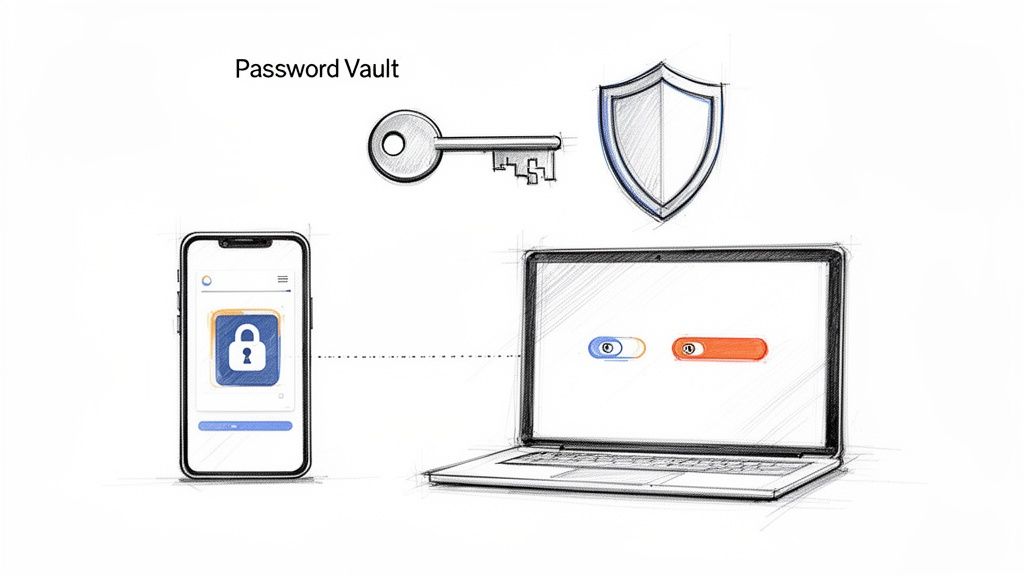
Think of it this way: instead of every employee having a key to every door in your business, they have one master key that only opens their assigned set of doors. This centralized control prevents the chaos of password spreadsheets and the security nightmare of credential reuse. For a growing business in Hamilton County, this isn't a luxury; it's a fundamental security control that converts wasted time from password resets into productive, billable hours.
How to Implement a Password Manager Effectively
Getting a password manager is the easy part; deploying it strategically is what separates the pros from the amateurs.
- Enforce Strong Master Passwords: The vault is only as strong as its front door. Mandate a long, unique passphrase for the master password and lock it down with multi-factor authentication (MFA). No exceptions.
- Use Role-Based Access: A marketing intern doesn't need the credentials for your financial software. Use role-based access controls (RBAC) to ensure employees can only see and use the passwords relevant to their jobs.
- Integrate with Your Identity Systems: Connect your password manager (like 1Password or Bitwarden) to your identity provider (like Microsoft Entra ID or Okta). This streamlines employee onboarding and automatically revokes access when someone leaves, a critical step in a Zero Trust security model.
- Conduct Quarterly Audits: In our 17 years of local service, we’ve seen countless shared vaults cluttered with credentials for ex-employees or defunct software. Schedule regular clean-ups to remove obsolete passwords and maintain a tight security posture.
This disciplined approach transforms a simple tool into a powerful defense, much like a robust firewall protects your network. By automating password security, you create a system that’s both stronger and easier for your team to use, bolstering security measures that complement the email security best practices essential for Indianapolis businesses.
2. Implement Multi-Factor Authentication (MFA) for All Critical Accounts
If a password is the lock on your digital front door, Multi-Factor Authentication (MFA) is the deadbolt, the security chain, and the alarm system all rolled into one. Relying on passwords alone is a risky bet; one successful phishing scam or a data breach on a third-party site is all it takes for a cybercriminal to waltz right into your network. MFA slams that door shut by requiring a second piece of evidence, a second "factor," to prove you are who you say you are. This is one of the most impactful best practices for password management you can adopt.
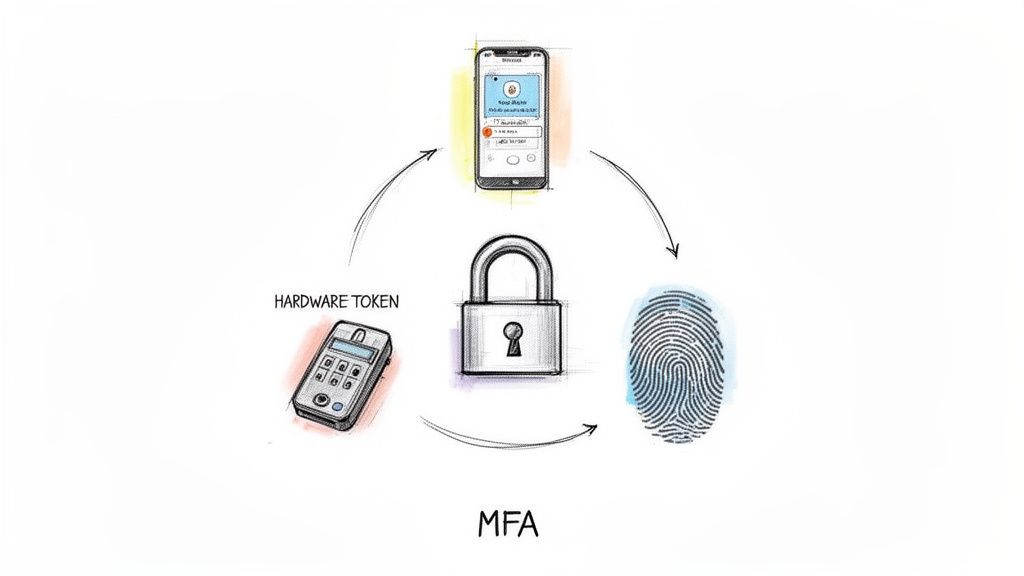
Think of it as the bank teller asking for your ID after you give them your account number. It’s a simple, powerful verification step. For a growing business in Johnson County, MFA isn't just a good idea; it's a non-negotiable layer of defense that stops 99.9% of account compromise attacks. It’s the difference between a minor inconvenience and a catastrophic data breach that brings your operations to a grinding halt.
How to Implement MFA Strategically
Turning on MFA is simple, but rolling it out without a plan can cause chaos. A phased, strategic approach ensures your team is secure without disrupting workflow.
- Prioritize High-Risk Accounts: Start with the crown jewels. Immediately enable MFA on all administrative accounts, email systems (like Office 365), VPN access, and your financial software. These are the primary targets for attackers.
- Choose the Right Factors: Ditch SMS-based MFA wherever possible. Cybercriminals can hijack phone numbers through "SIM swapping." Instead, standardize on more secure methods like authenticator apps (Google Authenticator, Microsoft Authenticator) or physical hardware keys (YubiKey) for maximum protection.
- Use Conditional Access Policies: Get smart with your deployment. Tools like Microsoft Entra ID allow you to create conditional access rules. For example, you can require MFA only when an employee logs in from an unrecognized network or a different country, reducing friction for everyday office access.
- Plan for Lockouts: Users will inevitably lose phones or get new ones. Ensure you have a clear, secure process for MFA resets and provide employees with backup recovery codes, instructing them to store these codes offline in a safe place, not on their computer’s desktop.
Properly implemented, MFA is a critical component of a Zero Trust security posture. It acts as a powerful deterrent, and you can learn more about how it helps protect against phishing attacks that target your business.
3. Enforce Strong Password Requirements and Complexity Standards
If a password manager is your digital Fort Knox, then strong complexity requirements are the reinforced steel in the vault door. Without a firm policy, employees will default to the path of least resistance: "Password123" or "GoColts!24". This is where establishing and enforcing clear password rules, a foundational element of best practices for password management, prevents predictable credentials from becoming an open invitation for attackers. It’s about setting a high bar for entry that simple dictionary attacks and brute-force tools can't clear.
Think of it as the building code for your digital infrastructure. Just as a building in downtown Indy needs a solid foundation, every password must meet a minimum standard to be considered secure. Policies set via tools like Microsoft Active Directory or Google Workspace automatically reject weak credentials, forcing the creation of stronger ones from the start. This proactive enforcement drastically reduces your attack surface, ensuring that the first line of defense is not easily breached.
How to Implement Strong Password Policies Effectively
Merely turning on complexity rules isn't enough; you need a thoughtful strategy that balances security with usability, aligning with modern standards from organizations like NIST.
- Establish a High Baseline: Mandate a minimum of 12 characters for standard user accounts. For privileged or administrative accounts with keys to the kingdom, bump that requirement up to 14 or more characters.
- Require Character Variety: Enforce the use of at least one character from each of the four main categories: uppercase letters, lowercase letters, numbers, and symbols. This exponentially increases the number of guesses a hacker would need to make.
- Ditch Forced Expiration: The old advice of changing passwords every 90 days is outdated. NIST guidelines now recommend changing passwords only when a compromise is suspected. This encourages users to create stronger, more memorable passphrases instead of slightly altering weak ones.
- Use Contextual Policies: A password for a non-critical internal tool doesn't need the same rigor as one for your financial systems or a server on the I-65 corridor. Implement stronger policies for high-risk applications and accounts.
- Guide Users with Strength Meters: When users create or reset passwords, use a visual strength meter. This simple tool provides immediate feedback, nudging them to create passphrases like ‘BlueSky!Clouds#2024’ instead of just meeting the bare minimum requirements.
4. Establish a Secure Password Sharing Protocol for Team Credentials
Sharing the Wi-Fi password is one thing; sharing the credentials for your company's social media accounts, vendor portals, or financial software via Slack or email is a data breach waiting to happen. For every shared account, you need a system that doesn't rely on trust alone. This is where secure password sharing protocols, a non-negotiable part of modern best practices for password management, come into play. It’s the digital equivalent of a bank's safe deposit box system, where access is logged, controlled, and never left to chance.

Think of it like this: instead of writing the keycode to the server room on a whiteboard, you issue temporary keycards that log every entry and exit. This approach, built into tools like Bitwarden Organizations and 1Password Teams, creates an encrypted, auditable trail for every shared credential. For a growing business on the I-65 corridor, this visibility is crucial for both security and compliance, ensuring you always know who accessed what, and when.
How to Implement Secure Credential Sharing
Deploying a sharing protocol isn't just about the tool; it's about building a disciplined process around it to eliminate risky behavior.
- Create a Shared Credential Inventory: You can't protect what you don't know you have. Document every shared account, its business purpose, and assign a clear owner responsible for its management and rotation.
- Enforce Strict Role-Based Access: A temp working on a project in your Carmel office doesn't need access to the company's payroll system. Use granular permissions within your password manager to grant access only to those who absolutely need it for their job.
- Automate Credential Rotation: In our 17 years of local service, we’ve seen shared passwords that haven't been changed since the Peyton Manning era. Set quarterly rotation schedules with automated reminders to keep these high-value credentials fresh.
- Establish a Zero-Tolerance Offboarding Process: When an employee leaves, your offboarding checklist must include immediate revocation of their access to all shared credential vaults. This single step prevents a disgruntled ex-employee from becoming your next security headline.
This systematic approach to sharing transforms a major vulnerability into a well-managed asset. It's a key component for companies managing a distributed workforce, as detailed in our guide on remote work security best practices for Indiana businesses.
5. Monitor for Compromised Passwords and Conduct Regular Breach Checks
You can have the strongest, most complex passwords in all of Hamilton County, but they're about as useful as a screen door on a submarine if they've already been stolen from another website. Cybercriminals don't just guess passwords; they buy massive lists of them from the dark web. This is why one of the most critical best practices for password management is actively checking if your company’s credentials have appeared in a data breach. It's the digital equivalent of knowing someone has a copy of your office keys.
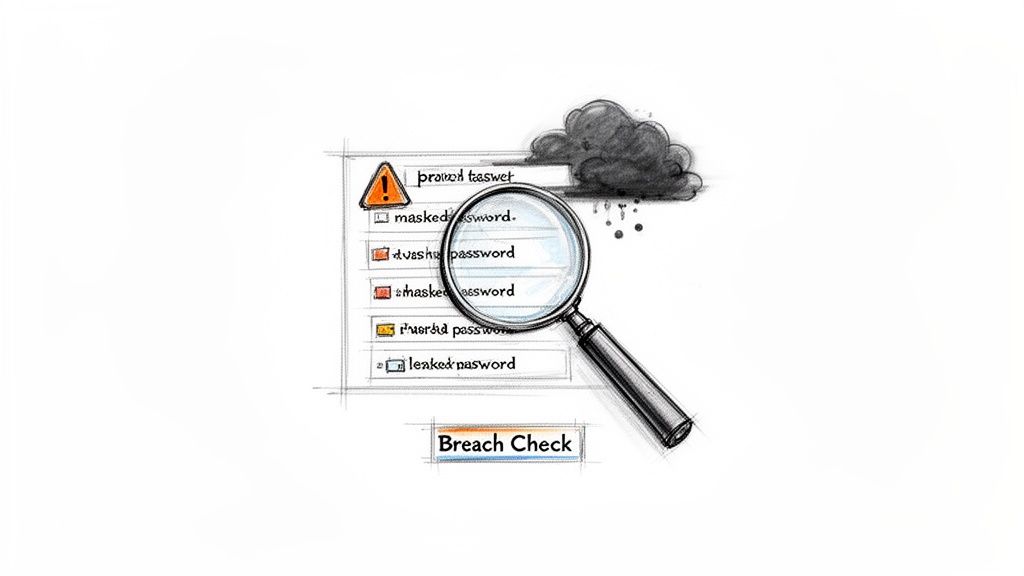
Think of it like this: if a third-party vendor gets breached, and your employee used their work email and a reused password on that vendor's site, a hacker now has a direct key to your network. Proactive monitoring tools scan these breach databases and alert you the moment your credentials show up, allowing you to force a password reset before an attacker can even try the stolen key. For a growing business along the I-65 corridor, this isn't just a good idea; it's a non-negotiable layer of defense against account takeover.
How to Implement Proactive Breach Monitoring
Simply hoping your passwords stay secret is not a strategy. You need a system to continuously verify their integrity.
- Integrate Automated Monitoring: Don't rely on manual checks. Use tools that automate this process. Password managers like 1Password Watchtower and Bitwarden have this built-in, while systems like Microsoft Identity Protection automatically flag leaked credentials within your Office 365 environment.
- Establish a Baseline: Run a one-time, domain-wide scan using a service like the Have I Been Pwned API to identify all currently exposed accounts. In our 17 years of local service, we’ve found that most businesses have dozens of compromised accounts they know nothing about.
- Create an Incident Response Plan: When a compromised credential alert comes in, what happens next? Your plan should mandate an immediate password reset, termination of all active sessions for that user, and a quick check for unauthorized activity. No delays.
- Focus on High-Value Targets: While you should monitor all accounts, pay special attention to privileged users like executives, IT administrators, and finance personnel. A breach of one of these accounts can be catastrophic, so they require the most vigilant oversight.
By turning breach detection into an automated, systematic process, you shift from a reactive to a proactive security posture. This approach is a core principle of a Zero Trust architecture, ensuring you're not caught off guard when a partner's security failure becomes your emergency.
6. Implement Single Sign-On (SSO) to Reduce Password Sprawl
If a password manager is the digital Fort Knox, Single Sign-On (SSO) is the master keycard that gets your team through the front door and into every authorized room without fumbling for a different key at every turn. SSO allows employees to log in once with a single, secure set of credentials and gain access to all their approved cloud apps like Microsoft 365, Salesforce, and Slack. It drastically cuts down on "password sprawl," the chaotic and insecure state where every employee has a dozen different passwords, usually weak and often reused.
Think about the productivity drain. Every time an employee in your Plainfield office forgets a password for a critical app, it’s a helpdesk ticket and lost billable time. SSO centralizes authentication, transforming a major security risk into a seamless, secure workflow. For any Indiana business scaling its cloud services, implementing SSO is a non-negotiable step in building a modern, efficient, and secure operation. This is a cornerstone of effective best practices for password management, simplifying access while tightening control.
How to Implement SSO Effectively
Deploying SSO is more than flipping a switch; it requires a strategic plan to unify your digital identity management without creating new security gaps.
- Start with High-Value Apps: Don't try to boil the ocean. Begin your SSO rollout with your most critical and widely used SaaS applications. Integrating Microsoft 365, your CRM, and your project management tool first delivers the biggest immediate win for security and user experience.
- Centralize with a Strong Identity Provider (IdP): Choose a robust IdP like Microsoft Entra ID (formerly Azure AD) or Okta. This platform becomes your single source of truth for user identities, allowing you to enforce security policies like MFA from one central dashboard.
- Enforce with Conditional Access: SSO's real power comes from context. Use conditional access policies to require MFA when a user logs in from an unfamiliar location or a new device. This Zero Trust approach ensures that even with the right password, a threat actor can't get in.
- Plan for Business Continuity: What happens if your IdP goes down? In our 17 years of local service, we’ve seen this paralyze businesses. Ensure you have documented failover procedures and recovery plans to maintain access to critical systems during an outage.
7. Create and Maintain an Inventory of All Business Accounts and Credentials
You can't protect what you don't know exists. Many businesses have dozens of "ghost accounts" floating around: forgotten vendor portals, old software trials, or credentials tied to ex-employees. These orphaned accounts are unguarded backdoors into your network, a problem we often uncover during security audits for businesses along the I-65 corridor. A core pillar of best practices for password management is building and maintaining a complete credential inventory, a master list of every single account tied to your business.
This inventory acts as your digital map, documenting every service, application, and system that requires a password. Without it, you're flying blind, unable to conduct proper audits or respond effectively to a breach. For a growing business in Johnson County, this isn't just about tidiness; it's about eliminating the security gaps that forgotten credentials create, a critical requirement under compliance frameworks like HIPAA and CMMC which demand strict asset control.
How to Implement a Credential Inventory Effectively
Building this inventory isn't a one-and-done project; it’s a living document that requires a disciplined process. It’s the difference between a secure, organized system and a digital junkyard of unknown risks.
- Initiate a Thorough Discovery Process: Start by actively hunting for accounts. Scan network logs with tools like Splunk to see authentication events, review cloud service bills, and audit administrator accounts. In our 17 years of local service, we’ve found that interviewing department heads is often the fastest way to uncover shadow IT.
- Standardize Your Documentation: Create a secure database or specialized tool, not a shared spreadsheet. For each entry, document the account name, owner, business purpose, sensitivity level (e.g., Tier 1 for admin/financial), and the last access date. This data is invaluable for risk assessment.
- Classify and Prioritize Accounts: Not all accounts are created equal. The credentials for your QuickBooks are infinitely more critical than the login for the office pizza delivery portal. Classify accounts by criticality to focus your security efforts, like mandatory password rotation, on the highest-risk assets first.
- Establish a Quarterly Review Cycle: An inventory becomes useless the moment it's outdated. Schedule mandatory quarterly reviews to identify and deprovision unused or orphaned accounts. This simple habit dramatically shrinks your attack surface and keeps your access controls tight.
Integrating this inventory with your offboarding workflow is a non-negotiable step in a Zero Trust security model. When an employee leaves your Greenwood office, your checklist should automatically trigger the deactivation of every account listed under their name, sealing potential security holes before they can be exploited.
8. Develop and Enforce a Password Policy Document Across the Organization
Operating without a formal password policy is like building a house without blueprints. Sure, you might get four walls and a roof, but the whole structure is unstable and bound to collapse. A password policy document is the official playbook for your organization's credential security. It eliminates guesswork and establishes a clear, enforceable standard for how passwords are created, used, and managed, making it a cornerstone of modern best practices for password management.
This document transforms abstract security goals into concrete rules that every employee, from the C-suite to the interns, must follow. It’s the difference between saying "use a good password" and mandating "passphrases must be a minimum of 16 characters and protected by MFA." For a business in Johnson County, this isn't just bureaucratic paperwork; it’s a critical control that demonstrates due diligence for compliance frameworks like HIPAA or CMMC and provides a legal standing if an employee's negligence causes a breach.
How to Implement a Password Policy Effectively
A policy that just sits on a server is useless. To make it a living, breathing part of your security culture, you need to build it right and enforce it consistently.
- Build from Proven Frameworks: Don’t reinvent the wheel. Start with authoritative guidelines from NIST (SP 800-63B) or the CIS Controls. These frameworks provide a battle-tested foundation that you can customize to fit the specific risks and operational needs of your business.
- Define Everything, Assume Nothing: Your policy must be crystal clear. Include specific sections for password complexity (length over special characters), mandatory MFA usage, prohibitions on sharing credentials, and guidelines for secure storage (i.e., in the company-approved password manager).
- Establish Clear Consequences: What happens when someone writes their password on a sticky note and slaps it on their monitor? The policy must define the consequences for violations, from a simple warning for a first offense to more serious disciplinary action for repeated or high-risk infractions.
- Integrate and Train Relentlessly: Make the policy a mandatory part of employee onboarding and conduct annual refresher training. In our 17 years of local service, we’ve seen that the best policies are the ones that are understood, not just acknowledged. The document should be easily accessible to everyone.
- Review and Revise Annually: Threats evolve, and so should your policy. Schedule an annual review to update the document based on new technologies, emerging threats, and feedback from your team. This process is a key component of a proactive security posture, much like conducting a periodic cyber security risk assessment for your Indiana business to identify new vulnerabilities.
9. Conduct Regular Security Training and Awareness on Password Management
Investing in the best firewalls and password vaults without training your team is like installing a state-of-the-art alarm system but leaving the front door unlocked. Your employees are the human firewall, and a single click on a phishing email can render every technical control useless. Consistent security awareness training is a core pillar of best practices for password management, transforming your staff from potential liabilities into your first line of defense. It’s a proactive strategy to hardwire security instincts into your company culture.
Think of it like this: you wouldn't let an employee operate heavy machinery in a Johnson County warehouse without safety training. Similarly, you can't expect them to navigate the digital minefield of spear phishing and social engineering without proper instruction. For a growing business, turning this training into muscle memory is the most cost-effective way to reduce security incidents and protect sensitive company data from exposure.
How to Implement Security Training Effectively
A one-and-done training video during onboarding is a recipe for failure. Effective training is an ongoing, engaging process that reinforces good habits.
- Make It Mandatory and Role-Specific: Security training starts on day one, before any system access is granted. A developer needs specific training on secrets management, while an executive in a downtown Indy tech hub needs tailored coaching on whaling attacks. One size does not fit all.
- Run Simulated Phishing Campaigns: In our 17 years of local service, we've seen that nothing teaches a lesson like a safe failure. Use platforms like KnowBe4 to send simulated phishing emails. Employees who click receive instant, targeted micro-learning, turning a mistake into a teachable moment.
- Vary Your Training Methods: Keep the content fresh and engaging. Use a mix of interactive modules, short videos, team huddles, and even posters in the breakroom. Beyond dedicated password training, encompassing broader security topics like GDPR training for staff ensures a comprehensive security awareness culture across the organization.
- Measure, Report, and Incentivize: Track key metrics like phishing click rates and password policy compliance. Share the results with leadership and recognize employees who demonstrate strong security hygiene, like reporting a suspicious email. This data-driven approach proves the ROI of your training program.
This consistent reinforcement builds a security-first mindset that is crucial for any business. To see how this training fits into a broader defense strategy, explore our comprehensive cybersecurity services designed for Indiana businesses.
10. Establish Offboarding Procedures to Deactivate and Revoke Credentials
When an employee leaves, it’s not just a farewell lunch and a signed card; it's a critical security event. Leaving their digital access active is like giving an ex-employee a key to your office, your server room, and your safe. Incomplete offboarding leaves behind "ghost accounts" that are prime targets for attackers. A formal offboarding process, a cornerstone of best practices for password management, ensures that every digital door is locked the moment an employee walks out for the last time.
Think of it like decommissioning a ship. You don't just let it drift away; you systematically shut down its systems, seal its hatches, and ensure it can't be commandeered. For a growing business in Johnson County, a single orphaned account with access to financial data or client records can lead to a catastrophic breach. A disciplined offboarding checklist converts this major security risk into a routine, controlled procedure, protecting your company's data and reputation.
How to Implement Offboarding Procedures Effectively
A clear, repeatable process is the only way to ensure nothing slips through the cracks. It’s not about trust; it’s about systematically eliminating risk.
- Create a Comprehensive Offboarding Checklist: This isn't optional. Your list must cover every point of access: email, cloud apps (Microsoft 365, Salesforce), VPN, internal servers, and even physical access systems. The process should start the moment notice is given.
- Centralize and Automate Revocation: Use your identity provider, like Microsoft Entra ID or Okta, to do the heavy lifting. A single click should deactivate access across dozens of connected applications. This is a core component of a Zero Trust architecture.
- Reset All Shared Credentials: Did the departing employee have the password to the company’s social media, a shared admin account, or a vendor portal? Those credentials must be changed immediately. In our 17 years of local service, we’ve seen this simple mistake lead to major security incidents.
- Verify Deactivation: Don't just assume the accounts are disabled. Have a designated person from IT or HR attempt to log in with the old credentials to confirm access is fully revoked. Document every step with timestamps for your audit trail and potential compliance needs.
This structured approach transforms a potentially chaotic event into a secure and orderly process. It protects your business from both accidental data exposure and malicious insider threats, ensuring that when an employee’s journey with your company ends, so does their access.
Password Management: 10-Point Comparison
| Item | Implementation Complexity 🔄 | Resource Requirements ⚡ | Expected Outcomes ⭐📊 | Ideal Use Cases 💡 | Key Advantages ⭐ |
|---|---|---|---|---|---|
| Use a Password Manager to Generate and Store Strong Passwords | Medium 🔄 — deployment, SSO/integration & user training | Medium ⚡ — licensing, admin, integrations | High ⭐⭐⭐⭐ — unique passwords, fewer resets, audit trails | Teams needing centralized credential control and secure sharing | Centralized vault, auto-fill, breach monitoring |
| Implement Multi-Factor Authentication (MFA) for All Critical Accounts | Medium–High 🔄 — policy, device enrollment, exception handling | Low–Medium ⚡ — authenticator apps or tokens, admin time | Very High ⭐⭐⭐⭐⭐ — blocks most account takeovers; compliance | High-risk accounts: email, VPN, admin, finance | Strong protection even if passwords compromised |
| Enforce Strong Password Requirements and Complexity Standards | Low–Medium 🔄 — policy changes, enforcement via identity systems | Low ⚡ — built-in OS/cloud controls, minimal cost | High ⭐⭐⭐⭐ — reduces brute-force and credential-stuffing success | Baseline control across all user accounts | Exponential increase in attack effort; easy to implement |
| Establish a Secure Password Sharing Protocol for Team Credentials | Medium 🔄 — configure sharing scopes, rotation and ownership | Medium ⚡ — password manager features or secrets manager | High ⭐⭐⭐⭐ — reduces exposure from insecure sharing | Shared vendor/service/admin credentials for teams | Encrypted sharing, audit logs, time-limited access |
| Monitor for Compromised Passwords and Conduct Regular Breach Checks | Low–Medium 🔄 — integrate breach feeds and alerts | Low ⚡ — APIs or built-in manager features, modest cost | High ⭐⭐⭐⭐ — early detection; reduces time-to-detection | Organizations wanting proactive leak detection | Alerts for leaked credentials; supports rapid remediation |
| Implement Single Sign-On (SSO) to Reduce Password Sprawl | High 🔄 — protocol mapping, vendor coordination, testing | High ⚡ — identity provider, integrations, admin overhead | Very High ⭐⭐⭐⭐⭐ — fewer credentials, centralized control & audits | Organizations with many SaaS/on‑prem apps | Reduces resets, central revocation, improved UX |
| Create and Maintain an Inventory of All Business Accounts and Credentials | Medium–High 🔄 — discovery, classification, ongoing audits | Medium ⚡ — tools or manual effort, regular maintenance | High ⭐⭐⭐⭐ — improves audits, offboarding, risk identification | Organizations with many services or legacy systems | Prevents orphaned accounts; enables targeted remediation |
| Develop and Enforce a Password Policy Document Across the Organization | Low–Medium 🔄 — drafting, approvals, communication | Low ⚡ — documentation and training time | Medium–High ⭐⭐⭐ — consistent expectations; supports compliance | Any org needing formal governance and accountability | Clear standards, enforcement criteria, audit evidence |
| Conduct Regular Security Training and Awareness on Password Management | Medium 🔄 — program design, simulations, continuous delivery | Medium ⚡ — platform/subscriptions, staff time | High ⭐⭐⭐⭐ — reduces phishing success; improves behaviors | Organizations prioritizing human risk reduction | High ROI; builds security culture and reporting rates |
| Establish Offboarding Procedures to Deactivate and Revoke Credentials | Medium 🔄 — workflow creation, cross‑team coordination | Medium ⚡ — automation tools or manual checklists | Very High ⭐⭐⭐⭐⭐ — prevents persistent access and insider risk | Businesses with regular employee transitions or contractors | Immediate revocation, documented audit trails, reduces breaches |
Final Thoughts
We’ve just navigated the digital minefield of password management, and if your head is spinning, that’s a good sign. It means you’re taking this seriously. The days of using ColtsFan123! for every login are officially over for any business owner in Central Indiana who wants to stay in business. This isn’t just about following rules; it’s about building a digital fortress around your company’s most valuable asset: its data. Implementing these best practices for password management isn't a one-and-done task; it’s a fundamental shift in how your organization operates.
Think of it like this: leaving your passwords unsecured is like leaving the keys to your entire Fishers office building on the front counter of a coffee shop. You wouldn't do that. So why do it with the digital keys to your kingdom, the ones that protect your financial records, client data, and proprietary information? Each practice we’ve covered, from deploying a robust password manager to enforcing Multi-Factor Authentication (MFA), adds another layer of hardened steel to your defenses.
From Checklist to Culture
The real victory isn't just checking off items on a list. It's about transforming these practices into the very culture of your company. When your team instinctively uses a password manager to generate a 20-character passphrase for a new software trial or flags a suspicious email without hesitation, you’ve won. This is how you convert cybersecurity from a dreaded expense into a competitive advantage.
Here are the most critical takeaways to focus on immediately:
- Action Over Inaction: The single biggest mistake is paralysis. Pick one thing from our list, like deploying a password manager such as Bitwarden, and implement it this week. Momentum is your greatest ally.
- MFA is Non-Negotiable: If you do nothing else, enable MFA on every critical account, from your email to your banking portal. This one step can thwart the majority of automated credential-stuffing attacks.
- Training is Your Best ROI: A sophisticated firewall is useless if an employee unknowingly gives away their credentials. Regular, engaging training turns your team from a potential liability into your first line of defense against threats.
Remember, poor password hygiene is a direct path to downtime. A single compromised account can lead to a ransomware attack that locks up your systems, bringing your operations to a screeching halt. For a manufacturer in a Greenwood business park, that means production stops. For a law firm downtown, it means billable hours evaporate. The cost of prevention is a rounding error compared to the catastrophic cost of a breach.
We’ve seen firsthand, in our 17 years of local service, how a simple password mistake can cripple a thriving Johnson County business. By embracing these best practices for password management, you’re not just securing data; you're ensuring business continuity, protecting your reputation, and building a more resilient, profitable organization prepared for whatever digital threats come down the I-65 corridor.
Feeling overwhelmed by the checklist? Let’s turn that uncertainty into a rock-solid security plan. The experts at Finchum Fixes IT can perform a comprehensive Security Risk Audit for your Indianapolis-area business, identifying your exact vulnerabilities and implementing these best practices for you. Schedule your free consultation today and let's secure your business, together.