Cloud Cost Optimization: An Indiana SMB's Playbook
A lot of Johnson County business owners hit the same wall. They move workloads to AWS, Azure, or Google Cloud to get rid of aging server hardware, stop babysitting backups, and keep teams productive across Greenwood, downtown Indy, and the I-65 corridor. Then the first ugly bill lands, and suddenly the cloud feels less like progress and more like a meter running in the background.
That's the Southside version of cloud sprawl. In the old days, your risk sat in a hot server closet in a Greenwood business park. Now the risk is invisible. A forgotten test server, oversized virtual machines, runaway storage, and AI experiments can chew through budget until finance notices. That's a business continuity problem, not just an accounting problem. Downtime can cost up to $9,000 per minute, and wasted tech time drains hours your staff could spend on customers, production, and billable work.
In our 17 years of local service, we've seen this pattern across cybersecurity, networking, cloud computing, data recovery, software development, and IT support. The fix isn't a giant enterprise FinOps program. For most Indiana SMBs, it's a disciplined set of practical controls.
Your First Cloud Bill Shock and What to Do About It
A common scene around Greenwood goes like this. A manufacturer moves file shares, application servers, and a reporting database to AWS. The migration itself goes fine. Production stays online. The old hardware headaches disappear. Then month two or three brings a five-figure invoice that nobody expected, and the owner starts wondering whether the old rack server was cheaper.
That reaction is normal. Gartner reports that 60% of organizations will encounter cloud cost overruns that negatively impact their business. If you're feeling that pressure, you're not behind. You're in the same spot as a lot of companies that moved fast and only later realized cloud pricing punishes guesswork.
Practical rule: If nobody on your team can explain yesterday's cloud spend in plain English, your bill will keep surprising you.
Before any optimization work starts, it helps to sanity-check the stack you moved and whether the migration design itself set you up for predictable costs. That's where solid planning matters. A review of cloud migration best practices for Indiana businesses usually reveals whether the issue is architecture, governance, or both.
TL;DR
- Get visibility first: Turn on native billing and usage tools so every charge has an owner.
- Tag at deployment: Use simple tags like Owner, Project, and Environment. Retroactive cleanup misses too much.
- Rightsize carefully: Shrink oversized instances based on actual usage, not gut feel.
- Automate off-hours shutdowns: Dev and test systems shouldn't run all night if nobody's using them.
- Buy smarter: Use committed pricing for stable workloads and spot capacity only where interruptions won't hurt operations.
- Protect continuity: Cost cuts should never break production, backups, compliance, or recovery.
Why SMBs get hit harder
Big enterprises can hide cloud waste for longer. A Johnson County business can't. One billing surprise can shove aside a firewall refresh, delay endpoint protection like Bitdefender GravityZone, or force a bad decision on backup retention when you should be paying for immutable off-site backups and tighter recovery targets.
If your stack includes analytics, warehouse compute, or bursty reporting jobs, specialized billing models can make things even murkier. That's why resources like Credit for Startups' guide to Snowflake costs are useful. It breaks down how warehouse usage can turn into a cost problem fast when nobody owns scheduling and query discipline.
What works in the real world
The companies that get control don't start with heroic cleanup projects. They start with a short list:
- Visibility before opinions: Pull cost data from the provider's native tools.
- Guardrails before growth: Stop new waste before hunting old waste.
- Continuity first: Keep critical workloads stable, especially where HIPAA, CMMC, or NIST CSF requirements shape retention, logging, and recovery.
That's the playbook. Simple. Boring. Effective.
First Steps Find and Tag Every Cloud Spend Leak
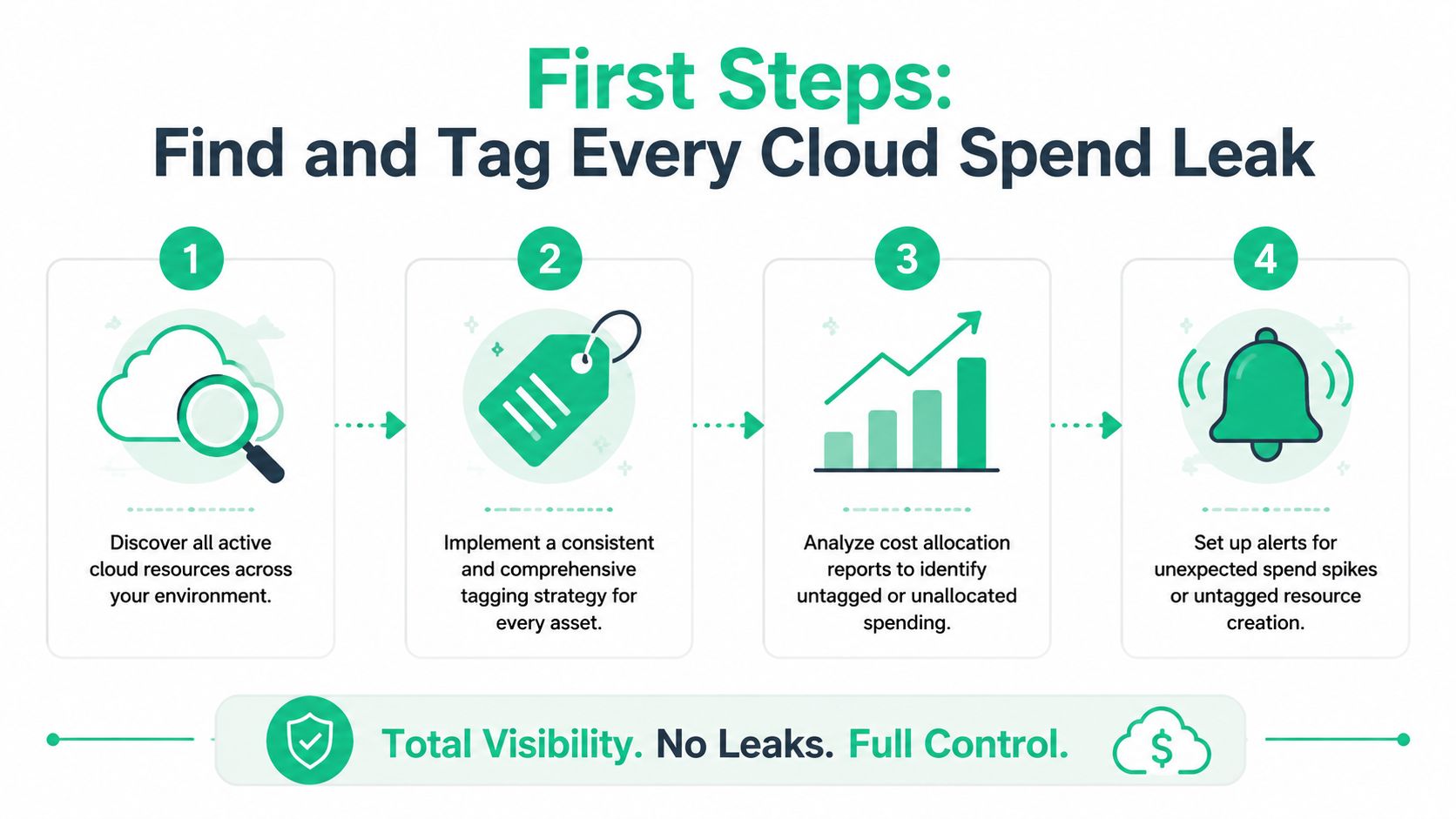
Monday morning in Greenwood. You open the AWS bill, see charges for instances nobody recognizes, snapshots nobody asked for, and storage tied to names that mean nothing to accounting. That is usually the point where an Indiana SMB realizes the problem is not just price. It is missing ownership.
A business without a FinOps team does not need a giant reporting project first. It needs a bill that can answer basic questions fast. What belongs to production? What belongs to a client project? What was spun up for testing and never cleaned up? Native tools are enough to start. In AWS, use Cost and Usage Reports and Cost Explorer. In Azure, use Cost Management. In Google Cloud, export billing data and review cost views. The job is simple. Tie every dollar to a person, system, or business function your team recognizes.
Tagging has to happen at deploy time
The expensive mistake is retroactive tagging. It sounds reasonable until short-lived resources appear and disappear before anyone labels them. AWS recommends using tagging best practices with tag policies and service control policies so resources are created with the right business context from the start.
For a Johnson County company, that means one clear rule. If a resource does not have the required tags, it should not launch.
Keep the tag set small enough that people will use it:
| Tag | Why it matters |
|---|---|
| Owner | Shows who answers for the cost |
| Project | Connects spend to a department, client, or revenue line |
| Environment | Separates production from dev, test, and sandbox |
| Purpose | Explains what the resource actually does |
I have seen this clean up bills faster than any third-party dashboard. One client near Greenwood had plenty of data already. They just could not trust it. After we required tags in deployment templates and reviewed untagged spend every week, the mystery charges started shrinking because new waste stopped entering the system.
A lightweight process that a small team can keep up with
Small businesses do not need a committee for this. They need a repeatable habit.
- Pull billing data from the cloud provider. Start with the native export, not a new platform.
- Sort for untagged and shared spend. That is where the cleanup list comes from.
- Set three required fields first. Owner, Project, and Environment cover most decisions.
- Enforce tags in templates and policies. Manual reminders fail. Guardrails hold.
- Review exceptions weekly. Fifteen minutes beats a painful month-end surprise.
Untagged cloud spend works like unlabeled inventory in a warehouse off Emerson Avenue. You are still paying for every box. You just cannot tell what should stay, what should move, and what should have been thrown out weeks ago.
Storage is usually the next place hidden waste shows up. Old snapshots, duplicate objects, and orphaned buckets accumulate. If your team wants a practical way to review that clutter without turning it into a full research project, this guide on how to identify storage using Claude gives a useful workflow.
Once cloud costs are tagged to real owners, inventory gets easier across the rest of the business too. A review of IT asset management software for Indiana businesses can help tie cloud resources back to devices, users, and the systems your staff depends on every day.
Rightsize Your Resources Without Breaking Things
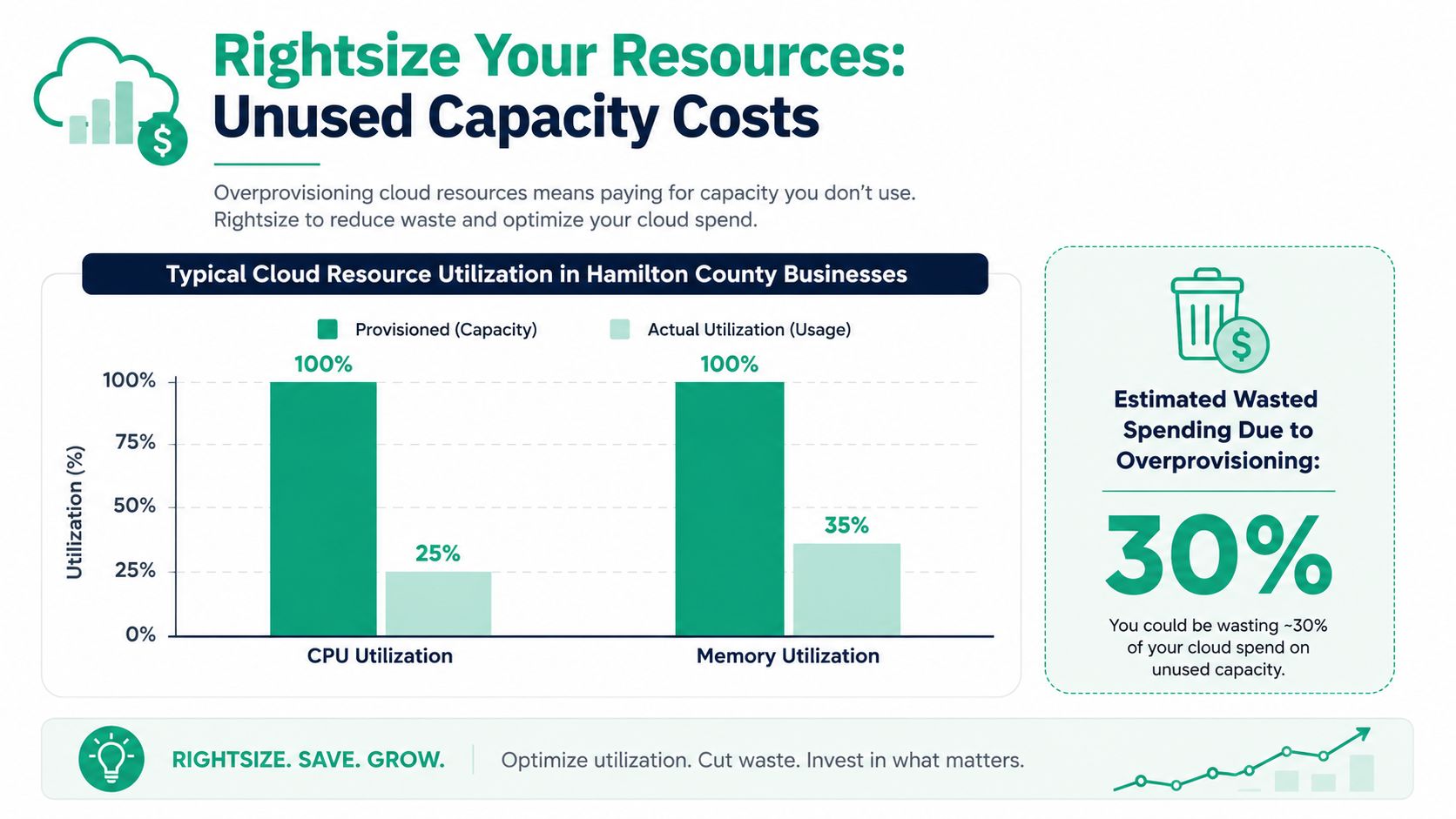
Most cloud waste isn't malicious. It's cautious. Someone picks a larger instance “just to be safe,” then nobody checks whether the application ever needed it. Six months later, you're paying premium rates for a server that spends most of its life waiting around.
That doesn't mean slash everything in half and hope for the best. Rightsizing is precision work.
What to shrink and what to leave alone
Start with AWS Trusted Advisor, Compute Optimizer, or Azure Advisor. They help spot low-utilization machines, but the recommendation is only the beginning. A server can look sleepy in CPU graphs and still be critical because of memory bursts, licensing constraints, or application timing.
The safest order looks like this:
- Begin with non-production: Dev, QA, internal tools, and staging are lower risk.
- Review performance history: Check CPU, memory, storage IOPS, and network behavior together.
- Validate with the app owner: Finance doesn't know if that “idle” server runs the nightly production import.
- Change one thing at a time: Shrink the instance, then monitor before touching storage or database class.
Field note: Rightsizing fails when teams stare at one graph and ignore the workload behind it.
For businesses with HIPAA, CMMC, or contractual retention rules, storage needs the same discipline. Old files, database snapshots, and logs often sit on expensive storage classes long after anyone needs fast access.
Storage tiering without compliance headaches
The smart move is lifecycle policy, not manual cleanup. Keep current data on high-performance tiers. Move stale data to cheaper archive classes based on age and access pattern. The trick is to line this up with legal hold requirements, restore expectations, and backup design.
That matters for continuity. If a ransomware event or accidental deletion hits, you need recoverable copies, not a bare-minimum storage bill. We've seen the recovery side firsthand. When we dissembled a similar client's failing RAID array, the lesson was clear. Cost cutting means nothing if the data path collapses during an incident. That's why rightsizing has to live alongside immutable off-site backups, tested restores, and Zero Trust architecture around who can touch production data.
A lot of SMB owners in Hamilton County also miss network dependencies during rightsizing. Shrinking a compute tier can expose latency issues if the app already limps along over weak Wi-Fi or old switching gear. If your office sits in an old brick building with dead zones, a cloud app may look “slow” because of local networking, not cloud compute. UniFi networking, properly placed access points, and latency-optimized mesh nodes often solve the user complaint that somebody was about to “fix” by throwing more cloud horsepower at it.
For a quick explainer before you start tuning instances, this walkthrough is worth a few minutes:
Choose Smart Pricing with Reserved and Spot Instances
A lot of Indiana SMBs get through rightsizing, see the bill drop a little, and assume they are done. Then the next invoice lands and the number is still too high because every server is billed at on-demand rates.
That is usually the point where pricing strategy starts to matter.
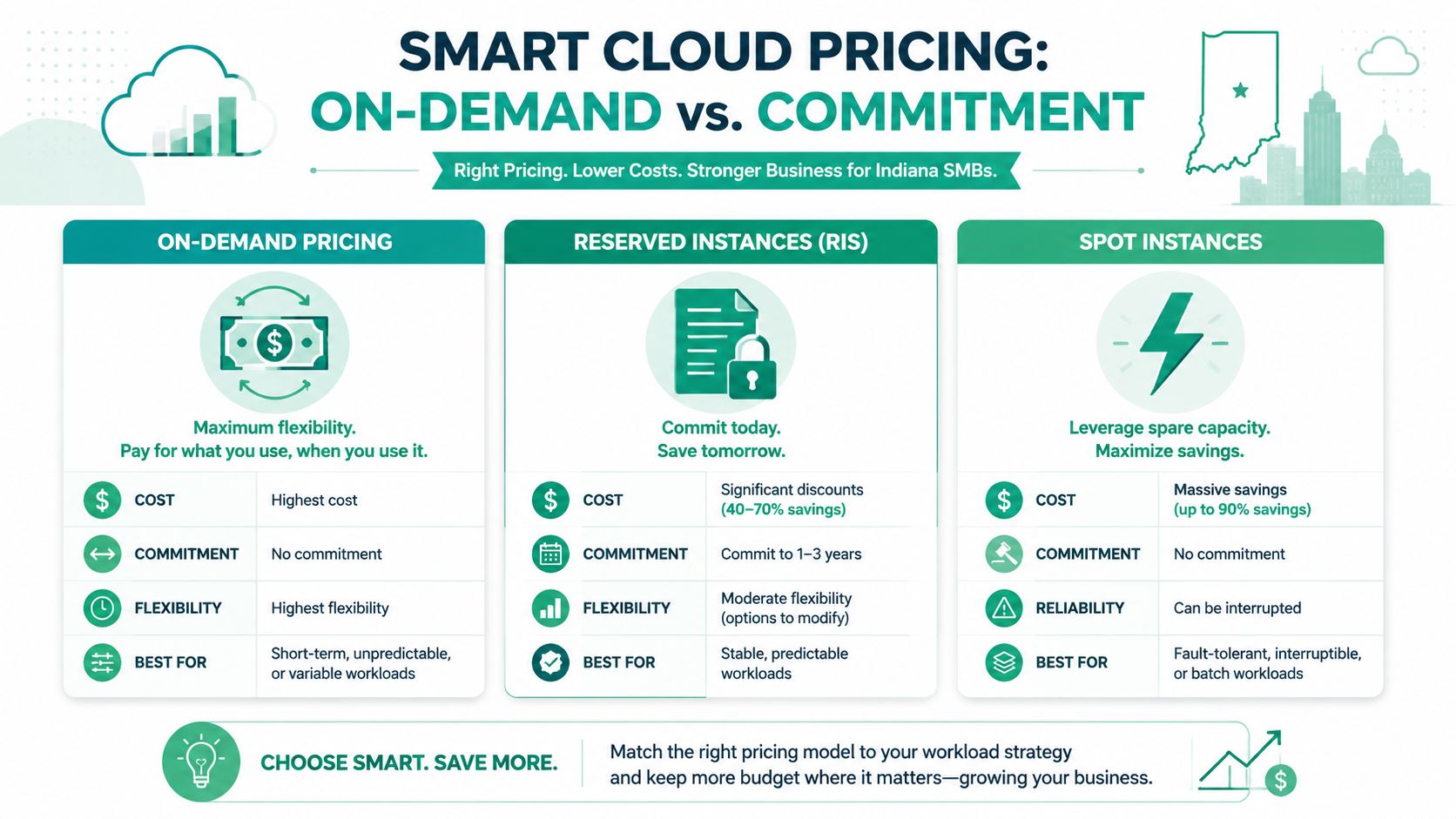
The practical move is to sort workloads into three groups: steady, variable, and disposable. If a system runs all month and supports daily operations, buy it differently than a short-term test box or a batch job that can retry later.
The simple decision table
| Model | Best fit | Trade-off |
|---|---|---|
| On-demand | New apps, uncertain usage, short-term work | Highest cost, best flexibility |
| Reserved instances or savings plans | Stable workloads that run predictably | Lower flexibility, better pricing |
| Spot instances | Fault-tolerant jobs, batch work, disposable compute | Can be interrupted |
AWS documents that reserved pricing options can cut costs significantly for predictable usage compared to on-demand, which is why I start there for any client with servers that run every business day (AWS Reserved Instances pricing guidance).
Where each model belongs
Reserved pricing fits the boring systems that keep the business open. Domain services, application servers with steady traffic, databases that support the same staff every day, and background jobs with consistent demand are common candidates. If shutting that workload off next month would disrupt payroll, dispatching, ticketing, or customer service, it deserves a serious look for committed pricing.
Spot capacity belongs on work that can stop and start without creating a Monday morning mess. Batch exports, media processing, large test runs, some analytics jobs, and queue-based tasks are often a good fit. A production ERP server is not. A primary file server is not. If interruption means lost transactions or staff downtime, keep it off Spot.
The mistake I see in Johnson County is buying commitment too early. A company launches a new app, guesses at usage, then locks into the wrong size or the wrong family. Six months later, they are paying for predictability they never had. Start with on-demand for anything new or messy. Commit only after you have a few billing cycles and usage patterns you trust.
What a Johnson County SMB should actually do
For a local business without a FinOps team, keep the process simple and low overhead:
- Commit your base load: Move the systems you know will run every weekday, and likely every night, into Reserved Instances or Savings Plans after usage settles.
- Keep uncertain workloads flexible: Leave migrations, new applications, and seasonal projects on-demand until the pattern is clear.
- Use Spot behind retries and queues: Spot works best when the job can fail, restart, and finish later without anyone opening a help desk ticket.
- Review commitments quarterly: Business changes fast in small companies. That review cadence is usually enough to catch drift without creating more admin work than savings.
I also tell owners to match this with simple operating discipline. Keep a short spreadsheet or dashboard that shows which workloads are committed, when terms end, and who approved them. If your team already uses checklists and recurring tasks to keep operations tight, the same approach works here. A basic guide to automating business processes for Indy SMBs can help you build that habit without adding another full-time function.
Pricing choices affect resilience too. Cheap compute is not helpful if the workload is now tied to the wrong purchase model or built on interruptible capacity it cannot tolerate. The goal for a smaller Indiana business is not perfect cloud pricing math. The goal is a bill you can predict, a setup your staff can manage, and fewer surprises at the end of the month.
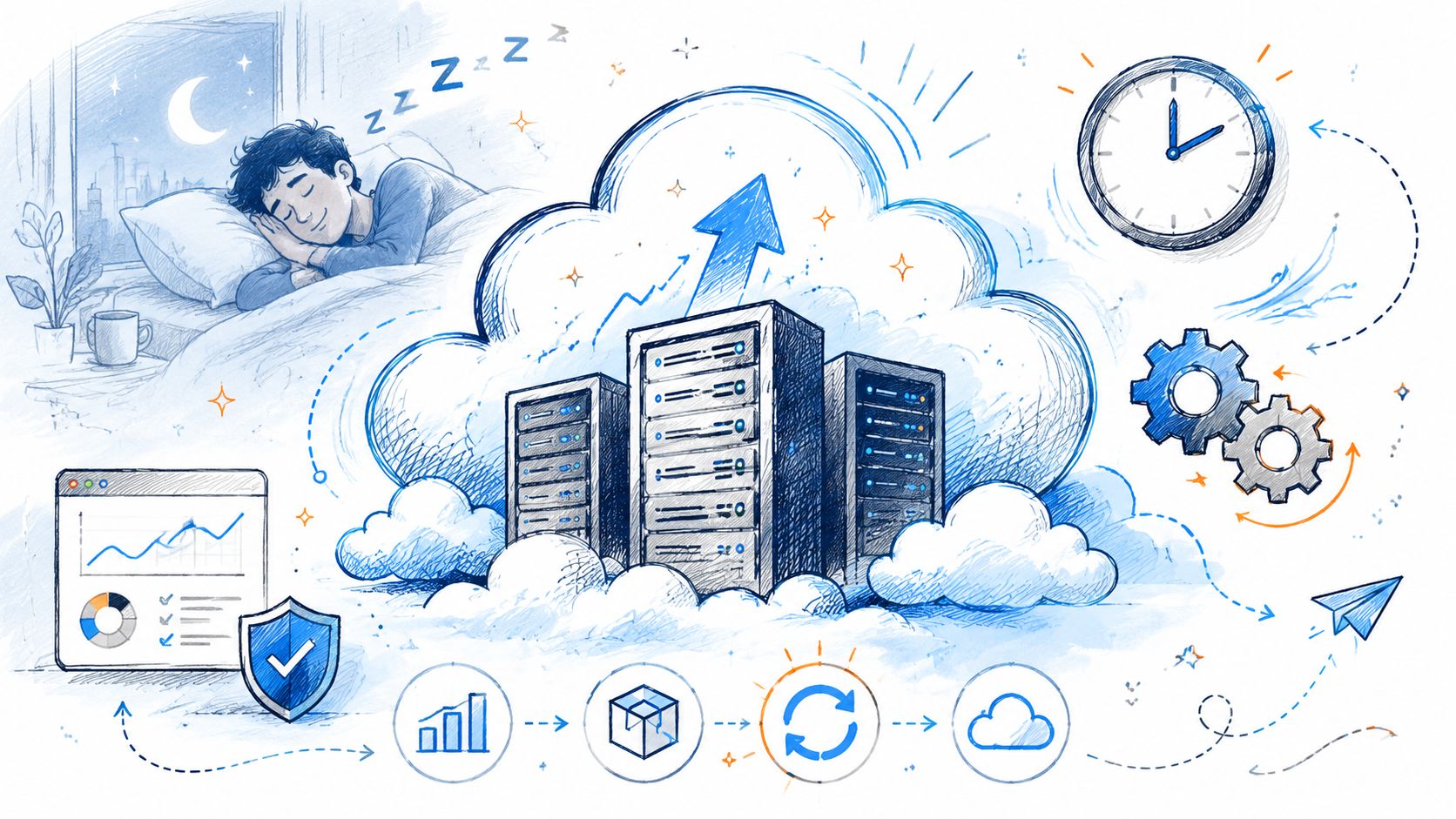
Automate Cloud Savings While You and Your Team Sleep
Manual cloud cleanup sounds responsible. In practice, it turns into wasted tech time. Somebody means to shut down test resources on Friday. Somebody forgets. The bill keeps running all weekend.
Automation is what makes cloud cost optimization stick. If a task depends on memory, it will fail the moment your team gets busy.
Shut down what nobody is using
This is the cleanest quick win for most SMBs. Automated scheduling for non-production environments can reduce their costs by approximately 70%, while strategies like leveraging ARM-based instances deliver 20-40% cost reductions compared to traditional architectures.
If your developers work business hours in Indiana, your dev and staging systems usually don't need to run overnight. The same goes for many internal testing environments. Schedule them to power down after hours and restart before the team logs in.
A practical schedule often covers:
- Development servers that sit idle after the workday
- Staging environments used only during release windows
- Training labs for periodic internal use
- Temporary project stacks tied to a short engagement
Autoscaling beats permanent overbuilding
Plenty of Indy-area businesses still size cloud capacity for their busiest possible day and pay that rate every other day too. That's old server-room thinking.
Autoscaling fixes it. Your application gets rules. Add capacity when demand rises. Remove capacity when it falls. For a Carmel e-commerce shop during a sales event, that means handling the rush without paying peak pricing in the quieter hours that follow. For a service company with a customer portal, it means smoother performance without a blanket overspend.
Good automation protects both budget and uptime. It's not just cost control. It's operational discipline.
This matters for budget planning too. Cloud automation converts random spend into a more predictable operating model, which is exactly what owners want when they're trying to decide between headcount, equipment, cybersecurity upgrades, or software development priorities. If you want examples of where workflow automation pays off outside the cloud bill itself, this guide on automating business processes for Indy SMBs is worth a look.
One caution. Don't automate blindly. Exempt production systems with strict uptime needs. Check dependencies. Confirm backup jobs, patch windows, and maintenance tasks won't collide with shutdown rules.
Slash Hidden Costs in Your Development and Testing
Development and testing waste is sneakier than production waste because nobody sees it as “real” spend. Engineers are trying to ship code, test integrations, and move product forward. Cost discipline usually lands somewhere behind speed.
That's why dev and CI/CD environments often become the messiest part of the bill. Short-lived test resources pile up. Storage grows around build artifacts. Experimental services linger after the project changed direction.
The GPU problem most teams miss
One of the ugliest examples shows up in AI and machine learning work. A frequently ignored issue is AI/ML GPU waste due to human error; data shows that forgotten GPU sessions of just 4 hours can cost $50–$200 per instance, and organizations often run 10x more models than are actively used.
That's not a giant-enterprise problem only. A small Indiana software team experimenting with document classification, forecasting, or internal copilots can burn money fast if nobody tears down idle notebooks and test environments.
The practical controls are simple:
- Automatic notebook shutdowns: End idle sessions after a set period.
- Ephemeral environments: Build test environments that destroy themselves after the run completes.
- Quota limits: Put ceilings on high-cost instance types.
- Approval for specialty compute: Make expensive GPU use visible before it launches.
Dev speed still needs recovery discipline
A lot of SMBs also forget that development data needs protection. If your team builds against live-like datasets, test backups matter. So do restore tests. A cheap dev environment that loses work, or exposes customer data, isn't cheap.
That's why cost control should sit next to sensible recovery planning. For SMBs weighing retention, resilience, and restore options, this review of cloud backup solutions for small business is a useful next step. The same discipline that protects production with immutable off-site backups should shape dev and test where the data has value.
We use the same mindset in recovery projects. Bit-level data recovery taught us years ago that the expensive part of a failure isn't always the hardware. It's the lost time, the scramble, and the business interruption that follows. Cloud cost optimization works best when it prevents those scramble moments instead of creating them.
Build a Cost-Aware Culture and Plan Your Next Move
Your first clean month after an AWS bill mess can disappear fast if nobody owns the rules. I see this with Indiana SMBs all the time. A team rightsizes a few workloads, shuts off some idle resources, then six months later the waste is back because no one was assigned to watch it.
Cloud cost optimization for a smaller business does not need a full FinOps team. It needs clear ownership, a few written rules, and a review cadence your staff can keep. For a Johnson County company, that usually means assigning one person to watch the bill, one person to connect spend to the business, and one technical lead to make changes without creating downtime.
What a lightweight FinOps culture looks like
A practical model stays small and specific:
- One operational owner for cloud billing, tagging checks, and monthly reporting
- One finance or business contact who watches trends and flags surprises
- One engineering or IT lead who can approve rightsizing, schedules, and pricing changes
That group is enough for many SMB environments if the basics are already in place. Every resource needs an owner. New deployments need tags and cost rules from day one. Cost reviews need a set rhythm, whether that is weekly for a fast-moving environment or monthly for a steadier one. Skip any of those, and the bill drifts again.
Good cost discipline also improves security and recovery planning. When a business knows what it runs, who owns it, and why it exists, it gets easier to spot risky exposure, stale systems, and backup gaps.
The best cloud environments are not the cheapest. They are the ones a business can explain, predict, and recover from.
ROI is bigger than the monthly invoice
The return extends beyond lower spend. You get fewer billing surprises, fewer cleanup projects, and less technician time wasted on resources that should have been shut down weeks ago. That room in the budget matters. It can fund better wireless in an older Greenwood building, stronger endpoint protection, a line-of-business app update, or a disaster recovery improvement that has been pushed off too long.
For owners trying to connect cloud decisions to broader spending priorities, this guide to IT budget planning for SMB ROI and resilience lays out how to weigh cost, resilience, and return in the same plan.
If your AWS bill still feels like a moving target, adding another dashboard usually will not fix it. A tighter operating model will. Start small. Assign owners, enforce tags, review spend on a schedule, and make one correction at a time. That approach works for SMBs that need results without adding overhead.
If your business is in Greenwood, Indianapolis, or anywhere along the I-65 corridor, Finchum Fixes IT can help you sort out where your cloud budget is leaking and what to fix first. Ask for a Free Network Assessment or a Security Risk Audit. It's a practical way to find cost waste, tighten continuity, and make your monthly IT spend easier to predict.