Legacy System Modernization Strategies That Drive Business Growth
TL;DR: Key Takeaways
- Stop Downtime & Boost ROI: That aging server in your Greenwood office is a liability. Modernization converts "wasted tech time" caused by slow, failing hardware into billable hours and predictable monthly IT budgets, preventing downtime that can cost up to $9,000 per minute.
- Choose the Right Strategy: From a simple "Rehost" to get off failing hardware fast, to a full "Replace" for a competitive edge, the right path depends on your business goals and budget.
- Local Expertise Matters: We understand the challenges Indiana businesses face, from maintaining HIPAA or CMMC compliance to fixing spotty Wi-Fi in old downtown Indy buildings.
- Get a Clear Plan: A thorough assessment is the first step. It provides a data-driven roadmap to eliminate bottlenecks, improve security with tools like Bitdefender GravityZone, and build a reliable IT foundation for growth.
That old, slow server humming away in the corner of your office? It’s not just a piece of outdated equipment. It's a silent thief, quietly robbing your business of profits every single day.
Thinking about legacy system modernization isn't about chasing shiny new tech. It's a smart business move to stop the bleeding from downtime, sluggish performance, and the ever-present threat of a security breach. It's time to turn that nagging operational headache into a real competitive edge.
Your Aging Tech Is Quietly Killing Your Bottom Line
Picture this: It’s a busy Tuesday afternoon in your Greenwood business park office. Your team is firing on all cylinders, and then—bam—the 15-year-old server that runs your entire operation finally gives up the ghost. Again.
Everything grinds to a halt. Your staff is stuck, twiddling their thumbs. Customer orders get delayed, deadlines are blown, and you can practically hear the money going down the drain.
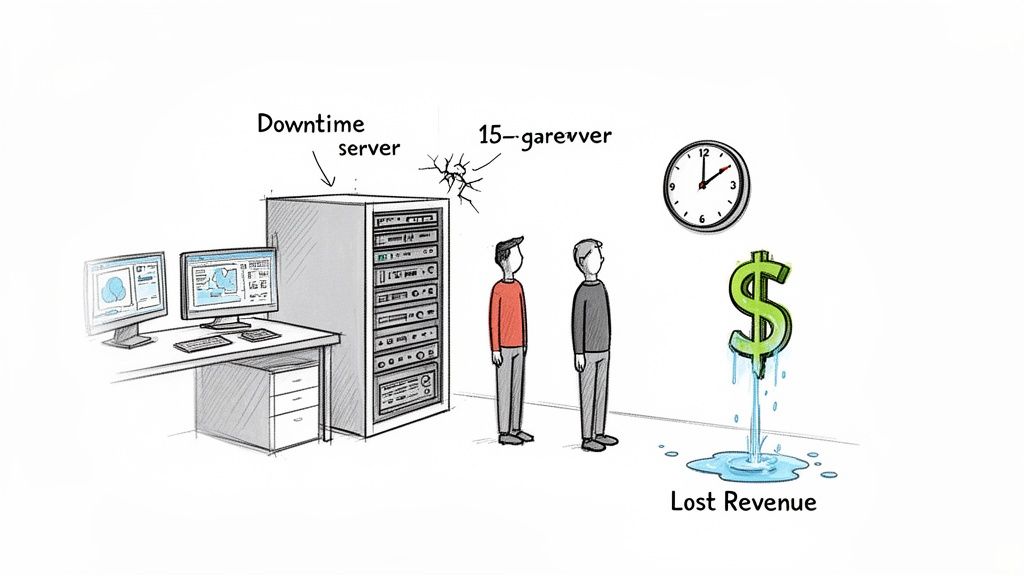
This nightmare scenario is a reality for too many businesses along the I-65 corridor. But the big, dramatic crash isn't even the worst part. The real killer is the slow, daily drain on your resources—the "wasted tech time" that should have been productive, billable hours.
The Hidden Costs Beyond Repair Bills
An emergency repair bill is easy to spot. What's harder to see are the sneaky ways that old technology is undermining your business from the inside out.
- Productivity Down the Drain: When your employees are fighting with slow, buggy software, they aren't getting much done. Every minute spent waiting for a program to unfreeze or rebooting a computer is money you’re lighting on fire.
- A Welcome Mat for Hackers: Old software eventually stops getting security patches. For cybercriminals, that’s like leaving the front door wide open. If you're a healthcare provider needing to maintain HIPAA compliance or a defense contractor aiming for CMMC, this isn't just a risk; it's a potential catastrophe.
- The Maintenance Money Pit: Keeping ancient hardware running often requires finding specialists who charge a fortune. We see it all the time with Johnson County business owners—they're paying for expensive life support on equipment that should have been retired years ago.
It’s a massive problem. Just look at the U.S. government, which spends a mind-boggling 80% of its IT budget just keeping old systems alive instead of innovating. For businesses like yours, high upkeep costs are a headache for 39% of organizations, with project delays often tied to upfront expenses averaging $2.9 million.
To give you a clearer picture, let's break down how these costs stack up.
The Hidden Costs of Your Legacy System
This table shows the quiet financial damage caused by sticking with outdated tech compared to the upside of modernizing.
| Cost Factor | Impact of Legacy System | Benefit of Modernization |
|---|---|---|
| Productivity | Constant slowdowns, crashes, and workarounds frustrate staff and reduce output. | Fast, reliable systems empower your team to work efficiently and without interruption. |
| Security Risk | Unpatched software creates easy entry points for cyberattacks, data breaches, and ransomware. | Modern platforms with solutions like Bitdefender GravityZone and adherence to NIST CSF protect your data. |
| Maintenance & Support | Finding parts and expert help is expensive. You're stuck in a reactive "break-fix" cycle. | Proactive, managed support and reliable hardware with immutable off-site backups reduce surprise costs. |
| Opportunity Cost | Inability to adopt new tools (like modern CRM or AI) puts you at a disadvantage against competitors. | A modern foundation allows you to integrate new technologies that improve customer service and open new revenue streams. |
| Employee Morale | Frustrating tools lead to unhappy, less engaged employees and can make it harder to attract top talent. | Providing your team with effective, modern tools shows you value their time and boosts job satisfaction. |
The takeaway is simple: clinging to old systems isn't saving you money. It's costing you in ways that are far more damaging than a simple repair bill.
In our 17 years of local service, we've seen it countless times: owners pouring good money after bad, just trying to squeeze one more year out of a failing system. It never pays off. When we dissembled a similar client’s failing RAID array, we saw firsthand that the question isn't if it will fail, but when—and how devastating the bill will be.
Modernization Isn't an Expense—It's a Profit Driver
Seeing modernization as one giant, terrifying expense is looking at it all wrong. Think of it as a strategic investment in Business Continuity and ROI.
When you finally upgrade that creaky old server to a modern, managed system, you're not just preventing a catastrophic failure that can cost upwards of $9,000 per minute in downtime. You’re turning wasted hours into profitable work and locking in a predictable monthly IT budget.
A well-managed IT setup doesn't just fix problems; it stops them from happening in the first place. This frees up your team to focus on what they do best: growing your business. Suddenly, your technology shifts from being a frustrating cost center to a powerful engine for making money. Read our guide on IT infrastructure management to learn how to slash downtime and boost ROI.
The goal is to get out of the reactive break-fix cycle for good and move to a proactive approach that protects your operations and your bottom line.
Decoding The Five Modernization Strategies
When you hear tech folks throw around terms for modernizing old systems, it’s easy for your eyes to glaze over. But these aren't some ivory-tower concepts. They're just different paths you can take, each with its own price tag, timeline, and payoff.
Let's walk through the five main strategies, not as "geeks with a screwdriver," but as builders figuring out the best blueprint for your company's future.
Rehosting: The Quick Move
First up is rehosting, which everyone in the biz calls "lift-and-shift." This is the simplest, fastest play. It's like taking your application from that dusty old server in your Greenwood office and plopping it onto a modern cloud platform. We don't change the application; we just move it to a much better home.
In our world, this means we can use techniques like server virtualization to essentially create a digital twin of your old machine that runs on brand-new, powerful hardware. To really see how this works, checking out how server virtualization explained for your Indianapolis business can be a real eye-opener.
- When It’s a Great Fit: You’re on a tight budget and your current hardware is on its last legs.
- The Immediate Win: You get off failing equipment fast, see an instant drop in infrastructure headaches, and can finally stop worrying about that server dying every time a storm rolls through.
Replatforming: The Foundation Upgrade
Moving one step up in complexity, we have replatforming. Here, we move your app to the cloud but tweak it slightly to take advantage of the new environment.
A classic example is moving your local SQL database to a managed cloud database service. The heart of your application stays the same, but it's now running on a more powerful and efficient engine. A huge part of this is embracing things like cloud computing scalability.
We once helped a logistics company along the I-65 corridor whose ancient database was grinding their whole operation to a halt. A simple replatform to a high-performance cloud database cut their wait times by 70%. No massive rewrite, just a smarter foundation that converted wasted tech time into billable hours.
Refactoring: The Major Renovation
Now we're getting into a deeper project. Refactoring is a major internal renovation of your software. We dive into the code and restructure it to clean up years of "technical debt" without changing what the user sees.
For a manufacturer in Central Indiana with a clunky, monolithic inventory program, this might mean breaking it into smaller, neater modules. The result? It's suddenly easier to update, far less buggy, and a whole lot more secure, which directly impacts your business continuity.
Rearchitecting: The Custom Rebuild
Rearchitecting is a serious commitment. This is where we fundamentally change how the application is built, often shifting to a modern microservices architecture. Instead of one giant, tangled program, a SaaS company in a Hamilton County growth area might end up with a collection of small, independent services.
This is a high-level approach using concepts like SOC-as-a-Service monitoring to give you unbelievable flexibility and the power to update one piece of the system without taking the whole thing down.
Replacing: The Tear-Down
Finally, we have the most straightforward option: Replacing. This is exactly what it sounds like. You ditch the old system entirely and switch to a modern commercial software package (SaaS) or hire a team to build a custom application from scratch.
While it's usually the biggest investment of time and money, it's also your biggest opportunity. You get to build a tool that gives you a sharp competitive edge for the next decade and beyond.
Choosing Your Modernization Path
Picking the right modernization strategy isn’t like ordering from a drive-thru. There’s no magic, one-size-fits-all solution. What works for a bustling logistics firm in a Johnson County business park will be a terrible fit for a healthcare provider over in a downtown Indy tech hub. It all comes down to a gut-level check on your business goals, your budget, and how much risk you’re willing to stomach.
Get this wrong, and you're just throwing good money after bad. But a smart choice? That sets your business up for a decade of smooth sailing and growth.
Aligning Strategy With Business Goals
Before you do anything else, you have to ask one simple question: "What problem are we really trying to solve?" Are you just trying to stop bleeding money on that ancient server humming in the back room? Are you chasing new contracts that demand tougher compliance standards? Or is your team just flat-out exhausted from wrestling with clunky, slow software every single day?
Your honest answer is the compass that points you toward the right path.
- Goal: Escape Failing Hardware, Fast. Is that aging server hardware in a Greenwood business park making weird noises? If it feels one power surge away from taking your whole business down, Rehosting is your emergency exit. It’s the fastest way to get your system into the safety of the cloud and stop the immediate threat of catastrophic downtime.
- Goal: Improve Performance & Security. For a healthcare practice in downtown Indy, HIPAA compliance is everything. A simple lift-and-shift just won't do. Replatforming or even Refactoring is the move here. This lets you bake in modern security protocols and boost database performance, ensuring that sensitive patient data is locked down tight.
- Goal: Gain a Serious Competitive Edge. If you're a defense contractor trying to hit CMMC compliance or a tech firm aiming to leave competitors in the dust, a full Replace might be the only real option. This often means starting from scratch to build a system on a secure Zero Trust architecture, where nothing and no one is trusted by default.
This decision tree gives you a great visual for how your main objective naturally leads you to the most logical strategy.
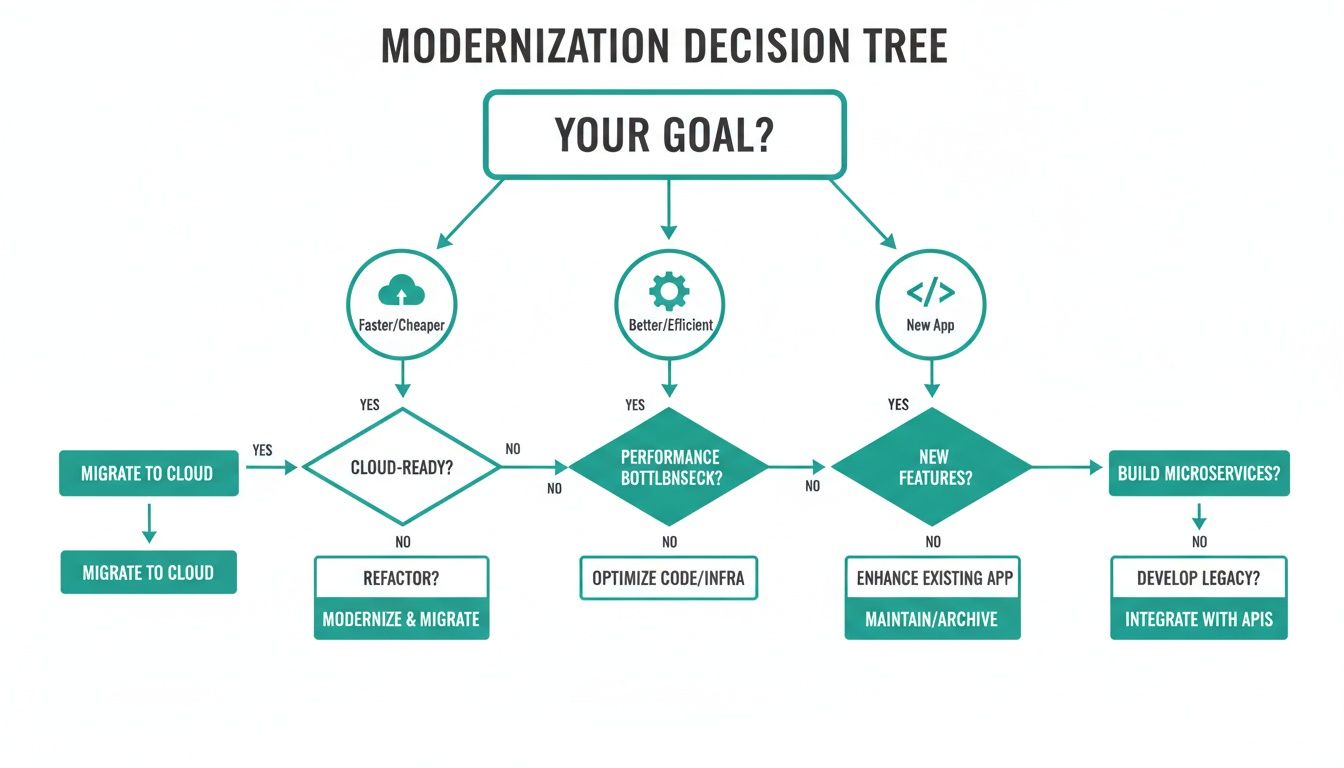
As you can see, there's no single "best" path. There’s only the path that directly tackles your most pressing business needs—whether that’s speed, security, or brand-new capabilities.
Learning From Real-World Scenarios
Experience is the best teacher, and after 17 years of local service for Indiana businesses, we’ve seen it all. We audited a logistics company whose database was grinding to a halt. For them, a simple Replatform to a managed cloud database was all it took. Performance skyrocketed, and we turned all that "wasted tech time" back into productive, billable hours. Easy win.
It's not always so simple, though. A Carmel financial advisory firm was chained to a custom-built CRM from a bygone era. The core logic was solid, but decades of patchwork fixes had turned it into a ticking time bomb. Refactoring was the only play. We carefully untangled the spaghetti code, beefed up its security, and boosted performance—all without forcing their team to learn a completely new system.
Making the right call requires a deep understanding of not just the technology, but the business processes it supports. Without a clear map of your technical debt and operational goals, you’re just guessing.
That's precisely why a thorough audit is the non-negotiable first step. It gives you the cold, hard data you need to make an informed decision that delivers real ROI. You can't fix what you can't see, and a proper assessment shines a spotlight on every risk, bottleneck, and opportunity hiding in your current system. As you weigh your options, digging into some cloud migration best practices for Indiana businesses will give you even more valuable context.
The choice you make today will define your IT’s reliability and cost for the next five to ten years. It’s about turning an intimidating, complex project into a clear, actionable plan that directly serves your bottom line.
Calculating The ROI Of Modernization
Okay, let's talk about the part that really matters to your bottom line. A legacy system modernization project isn't just some abstract tech upgrade. This is where smart technology becomes a serious profit driver by focusing on Business Continuity & ROI.
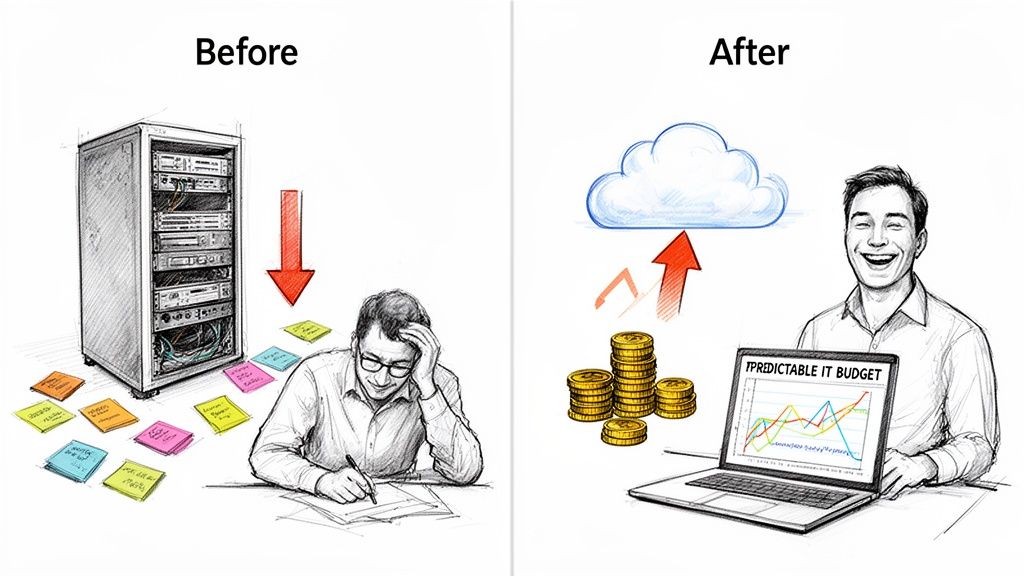
Think about all that "wasted tech time"—every hour your team spends waiting on sluggish software, rebooting a glitchy server, or wrestling with an outdated process. Now, imagine converting all those lost hours into productive, billable work. That’s the real return on investment. It's about trading unpredictable, gut-wrenching repair bills for a stable, predictable IT budget you can actually plan around.
From Downtime Costs To Uptime Profits
When we talk about preventing downtime, we’re not being dramatic. We're talking about dodging a potential financial catastrophe. For some businesses, downtime can cost up to $9,000 per minute. By getting that ancient server out of your Greenwood business park closet and into a modern cloud solution, you’re not just avoiding a massive loss—you're building a reliable platform for real growth.
But the ROI goes much deeper than just disaster prevention.
- Boosted Employee Productivity: When your systems are fast and reliable, your team simply gets more done. Less time fighting with technology means more time focused on your customers.
- Enhanced Customer Satisfaction: Quick responses and reliable service are a direct result of modern systems. Happy clients lead to repeat business and great referrals.
- Predictable Monthly Budgets: Moving from a reactive "break-fix" model to our managed approach gives you one, steady monthly bill. No more surprise invoices for emergency repairs.
This shift turns your IT from a reactive cost center into a proactive, profit-generating asset. And the numbers don't lie.
The payoff can be huge. A staggering 98% of firms that modernize their systems report significant gains in security, reliability, and scalability. In manufacturing—a vital sector here in Indiana—90% of companies are held back by old tech, even though a smart plan can slash IT infrastructure costs by up to 74%. You can discover more insights about these modernization statistics and see the clear financial case for yourself.
A Look At The Numbers
Let’s get specific. With over 17 years of experience right here in Johnson County and Hamilton County, we've gotten pretty good at showing local businesses exactly how these projects pay for themselves. We don't just throw a strategy at you; we map out the tangible returns.
To give you a clearer picture, here’s how the financial and operational benefits typically stack up for different modernization approaches.
Modernization ROI At A Glance
| Modernization Strategy | Typical Upfront Cost | Projected Annual Savings | Key Business Benefit |
|---|---|---|---|
| Rehosting | Low | 15-30% | Immediately eliminates hardware failure risk and high maintenance costs. |
| Replatforming | Low to Medium | 25-40% | Improves system performance and reduces operational overhead. |
| Refactoring | Medium to High | 35-50% | Slashes technical debt, making the system easier and cheaper to update. |
| Replacing | High | 40-60%+ | Creates a major competitive advantage with custom, highly efficient software. |
These savings come from a lot of different places: ditching expensive licenses for outdated software, lower energy bills from new hardware, and cutting the cord on pricey, specialized support for obsolete systems. Better yet, this frees up capital you can pour back into growing your business. For a closer look, explore our article on cloud migration benefits that deliver real ROI for Indiana businesses.
Ultimately, calculating the ROI of modernization is about putting a dollar value on stability, efficiency, and security. It’s the difference between a business constantly one server crash away from a crisis and one built on a reliable, cost-effective foundation ready for whatever comes next.
Using AI To Speed Up Your Modernization Project
Modernizing a creaky old system isn't just about plugging in shiny new hardware. It's about getting the job done smarter, faster, and with way less risk. This is where we bring in some seriously effective tools to give our clients an edge, especially in competitive areas like Hamilton County.
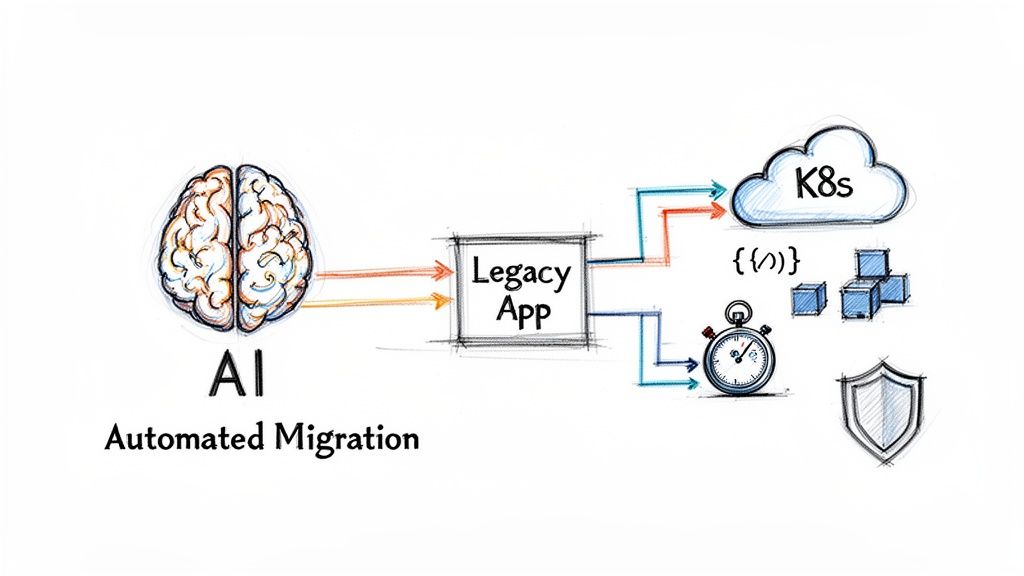
Picture the tangled spaghetti code of an old, custom-built application that's been patched and tweaked for a decade. Trying to manually trace every single connection in that mess is a special kind of nightmare. It's an agonizing, error-prone job that can tie up an internal IT team for weeks, if not months.
We see this exact technical bottleneck all the time, from tech businesses in downtown Indy to companies all along the I-65 corridor. And it’s where our forward-thinking approach really shines.
Smarter Tools for Faster Results
Instead of throwing people at the problem, we use AI-driven code analysis tools to do the heavy lifting. These tools can scan an entire legacy app and automatically map out its guts—all the internal dependencies—in a tiny fraction of the time it would take a human. This isn't just a nice little time-saver; it’s a game-changer that absolutely slashes project timelines and costs.
By automating this discovery phase, we can instantly:
- Find the critical modules that need to be handled with white gloves.
- Identify "dead code" that's just taking up space and can be safely yanked out, simplifying the whole system.
- Spot hidden risks and integration headaches before they can blow up the project.
This is what high-level expertise looks like. We don’t just show up with a screwdriver; we engineer efficient, predictable outcomes using high-level tech.
AI-powered modernization is fast becoming the industry standard. In fact, over 75% of firms now use AI tools for their projects. Modern language models are especially good at this, cutting down on poor code design by 20% compared to manual work and drastically improving the accuracy of dependency mapping. You can find out more about these AI modernization trends and see how this approach is shaking things up.
Keeping Your Data Safe with AI-Powered Migration
The other major heart-in-your-throat moment in any modernization project is moving the data. For a Johnson County business, shifting years of financial records or customer history from an old database to a new one is a high-stakes operation. This is where our expertise in bit-level data recovery comes into play. One slip-up can lead to corrupted data, compliance nightmares, and a total loss of trust.
This is exactly why we use our custom software development chops to build AI-powered automation scripts for data migration. These scripts don't just blindly copy and paste. They intelligently check and validate the data as it moves, ensuring 100% data integrity.
This hands-on, managed process guarantees that every last bit of your valuable information arrives safe and sound in its new home—a far cry from risky manual data dumps. It's this deep technical skill that lets us deliver complex projects with up to 65% faster time-to-market. By taking advantage of these advanced tools and processes, we help our clients get ahead and stay there. To see how these ideas can apply more broadly, check out our guide on AI automation for small business.
Your Next Steps to a Modern IT Infrastructure
Alright, we've covered a lot of ground. You've seen the good, the bad, and the ugly of legacy systems. The bottom line is, that creaky old server chugging away in the closet isn't just an annoyance—it's a direct hit to your profits. A smart upgrade isn't just another bill to pay; it's a strategic move that shores up your business and makes your costs predictable.
The road from constant headaches and operational bottlenecks to a smooth, secure IT setup is right in front of you.
Now comes the hard part: making a move. If you're running a business in Greenwood or anywhere in the Indianapolis area and this article felt a little too familiar, it's time to stop rolling the dice. With downtime costing businesses up to $9,000 per minute, waiting for a failure isn't a strategy, it's a gamble you can't afford to lose.
What's the First Real Step?
We get it. After serving local businesses for over 17 years, we know that most hesitation comes from one simple question: "Where do we even start?" You can't build a solid game plan on a hunch. You need real data that shows exactly where the cracks are in your current system. This could mean addressing spotty Wi-Fi in an old brick building with new UniFi networking hardware or replacing an entire server.
And as you're thinking about bringing in the new, you have to have a plan for the old. Getting rid of retired hardware is more than just making space. It involves securely wiping your data and disposing of the equipment in an environmentally responsible way. For a great breakdown of the process, understanding IT Asset Disposition (ITAD) is a must-read for any Indiana business making this transition. It's a critical piece of the puzzle for compliance and protecting your company’s sensitive information.
The most expensive IT decision is doing nothing at all. Every day you wait is another day you're gambling with your security and productivity, leaving money on the table for your competitors to grab.
Schedule Your Free Network Assessment
The first step from "I think we have a problem" to "We have a solution" is getting a clear look under the hood. We offer a Free Network Assessment for businesses right here in the Greenwood and Indianapolis area, with zero strings attached.
This isn't a thinly veiled sales pitch. It’s a genuine diagnostic session where our team uses advanced tools to map your network, pinpoint security risks, and find those hidden opportunities to make your business run better. This is how we prove we're not just a "geek with a screwdriver."
You’ll walk away with a clear, actionable roadmap built for your business goals—whether that means hitting CMMC compliance, getting more done every day, or just sleeping better at night knowing your systems are solid.
Don't let outdated tech call the shots anymore. Contact Finchum Fixes IT today to schedule your Free Network Assessment and finally take control of your technology.
Frequently Asked Questions
After 17 years of local service helping Indiana business owners untangle their tech problems, we've heard it all. From Johnson County to Hamilton County, these are the questions that come up time and time again when we start talking about legacy system modernization. Here are the straight-up answers.
How Long Does a Typical Modernization Project Take?
Honestly, that's like asking "how long does it take to fix a car?" It all depends on what's under the hood.
If you just need a quick "Rehost" (what we call a "lift-and-shift") to get off ancient hardware that’s on its last legs, we can often knock that out in a few weeks. It's the fastest way for a Greenwood business to dodge a catastrophic server failure and ensure business continuity.
But if you're looking at a full "Rearchitect" or "Replace" project, you're talking about a more significant overhaul. Think a few months, not a few weeks. These are the projects that deliver the biggest long-term ROI, but they require a solid game plan. Our Free Network Assessment is designed to give you that exact plan—a clear scope and timeline so there are no surprises.
Will Modernization Cause Significant Business Disruption?
Nope. We know that every minute your business is down, you’re losing money. Our entire process is built around protecting your uptime and ensuring business continuity.
We plan with near-military precision and use a phased approach. The actual migration work happens when you’re not working—evenings, weekends, you name it. We test everything to death before flipping the switch. The goal is for your team to walk in on Monday morning, log in, and just notice that everything is suddenly… better. Faster, smoother, and with zero disruption to their day.
Is Modernization Affordable for My Small Business?
You bet it is. Modernization isn't just a luxury for massive corporations anymore. The secret is picking the right strategy for your budget and goals.
You don't always need to rip everything out and start over. For many of the small and medium-sized businesses we work with around Indy, a "Replatform" or a strategic, phased "Refactor" provides a massive return on investment. You get a huge boost in productivity and security while cutting maintenance costs—all without the sticker shock of a brand-new system.
What Is the Biggest Risk of Not Modernizing Our Systems?
The biggest risk is a nasty one-two punch: a sudden, catastrophic failure that brings your business to a halt combined with getting absolutely smoked by your competition.
That old server in the closet? It's a ticking time bomb. It’s not a question of if it will fail, but when. And when it does, will it be a simple crash we can fix, or a full-blown data breach that puts you on the wrong side of HIPAA or CMMC compliance?
While you're rolling those dice, your competitors are using modern, efficient, and secure systems to serve their customers better and grow faster. Sticking with old tech isn't just standing still—it's actively choosing to fall behind.
You've read the guide, and you know the stakes. Don't let outdated technology hold your business hostage for another year. Finchum Fixes IT is ready to build a clear, no-nonsense path forward for your Indianapolis-area business.
Schedule your Free Network Assessment with our experts today.