What Is Server Virtualization Explained for Your Indianapolis Business
TL;DR: The Bottom Line for Your Business
Server virtualization lets one physical server act like multiple independent servers. It fixes the common problem of expensive, underused hardware we see in Greenwood business parks by consolidating machines. This drastically cuts hardware and energy costs, making your IT budget predictable. More importantly, it supercharges your business continuity. Because virtual servers are just files, we can back them up as immutable off-site copies and restore them in minutes, not hours. This prevents catastrophic downtime—which can cost up to $9,000 per minute—and turns wasted tech maintenance time into billable hours. For businesses needing to meet compliance like HIPAA or CMMC, it's a non-negotiable for building a secure, resilient operation.
Let's get straight to it. Server virtualization is a clever bit of tech that lets one physical server pretend it's several different servers all at once.
We often see a common bottleneck in the Indy metro area: a Greenwood business park office with a server closet full of aging, single-purpose hardware. Instead of dedicating a whole machine just for your email, another for your files, and a third for your main business application, virtualization pulls them all together onto a single, powerful piece of hardware. The result? You save a ton of money, space, and electricity. It’s the secret sauce for making your IT infrastructure leaner, more reliable, and ready to support your growth.
The Southside Problem: Your Underperforming Server Closet
For a lot of Johnson County business owners, that server room in the back is a source of pure dread. It's usually a chaotic jumble of blinking lights and aging machines, each one locked into a single, lonely task. One server for accounting, another for file sharing, a third for email... you get the picture.
This old-school approach isn't just messy; it's a huge financial liability and a ticking time bomb for your business continuity.
The dirty little secret is that these single-purpose servers rarely use more than 15% to 25% of their available horsepower. The rest of that expensive processing power just sits idle, while you keep footing the bill for the hardware, electricity, cooling, and the office space it's hogging. It’s like owning a fleet of delivery trucks but only ever putting one tiny package in each one.
The Coffee Shop Analogy
Imagine your traditional server setup is a small coffee stand. You’ve got a separate, clunky machine for everything: one for drip coffee, another just for dispensing hot water, and a third that only steams milk. It’s inefficient, takes up the whole counter, and the repair bills are a nightmare.
Now, picture yourself swapping all that junk for a single, high-end commercial espresso machine. This one unit does it all—it can pull espresso shots, steam milk for a latte, and pour hot water for tea, all at the same time, for different customers.
That's exactly what server virtualization does. The physical server is your shiny new espresso machine, and the virtual servers (the "VMs") are all the different drinks it's making.
From Clutter to Control
This transition from a room full of machines to a few virtualized powerhouses is the first big step in turning that chaotic IT closet into a resilient, well-oiled asset. It immediately slashes the high operational costs and headaches that come with managing a graveyard of outdated hardware.
Before we dive deeper, let's look at a quick side-by-side comparison.
Physical vs Virtual Servers At a Glance
This table breaks down the old way of doing things versus the modern, virtualized approach. The benefits become pretty clear, pretty fast.
| Attribute | Traditional Physical Server Setup | Modern Virtualized Server Setup |
|---|---|---|
| Hardware Use | Inefficient (typically 15-25% utilization) | Highly Efficient (often 80% or higher) |
| Deployment Time | Slow (weeks for hardware procurement & setup) | Fast (minutes to create a new virtual server) |
| Backup & Recovery | Complex, slow, and tied to specific hardware | Simple & fast (VMs are just files you can copy) |
| Hardware Costs | High (one machine per application) | Low (consolidate many apps onto fewer servers) |
| Energy & Cooling | Very high (lots of machines running 24/7) | Significantly lower (fewer physical servers) |
| Flexibility | Rigid (hard to scale or reconfigure) | Flexible (easily adjust resources on the fly) |
By consolidating servers, you not only shrink your hardware footprint but also lay the groundwork for a rock-solid disaster recovery plan.
In our 17 years of serving local businesses, we’ve seen companies all along the I-65 corridor cut their server-related operational costs by up to 50% after going virtual. It flips a huge, unpredictable capital expense into a manageable, predictable monthly one, converting wasted tech time into billable hours.
This consolidation is the bedrock of a modern, secure IT environment. To get a better sense of where your own systems stand, you might find our guide on how to perform a thorough review with our 10-Point IT Infrastructure Audit Checklist incredibly helpful. The goal is simple: stop reacting to IT fires and start proactively managing a stable, cost-effective system that actually helps you grow.
So, How Does This Server Voodoo Actually Work?
Alright, let's pull back the curtain on this whole "one server becomes many" magic trick. It's not as complex as it sounds, and it all boils down to one crucial piece of software: the hypervisor.
Imagine your physical server is a big, empty apartment building. The building itself is the hardware—the processor, memory, and storage. The hypervisor is the super-efficient, slightly nerdy building manager who carves that building up into individual, locked-down apartments.
Each of these "apartments" is a virtual machine, or VM. The hypervisor makes sure every VM gets its own slice of the building's resources. It's the building manager's job to ensure the folks in the "accounting software" apartment can't hear the loud music coming from the "file server" apartment next door. They all share the same foundation, but they operate as completely separate, independent units.
This diagram lays it out perfectly. You've got the physical server at the bottom, the hypervisor as the essential middleman, and all your happy little VMs running on top.

As you can see, the hypervisor is the secret sauce. It's what allows the hardware to be shared so effectively, unlocking all the cost savings and efficiency gains we've been talking about.
Not All Virtualization Is the Same
Now, just like there are different types of coffee, there are different "flavors" of virtualization. It's definitely not a one-size-fits-all deal. Picking the right approach is the key to getting the performance and security your business actually needs.
Here are the main types you’ll run into:
- Full Virtualization: This is the workhorse of the virtualization world and the most common approach. The hypervisor creates a complete, airtight virtual copy of the hardware. This lets each VM run its own operating system (like Windows Server or Linux) in total isolation, completely unaware that it's sharing. For most Hamilton County businesses running a mix of old and new applications, this is our go-to.
- Paravirtualization: Think of this as a more "cooperative" approach. The operating systems inside the VMs are tweaked to know they're virtualized. This "awareness" allows them to talk more directly to the hypervisor, which can sometimes squeeze out a bit more performance. It's less common today, but it was a big step forward in the evolution of this tech.
- OS-Level Virtualization (a.k.a. Containerization): This is the hot new thing and it's incredibly lightweight. Instead of creating a whole virtual server, containerization just virtualizes the operating system. All the "containers" share the host server's core OS but run as completely isolated applications. It's wickedly fast and efficient, making it perfect for modern software development.
For the vast majority of small and medium-sized businesses we work with in the Indy metro area, a Full Virtualization setup using powerhouse hypervisors like VMware ESXi or Microsoft Hyper-V hits the sweet spot. It delivers the best mix of rock-solid security, broad compatibility, and great performance.
More Than Tech: It's About Security and Compliance
Choosing the right type of virtualization isn't just for the IT nerds—it’s a critical business decision that impacts security and compliance. This is where our technical competence really counts. We don't just spin up servers; we architect secure, compliant environments from the ground up based on frameworks like the NIST CSF.
Take a healthcare provider in Carmel, for example. We'd absolutely implement a full virtualization strategy to guarantee each VM is a digital fortress. That strict separation is non-negotiable for meeting HIPAA rules, preventing one application from ever peeking at the data in another. We'd lock it down even further with tools like Bitdefender GravityZone, which is built to protect virtual environments.
Or, consider a defense contractor over by the I-65 corridor who has to meet tough CMMC (Cybersecurity Maturity Model Certification) standards. The game there is all about control and visibility. We'd use virtualization to build a segmented network based on a Zero Trust architecture. This way, even if one small part of the network gets hit, the threat is contained and can't spread to more sensitive systems.
Understanding how server virtualization works is about knowing how to apply it to solve real problems—to keep your business running smoothly, improve your disaster recovery plan, and ensure your data stays safe and compliant.
The Real-World Benefits for Your Indiana Business
So, you've got the technical "what" and "how" of server virtualization down. But let's talk about what really matters: the bottom-line impact on your business. Why should a business owner in Hamilton County or a logistics firm on the I-65 corridor even care?
It all boils down to tangible, measurable results. We’re talking about slashing costs, dodging catastrophic downtime, and turning wasted IT time into profitable work. When a single minute of downtime can cost a business upwards of $9,000, this isn't just theory—it's survival.

Ditching the Hardware Graveyard for Real Savings
For many Indiana businesses, that server closet is a money pit of aging, power-hungry machines. Each one serves a single purpose, humming away and racking up a massive energy bill while only using a fraction of its potential power. Virtualization flips that script entirely.
Imagine taking 10 of those clunky physical servers and consolidating them onto just 3 or 4 powerful host machines. The results are immediate and dramatic. Enterprises have reported cutting their hardware costs by 50-70%, and we’ve seen clients slash their server-related energy bills by up to 80%. You can dig into the broader market trends in this report from GrandViewResearch, but the local impact is what's truly compelling.
- Server Count: Go from 10+ physical machines down to 3 or 4 virtualized hosts.
- Energy Reduction: Expect up to 80% lower cooling and power costs.
- Space Reclaimed: Free up over 60% of your floor space—perfect for those cramped Greenwood server closets.
In our 17 years of local service, when we virtualized a Johnson County client’s server farm, they cut their rack units in half and dropped their power bill by 65%.
From Hours of Panic to Minutes of Recovery
Disaster recovery used to be a nightmare scenario. A server fails, and the frantic, hours-long scramble to restore from tape backups begins. With virtualization, that whole process is turned on its head.
Because each virtual machine (VM) is just a self-contained set of files, backing them up is as simple as copying a folder. Restoring one is just as fast. Instead of a multi-hour ordeal, you're back online in minutes. This isn't just a convenience; for any business handling sensitive data under regulations like HIPAA or CMMC, it's an absolute necessity.
- Single-File Restore: VM snapshots can be stored as immutable off-site backups, safe from ransomware.
- Lightning-Fast Deployment: We can restore a full VM over your network in under 5 minutes.
- Built for Compliance: We secure your virtual environment with tools like Bitdefender GravityZone and our own SOC-as-a-Service monitoring.
Turn IT Maintenance Into Billable Hours
Think about the time your team wastes on routine server setups. Ordering hardware, waiting for it to arrive, racking it, and then configuring it from scratch—it’s a huge time sink.
Virtualization lets you create server templates. Need a new server for a project? Your IT team can spin up a fully configured, secure, and compliant VM in minutes. What was once a two-week procurement headache becomes a predictable, profitable task that takes less than 10 minutes. For Johnson County business owners trying to build a predictable budget, that’s a game-changer.
Local Success on the I-65 Corridor
Let me give you a real-world example. We work with a logistics company right on the I-65 corridor that was struggling with seasonal demand spikes. Buying new hardware every year was killing their budget.
With our 17 years of experience here in Indiana, we designed a virtual cluster for them. It seamlessly handled a 5x load increase during their busy season without a hiccup. We integrated immutable off-site backups and a Zero Trust security model, ensuring they met compliance for their international shipping partners. The result? Zero downtime and a 40% jump in their team's billable hours, since they were no longer firefighting server issues.
You can read more about similar strategies in our guide on the real benefit of cloud migration for Indiana businesses.
Ultimately, virtualization gives Indiana businesses the agility and reliability they need to compete. By pairing it with modern security like immutable backups and our SOC-as-a-Service, you're not just saving money—you're building a resilient operation that can weather any storm.
Thinking About Virtualization? Don't Dive In Just Yet.
Let's be clear: jumping into server virtualization isn't like flipping a switch. It's more like a major home renovation. And we all know that starting a renovation without a plan is a fantastic way to end up with a busted budget and a half-finished kitchen.
We've been helping Indiana businesses modernize their IT for over 17 years, and believe me, we've seen the aftermath of a poorly planned virtualization project. It’s not pretty. Before you even think about consolidating a single server, you need to take a good, hard look at what you’re working with. A little bit of upfront honesty can save you a world of hurt later.
Taking Stock of Your Hardware
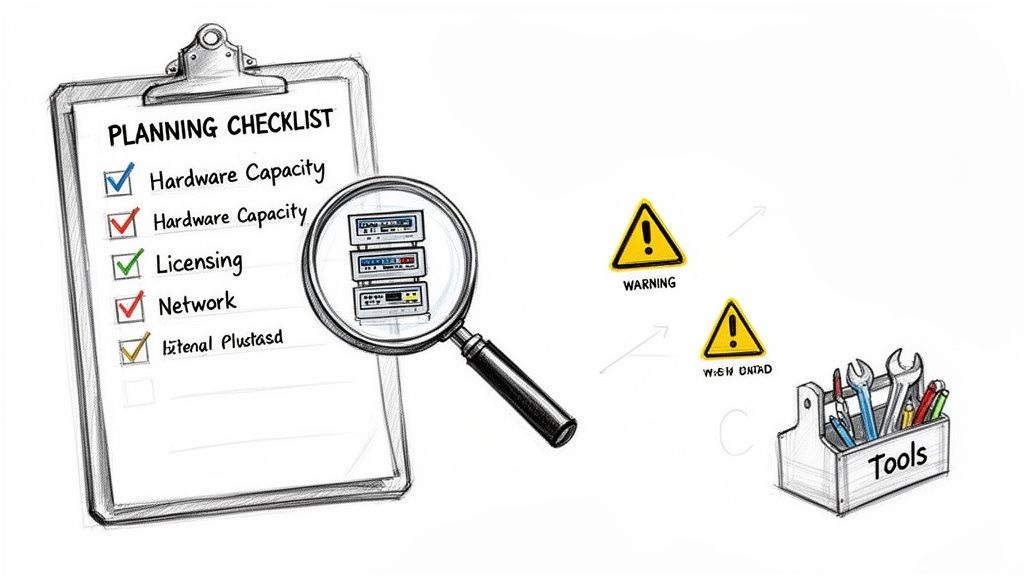
First things first: can your current servers even handle this? It’s a real question. We often walk into businesses in Greenwood where the servers are already groaning under the weight of their current workload. Suggesting that one of those old boxes should suddenly run five, or even ten, virtual machines? That’s just asking for trouble.
You have to get methodical. Go through and analyze the CPU, RAM, and storage usage of every single server you plan to virtualize. This data gives you the baseline to figure out what kind of beast your new host server needs to be. Get this calculation wrong, and your entire company’s digital operations could slow to a crawl.
- Processor Power (CPU): Do your processors even support virtualization technology (like Intel VT-x or AMD-V)? You'll need to add up the total core requirements for all the VMs you want to run.
- Memory (RAM): This is a big one. Every virtual machine needs its own slice of the RAM pie. Skimping here is the single fastest way to create a performance nightmare.
- Network Capacity: Think about it—if you cram ten servers onto one physical machine, you’re also funneling ten servers' worth of network traffic through one or two little cables. Your switches and UniFi networking gear have to be up to the task.
Navigating the Software Licensing Minefield
If there's one thing that trips up business owners in Johnson County more than anything else, it's this. Licensing software in a virtual world can be bafflingly complex, and it can get expensive in a hurry. A lot of software, especially older, specialized applications, is licensed based on physical processors or cores.
Simply dragging a server into a virtual environment doesn't magically make your old license valid. We’ve seen businesses get blindsided by enormous "true-up" bills because they never checked their licensing agreements. It’s a painful—and entirely avoidable—mistake.
Microsoft Windows Server, for instance, has very specific rules for how it's licensed in a virtual environment. Messing this up won't just hit your wallet; it could put your business out of compliance, which is a massive risk if you handle data regulated by frameworks like HIPAA or NIST CSF. This is one area where getting expert advice isn't a luxury—it's a necessity.
Building in Security From Day One
Virtualization adds new, powerful layers to your IT infrastructure. That’s great, but every new layer is also a new place that needs to be secured. That hypervisor—the software engine running all your virtual machines—instantly becomes the most important piece of software you own. It’s a single point of failure and a massive target for any would-be attacker.
Securing this new reality demands a new way of thinking. We design virtual environments based on a Zero Trust architecture and use specialized tools like Bitdefender GravityZone, which is built from the ground up to protect VMs without killing their performance. On top of that, we layer on our SOC-as-a-Service for 24/7 monitoring, so if anything suspicious happens, we see it and crush it immediately.
Making this kind of switch is a big deal for any organization, which is why good Change Management in IT is so critical for a smooth rollout. If you're looking at a larger project that involves moving workloads out of the office entirely, be sure to read our guide on cloud migration best practices for Indiana businesses.
Why You Need a Partner, Not Just a Plan
You've read up on server virtualization, you see the benefits, and the gears are turning. It's easy to think, "Okay, I get it. My team can knock this out."
Hold on a second. Tackling a virtualization project on your own is a lot like trying to rewire your entire office after watching a couple of YouTube videos. What could possibly go wrong?
The honest truth? A whole lot. A DIY approach is loaded with hidden pitfalls. What starts as a simple tech upgrade can quickly devolve into a budget-busting, downtime-creating nightmare. This is where a simple plan falls short. You need a partner who has navigated this terrain before—someone who knows every pothole and has a map to get you to the other side safely.
Our Proven Four-Step Process for Indiana Businesses
After 17 years in the trenches helping businesses across the Indianapolis area, we’ve developed a rock-solid method that just works. We don't just "install software." We engineer a tough, secure, and lean foundation for your entire business.
-
The Deep Dive Assessment: First, we get our hands dirty. This isn't a quick peek under the hood. We map out your entire setup, hunt down network bottlenecks with latency-optimized mesh nodes, and—most importantly—untangle the web of your software licensing. This is a notorious landmine, and we need to know exactly what we're working with before a single byte of data is moved.
-
A Custom Migration Blueprint: One size never fits all. A manufacturing plant in Greenwood has wildly different needs than a tech startup in a downtown Indy tech hub. We design a blueprint just for you, considering your specific workloads, security needs (like meeting NIST CSF standards), and where you plan to be in five years. You get a virtual environment built for your business, not a generic box.
-
The "Zero-Disruption" Deployment: This is where our experience really pays off. Our goal is a migration with military precision, causing little to no interruption to your workday. We often work after hours or over a weekend. You can shut down on Friday with a room full of old, clunky hardware and walk in Monday to a slick, high-performance virtual powerhouse.
-
Ongoing Managed Support: Our work isn't over once the last server is virtualized. We provide constant watch through our SOC-as-a-Service, making sure your new environment is always secure, updated, and running at peak performance. We even handle the headaches of IT vendor management, turning your "wasted tech time" into a predictable, manageable monthly line item. You can read more about our approach in our guide to crucial IT vendor management best practices.
From Downtown Chaos to a Weekend Triumph: A Real Client Story
Let me tell you about a client—a fast-growing tech company crammed into an old brick high-rise in downtown Indy. Their office had character, but their UniFi networking was spotty, and they were drowning in "server sprawl." Five aging servers were a constant source of anxiety. When we dissembled a similar client’s failing RAID array, we saw how one failed drive could trigger expensive downtime that hits $9,000 per minute.
They had a plan to virtualize but were terrified of disrupting their 24/7 client portal. That's when they called us.
After our deep-dive assessment, we designed a migration to move their entire operation onto just two powerful host servers, complete with immutable off-site backups for bulletproof disaster recovery.
We did the entire switch over a single weekend. The team packed up on Friday afternoon. When they logged in from home on Saturday to check, everything was already running perfectly—only much, much faster. They had zero operational downtime.
That’s the difference between a plan and a partnership. It’s about more than just knowing the tech; it’s about understanding the business impact and having the local experience to make it happen without a hitch. We brought them Fortune 500-level expertise with the hands-on support you only get from a team right here in Central Indiana.
The numbers tell a similar story on a larger scale. North America is the heavyweight champion of server virtualization, with the software market alone valued at a staggering USD 3.18 billion. That's over 40% of the global USD 7.95 billion total. Companies using this tech see 50% faster disaster recovery times thanks to virtual snapshots—a critical tool we use to make migrations seamless. You can explore the full regional analysis and discover more about this technology’s impact by visiting this market research report.
Ultimately, a successful virtualization project flips your IT from a volatile capital expense into a stable, predictable operating cost. It builds resilience, tightens security, and frees up your team to focus on growing your business instead of babysitting hardware.
Let's Build Your Virtual Fortress Together
So, now you know what server virtualization is all about. But just knowing is half the battle. The real win comes from turning that knowledge into a powerful advantage for your Indiana business—making it more robust, efficient, and ready for whatever comes next.
This isn't just about trimming your hardware budget. It's a total reboot of how you think about business continuity. Imagine taking those clunky, aging servers and transforming them into a lean, mean virtual machine. You’ll get back countless hours of wasted tech time, lock in a predictable monthly IT spend, and slash the risk of downtime, which can drain an unbelievable $9,000 per minute from your bottom line.
A virtualized setup is the new standard for a reason. It's the foundation for meeting strict compliance rules like NIST CSF and, most importantly, building a disaster recovery plan that actually works. With virtualization and a rock-solid backup strategy, your critical data is protected. (By the way, we've got a whole guide on that right here: enterprise data backup solutions.)
After 17 years of helping local businesses, we’ve learned a crucial lesson: the tech is rarely the problem. It’s all in the execution. A sloppy migration can create more headaches than it fixes.
For airtight security and data protection, partnering with a provider that offers a complete managed cloud service is a smart move. Real-world resilience doesn't come from a box; it comes from expert planning, careful implementation, and ongoing management.
It's time to stop letting outdated hardware call the shots. For businesses in Greenwood and across the Indianapolis area, we're here to show you a smarter, more agile way to operate.
Are your servers a source of anxiety? A Free Network Assessment for your Greenwood/Indianapolis area business can identify your biggest risks and show you a path to a more resilient, cost-effective IT setup. Let's talk.
Your Questions About Server Virtualization, Answered
We get these questions all the time from business owners just like you, right here in Indiana. Let's cut through the jargon and get straight to the point.
Is My Business Too Small for This?
Heck no! That’s one of the biggest myths we have to bust, especially with smaller teams around Johnson County. People hear "server virtualization" and picture a giant, humming data center, but that's not the whole story.
Think about it this way: if you're a small law firm or accounting practice running two or three clunky old servers, you're the perfect candidate. We can take those machines, consolidate them onto a single powerful host, and instantly you're saving on your power bill, your backups suddenly become a breeze, and you finally have a disaster recovery plan that isn't just a binder collecting dust. It's about being smarter with what you have, not how big you are.
What Are the Real Security Risks I Should Worry About?
Two things keep us on our toes: VM sprawl and the hypervisor itself. VM sprawl is what happens when virtual machines are created for a project and then forgotten. They sit there, unpatched and unmonitored—a wide-open door for an attacker. The hypervisor, the software engine running all your virtual servers, is another major target. If it gets compromised, everything it controls is at risk.
Over our 17 years of serving local businesses, we’ve learned a hard lesson: a virtual environment without strict management is a ticking time bomb. That’s why we’re all-in on a Zero Trust security model. We use powerful tools like Bitdefender GravityZone and our 24/7 SOC-as-a-Service to watch the hypervisor and every single VM like a hawk. Your network becomes a fortress, not just a collection of servers.
How Long Will This Project Take? My Business Can't Afford Downtime.
It’s almost certainly faster than you’re imagining. For a typical small business in the Greenwood area looking to migrate a few servers, we can get the entire job done over a single weekend. Seriously.
Our process is fine-tuned to make sure your business doesn't skip a beat:
- Planning & Assessment (1-2 weeks): First, we get the lay of the land, mapping out every detail to create a bulletproof blueprint for the migration.
- Migration & Deployment (1-2 days): This is the main event. We handle the switch after hours or over a weekend when your team is away.
- Testing & Handover (1 day): We triple-check that everything is running flawlessly before handing the keys back over for the start of your work week.
The whole point is for you to walk in Monday morning and have everything just work, only better.
Ready to stop wrestling with aging hardware and unpredictable IT costs? Finchum Fixes IT can help.
Schedule a Free Network Assessment today and let us show you how virtualization can make your Indianapolis-area business more resilient and efficient.