Secure Your Business: Multi Factor Authentication Best Practices 2026
TL;DR: Key Takeaways
- Relying on passwords alone is a direct threat to business continuity, with downtime costing up to $9,000 per minute. Implementing multi-factor authentication (MFA) is a critical step to convert this risk into predictable security.
- Ditch weak SMS/voice MFA, which is vulnerable to SIM-swapping. Enforce phishing-proof hardware keys (FIDO2) for high-value accounts (admins, executives) to meet compliance standards like HIPAA and CMMC.
- Adopt a risk-based approach using a Zero Trust architecture. This challenges high-risk logins (unusual locations, new devices) without creating friction for everyday access.
- Centralize MFA control through an Identity and Access Management (IAM) system like Microsoft Entra ID. This ensures consistent policy enforcement across all applications.
- Have a documented MFA recovery plan to prevent lost devices from causing costly work stoppages for your team.
If your business in Greenwood, or anywhere along the I-65 corridor, is still relying on basic passwords or even flimsy text-message codes for security, you’re sitting on a costly problem. Cybercriminals love hitting Johnson County businesses with outdated security, because it’s easy money. A single compromised account can lead to a data breach, ransomware attack, or crippling downtime, which industry estimates show can cost a business up to $9,000 per minute.
This isn't just about security; it's about business continuity. Every minute your team is locked out or dealing with a breach is a minute they aren't billing clients or serving customers. In our 17 years of local service, we’ve seen aging server hardware in Greenwood business parks and spotty Wi-Fi in old downtown Indy brick buildings become gateways for attacks simply because they lacked modern authentication. This is a common bottleneck we see across the Southside, and it’s entirely fixable.
This guide is not another generic security lecture. It's a direct, punchy plan for implementing multi factor authentication best practices the right way, converting wasted tech time into productivity and predictable budgets. We’ll show you exactly how to build a security wall that actually works, using a Zero Trust architecture tailored for the compliance needs of Indiana businesses, from HIPAA in healthcare to CMMC for our vital defense contractors. You'll learn which methods to use (like hardware keys) and which to drop immediately (like SMS), how to set up fool-proof recovery flows, and how to protect everything from cloud apps to legacy systems. Let’s get it fixed, permanently.
1. Implement a Risk-Based Authentication Approach
Not all login attempts are created equal, so why treat them that way? A basic MFA setup asks for a second factor every single time, which can drive your team nuts. A risk-based approach, however, is the smart, sophisticated bouncer for your digital front door. It’s a core principle of a modern Zero Trust architecture that stops treating everything inside the network as safe.
This approach analyzes the context of every login. It asks questions like:
- Is this user logging in from a known device?
- Is the IP address in Greenwood, or is it suddenly in Guangzhou?
- Is this login attempt happening at 3 AM on a Sunday?
Based on the answers, the system assigns a risk score. A low-risk login-say, your accountant accessing QuickBooks from her usual office computer during business hours-sails right through with just a password. But if that same accountant tries to log in from an unrecognized device on a public Wi-Fi network across the I-65 corridor, the system flags it as high-risk.
Key Insight: This is where the magic happens. Instead of a blanket denial, the system can automatically require a "step-up" authentication. This might mean prompting for a hardware key or sending a push notification, ensuring the user is who they claim to be without completely halting their workflow for a legitimate but unusual login.
For our clients using Microsoft 365, we configure Azure AD Conditional Access to build these smart policies. We can set rules that flag and block an "impossible travel" event, like seeing a login from downtown Indy just minutes after one from a different continent. This isn't just about convenience; it's about building a security posture that actively hunts for threats instead of just waiting for them. This kind of proactive security begins with understanding what you're protecting, which is a great reason to perform a comprehensive cyber security risk assessment for your Indiana business to identify your most critical data and user roles.
2. Enforce Hardware Security Keys as the Gold Standard
If authenticator apps are like a deadbolt on your front door, hardware security keys are like locking that door and then posting a Navy SEAL out front. While SMS and app-based codes are good, they can be intercepted. Hardware keys, based on FIDO2/WebAuthn standards, are the closest thing we have to a phishing-proof solution because the cryptographic secret never leaves the physical device. You can't trick someone into giving away a credential that their computer can't even access directly.
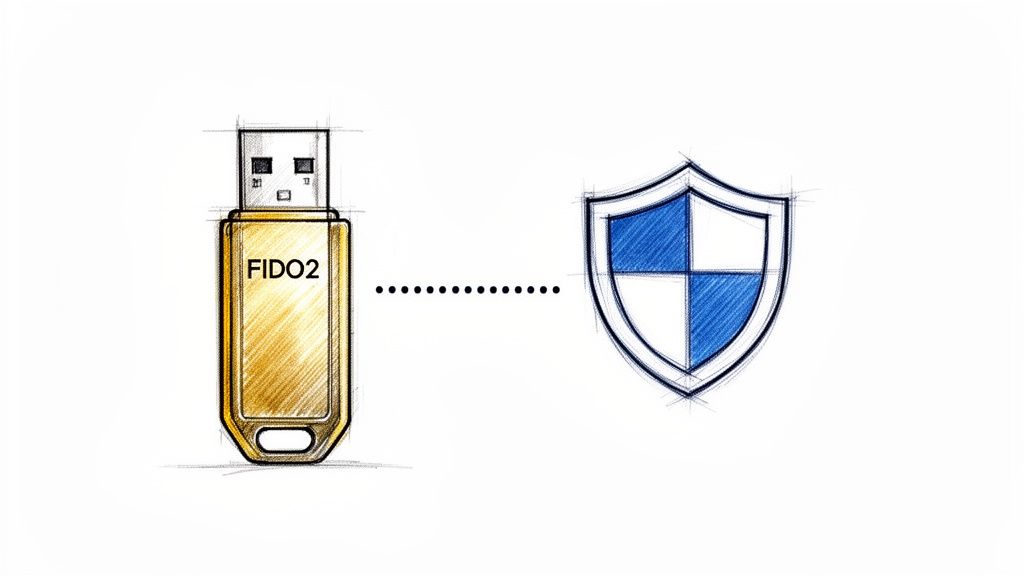
This isn’t just a theoretical advantage; it's a proven defense. Google reported it eliminated 100% of phishing attacks among its employees who used security keys. This is why Microsoft strongly recommends them for anyone with the keys to the kingdom-your admins, executives, and finance team. We see this firsthand when securing access for Johnson County businesses with sensitive client data or those needing to meet CMMC requirements for defense contracts.
How do they work? The key handles the cryptographic handshake with the website. You plug it in (or tap it via NFC), touch a button to prove you're physically present, and you're in. The website never sees a code, and a hacker across the globe can’t steal what isn't there.
Key Insight: The primary benefit of hardware keys is their resistance to phishing. An attacker can build a perfect replica of your Microsoft 365 login page, but without physical access to your YubiKey, they can't complete the login. This completely shuts down the most common and effective attack vector against businesses.
For our managed IT clients, rolling out hardware keys is a strategic process. We don't just hand them out and hope for the best. Instead, we follow a clear deployment plan as part of our multi factor authentication best practices:
- Start with high-value targets: We begin with administrators, C-level executives, and anyone handling financial data. Securing these accounts first provides the biggest immediate security win and satisfies key NIST CSF controls.
- Provide and manage backups: Every user gets a primary and a backup key. This prevents a lost key from turning into a business-halting lockout emergency. We maintain an encrypted inventory of all key serial numbers and assignments.
- Train for reality: We show your team how to use the keys, how to store them securely (don't leave it dangling from your laptop in a downtown Indy coffee shop), and what the recovery process looks like.
Implementing hardware keys is a definitive statement that you take security seriously. It moves your protection from a game of chance to a game of physics, making it exponentially harder for attackers to get in.
3. Eliminate SMS and Voice-Based Authentication
Using your phone number for a security code text feels simple, but it’s like using a screen door as your bank vault. SMS and voice-based authentication are notoriously weak links in the security chain. They rely on the public telephone network, a system that was never designed for secure data transmission and is wide open to interception and attacks that have been around for decades.
These methods are vulnerable to several critical flaws:
- SIM Swapping: A criminal convinces your mobile carrier they're you, gets your phone number transferred to their device, and starts receiving your security codes.
- SS7 Interception: Attackers can exploit fundamental weaknesses in the cellular network’s signaling system (SS7) to intercept texts and calls without ever touching your phone.
- Social Engineering: A well-crafted phishing text can trick a user into forwarding their one-time password directly to a cybercriminal.
The 2020 Twitter hack and numerous cryptocurrency exchange heists were made possible by exploiting these very vulnerabilities. Regulators and security bodies like NIST and CISA now strongly advise against using SMS and voice for MFA, recognizing them as a significant risk that doesn't meet modern security standards like the NIST CSF.
Key Insight: Moving away from SMS isn't about adding friction; it's about closing a gaping security hole. The goal is to migrate users to superior, more secure methods like authenticator apps or hardware keys that aren't susceptible to phone network attacks. This is a fundamental step in building a robust set of multi factor authentication best practices.
For our clients in Johnson County and across the Indy metro area, we start this process with an audit to find every application still using SMS verification. We then create a clear migration plan, communicating with users about the change and providing simple guides for setting up an authenticator app. This proactive approach significantly reduces the risk of account takeover, which is a key objective after you've learned how to protect against phishing attacks and measure the ROI. It's a small change that yields a massive improvement in your defense against common cyber threats.
4. Deploy Time-Limited, Single-Use Verification Codes
Static codes or codes that last too long are a cybercriminal’s best friend. Think of a security guard who gives out a master key that works all day; once it’s stolen, it’s a free-for-all. Using time-limited, single-use codes is like giving out a key that dissolves after 60 seconds. This is a foundational element of modern multi factor authentication best practices.
This method, formally known as Time-based One-Time Password (TOTP), uses an authenticator app to generate a six-digit code that changes every 30 to 60 seconds. This code is mathematically linked to a secret key shared only between your device and the service you’re accessing. It’s the standard you see in apps like Microsoft Authenticator and Google Authenticator, which we deploy for clients from Johnson County to downtown Indy tech hubs. The process is simple:
- The user initiates a login with their password.
- The system prompts for a code from their authenticator app.
- The user opens the app, sees the current code, and types it in before it expires.
Because the code is only valid for a tiny window and can never be used again, it slams the door on replay attacks. Even if an attacker manages to phish a user's code, it will be useless by the time they try to use it. This approach provides a massive security upgrade over less secure methods like SMS, which is vulnerable to SIM-swapping attacks.
Key Insight: The secret isn't the code itself, but the shared "seed" used to generate it. During enrollment, this is often presented as a QR code. That's why we guide clients to print and store these initial QR codes in a secure location, like a fireproof safe with other immutable off-site backups. If an employee's phone is lost or broken, we can use that backup to re-establish their authenticator on a new device, avoiding a painful account lockout and maintaining business continuity.
For businesses we manage, we log every MFA event, successful or not. If we see a series of failed TOTP attempts on a single account, it’s an immediate red flag that an attacker may have compromised the password and is now fumbling to guess the second factor. This allows our SOC-as-a-Service team to proactively lock the account and investigate before a breach occurs, turning a potential disaster into a routine security alert.
5. Establish Clear MFA Recovery and Account Lockout Procedures
Rolling out MFA without a plan for when someone’s phone takes a swim in Geist Reservoir is like buying a new car without a spare tire. It’s not a matter of if a user will lose their MFA device, but when. Without clear recovery procedures, you’re setting up your IT team for a frantic scramble and your employees for frustrating, productivity-killing lockouts that directly impact billable hours.
This process defines exactly what happens next. It's a documented, secure, and repeatable set of steps for verifying a user's identity and getting them back into their account. It asks questions like:
- Can the user prove their identity without their primary MFA device?
- What level of approval is needed to reset MFA for a standard user versus an executive?
- How do we log this event to ensure it wasn't a social engineering attack?
A weak recovery plan is a backdoor for attackers. A strong one, however, balances security with practicality, preventing a lost phone from grinding a department’s workflow to a halt. For instance, in Azure AD, we ensure users are prompted at enrollment to save their backup recovery codes, printing them out and storing them in a secure place like a fireproof safe, completely separate from their primary device.
Key Insight: The goal is self-service where possible and high-touch verification where necessary. A tiered approach works best. A user-initiated recovery using pre-saved codes is fast and easy. Resetting MFA for an admin account, however, should require manager or even IT director approval, creating a documented paper trail and forcing a moment of critical security validation.
Every single recovery action must be logged and trigger an alert. This creates an audit trail that’s invaluable for compliance and for spotting unusual activity. These logged events are a crucial part of a larger security strategy and are essential data points when building out your cybersecurity incident response plan template. After all, a legitimate recovery request looks almost identical to an attacker's attempt to take over an account.
6. Require MFA for Administrative, Privileged, and Third-Party Access
Some user accounts hold the keys to your entire digital kingdom. Leaving them protected by only a password is like leaving the master key to your Greenwood office building under the doormat. Admin, privileged, and third-party accounts are prime targets for cybercriminals. Requiring MFA for these high-value accounts isn't just a good idea; it's a non-negotiable security control that slams the door on a massive attack vector.
Think of it this way: a hacker who compromises a standard user account gets one set of keys. A hacker who compromises a Domain Admin account gets a key that unlocks every door, window, and safe in the building. This is why we must apply our most robust multi factor authentication best practices to these specific roles. We’re talking about:
- Administrative Accounts: Global Admins in Microsoft 365, root accounts in AWS, and Domain Admins in your local network.
- Privileged Users: Your IT team, financial controllers with access to sensitive data, and anyone else with elevated permissions.
- Third-Party Access: The HVAC vendor who needs temporary network access, the outsourced marketing agency, or your accounting firm. The SolarWinds breach was a painful lesson in the risks of unsecured vendor access.
Key Insight: This isn't about annoying your most powerful users; it's about protecting them and the business. Privileged Access Management (PAM) solutions integrate with MFA to not only enforce this rule but also to provide a complete audit trail. You can see exactly who accessed what, when, and how they proved their identity.
For our clients in healthcare and finance, this is a direct HIPAA and compliance mandate. But even for a manufacturing plant in Johnson County, it’s just smart business. We start by auditing every account with elevated permissions, then we establish a hard deadline for MFA enrollment. For vendors, this requirement is built directly into their onboarding documentation. It’s a simple rule: no MFA, no access. This policy stops supply-chain attacks and lateral movement cold, creating a secure environment where accountability is baked in.
7. Integrate MFA with Identity and Access Management (IAM) Systems
Trying to manage MFA for every single application your team uses is a nightmare. It’s like having a different key for every door, window, and filing cabinet in your building. An Identity and Access Management (IAM) system acts as a universal master key and a central security office in one. It unifies all your logins, enforcing consistent MFA policies from a single command center.
Instead of dozens of siloed MFA setups, an IAM platform like Microsoft Entra ID (formerly Azure AD) or Okta becomes the central identity hub for everything from Microsoft 365 and Salesforce to AWS and GitHub. Every login request, regardless of the application, is funneled through the IAM system, which checks the user’s credentials and enforces the correct MFA challenge. This eliminates authentication gaps and creates a unified security perimeter around all your company's data.
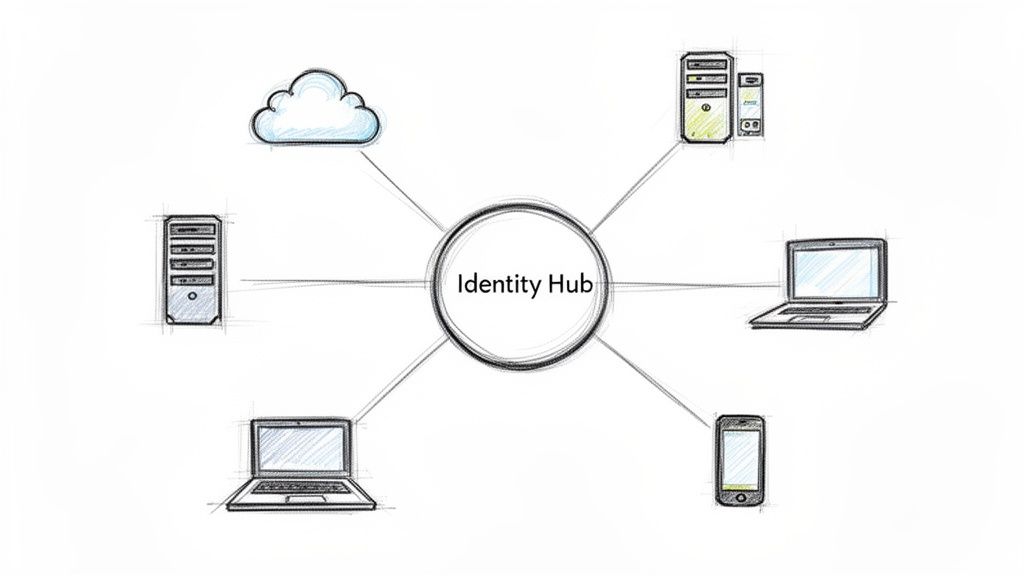
When we take on a new client in the Indianapolis area, one of the first things we do is map all their applications. Are they a Microsoft-heavy shop? Then Entra ID is the clear choice. Are they juggling hundreds of cloud apps? Okta might be the better fit. The goal is to build a central directory that:
- Connects to your existing company directory for automatic user syncing.
- Enrolls users in MFA through one clean, simple portal.
- Provides clear reporting on MFA adoption and failed login attempts.
- Allows us to build smart conditional access policies for specific scenarios, like accessing sensitive files from outside our I-465 loop.
Key Insight: Centralizing identity with an IAM platform is a foundational step in building a true Zero Trust security model. It stops you from playing whack-a-mole with security policies and gives you a single pane of glass to manage who can access what, from where, and how.
For companies we work with that have compliance needs like HIPAA or CMMC, this isn't a luxury; it's a necessity. An integrated IAM and MFA system provides the detailed audit logs and policy enforcement that regulators demand. It’s a core part of moving beyond basic security and implementing one of the most effective multi factor authentication best practices available today.
8. Enable Passwordless Authentication Where Possible
What if you could eliminate the single biggest cause of data breaches with one move? Passwords, even complex ones, are a massive liability. Passwordless authentication kicks them to the curb entirely, swapping them out for something you are (like a fingerprint or face scan) or something you have (like a physical security key or your phone). This isn't just a futuristic concept; it’s a practical security upgrade that strengthens defenses and, believe it or not, makes life easier for your team.
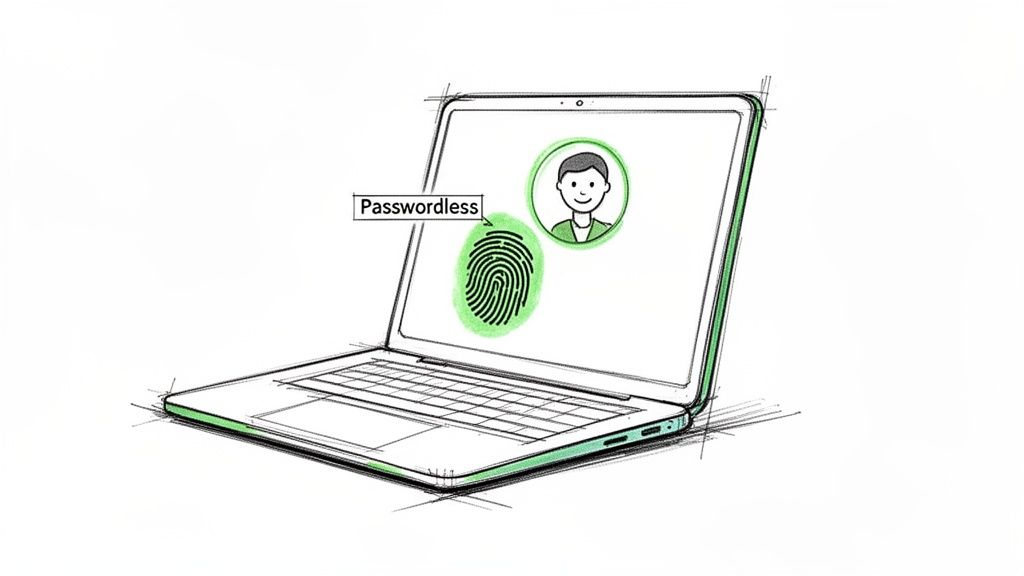
This approach replaces the password with a more secure credential. It asks questions like:
- Can the user prove their identity with biometrics via Windows Hello or Apple’s Face ID?
- Do they have a registered FIDO2 hardware key to tap?
- Can they confirm their identity via a magic link sent to a trusted device?
This completely sidesteps the risks of weak, reused, or stolen passwords. For a growing business in Hamilton County, this means your team no longer needs to remember "Spr!ng2024!" for ten different services. Instead, they just look at their screen or tap a key. It's faster, simpler, and massively more secure.
Key Insight: The beauty of passwordless is that it’s often an MFA method in itself. Using your fingerprint (inherence factor) on your company laptop (possession factor) to log in is a two-for-one deal. This merges top-tier security with a frictionless user experience, removing the biggest point of user complaint: password fatigue.
When we configure Microsoft 365 for our clients, we push for the adoption of Windows Hello for Business. This lets users sign in to their Windows devices and company resources with a simple PIN or biometric scan, which is tied directly to the device's secure hardware (TPM chip). This method is a core component of our multi-factor authentication best practices. To see how this fits into a larger security picture, it’s worth reviewing a modern guide to passwords and biometrics for Central Indiana businesses to understand the full strategy.
9. Maintain Detailed Audit Logs and Monitoring of MFA Events
Implementing MFA without watching what it’s doing is like installing a security camera and never checking the footage. It feels safe, but it's not. Detailed audit logs transform MFA from a simple gatekeeper into an active alarm system, providing the critical who, what, when, and where for every authentication event.
This process records everything: successful logins, failed attempts, new device enrollments, and even when a user removes an MFA method. It creates a digital paper trail for accountability and threat detection. It answers questions like:
- Why are there 25 failed MFA prompts for one user in the last five minutes?
- Did someone in our Greenwood office just try to log in from a device in Shanghai?
- Who disabled MFA on the CFO's account at 2 AM on a Saturday?
Without logs, these events are invisible. With them, you can spot the early warning signs of an attack, such as a SIM-swap attempt showing up as a rapid series of MFA resets from unusual locations, or an attacker trying to brute-force their way past a successful password theft. For our clients using tools like Microsoft 365, the Azure AD sign-in logs are a goldmine for spotting this exact type of suspicious activity.
Key Insight: The real power comes from centralizing and automating this monitoring. By feeding MFA event data from services like Okta or Azure into a Security Information and Event Management (SIEM) system like Azure Sentinel or Splunk, you can correlate MFA failures with other suspicious activity, like an alert from your Bitdefender GravityZone endpoint protection.
This correlation turns raw data into actionable intelligence. An alert for five failed MFA attempts is interesting; an alert that correlates those failures with a phishing link clicked just moments before is a high-priority incident. It allows our security team to react instantly instead of discovering a breach weeks later. Proper logging is a core tenet of any solid security posture, which is why it's a vital component of the best practices for network monitoring Indiana businesses need. Without it, you're flying blind.
10. Establish MFA Adoption and Training Programs with Clear Timelines
Flipping the MFA switch without warning is like replacing all the office coffee with decaf overnight. You’ll get a revolt, not better security. A successful MFA deployment is 90% people and 10% technology. It requires a proper change management plan with clear communication, ample training, and leadership buy-in. It’s not just an IT project; it’s a company culture shift.
A structured adoption program prepares your team for the change. It answers the "why" before it even becomes a question.
- Why now? Explain the current threat environment and how MFA is a shield for both the company and their personal data within it.
- How does this affect me? Show them exactly how to enroll their devices and what a typical login will look like.
- What if something goes wrong? Provide clear instructions for troubleshooting or what to do if they lose their phone.
This isn't about forcing a new tool on people. It's about guiding them toward a more secure way of working. We've seen Fortune 500 companies run town halls and Johnson County businesses create gamified enrollment campaigns to make the process engaging. The goal is to make adoption feel like a shared victory, not an IT mandate.
Key Insight: Start the communication campaign 6-8 weeks before your mandatory enforcement date. This gives people time to absorb the information, ask questions, and enroll at their own pace. A short video from company leadership explaining the importance of this initiative can be incredibly effective at showing this is a business-wide priority.
For our clients, we build a full-blown adoption kit. We develop non-technical enrollment guides with screenshots, create an FAQ document addressing common fears (like "are you tracking my phone?"), and even designate "MFA Champions" within each department. We’ll schedule reminder emails at the 4-week, 2-week, and 1-week marks, and share progress dashboards to celebrate milestones. This approach, grounded in proven change management frameworks like ADKAR, transforms user resistance into active participation, which is a core part of any effective multi factor authentication best practices strategy.
10-Point MFA Best Practices Comparison
| Approach | 🔄 Implementation Complexity | ⚡ Resource Requirements | 📊 Expected Outcomes | 💡 Ideal Use Cases | ⭐ Key Advantages |
|---|---|---|---|---|---|
| Implement a Risk-Based Authentication Approach | High — analytics, tuning and continuous monitoring | Moderate–High — telemetry, ML/rules engine, ops staff | Fewer unnecessary prompts; better detection of suspicious logins | SMBs with distributed teams and variable login contexts | Balances security and usability; reduces help-desk load |
| Enforce Hardware Security Keys as the Gold Standard | Medium — device enrollment and inventory workflows | High — purchase devices, manage inventory, train users | Near-elimination of phishing-based compromise | High-value accounts, regulated industries, executives | Phishing-resistant, strong compliance posture ⭐⭐⭐⭐⭐ |
| Eliminate SMS and Voice-Based Authentication | Low — policy change and migration planning | Low–Moderate — user communications and alternative methods | Reduces SIM-swap and interception risk significantly | Any org moving toward modern MFA; regulated systems | Removes a well-known attack vector; aligns with guidelines |
| Deploy Time-Limited, Single-Use Verification Codes (TOTP) | Low–Medium — app integration and clock sync handling | Low — authenticator apps, minimal server overhead | Short replay window; offline code generation | SMBs wanting cost-effective improvement over SMS | Cost-effective, widely supported, no network dependency ⭐⭐⭐⭐ |
| Establish Clear MFA Recovery and Account Lockout Procedures | Medium — process design, runbooks, approval workflows | Moderate — support staffing and secure recovery tooling | Fewer lockouts; controlled recovery with audit trail | Organizations prioritizing business continuity and audits | Prevents service disruptions; provides forensic trail |
| Require MFA for Administrative, Privileged, and Third-Party Access | Medium — policy definitions and vendor coordination | Moderate — enforcement tooling, vendor onboarding | Dramatic reduction in high-impact breaches | All organizations with privileged accounts or vendors | Stops common high-risk attack paths; compliance booster ⭐⭐⭐⭐⭐ |
| Integrate MFA with Identity and Access Management (IAM) Systems | High — centralized integration and app mapping | High — IAM licensing, migration effort, training | Consistent policy enforcement and centralized reporting | Growing orgs with many SaaS/on‑prem apps | Scales well; reduces per-app complexity; strong auditability ⭐⭐⭐⭐⭐ |
| Enable Passwordless Authentication Where Possible | Medium–High — device enablement and app support | Moderate — modern device requirement, user training | Eliminates password attacks; improves UX and speed | Modernized environments with current endpoints | Reduces resets/support; aligns with zero-trust principles |
| Maintain Detailed Audit Logs and Monitoring of MFA Events | Medium — logging pipeline and SIEM tuning | Moderate–High — log storage, SIEM expertise, retention costs | Faster detection and better forensics; compliance support | Organizations needing threat detection and audits | Turns MFA into an active detection control; supports investigations ⭐⭐⭐⭐ |
| Establish MFA Adoption and Training Programs with Clear Timelines | Medium — change management and communications | Moderate — training materials, helpdesk capacity | Higher adoption rates; fewer rollout issues | Any org rolling out MFA enterprise‑wide | Improves user buy-in and reduces support friction |
Stop Gambling with Your Company’s Security - Let’s Get It Fixed.
We’ve covered a lot of ground, moving from high-level strategy to the nuts and bolts of implementing multi-factor authentication best practices. It’s easy to look at this checklist and feel overwhelmed, but let’s boil it down. Implementing strong MFA isn't just another task on your IT to-do list; it's a fundamental shift in how you protect your business from the ground up. This is your digital seatbelt, your alarm system, and your bank vault rolled into one.
You now understand that not all MFA is created equal. Moving away from flimsy SMS codes and embracing the robust security of hardware keys or dedicated authenticator apps is a game-changer. We've seen it time and again with our clients along the I-65 corridor; the businesses that make this switch are the ones that sleep soundly, knowing a stolen password won't lead to a catastrophic breach. This isn't theoretical. A compromised account can bring your operations to a screeching halt, costing you thousands in downtime and lost client trust.
From Checklist to Action: Your Next Steps
The key takeaway is this: a scattergun approach to MFA is almost as bad as having no MFA at all. Your goal is a cohesive, user-friendly security posture that works for you, not against you.
- Prioritize Privileged Access: If you do nothing else, lock down your admin accounts, your remote access portals, and any third-party tools with hardware key-based MFA immediately. This is where the keys to your kingdom are held.
- Create a Recovery Plan: Don't wait for a Johnson County executive to lose their FIDO2 key on a business trip. Document and test your MFA recovery process before it's an emergency. A clear, secure plan prevents panic and keeps your team productive.
- Think Beyond the Login: True security is about context. Integrating MFA with a Zero Trust architecture and robust identity management gives you granular control. You can challenge logins from unusual locations or at odd hours while letting legitimate users sail through. This is the difference between a simple lock and a modern, intelligent security system.
To truly stop gambling with your company's security and get it fixed, developing a comprehensive strategy for information security risk management is paramount. MFA is a critical component, but it's part of a larger picture that protects your data, your finances, and your reputation. In our 17 years of local service, we’ve learned that the most resilient businesses are those that treat security not as a cost, but as a core business function.
Stop letting outdated security practices leave your company exposed. You don’t need to become a cybersecurity expert overnight. You just need a partner who already is one. Let us conduct a Security Risk Audit to show you exactly where your vulnerabilities are and how to fix them for good.
Ready to move from theory to implementation? The experts at Finchum Fixes IT specialize in designing and deploying custom MFA solutions for businesses throughout the Greenwood/Indianapolis area. Let us conduct a Free Network Assessment to show you exactly where your vulnerabilities are and how to fix them for good.