Top 10 Best Practices for Software Development to Drive Growth in 2026

[!NOTE]
TL;DR: Key Takeaways
- Problem: Aging, buggy software built without solid practices creates expensive downtime (up to $9,000/minute) for Johnson County businesses, turning tech into a liability.
- Solution: Adopting best practices like Agile, CI/CD, and Test-Driven Development (TDD) converts "wasted tech time" into predictable budgets and billable hours.
- Agile & CI/CD: Deliver value in small, iterative steps. An automated pipeline, like those we build for Indy-area firms, prevents risky manual deployments and ensures business continuity.
- Security & Quality: Integrate security from the start using a Zero Trust architecture and automated scans. This is critical for meeting compliance standards like HIPAA or CMMC.
- Local Proof: In our 17 years serving the I-65 corridor, we’ve seen these practices transform failing software projects into competitive advantages. It’s about building a reliable foundation for growth.
In a Greenwood business park, an aging custom-built inventory system crashes every Friday afternoon, grinding operations to a halt. That downtime costs a fortune—up to $9,000 per minute by some estimates. This is not just a tech headache; it is a direct hit to your bottom line. Many Johnson County business owners are stuck with software that is slow, buggy, and impossible to update, turning valuable work hours into wasted tech time.
The problem is not the idea; it is the execution. Without a solid foundation of best practices for software development, even the most innovative software becomes a liability. Bad code creates a vicious cycle of bug fixes, security patches, and ballooning maintenance costs that drain your budget and frustrate your team. It is the digital equivalent of building a downtown Indy tech hub on a swampy foundation; it is only a matter of time before things start to crack.
This guide cuts through the noise. We will lay out the 10 essential best practices for software development that Finchum Fixes IT has used for over 17 years to build reliable, secure, and profitable applications for businesses across the I-65 corridor. These are not abstract theories. They are concrete, battle-tested steps to transform your software from a costly bottleneck into a competitive advantage that fuels growth and converts wasted tech time into billable hours. Let's get started.
1. Agile Development Methodology
Forget the old "waterfall" method where you blueprint an entire project, spend a year building it in a dark room, and then unveil it to a client who says, "Uh, that's not what I wanted." One of the most critical best practices for software development today is embracing agility. Agile is an iterative approach that breaks down massive projects into small, manageable chunks called "sprints." Teams work in short cycles, typically two weeks, to deliver a functional piece of the software.
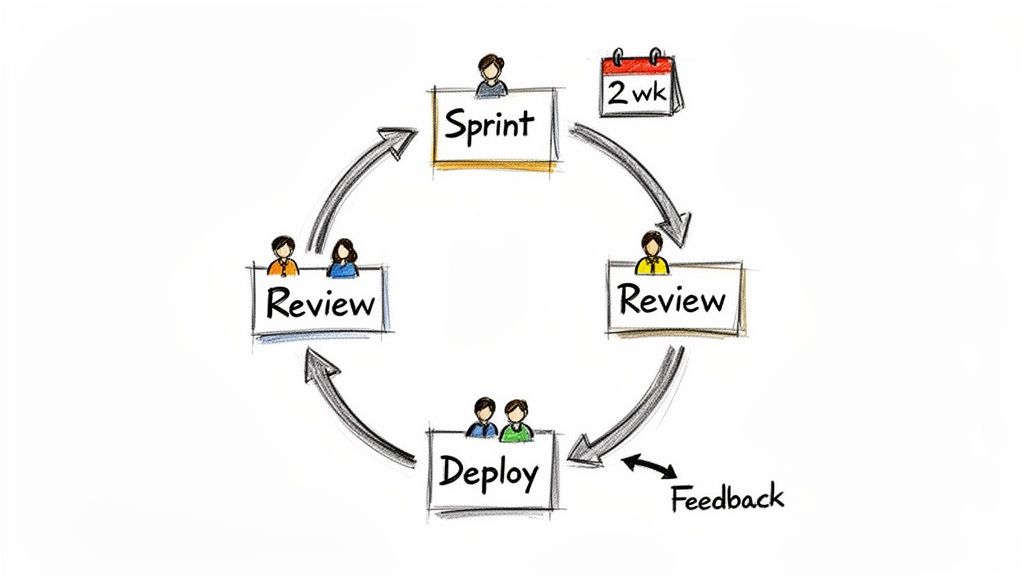
This method is perfect for Johnson County businesses needing custom applications that must adapt to market feedback. Instead of waiting a year for results, you see progress every two weeks. This continuous feedback loop prevents costly misunderstandings and ensures the final product actually solves the business problem, not the one you thought it had twelve months ago. It prevents downtime by catching design flaws early and converts "wasted tech time" on unwanted features directly into billable hours focused on what matters.
Why Agile Works
Agile's power comes from its flexibility. Think of it like building a custom race car for a team on the I-65 corridor. You don't build the whole thing and then test it; you build the engine and test it, then the chassis and test it, gathering performance data at every stage. This is how giants like Spotify continuously roll out features without breaking their entire platform. For a local Indiana business, it means you can pivot quickly when a client's needs change or a new market opportunity appears, ensuring a higher ROI.
Key Insight: Agile minimizes risk by delivering value incrementally. A small misstep in a two-week sprint is easy to correct; a fundamental flaw discovered after a year of development is a business-halting disaster.
How to Get Started
Implementing Agile doesn't require a complete overhaul. Start simple:
- Two-Week Sprints: This is the sweet spot. It's long enough to get meaningful work done but short enough to adapt quickly.
- Use the Right Tools: Manage your sprints with platforms like Jira or Azure DevOps. These tools keep your backlog prioritized and your team's progress visible.
- Constant Feedback: End each sprint with a review meeting involving key stakeholders. Show them what you built. This is your chance to get crucial feedback before you go too far down the wrong path.
If you're building a new system to manage patient data (requiring HIPAA compliance) or manufacturing workflows, this adaptive approach is invaluable. To see how it can be applied to projects right here in Central Indiana, you can find a comprehensive breakdown in our guide to adaptive software development.
2. Code Review and Pair Programming
Relying on a single developer to write, test, and ship code is like asking a race car driver to also be the lead mechanic and pit crew chief. It's a recipe for burnout and overlooked mistakes. That’s why best practices for software development now champion a "two-heads-are-better-than-one" approach through code review and pair programming. Code review is the process where other developers systematically check a colleague's code before it gets merged. Pair programming takes it a step further, with two developers working together on the same code at one workstation.
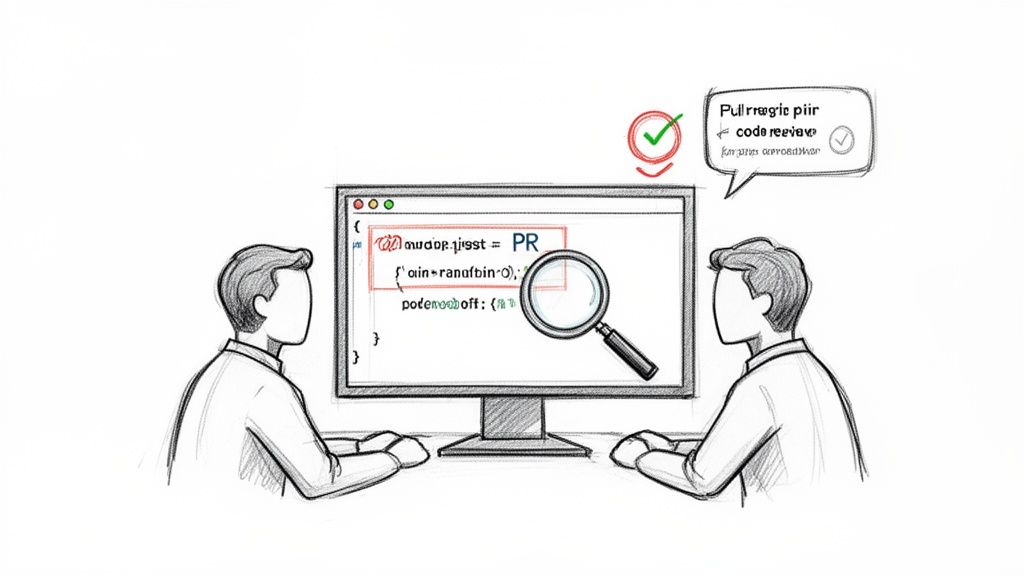
This collaborative quality gate is non-negotiable for any Johnson County business building security-sensitive applications or complex enterprise software. It acts as an internal audit, catching bugs, security flaws, and logic errors before they can impact your operations and cause downtime. This simple step prevents the "wasted tech time" that comes from fixing preventable problems post-launch and converts it into billable hours spent building valuable new features.
Why It Works
The magic of these practices is in knowledge sharing and collective ownership. When we have a senior developer review a junior's code, they're not just catching errors; they're mentoring. This levels up the entire team. Think of it like a master electrician in Greenwood showing an apprentice how to wire a new commercial building. That on-the-job training is priceless and ensures consistent quality. Tech giants like Microsoft enforce this rigorously, requiring peer review for nearly all code commits because it drastically reduces the defect rate and improves ROI.
Key Insight: Code review is not about finding fault; it's a collaborative process that improves code quality, spreads knowledge, and builds a stronger, more resilient engineering culture.
How to Get Started
You don't need a complex system to start. Introduce these habits gradually:
- Keep Reviews Small: Limit reviews to 200-400 lines of code. This keeps the process focused and prevents reviewer fatigue. It's easier to spot a subtle bug in a small change than in a massive one.
- Automate First: Use tools like linters and static analysis to catch formatting and syntax errors automatically. Let humans focus on logic, architecture, and security vulnerabilities.
- Set a Turnaround Time: Implement a 24-hour review turnaround goal. This prevents reviewed code from becoming a bottleneck and keeps development momentum high.
Whether you're building a HIPAA-compliant healthcare portal or a custom manufacturing system, these practices are your first line of defense against costly software failures. For a deeper look at how we integrate these quality gates into our development workflows, check out our guide on building secure software applications.
3. Test-Driven Development (TDD) and Automated Testing
Imagine building a skyscraper floor by floor but only checking the foundation's stability after the rooftop is on. That's what coding without automated tests is like. Test-Driven Development (TDD) flips the script: you write a failing test that defines what a new feature should do before you write a single line of code to make it work. This "Red-Green-Refactor" cycle is one of the most powerful best practices for software development.
This process forces you to think through requirements first, resulting in cleaner, more intentional code. For a Hamilton County healthcare IT company handling sensitive patient data, this isn't just a nice-to-have; it's a critical process for ensuring every function performs exactly as intended, minimizing bugs that could lead to HIPAA compliance issues or costly downtime. It converts guesswork and manual QA into a repeatable, automated safety net that improves your ROI.
Why TDD and Automation Work
The magic of TDD is that it builds a safety harness for your developers. Want to add a new billing feature or refactor a complex piece of logic? Go for it. If you accidentally break something, the automated test suite will scream about it instantly, not three weeks later when a customer calls. This is how giants like Microsoft maintain massive, complex server components with high uptime. They don't hope it works; they prove it works with thousands of automated checks.
When we disassembled a similar client’s failing RAID array, we found that a lack of automated testing on their custom software allowed corrupted data to be written silently for months. TDD would have prevented this business-halting failure.
Key Insight: TDD makes your code inherently testable and your system resilient. It's not about finding bugs; it's about preventing them from ever being written in the first place.
How to Get Started
Implementing TDD doesn't have to be an all-or-nothing leap. Start small and build momentum:
- Start with Business Logic: Focus your first unit tests on critical functions, like calculating order totals or validating user input.
- Integrate into Your Pipeline: Run your automated tests automatically with every code commit using a CI/CD tool. No code gets merged unless the tests pass.
- Use the Right Tools: Pick a framework suited for your stack: Jest for JavaScript, JUnit for Java, or pytest for Python. Aim for 70-80% code coverage as a starting goal.
This disciplined approach is a cornerstone of modern development. To truly get the most from TDD and ensure high quality, explore these comprehensive automated testing best practices. You can see how this methodology fits into a larger framework by exploring our guide on choosing the right software development life cycle.
4. Continuous Integration and Continuous Deployment (CI/CD)
Manually pushing code updates to a live server feels a lot like changing a tire on a car speeding down I-465. It's risky, stressful, and one wrong move can cause a massive pile-up. This is where Continuous Integration and Continuous Deployment (CI/CD) comes in. It's an automated pipeline that takes the human error (and terror) out of releasing software. Every time a developer commits a code change, it's automatically built, tested, and prepped for deployment.
CI/CD is one of the most powerful best practices for software development because it converts a high-stakes, once-a-quarter event into a low-risk, everyday task. For a Johnson County business running a custom e-commerce site or a patient portal, this means you can roll out critical security patches, bug fixes, or new features in minutes, not weeks. This rapid, reliable process prevents downtime and keeps your business agile, maximizing ROI.
Why CI/CD Works
CI/CD's strength lies in automation and consistency. By removing manual steps, it dramatically reduces the chance of a botched deployment taking down your operations. Think of it like an automated bottling line at a downtown Indy brewery. The process is the same every single time, ensuring quality and speed. Tech giants like Netflix use these pipelines to deploy code thousands of times per day. For a local healthcare provider, this means deploying a HIPAA-compliant update with a full suite of automated security and validation checks, ensuring nothing breaks.
Key Insight: CI/CD minimizes release risk by making deployments small, frequent, and predictable. Catching a bug in a tiny code change is simple; untangling a massive quarterly release is a business-halting nightmare.
How to Get Started
You don't need a massive team to implement CI/CD. The key is to start small and automate one step at a time.
- Start with CI: First, focus on Continuous Integration. Set up a system where every code commit automatically triggers a build and runs your test suite. This alone catches bugs instantly.
- Use Modern Tools: Platforms like GitHub Actions, GitLab CI, or Azure DevOps offer powerful CI/CD capabilities. In our 17 years of local service, we’ve used these to help Central Indiana businesses build robust deployment pipelines that just work.
- Deploy Safely: Implement strategies like "blue-green deployments," where you launch the new version on separate infrastructure and switch traffic over only when you're sure it's stable. This eliminates downtime during releases.
Automating your deployment pipeline is a direct investment in business continuity. It converts wasted hours spent on stressful manual releases into time you can spend building features that actually grow your business.
5. Security-First Development (Secure Coding Practices)
Treating security as an afterthought is like building a bank vault and then asking someone to check if the door has a lock. One of the most essential best practices for software development is to build security in from the very first line of code. A "security-first" or "Zero Trust architecture" approach integrates security checks, threat modeling, and secure coding standards into every single stage of the development lifecycle, not just as a final, panicked check before launch.
This proactive stance turns security from a checkbox item into a core feature. For businesses in Central Indiana handling sensitive data, from healthcare records (HIPAA) to defense contracts (CMMC), this isn't just a good idea; it's a requirement for survival. It prevents the kind of data breaches that cripple operations, cause massive downtime, and erode customer trust, ensuring your application is an asset, not a liability.
Why Security-First Works
The power of this approach lies in catching vulnerabilities early. Think of it like inspecting the steel beams for a new building on I-465 before it's installed, rather than waiting until the walls are up to find a crack. Adhering to standards like the NIST CSF ensures a comprehensive security posture. For a Johnson County business, this means building an application that's hardened against common threats like SQL injection and cross-site scripting from the start, protecting your ROI.
Key Insight: Fixing a security flaw during the design phase costs a fraction of what it costs to patch a live system after a breach. Early detection prevents catastrophic financial and reputational damage.
How to Get Started
Integrating security doesn't have to be overwhelming. Start with these foundational steps:
- Automate Your Scans: Implement Static Application Security Testing (SAST) tools like Snyk or the security features in Bitdefender GravityZone directly into your development pipeline. These tools act like a spell-checker for security flaws.
- Know Your Enemy: Train your developers on the OWASP Top 10 vulnerabilities. This list is the "most wanted" of web application security risks and provides a clear roadmap of what to guard against.
- Update Everything, Always: Keep all third-party libraries and dependencies up to date. A huge number of breaches happen by exploiting known vulnerabilities in outdated software components.
Building a secure foundation is critical, especially when developing applications that handle sensitive client information. To better understand the landscape of digital threats, you can find a detailed overview in our guide to network security threats for Indiana businesses.
6. Documentation and Knowledge Management
Great software that nobody understands is just expensive, digital art. One of the most overlooked but critical best practices for software development is treating documentation not as an afterthought, but as a core feature. This isn't about writing a novel for every line of code; it's about creating a clear, accessible "owner's manual" for your system that ensures business continuity and prevents developer burnout. It includes everything from code comments and API specs to architecture diagrams and runbooks for immutable off-site backups.
Good documentation turns tribal knowledge into a shared asset. When the one developer who understands your inventory management system leaves for a competitor, a well-documented system prevents a crisis. For a growing Johnson County business, this means new hires can onboard faster, and your team can support the software 24/7 without needing to wake up that one expert at 3 AM. It converts panicked troubleshooting that causes downtime into a predictable, structured process, improving ROI.
Why Documentation Works
Effective documentation builds a bridge between the business logic and the technical implementation. Think of it like the blueprints for a custom-built machine at a manufacturing plant on the I-65 corridor. Without them, maintenance is guesswork and improvements are risky. Companies like Stripe set the gold standard with developer-friendly documentation that makes complex systems usable. Their success proves that clear instructions are a product feature, not a chore.
Key Insight: Documentation is an investment in your software's future. It reduces the time spent reverse-engineering your own systems, freeing up developers to build new features that generate revenue.
How to Get Started
You don't need a librarian to build a useful knowledge base. Start with these practical steps:
- Centralize Everything: Use a single source of truth like Confluence or a well-organized Notion workspace. Stop scattering knowledge across emails and Slack channels.
- Document the 'Why': Don't just explain how a feature works; explain why it was built that way. What business problem does it solve? This context is invaluable.
- Visualize Complexity: Use simple tools like Lucidchart or Draw.io to create architecture diagrams. A picture is truly worth a thousand lines of code when explaining system dependencies.
- Treat Docs Like Code: Store documentation in your code repository and update it with every pull request. This ensures your instructions never fall out of sync with the actual software.
Building this discipline is a key part of any rock-solid enterprise software development process. Beyond choosing tools, the art of creating effective documentation lies in learning how to effectively publish useful, clear documentation. For guidance, refer to a guide on how to best write technical documentation that your team will actually use.
7. Version Control and Git Workflows
Imagine trying to build a new warehouse in Plainfield with three separate construction crews working from three different, slightly outdated blueprints. The chaos would be epic. Writing software without version control is the digital equivalent of that disaster, making it one of the most fundamental best practices for software development. Using a system like Git is non-negotiable for tracking every single code change, enabling collaboration, and providing a time machine to roll back mistakes.
Git workflows, such as GitHub Flow or GitFlow, are the official blueprints for your development team. They establish clear rules for how new features are built, tested, and merged into the main product. This prevents developers from overwriting each other's work and ensures that the core application running your Johnson County business remains stable and functional, preventing downtime even as new features are being added daily. This predictable process maximizes your ROI.
Why Version Control Works
The power of Git lies in its distributed nature and branching capabilities. Think of it as giving every developer working on your logistics software a safe, isolated copy of the I-465 loop to test a new on-ramp. They can build and experiment on their "feature branch" without causing a traffic jam on the main highway (your production code). In our 17 years of service, we’ve seen this method allow multiple developers on an Indy-based team to work on an app simultaneously without tripping over each other, dramatically speeding up development.
Key Insight: Version control turns chaos into order. It provides a complete, auditable history of your project, making it simple to pinpoint when a bug was introduced and by whom, saving countless hours of diagnostic guesswork.
How to Get Started
Implementing a proper Git workflow doesn't have to be complicated. Start with a simple, effective model:
- Use the Right Host: Choose a Git hosting platform like GitHub, GitLab, or Azure Repos. These services provide the cloud infrastructure for your code repositories, along with crucial tools for collaboration.
- Adopt GitHub Flow: For most business applications, this simple workflow is perfect. Create a new branch for every feature or bug fix, get a code review via a pull request, and then merge it into the main branch once approved. This keeps your primary code base clean and deployable at all times.
- Write Clear Commit Messages: Enforce a team standard for writing descriptive commit messages. A message like "Fixed bug" is useless; "Fix: Corrected tax calculation for out-of-state orders (INV-123)" is invaluable for future debugging.
Whether you're building a custom CRM or a complex e-commerce platform, a disciplined Git workflow is the bedrock of a successful project. To see how we implement these strategies to ensure code quality and project velocity, check out our approach in our guide to custom application development.
8. Monitoring, Logging, and Observability
Building great software is one thing; knowing what it’s doing in the wild is another. One of the most critical best practices for software development is implementing a robust system for monitoring, logging, and observability. This isn't just about watching a CPU usage graph; it's about gaining the ability to ask any question about your system's behavior, in real-time. It's the digital equivalent of having a full diagnostic dashboard for a complex piece of machinery operating 24/7.
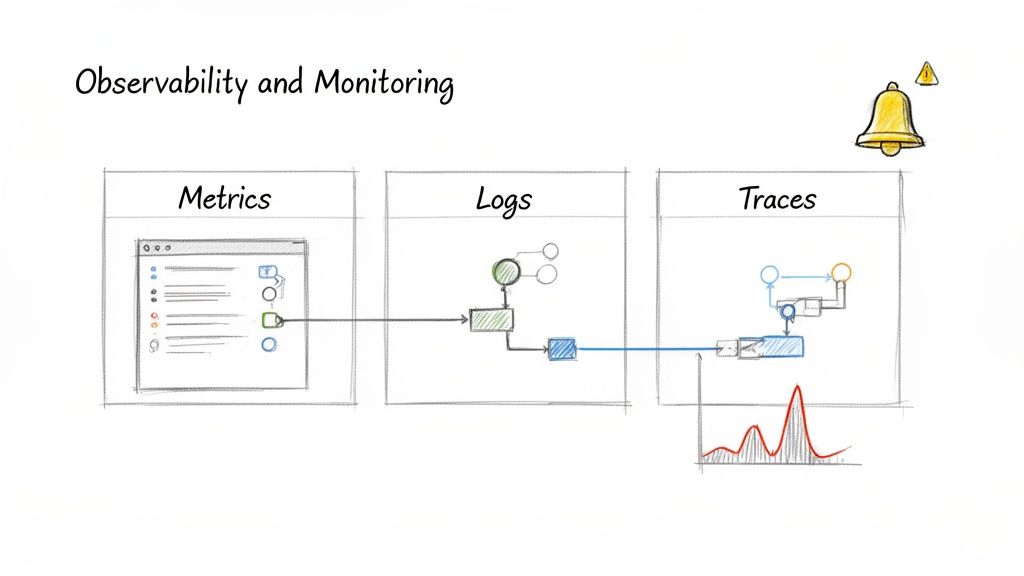
For a growing business in Johnson County, this means you can spot a failing database connection before it crashes your e-commerce site during a sales event. Our SOC-as-a-Service monitoring can trace a single customer's slow request through a dozen microservices to find the exact bottleneck. This proactive insight converts hours of frantic, after-hours debugging that causes downtime into a quick, targeted fix, directly protecting your revenue and ROI.
Why Observability Works
True observability is built on three pillars: metrics (the numbers), logs (the story), and traces (the journey). When your custom inventory app slows down, metrics tell you server load is high. Logs tell you a specific database query is timing out repeatedly. Traces show you that this query is only being called by a new third-party shipping integration. Without this trifecta, you're just guessing. Netflix uses this to understand system behavior during its chaos engineering tests, ensuring its platform stays online.
Key Insight: Monitoring tells you when something is wrong; observability lets you ask why. It's the difference between seeing a "Check Engine" light and having a full diagnostic report printed out.
How to Get Started
You don't need a Google-sized budget to achieve great observability. Start with a solid foundation:
- Use the Right Tools: Start with open-source powerhouses like Prometheus for metrics, the ELK Stack for logs, and Jaeger for tracing. Managed services like Datadog or New Relic can simplify this setup.
- Implement Structured Logging: Don't just log plain text. Use a JSON format that includes context like user IDs and request IDs. This makes searching and filtering logs exponentially faster.
- Alert on Business Metrics: Don't just alert when CPU is at 99%. Create alerts when "new user sign-ups per hour drop by 50%" or "checkout completion rates fall below 90%." These are the metrics that directly impact your bottom line.
This approach is invaluable for any business in Central Indiana that relies on software to operate. For a deeper look into the foundational elements, our guide on the 10 best practices for network monitoring provides an excellent starting point.
9. Code Quality and Static Analysis Tools
Writing code without an automated quality checker is like trying to build a race car at the Indy Motor Speedway with no one double-checking your work. It might look fine on the surface, but a loose bolt could cause a disaster on the track. One of the most impactful best practices for software development is embedding static analysis tools directly into your workflow. These tools automatically scan your source code, flagging bugs, security holes, and stylistic issues without even running the program.
Static analysis acts as an automated, tireless code reviewer that never gets distracted. It enforces a consistent standard of quality across your entire team, preventing the slow buildup of "technical debt" that plagues so many long-term projects. This means the custom inventory management app built for your Johnson County warehouse remains maintainable and secure for years. It converts "wasted tech time" spent hunting for obscure bugs that cause downtime into billable hours focused on building new features, improving ROI.
Why Static Analysis Works
The power of static analysis is its immediacy and consistency. It catches errors at the cheapest possible moment: right when the developer is writing the code. Think of it like a spellchecker for programming. For a growing Hamilton County business, this prevents minor coding mistakes from becoming major security vulnerabilities or system-wide outages down the line. We’ve seen firsthand how this discipline prevents costly rollbacks for our clients.
Key Insight: Static analysis enforces enterprise-grade quality automatically. It shifts your team’s focus from fixing preventable mistakes to delivering real business value, ensuring the software you invest in is built to last.
How to Get Started
Integrating these tools into your process is straightforward and pays dividends almost immediately:
- Use Comprehensive Tools: Platforms like SonarQube provide a powerful, all-in-one dashboard to track code quality, security vulnerabilities, and complexity over time.
- Implement Linters: Add language-specific linters to your project. Use ESLint for JavaScript, Pylint for Python, or Checkstyle for Java. These enforce coding conventions and catch common errors.
- Integrate Into Your CI/CD Pipeline: This is the most crucial step. Configure your pipeline to run a quality scan on every code change and block any merge that doesn't meet a predefined quality gate. This makes quality non-negotiable.
Whether you're developing a HIPAA-compliant patient portal or a CMMC-ready logistics platform, these tools are essential. To learn how we integrate automated quality gates into our development lifecycle for local Indiana businesses, check out our insights on building reliable software systems.
10. Scalability and Performance Optimization
Building an app that works for 10 users is easy. Building one that works for 10,000 without crashing and burning during a sales rush is a different beast entirely. One of the most forward-thinking best practices for software development is designing for scalability from day one. This means architecting your system to handle a growing number of users and transactions without slowing down, a critical factor for any Hamilton County business planning for growth.
Scalability prevents your success from becoming your biggest problem. Think about how Shopify handles Black Friday traffic without a hiccup. They achieve this through relentless performance optimization: caching data, fine-tuning database queries, and distributing workloads. For a business in Central Indiana, this means your custom CRM won't freeze up when your sales team lands a huge new account, converting potential downtime into productive, billable hours and a predictable monthly budget for infrastructure.
Why Scalability Works
The power of a scalable system is its ability to grow with your business, not hold it back. Imagine you run a logistics company on the I-65 corridor. As you add more trucks and clients, the system for tracking shipments must handle exponentially more data. A scalable design allows you to add more server resources horizontally (adding more machines) instead of vertically (buying a single, massive, and expensive server). This avoids a complete, costly re-architecture down the road and protects your ROI.
Key Insight: Don't optimize blindly. Profile your application first to find the actual bottlenecks. Wasting time "fixing" a part of the code that isn't slow is a classic development pitfall.
How to Get Started
You don't need a massive budget to build a scalable system. The principles apply to any project:
- Design for Horizontal Scaling: From the start, build your application so you can add more servers to share the load. This is a core concept behind cloud-native patterns like microservices.
- Use Caching Aggressively: Store frequently accessed data in a fast, in-memory cache. This reduces the load on your database and dramatically speeds up response times.
- Asynchronous Processing: For long-running tasks like generating a report or sending a batch of emails, run them in the background. This keeps your application responsive and prevents users from staring at a loading spinner.
For any Indiana business developing an application that is core to its operations, building for scale is not a luxury; it’s a prerequisite for success. To learn how we implement these high-performance principles for local companies, check out our approach to custom application development.
Top 10 Software Development Best Practices Comparison
| Practice | 🔄 Implementation Complexity | Resource Requirements | ⭐ Expected Quality | ⚡ Speed / Efficiency | 📊 Expected Outcomes & 💡 Ideal Use Cases |
|---|---|---|---|---|---|
| Agile Development Methodology | Moderate–High: needs process change, sprint cadence and stakeholder buy-in | Cross‑functional team, Scrum roles, sprint tools (Jira, Azure DevOps) | High — iterative improvements increase product fit and quality | Fast incremental delivery; variable overall predictability | Incremental working software, reduced rework; ideal for evolving requirements and custom AI automation |
| Code Review & Pair Programming | Low–Moderate: process and scheduling overhead | Reviewers, experienced developers, PR tooling (GitHub/GitLab) | Very High — reduces bugs and security issues | Slows initial velocity but reduces downstream fixes | Fewer production defects, knowledge sharing; ideal for security‑sensitive and compliance projects |
| Test-Driven Development & Automated Testing | Moderate–High: discipline and test design required | Test frameworks, CI integration, test data/mocks | Very High — strong regression protection and safer refactoring | Slower up-front; faster long-term delivery and debugging | Reliable, maintainable systems; ideal for mission‑critical, data recovery, and cybersecurity tools |
| Continuous Integration & Continuous Deployment (CI/CD) | High: pipeline, infra, and policy setup | CI/CD tools (Jenkins/GitHub Actions/GitLab), infra, fast tests | High — consistent, repeatable releases | Very fast release cadence and rapid patching | Rapid, frequent deployments and quick hotfixes; ideal for services needing continuous updates and 24/7 availability |
| Security-First Development (Secure Coding) | High: integrates across design, dev, and ops | Security experts, SAST/DAST/SCA tools, training | Very High — reduces breach risk and compliance exposure | Slows development due to extra validation | Fewer vulnerabilities and compliance readiness; ideal for regulated industries and cybersecurity offerings |
| Documentation & Knowledge Management | Low–Moderate: cultural effort to maintain | Docs platform (Confluence/Notion/GitBook), time for writing | High — improves maintainability and onboarding | May slow initial delivery; speeds troubleshooting and handoffs | Faster onboarding and 24/7 support continuity; ideal for teams offering long‑term support and client handoffs |
| Version Control & Git Workflows | Low: tooling straightforward, learning curve for workflows | Git hosting (GitHub/GitLab/Bitbucket), branching policies | High — enables traceability and rollback | Enables parallel work; merge conflicts can cost time | Clear audit trail and coordinated development; ideal for multi‑developer projects and release management |
| Monitoring, Logging & Observability | High: architecture, tuning, and alerting required | APM/logging/tracing tools (Prometheus/ELK/Datadog), storage, SRE expertise | Very High — improves detection and investigation | Not about dev speed; greatly reduces MTTR | Proactive incident detection and capacity planning; ideal for 24/7 operations and security monitoring |
| Code Quality & Static Analysis Tools | Moderate: initial setup and tuning, ongoing maintenance | Linters, SonarQube/Snyk/Semgrep, CI integration | High — catches issues early and enforces standards | Small build overhead; reduces manual review time | Lower technical debt and consistent codebase; ideal for enterprise standards and long‑lived projects |
| Scalability & Performance Optimization | High: architectural changes and testing needed | Performance engineers, load testing tools, caching/infra | High — improves user experience under load | Improves runtime performance; optimization adds development cost | Scalable, responsive systems for growth; ideal for high‑traffic apps and large‑data AI processing |
Final Thoughts
We’ve just run through a high-speed tour of the most critical best practices for software development. We covered a lot of ground, from the collaborative rhythm of Agile and the ego-checking power of code reviews to the relentless automation of CI/CD pipelines and the critical necessity of a security-first mindset. Here’s the key takeaway: these aren't just academic exercises. They are the bedrock of creating software that prevents downtime, works, scales, and doesn’t get you on the evening news for a data breach.
For a growing business in Johnson County, adopting these practices isn't about chasing Silicon Valley trends; it’s about survival and growth. Think of it this way: skipping automated testing is like building a new office on the I-65 corridor without inspecting the foundation. It might stand up for a while, but you’re just one bad storm away from a catastrophic failure. Likewise, ignoring secure coding is like leaving the front door of your Greenwood warehouse wide open overnight. You’re inviting trouble.
The real power of these principles emerges when they work together. Your Git workflow feeds your CI/CD pipeline, which runs your automated tests, which are informed by your security standards. Your monitoring and observability tools give you real-time feedback on your code’s performance, closing the loop and informing the next sprint in your Agile cycle. It’s a self-reinforcing system of quality, a technical engine that drives business continuity and real ROI.
Turning Theory into Bottom-Line Results
Let’s be direct. Every minute your developers spend chasing down a bug in production that a proper test suite would have caught is a minute they aren’t building a new feature for your customers. That’s wasted tech time, lost opportunity, and a direct hit to your bottom line. In our 17 years of local service, we’ve seen it firsthand when taking over mismanaged projects; the initial investment in setting up these best practices pays for itself tenfold by preventing costly downtime and frantic, all-hands-on-deck emergencies.
These aren't just "nice-to-haves." They are the difference between a software asset that accelerates your business and a technical liability that drains your budget.
- Key Insight: Implementing a robust CI/CD pipeline transforms your development process from a high-risk, manual bottleneck into a predictable, automated asset.
- Actionable Next Step: Start small. Pick one practice, like implementing a formal code review process or setting up a basic automated test for a critical business function. Small, consistent wins build momentum.
- The Big Picture: Mastering these best practices for software development builds a culture of engineering excellence. It makes your team more effective, your product more reliable, and your business more resilient.
Building great software is a craft. It requires discipline, the right tools, and a commitment to quality at every step. By embracing these battle-tested principles, your Indiana business can create a powerful competitive advantage, delivering robust, secure, and scalable solutions that drive real, measurable growth. Don't just build software; build it right.
Is your current software development process feeling more like a liability than an asset? Let the team at Finchum Fixes IT conduct a comprehensive Security Risk Audit for your Greenwood or Indianapolis-area business. We can identify bottlenecks and security gaps before they become costly emergencies. With over 17 years of experience helping businesses across Central Indiana build and maintain high-quality software, we can help you implement the right practices to protect your investment and accelerate your growth.