What Is DNS And How It Works
A lot of Indiana business owners call their issue “bad internet” when DNS is the problem.
That matters because when DNS breaks, websites stall, Microsoft 365 acts flaky, line-of-business apps refuse to load, and staff lose time chasing the wrong fix. Along the I-65 corridor, I see this in old brick buildings with Wi-Fi dead zones, in Greenwood business parks with aging firewall configs, and in fast-growing companies that moved systems to the cloud but left name resolution on a set-it-and-forget-it setup.
DNS sounds abstract. It is not. It sits in the middle of your website access, email flow, cloud apps, and a big chunk of your security stack. If you want a practical answer to what is dns and how it works, tie it to one question. When someone on your team types a business app’s name into a browser, how does the network know where to send them?
The Hidden Culprit Behind Your Spotty Internet
A Greenwood office opens at 8:00. By 8:15, staff can reach some sites, but the CRM spins, email drags, and the scheduling portal refuses to load. The first guess is usually bad internet. The expensive part is that the connection may be fine while DNS is failing in the background.
TL;DR
- DNS connects domain names to IP addresses so devices can reach websites, email services, and cloud apps.
- When DNS breaks, the symptoms look like an ISP outage, even when the underlying fault is a bad record, stale cache, or resolver problem.
- That confusion burns time because teams troubleshoot Wi-Fi, modems, and carriers first.
- DNS problems hit revenue work fast: quoting, dispatch, email, scheduling, and customer response times all slow down.
- For Indiana businesses, DNS needs active oversight as part of business continuity and security.

I see this across Johnson County. A company swaps access points, reboots the firewall, calls the ISP, and still has the same problem the next morning. Devices stay connected to the network, but they cannot reliably resolve the names of the services the business depends on.
Why DNS gets mistaken for an internet outage
From a user's perspective, a DNS failure feels identical to a connection problem.
If your accounting portal, Microsoft 365 login, or vendor site will not open, nobody on staff says the resolver may be serving stale results. They report that the internet is down, and that is understandable. The trouble is that this sends the fix in the wrong direction, which stretches a 10-minute correction into a half-day interruption.
Wi-Fi should still be checked when a building has dead zones, thick walls, or poor access point placement. If that is part of your setup, this guide on how to improve WiFi signal strength for your business can help. A strong wireless signal still will not correct a bad DNS answer, an expired record, or a resolver that is not responding.
Why this matters to business continuity
DNS sits underneath routine business activity. If it starts returning the wrong destination, or no destination at all, the failure spreads fast across web apps, email, vendor logins, and security tools that depend on name resolution.
For Indiana businesses, that means significant downtime costs, not just an annoying loading screen. Front desk staff cannot confirm appointments. Sales cannot pull customer records. Office managers start using personal hotspots or workarounds that bypass normal safeguards. Each workaround increases risk while the underlying issue stays unresolved.
Business owners also run into a planning problem here. DNS often gets treated like a one-time setup item after a website launch or Microsoft 365 migration. It needs ongoing attention instead. Records change, providers change, caching creates lag, and one small misconfiguration can interrupt a surprising amount of daily work.
If you need a basic companion on domain names themselves, what is a domain and how it works covers that side of the picture. DNS is the operational layer that makes those names usable.
DNS rarely gets credit when it works. As a result, it hides in the background until it takes a chunk out of your day.
DNS Explained Like an Internet Phonebook
At its most basic, DNS acts as the internet's phonebook.
Your team types in a name like yourcompany.com, Microsoft 365, or a vendor portal. Their devices still need the numeric network address behind that name before anything loads. DNS handles that translation in the background, and if it fails, the app, website, or service may look down even when the internet connection itself is fine.
That distinction matters in offices around Greenwood. I have seen businesses blame Wi-Fi, swap hardware, and reboot everything in sight when the underlying problem was a bad DNS record, stale cache, or resolver issue. The symptom looks like general internet trouble. The cause is often name resolution.
Names for people, addresses for machines
People use names. Systems use IP addresses.
DNS connects the two so staff can reach websites, email services, cloud platforms, printers, VPN portals, and security tools without typing long strings of numbers. That sounds simple, but it supports a surprising amount of day-to-day business activity.
A few examples:
- Email uses DNS: Mail delivery depends on the right records being in place. If they are wrong, messages can bounce, arrive late, or get flagged as suspicious.
- Cloud apps use DNS: Microsoft 365, CRMs, accounting tools, and file-sharing platforms all depend on clean, accurate lookups.
- Security tools use DNS: Web filters, threat blocking, and domain verification checks often start with DNS before a connection is allowed.
If you want a primer on the naming side itself, what is a domain and how it works covers that foundation. DNS is the operational layer that makes those names usable inside the business.
Where business owners get tripped up
DNS is often treated like a one-time setup task after a website launch or email migration. That is where trouble starts.
Records change. Providers change. Cloud services add verification requirements. Caching can hold old answers longer than expected. A single typo in a DNS panel can interrupt customer traffic, email delivery, remote access, or app logins across the whole office.
| Business function | Where DNS shows up | What goes wrong if it’s mismanaged |
|---|---|---|
| Website access | Main domain and subdomains | Customers cannot reach the site reliably |
| Email delivery | Mail routing and sender verification | Messages fail or land in junk folders |
| Remote work | VPN portals and cloud apps | Staff see random connection failures |
| Security | Filtering and validation | Malicious destinations slip through |
Good networking work must therefore include DNS hygiene.
If an office has random app failures, devices that connect to Wi-Fi but cannot reach services, or inconsistent behavior across rooms and devices, networking and Wi-Fi design has to account for DNS as well as signal coverage and switching. A clean wireless deployment helps people get online. Correct DNS helps them reach the right destination once they are there.
A business can have solid Wi-Fi, a modern firewall, and reliable switches, yet still lose productive hours because DNS is pointing users to the wrong place or nowhere at all.
The plain-English version
DNS takes the name your people know and finds the address your systems need.
For Indiana businesses, that is not just a technical detail. It is part of business continuity. If DNS is outdated, misconfigured, or left alone for too long, ordinary work stops fast.
The Step-by-Step DNS Lookup Process
Most lookups feel instant, but several systems are involved behind the scenes.
The DNS resolution chain uses four key server types. A query begins with a recursive resolver, which may ask a root nameserver, then a TLD server, and finally an an authoritative nameserver. That hierarchy is built for global scale, with 13 logical root clusters handling 1.5 million queries per second each, and .com servers managing 158 million domains, according to New Relic’s DNS explanation.
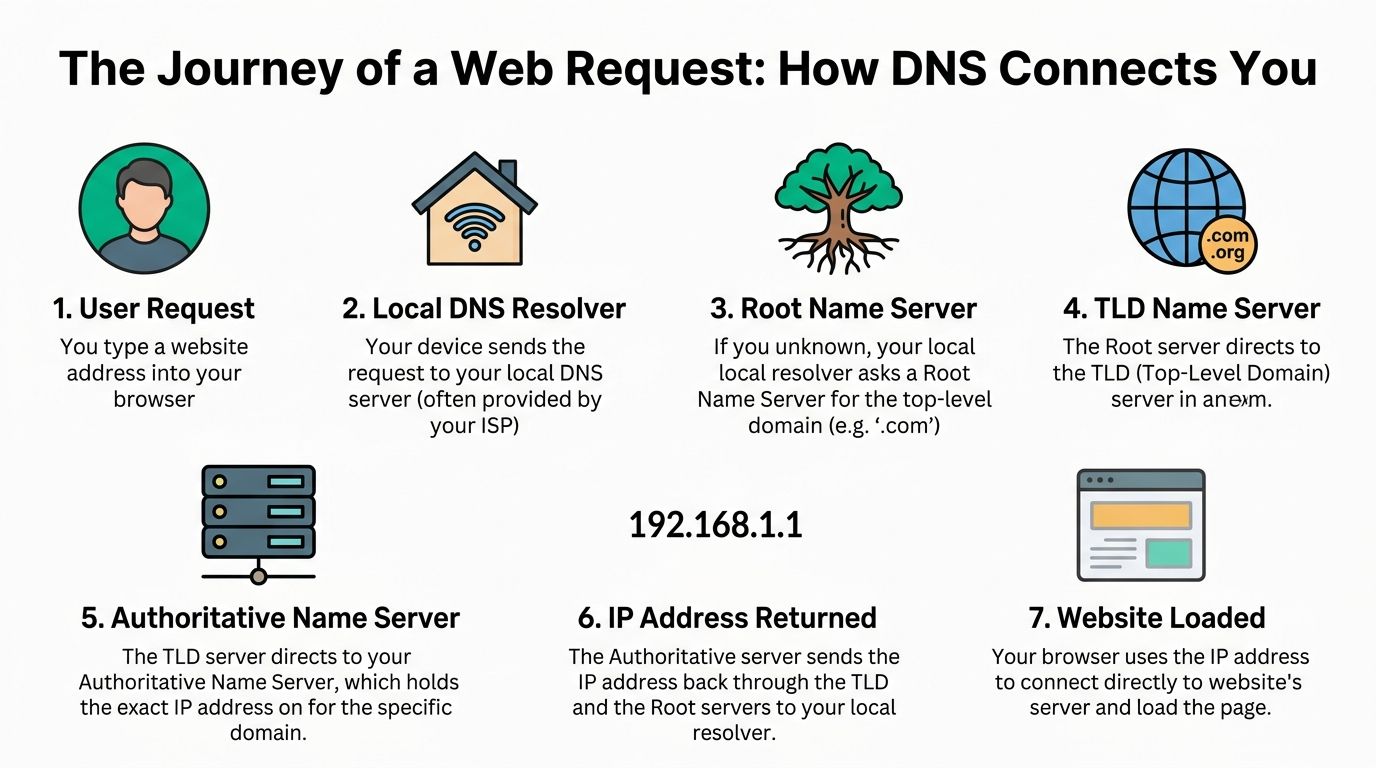
Step 1 The device asks for help
A user types a website address into a browser.
The device does not immediately know where that destination lives, so it asks a recursive resolver. In many offices, that means a resolver supplied by the ISP, the router, a firewall, or a public DNS service configured by IT.
The recursive resolver is the go-between. Its job is to find the answer and return it.
Step 2 The resolver checks its memory
Before it goes out to the wider internet, the resolver checks its cache.
If someone in the office already visited that same site recently, the answer may already be stored locally. That makes the response much faster and reduces unnecessary lookups. This is one reason the web feels snappy during normal business use.
Step 3 It asks the root where to go next
If the resolver does not have the answer, it reaches out to a root nameserver.
The root server does not return the final address for the website. It points the resolver in the right direction based on the top-level domain. If the site ends in .com, the resolver gets referred toward the .com layer.
This is similar to asking an operator which city directory you should check. You are not getting the final number yet. You are getting the next stop.
Step 4 The TLD points to the right authority
The resolver then queries the TLD server.
TLD stands for top-level domain. Think .com, .org, or .net. That server knows which authoritative nameserver is responsible for the domain you want.
Here, the lookup gets more precise. The system narrows from “find me .com” to “find me the source of truth for this exact business domain.”
Step 5 The authoritative server gives the final answer
The resolver finally contacts the authoritative nameserver.
This server holds the official DNS records for that domain. If the domain owner has configured things correctly, the right answer originates here. The resolver gets the needed record, returns it to the user’s device, and stores it in cache for the next request.
Step 6 The browser connects to the destination
Once the device has the answer, it can connect to the website or service.
That is when the page loads, the login screen appears, or the application opens. To the user, it looks simple. Underneath, a distributed system performed a quick chain of referrals and confirmation.
Why this design works for business networks
This layered design is not overkill. It is how the internet stays usable.
For a business owner, the payoff is practical:
- Scalability: Nobody has to maintain one giant central list of every address on the internet.
- Redundancy: Multiple layers and distributed infrastructure help keep services reachable.
- Performance: Cached answers reduce delay for repeat requests.
- Control: Your domain’s authoritative records stay under your administration or your provider’s control.
If a user can reach some services but not others, DNS is often the separator between “network is dead” and “resolution is broken for a specific destination.”
When companies move websites, switch email platforms, or roll out cloud ERP, they often focus on the app and forget the lookup chain that gets users there. That is usually where cutovers get messy.
Common DNS Record Types Your Business Uses
DNS is not one record. It is a collection of records that tell the internet how to handle your domain.
Some of them matter to your website. Some matter to your email. Some matter to security and brand trust. If the records are sloppy, users feel it fast.
The records that matter most day to day
Here are the ones most Indiana businesses run into first.
| Record Type | What It Does | Business Impact Example |
|---|---|---|
| A | Points a name to an IPv4 address | Your main website opens at the right server |
| AAAA | Points a name to an IPv6 address | Newer network paths can reach your services properly |
| MX | Tells the internet where to deliver email for your domain | Client email reaches your mailbox instead of failing |
| CNAME | Creates an alias from one name to another | A subdomain for a cloud app points to the vendor’s service |
| PTR | Handles reverse lookups | Some services use reverse checks to validate network identity |
| SPF | Helps identify authorized mail senders | Your invoices and notifications are less likely to be treated as spoofed |
Why each one matters to a business owner
An A record is usually tied to your website or another service users visit directly. If it points to the wrong destination, customers may hit an old server, a dead server, or nothing at all.
An AAAA record does a similar job for IPv6. If your environment, provider, or application stack uses IPv6 paths, this record matters more than many SMBs realize.
MX records are a big one. They decide where incoming mail for your domain should go. When a company changes mail platforms and leaves old MX records behind, the result can be ugly. Missing messages, delayed delivery, and support tickets that bounce between your ISP, your web host, and your email provider.
CNAME records are common when businesses use hosted apps. Many SaaS tools ask you to map a friendly subdomain to their service. That can be a clean setup, but only if somebody documents it well.
PTR records do not get much attention from non-technical teams, but reverse lookup matters in certain mail and identity scenarios.
Then there is SPF, which is one of the records business owners should care about even if they never touch DNS directly. SPF is part of email authentication. A proper setup helps other mail systems decide whether messages sent on your behalf are legitimate.
What works and what does not
Good DNS record management looks boring. That is a compliment.
What works:
- Documented ownership: Somebody knows where the records live and who can change them.
- Clean naming: Subdomains and aliases follow a sensible pattern.
- Change control: Mail changes, website moves, and vendor cutovers are tested before they go live.
What fails:
- Registrar mystery: Nobody knows who has the login for the domain account.
- Years of leftovers: Old records remain in place long after migrations.
- One rushed edit: A single typo during a Friday cutover knocks out mail or web access.
For healthcare groups, manufacturers, and other regulated shops, this discipline supports more than convenience. It helps maintain service availability that lines up with frameworks like HIPAA, CMMC, and NIST CSF.
How DNS Failures Cause Costly Business Downtime
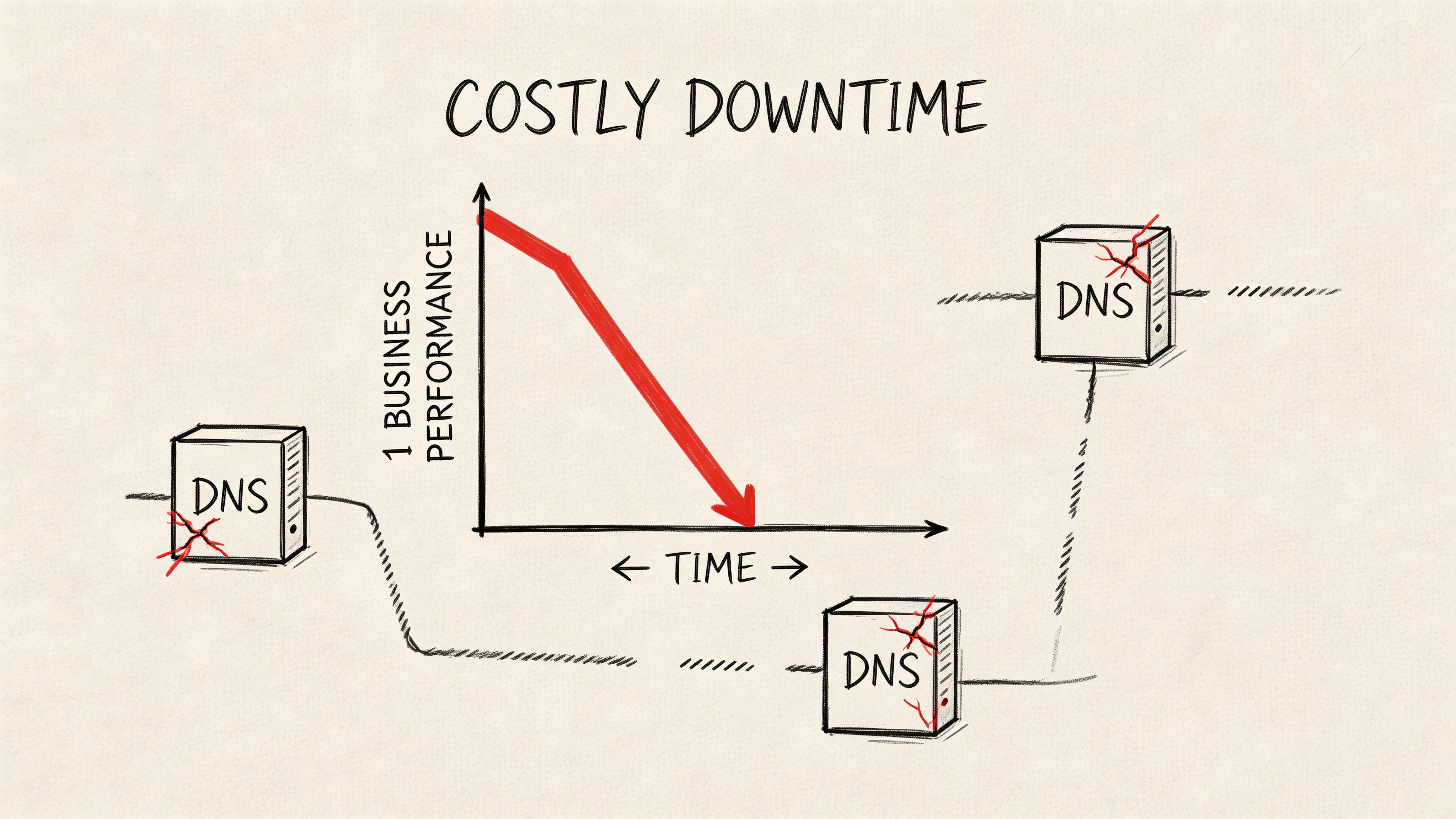
Monday at 8:05 a.m. in Greenwood, your team is in the office, the fiber circuit is up, and Microsoft 365 shows green. Still, nobody can reach the customer portal, online orders stop coming in, and email to a key vendor starts bouncing. That is the kind of outage that sends people chasing the wrong problem, because the internet is technically up while name resolution is failing.
Cache problems create confusing outages
DNS failures often look random from the business side. One employee reaches the app. Another gets an error. A customer in Indianapolis sees the new website, while someone across town still lands on the old server. That pattern usually points to cached DNS answers hanging around longer than expected, or a resolver returning bad data.
The result is wasted time. Staff test Wi-Fi, reboot laptops, call the ISP, and open tickets with the software vendor, even though the underlying issue is a bad lookup. For a small business, that confusion is expensive fast because payroll keeps running while sales, scheduling, dispatch, or patient access slows down.
Bad TTL timing can turn a planned change into an outage
TTL means Time-To-Live. It sets how long a DNS answer stays cached before systems ask for a fresh one.
That matters most during change windows. If your company moves a website, changes email providers, or cuts over a line-of-business app without adjusting TTL in advance, some users keep hitting the old destination for hours. Others reach the new one right away. From the front desk or accounting office, it looks like the system is flickering in and out.
I see this during rushed migrations. A shop changes one record on Friday afternoon, assumes the update is live everywhere, and then spends the rest of the day fielding calls because customers cannot log in or messages are routing unpredictably. In healthcare, logistics, and manufacturing around central Indiana, that kind of inconsistency has significant operational impact. Missed portal access delays patient communication. A bad dispatch lookup leaves trucks waiting. A broken vendor portal can stall approvals and shipping.
Human error causes plenty of DNS downtime
In my experience, many serious DNS incidents for small and midsize businesses come from ordinary mistakes made during routine changes, not dramatic attack scenarios.
Common examples include:
- Wrong record edits: A website move updates the wrong host name.
- Old vendor leftovers: A former provider still controls a subdomain nobody reviewed.
- Registrar confusion: The domain is registered in one account, DNS is hosted somewhere else, and nobody knows which system is authoritative.
- Resolver mismatch: The firewall points to one DNS service while endpoints use another, so different users get different answers.
DNS downtime burns labor before anyone even calculates lost revenue. Your best employees stop doing billable work and start troubleshooting by guesswork.
Set-and-forget DNS is a business continuity risk
DNS needs ongoing attention. Businesses add cloud apps, open locations, replace vendors, and change internet providers. Every one of those changes touches name resolution somewhere. If nobody reviews records, monitors expiration dates, tests cutovers, and keeps access documented, a small DNS problem can become a full business interruption.
That is why I treat DNS as part of continuity planning, not just domain administration. Good DNS management supports uptime the same way backups, failover internet, and MFA support uptime. If your team is building that process now, this Indiana business continuity planning checklist is a practical place to start.
Securing Your DNS from Hijackers and Snoops
A lot of Indiana business owners only hear about DNS security after a fake login page steals a password or office traffic starts resolving through a rogue server. By then, the problem is no longer academic. It is a security incident with significant downtime attached.
What attackers go after
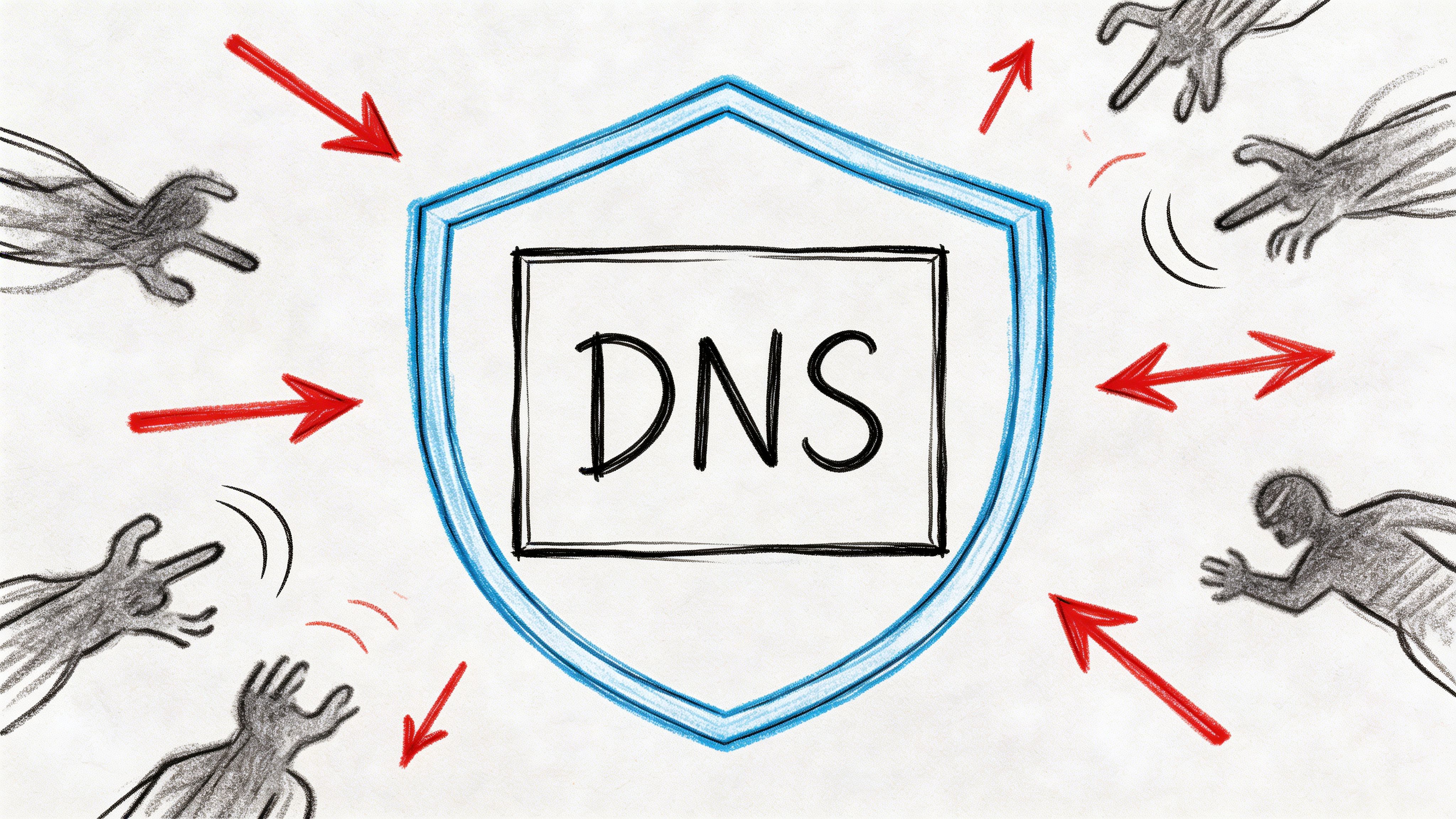
Attackers target DNS because it sits in front of everything else. If they can tamper with name resolution, they can redirect staff to a fake Microsoft 365 prompt, send web traffic to the wrong host, or watch which cloud services your team uses.
Three problems show up most often:
Spoofing or cache poisoning changes the answer a user receives. Staff type your underlying domain and land somewhere else.
Hijacking happens when a router, endpoint, or upstream path starts sending DNS queries to a server you did not approve.
Snooping exposes DNS requests in transit. That gives outsiders a useful map of your vendors, remote access tools, and internal habits.
For firms handling customer records, legal data, medical information, or defense-related work, that exposure affects more than privacy. It raises the odds of credential theft, lateral movement, and compliance trouble.
Why caching needs validation
Caching improves speed and reduces repeated lookups. It also means a bad answer can stick around long enough to hurt people.
That is why validation matters.
If your DNS setup accepts answers without checking authenticity, poisoned cache entries can keep sending users to the wrong destination until the record expires or someone clears the cache manually. In a small office, that can look like random login failures. In a multi-site business around Greenwood or Indianapolis, it can turn into a company-wide interruption that wastes half the morning.
Practical defenses that hold up
Good DNS security comes from a few boring controls done consistently.
- Use DNSSEC where supported: DNSSEC helps resolvers verify that a response is authentic and has not been altered in transit.
- Lock down who can change DNS: Registrar access, DNS hosting access, and domain admin rights should be limited, documented, and protected with MFA.
- Control your resolvers: Offices, firewalls, and endpoints should point to approved DNS services only.
- Encrypt DNS queries where it fits: DNS over HTTPS or DNS over TLS can reduce casual snooping on untrusted networks.
- Watch for unusual query patterns: Sudden spikes, strange destinations, or unexpected resolver changes deserve investigation.
- Tie DNS into the rest of security: Filtering, endpoint protection, firewall policy, and alerting work better when DNS is part of the same plan.
For many small and midsize businesses, DNS security should be part of the same conversation as perimeter security. If you are reviewing network defenses, this guide to the best firewall for small business in Indiana for 2026 helps frame the right questions.
A sensible stack might include a business-grade firewall, endpoint protection such as Bitdefender GravityZone, DNS filtering policies, and identity controls built around Zero Trust. The goal is not to buy every security product on the market. The goal is to prevent a DNS issue from becoming a phishing event, a ransomware foothold, or a full-day outage.
Where this lands for compliance
DNS security also supports the controls many regulated businesses already need to show.
HIPAA expects protected systems to stay available and guarded against unauthorized access. CMMC expects controlled environments and trusted infrastructure. NIST CSF pushes organizations to identify, protect, detect, and respond. DNS affects every one of those areas because users cannot safely reach the right system if name resolution is compromised.
Ignore DNS, and the lesson usually arrives during an outage, a spoofing incident, or an audit.
Practical DNS Tools for a Quick Diagnosis
You do not need to be a network engineer to do a basic DNS check.
A fast lookup can tell you whether the problem is likely local, remote, or somewhere in between. The goal is not to turn owners into admins. It is to help you avoid losing an hour rebooting the wrong equipment.
Two simple checks
On Windows, open Command Prompt and run:
nslookup yourdomain.com
On Mac or Linux, open Terminal and run:
dig yourdomain.com
If the result looks inconsistent between devices, locations, or networks, that points toward a DNS issue instead of a full internet outage.
What to look for
Use these quick rules:
- One device fails, others work: Start with local cache, local network settings, or endpoint security interference.
- Office fails, phones on cellular work: Check the office resolver, firewall DNS policy, or ISP-provided DNS.
- Everyone sees mixed results after a migration: Suspect caching and TTL behavior.
- Mail works but website does not: The relevant web record may be wrong while other records remain healthy.
You can also query specific record types if you know what you are checking, but this is the point where DIY work can create more confusion than clarity. If somebody starts changing registrar settings without understanding authority, propagation, and cached answers, a small issue can turn into a significant outage.
For deeper visibility, it helps to pair command-line checks with monitoring. This roundup of free network monitoring tools for 2026 is useful if you want to watch patterns instead of reacting after users complain.
When to stop and call a pro
If your issue involves email delivery, a website migration, a compliance-bound portal, or conflicting answers from multiple locations, get an experienced technician involved.
That is especially true when the environment includes cloud identity, hybrid DNS, UniFi networking, or security controls that inspect traffic. A quick lookup is safe. Blind edits are not.
Take Control of Your DNS for Unbreakable Uptime
DNS is one of the most important systems most businesses never think about until it fails.
That answers what is dns and how it works. It is the translation layer that gets users to websites, apps, email systems, and cloud tools. When it is healthy, nobody notices. When it is mismanaged, everyone notices.
For Indiana businesses, the practical lesson is simple. DNS should not sit outside your business continuity plan. It belongs with your firewall policy, backup strategy, cloud migrations, endpoint security, and compliance work. Good DNS management reduces wasted tech time, shortens outages, and helps turn emergency fixes into a predictable monthly IT budget.
The companies that handle DNS well do a few things consistently. They document records, control change access, monitor for odd behavior, lower risk during migrations, and treat security features like DNSSEC and filtering as standard practice instead of optional extras.
If your current setup depends on luck, it is overdue for review.
If your business in Greenwood, Indianapolis, or anywhere along the I-65 corridor is dealing with “spotty internet,” random cloud app failures, or email and website issues that never seem fully solved, Finchum Fixes IT can help. A Free Network Assessment or Security Risk Audit can uncover DNS problems, Wi-Fi bottlenecks, firewall gaps, and continuity risks before they turn into more downtime.