10-Step Employee Offboarding Checklist for Indiana SMBs
TL;DR
- Indiana SMBs often treat offboarding like a last-day chore. That's a mistake.
- A solid employee offboarding checklist protects hardware, data, cloud apps, shared passwords, and client continuity.
- Fast account shutdown matters. NIST-based guidance says access should be revoked immediately upon termination, not hours later.
- Structured offboarding also supports HIPAA, CMMC, and NIST CSF control requirements.
- Formal offboarding is still missing in many companies, even though the security and turnover costs are real.
- The practical fix is a repeatable workflow tied to HR, IT, payroll, and department managers.
- For Greenwood and Indianapolis businesses, the payoff is less downtime, fewer surprises, and a more predictable IT budget.
You're probably closer to this problem than you think. A sales rep gives notice on Tuesday. A project manager in downtown Indy leaves for a competitor on Friday. Someone in a Greenwood business park turns in a badge, but nobody remembers the VPN token, the Microsoft 365 session on their phone, or the QuickBooks login they shared with accounting two years ago.
That's how downtime starts. In the I-65 corridor, I still see aging server hardware, patched-together Wi-Fi in old brick buildings, and line-of-business software bolted onto newer cloud tools. One missed offboarding step in that environment can knock out access, expose data, or stall client work. If downtime can cost up to $9,000 per minute, a sloppy exit isn't an HR issue. It's a business continuity problem.
A proper compliant termination process closes those gaps before they turn into tickets, after-hours cleanup, or legal headaches. It also converts wasted tech time into planned work. Instead of your office manager, controller, and outside IT person chasing credentials for half a day, you run a standard process and keep your monthly IT spend predictable.
In our 17 years of local service, the companies that handle offboarding well aren't always the biggest. They're the ones with discipline. They know who owns the firewall, who owns payroll access, where files live, and how to pull a user out of the environment without breaking operations. That's the checklist below.
1. Retrieve and Secure All Company Hardware and Access Devices
Start with the physical stuff. If you don't know exactly which laptop, phone, badge, token, dock, and USB security key belongs to the departing employee, you're already behind. Hardware retrieval sounds basic, but it's where many Indiana SMBs trip over their own asset sprawl.
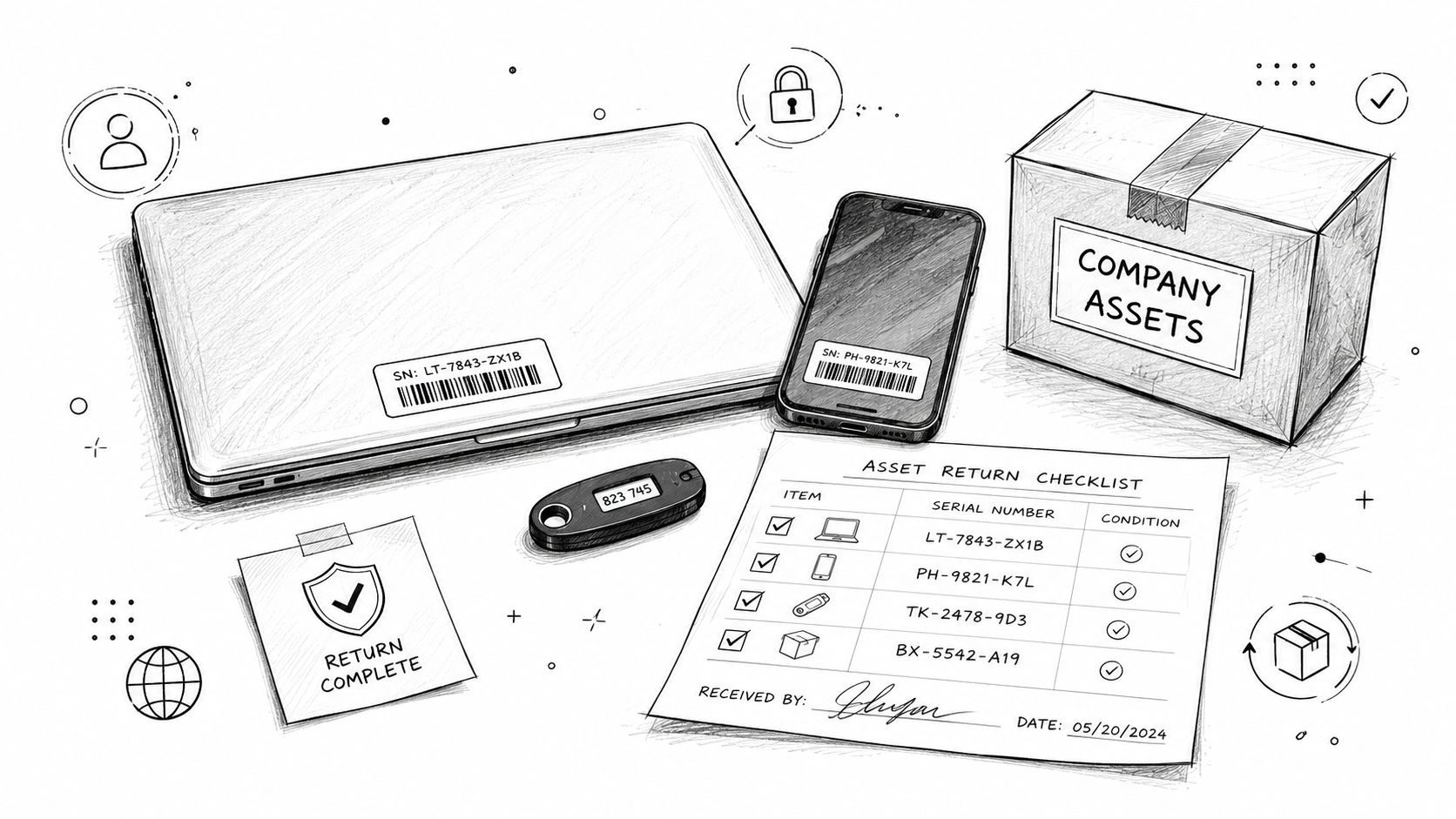
In a Greenwood office with mixed Windows laptops, iPhones, and a few old desktops still tied to a local file server, missed hardware means missed data and missed control. If the employee still has a BitLocker-protected laptop, a YubiKey, and a door fob, those items belong on a signed return sheet with serial numbers and condition notes. Chain of custody matters, especially if you later need to prove where a device was and who handled it.
What to collect before the last day ends
Use one master asset record tied to the employee, not three partial lists in HR, accounting, and IT.
- Compute devices: Laptops, desktops, tablets, loaner machines, and spare drives
- Access tools: Keycards, garage remotes, MFA tokens, smart cards, and door badges
- Mobile gear: Company phones, hotspots, chargers, and SIM-linked devices
- Peripherals: Monitors, docks, headsets, label printers, and encrypted USB media
Practical rule: Tie equipment return to the final-pay appointment or final HR handoff. People remember meetings. They forget “please drop off your dock next week.”
For remote staff, don't wait until after departure to figure out shipping. If the person worked from Columbus, Franklin, or farther down the I-65 corridor, send a prepaid return box and written packing instructions before the last day. If physical return fails, lock the device with Intune or another MDM platform, then remote wipe if policy and legal review support it.
This is also where business continuity starts paying you back. Every retrieved and documented asset is one less panic purchase, one less emergency reconfiguration, and one less “who had the only laptop with the estimating software installed?” conversation.
2. Disable and Remove Network Access Credentials and User Accounts
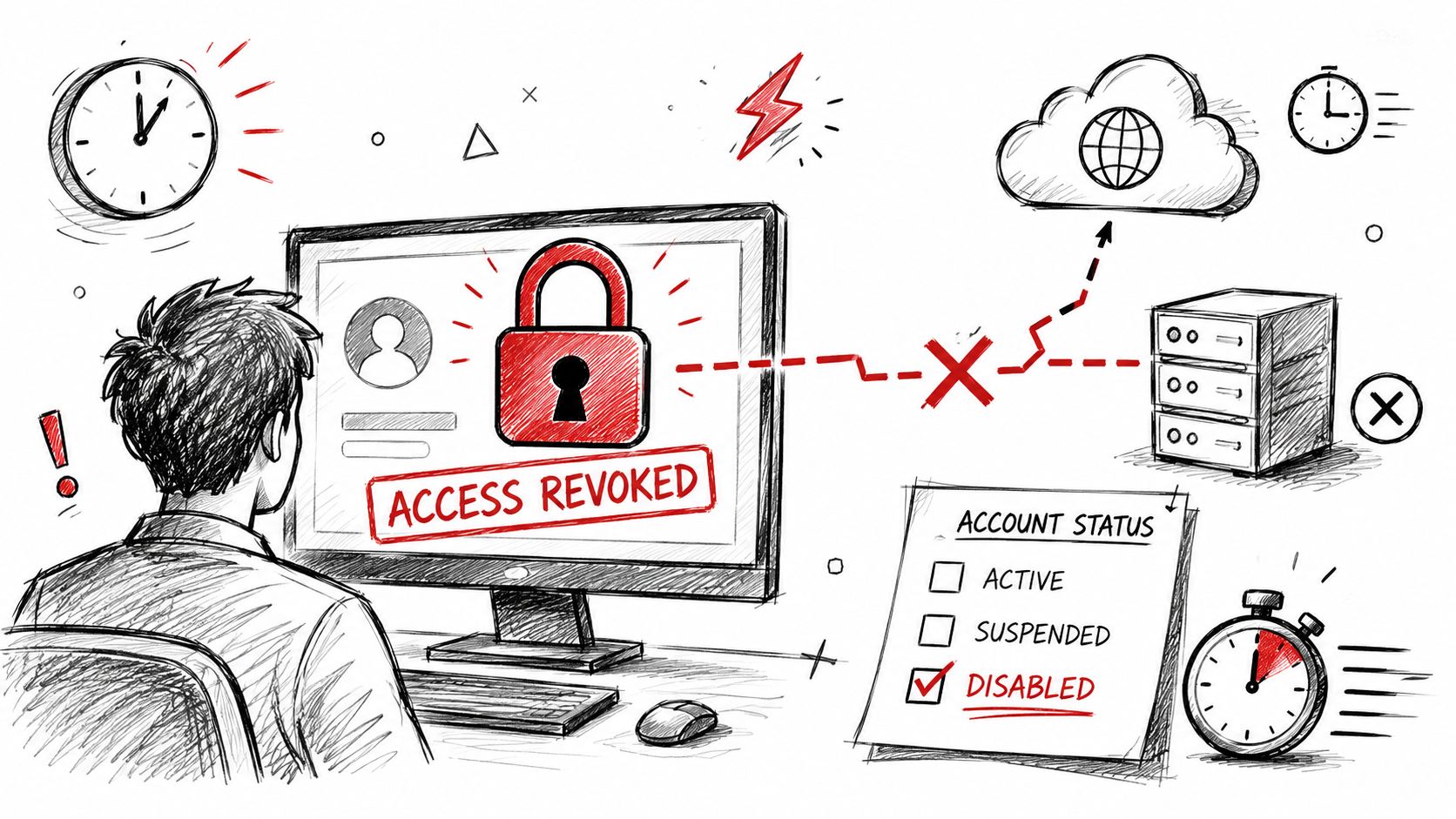
When the departure becomes official, access needs to shut off fast. Not “by end of day.” Not “after lunch when IT gets a minute.” NIST-based offboarding guidance says organizations must disable access and revoke credentials immediately upon termination, within minutes rather than hours or days.
That matters even more in environments with legacy Active Directory, on-prem line-of-business apps, UniFi networking, VPN tunnels, and cloud sync tools all talking to each other. One stale account can still hit file shares, remote desktop gateways, or backup consoles.
Use a disable-first sequence
Don't delete first. Disable, sign out active sessions, revoke tokens, remove group memberships, then preserve what you need for audit or legal review.
That usually means shutting down:
- Directory access: Active Directory, Entra ID, local admin rights, domain groups
- Remote access: VPN, RDP gateways, firewall user accounts, remote support portals
- Messaging and identity: Microsoft 365, Google Workspace, MFA apps, SSO sessions
- Development and admin tools: Git repos, ticketing, server consoles, hypervisor logins
If your identity stack is messy, fix that now instead of after the next resignation. A good starting point is tightening your identity model with the best identity and access management tools, then mapping every system to a real owner.
Qualtrics found that only 29% of organizations have a formal employee offboarding process, while 58% have a formal onboarding process. That gap leaves a lot of shops good at handing out access and bad at taking it back. Qualtrics research also notes that 22% of turnover happens within the first 45 days, with LinkedIn data cited there tying that early turnover to a cost of at least 3X the former employee's compensation. A rushed departure plus weak account control is a bad combination.
If you follow NIST CSF or support clients asking for CMMC-aligned controls, this step is mandatory. Zero Trust architecture only works if identity deprovisioning is immediate and complete.
3. Backup and Preserve Employee Data and Work Files
Before anyone wipes a machine or deletes a mailbox, preserve the work. I'm talking about email, OneDrive, SharePoint, local documents, project folders, browser-stored business bookmarks, CRM exports, Slack history where policy allows, and any code, reports, or client records tied to the employee's job.
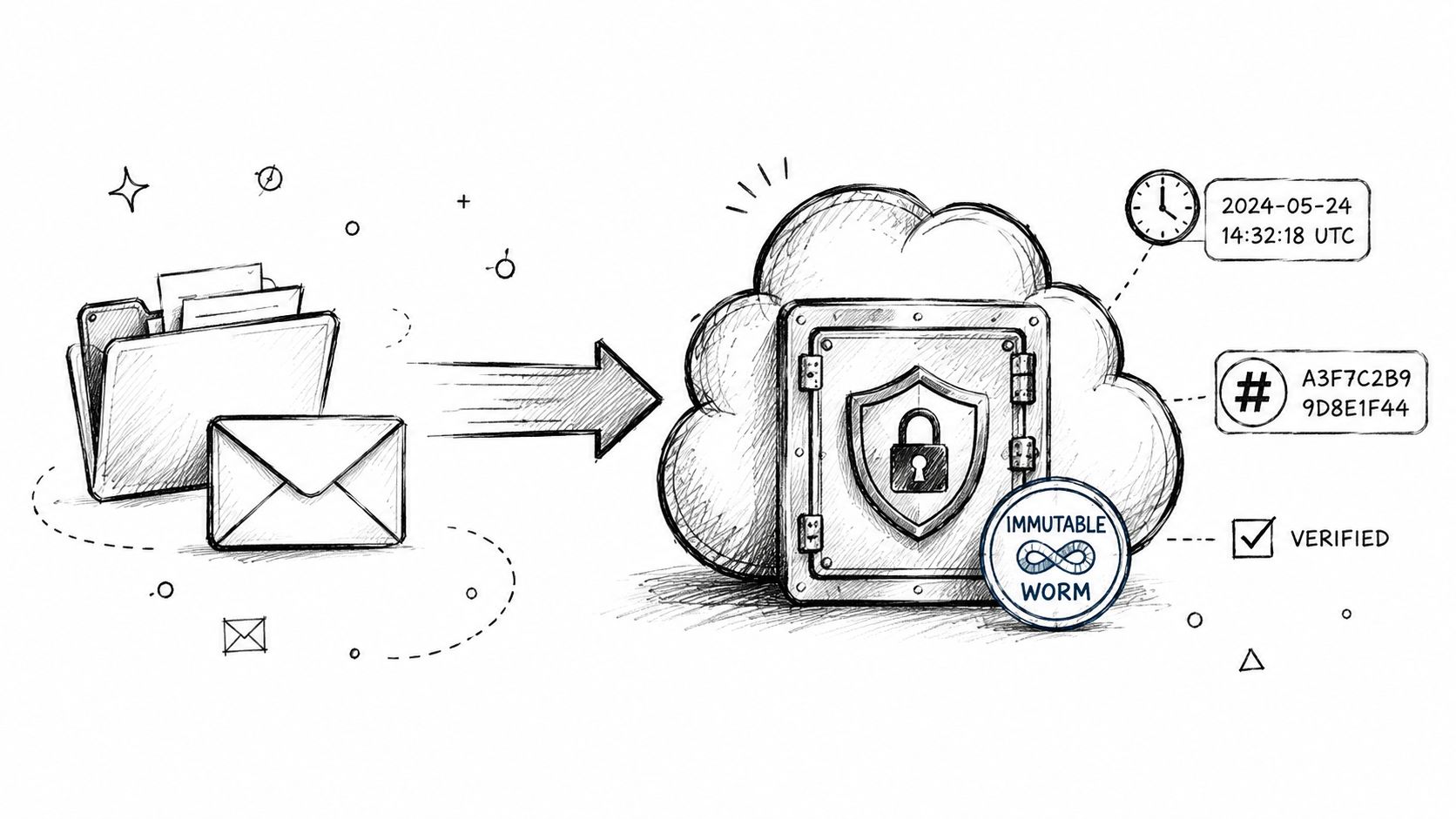
That archive needs to live somewhere the former employee can't touch. For most Indiana SMBs, that means an encrypted repository, separate retention controls, and immutable off-site backups. If you need a practical place to start, these cloud backup options for small business are the kind of tools I'd evaluate against retention, restore speed, and admin control, alongside broader Networking2000 business backup insights.
Preserve what the business owns
A lot of offboarding mistakes come from confusing personal convenience with business records. The company doesn't need family photos from a phone. It absolutely does need client correspondence, scoped proposals, CAD drawings, billing notes, and source files.
According to Delinea data cited in the verified research, 87% of employees who leave a job admit to taking data they created, and 28% report taking proprietary files. That's exactly why I push for versioned archives and, in sensitive cases, legal hold before a device is reimaged.
Archive first. Wipe later. If you reverse that order, your options shrink fast.
Healthcare groups around Indy should view this through HIPAA retention and audit pressure. Defense suppliers along the I-65 corridor should view it through CMMC evidence and controlled information handling. Everyone else should view it through common sense and recovery cost. If an employee owned a weird spreadsheet macro that runs payroll imports or a custom script tied to a production process, losing it can create real downtime.
When we dissembled a similar client's failing RAID array years ago, the lesson wasn't just about bit-level data recovery. It was about prevention. If you preserve business data properly during offboarding, you won't need heroic recovery work later.
4. Remove Access from Cloud Applications and SaaS Platforms
Modern offboarding commonly falters. Disabling Windows login doesn't remove a person from HubSpot, Salesforce, Adobe, Dropbox, QuickBooks Online, Stripe, Slack, Zoom, Canva, Mailchimp, or the dozen niche apps your team adopted over time.
For Indiana SMBs growing fast in Hamilton County or operating lean downtown, SaaS sprawl is normal. It's also risky. A former employee with a forgotten cloud admin role can still read customer data, export lists, reroute invoices, or keep receiving alerts that reveal internal activity.
Don't assume SSO solved everything
Single sign-on helps, but only if every app is behind it. Many aren't. Some still use local credentials, shared inbox resets, or old OAuth approvals tied to a browser session on a phone.
Build an offboarding sheet that lists every cloud system, who administers it, and what transfer steps are required. Then verify these common trouble spots:
- User seats: Remove the employee from each SaaS roster, not just your primary directory
- Admin roles: Reassign ownership before the account is disabled so billing, integrations, and approvals don't break
- Stored sessions: Force sign-out across phones, browsers, and desktop apps
- Mail and file ownership: Transfer OneDrive, Google Drive, shared docs, and cloud project workspaces
Industry research summarized in the verified data projects the global employee offboarding software market to reach $769.00 million by 2025, growing at a CAGR of 8.43% from 2020 to 2025, according to IndustryARC's employee offboarding software market forecast. That growth tells you what the market already knows. Manual spreadsheet offboarding doesn't scale well, and it leaves holes.
If your business depends on cloud productivity, your offboarding workflow should integrate with your HRIS, identity provider, and ticketing platform. That's how you prevent downtime, keep admin labor from ballooning, and move from random cleanup work to a predictable monthly support model.
5. Reset and Transfer Shared Passwords, Credentials, and Account Ownership
Shared passwords are where “we'll fix it later” turns into a weekend outage. In older Greenwood offices and family-run businesses across Johnson County, I still find firewall logins in Excel files, Wi-Fi passphrases taped under desks, and one “admin” credential known by three current employees and two former ones.
That setup doesn't survive a clean offboarding. If the departing employee knew the password to the UniFi controller, Bitdefender GravityZone console, payroll export portal, backup appliance, copier admin panel, or building alarm app, those credentials need to change.
Move shared access into managed ownership
This is one of the biggest quality-of-operations upgrades an SMB can make. Use named accounts where possible. For unavoidable shared access, use a vault with role-based permissions and audit logs.
A practical baseline looks like this:
- Password manager: Store shared credentials in a business vault, not email or spreadsheets. The best practices for password management cover the controls that matter.
- Ownership mapping: Assign each credential set to a business function and a backup owner
- Rotation timing: Reset secrets before departure if continuity allows, or during a defined maintenance window
- MFA enforcement: Add MFA to every privileged shared account that supports it
If you need a rollout model, this guide on how to deploy a password manager is useful as an operational reference.
Poorly handled credential rotation can create downtime too. If you change the production database password but don't update the app server, the app stops. If you rotate a backup service account without updating jobs, your immutable off-site backups may fail undetected. The fix is coordination. IT, operations, and finance all need to know what depends on what.
This is also where NIST CSF principles become practical. Identity, access control, and governed credential handling aren't abstract controls. They're the difference between a normal departure and a Monday morning outage.
6. Audit and Revoke Third-Party Application Integrations and API Keys
Most employee offboarding checklists stop at user accounts. They shouldn't. Hidden integrations are often more dangerous than the account itself.
A marketing employee may have connected a personal Zapier workflow to HubSpot. A developer may have left SSH keys in GitHub. A finance manager may have granted a reporting tool API access to Stripe or QuickBooks. Those connections can keep working even after the user is disabled, especially if they were authenticated with tokens or service credentials.
Hunt for the access nobody remembers
Experienced IT teams set themselves apart from checkbox IT. You need to inspect admin consoles, integration dashboards, secrets stores, webhook lists, CI/CD pipelines, and audit logs.
Use this review pattern:
- OAuth grants: Check what third-party apps still have delegated access
- API keys and tokens: Revoke and regenerate anything tied to the departing employee
- Automation tools: Review Zapier, Make, Power Automate, and custom scripts
- Code and deployment access: Remove SSH keys, deploy keys, PATs, and repo secrets
According to the verified research, the 2025 Verizon Data Breach Investigations Report found that 34% of insider threats involve employees stealing data before departure. The same verified data also notes a 2024 Gartner study finding that 68% of organizations lack offboarding policies for employees with AI tool access, as discussed in Torii's IT checklist for employee offboarding. That's a problem now that code assistants, AI note tools, and cloud copilots can hold prompts, files, and proprietary logic.
If an employee touched automation, assume there's a token somewhere until you prove otherwise.
For software development shops, manufacturers with custom integrations, and growing downtown Indy tech hubs, this step protects more than security. It protects uptime. One orphaned integration can keep moving data to the wrong place or break a line-of-business workflow after the employee leaves.
7. Review and Reassign Pending Work, Projects, and Client Responsibilities
Access control is critical, but business continuity lives in the handoff. If a project manager leaves with the only understanding of vendor lead times, client quirks, or the Excel monstrosity that drives monthly reporting, you're not just losing a person. You're losing operating knowledge.
This is especially painful in SMBs where one person covers sales, support, purchasing, and a slice of operations. Along the I-65 corridor, I see this all the time in healthcare practices, professional services firms, and specialty manufacturers.
Capture work before it turns into downtime
A good handoff isn't “check their inbox if something comes up.” It's documented ownership transfer with deadlines, files, and successor names.
At minimum, gather:
- Open work: Quotes, tickets, purchase orders, deliverables, renewals, and unresolved issues
- Client context: Key contacts, communication style, promised dates, and approval paths
- System knowledge: Which folders, dashboards, and apps support the work
- Recurring duties: Weekly reports, month-end steps, compliance checks, and maintenance tasks
Research in the verified data says a structured offboarding checklist includes strategic knowledge transfer sessions and post-departure relationship management, while also noting that 71% of companies are missing critical steps like final payroll processing, benefits continuation, and other closeout tasks. That broader gap exists because too many businesses think offboarding is just “turn off the account.”
For local firms with HIPAA obligations, CMMC expectations, or just a strong service reputation to protect, handoff quality affects revenue and risk. A missed medical billing workflow, procurement deadline, or renewal notice can ripple into downtime, client frustration, and hours of cleanup. Those are wasted tech hours you never budgeted for.
The smoother approach is simple. Schedule transition meetings before the last day, record complex procedures, and put ownership in your ticketing or project system so the business keeps moving.
8. Clean and Redeploy or Securely Dispose of Hardware
Once data is preserved and access is gone, decide whether the device goes back into service or out of circulation. Don't split the difference. “We wiped it pretty well” isn't a policy.
For reusable systems, reimage with your standard build, patch to current baseline, verify BitLocker or FileVault, enroll in MDM, and test endpoint protection before reassignment. For dead, unreliable, or aging devices, use secure destruction practices that align with NIST-style media sanitization expectations.
Reuse what's healthy. Destroy what isn't.
Old drives with errors aren't worth gambling on. If the media has bad sectors or inconsistent SMART behavior, software wipes don't inspire confidence. Destroy the drive through a certified process and keep the paperwork.
A disciplined redeployment flow should include:
- Sanitization records: Log the wipe method, operator, date, and device serial number
- Rebuild standards: Apply your approved Windows or macOS image, RMM agent, and security stack
- Encryption check: Confirm full-disk encryption before the next user touches it
- Disposal chain: Use a trusted e-waste partner with documented custody
For SMBs tightening asset control, these IT asset management best practices for Indiana businesses in 2026 line up well with offboarding, procurement, and lifecycle planning.
This step supports compliance too. HIPAA-covered organizations need confidence that protected data can't be recovered from retired hardware. Defense-related shops should think in terms of evidence and repeatability. General businesses should think about the practical threat. Recovering “deleted” data isn't science fiction. Bit-level data recovery is real, and I've seen enough failed wipe assumptions to be cautious.
Done right, hardware redeployment cuts waste, reduces surprise purchases, and keeps endpoint inventory accurate. Done wrong, it creates both security exposure and unnecessary replacement cost.
9. Document the Offboarding Process and Update Compliance Records
If it isn't documented, it didn't happen. That's harsh, but it's how audits, disputes, and insurance reviews work.
Every employee offboarding checklist should produce an evidence trail. Who disabled the account? When was the laptop returned? Where was the mailbox archived? Which SaaS roles were reassigned? Was the employee subject to HIPAA, CMMC, or internal data handling restrictions? You need those answers in one place.
Build records auditors can follow
Your ticketing system should be the spine of the process. HR, IT, payroll, and the manager all contribute to the same departure record or linked workflow.
Include these elements every time:
- Task completion logs: Timestamp each action and the person responsible
- Evidence attachments: Screenshots, wipe logs, asset receipts, archive notes, and sign-offs
- Compliance references: Note which controls or policy sections apply
- Lessons learned: Record delays, misses, or tool failures so the next departure goes cleaner
According to Folks RH research in the verified data, 71% of companies have not implemented a formal employee offboarding process, and 20% have experienced security breaches linked to poor offboarding practices. Those aren't small paperwork problems. They're operational and security failures with real downstream cost.
The verified data also notes that less than one-third of IT organizations have automated 75% or more of their offboarding process, while Nudge Security's offboarding by the numbers analysis highlights continued reliance on manual tracking. Manual tracking is where missed revocations, stranded data, and poor asset audit trails tend to hide.
For Indiana businesses trying to move from reactive support to a managed model, documentation is part of ROI. It turns tribal process into repeatable process. That means fewer emergency calls, cleaner compliance posture, and better forecasting around staffing and support hours.
10. Conduct Security Exit Interview and Threat Assessment
The last step isn't soft. It's investigative.
A proper security exit interview asks what systems the employee used, what data they handled, what automations they built, what personal devices touched company information, and whether anything was copied or synced outside approved channels. Then IT validates the answers with logs.
Pair the conversation with monitoring
Don't rely on the interview alone. People forget things. Some hide them. Review endpoint, file access, email forwarding, cloud audit, and EDR activity around the departure window.
According to the verified data, offboarding should include monitoring network activities for suspicious resource usage, detecting high-volume copying or downloads in the days before departure, and disabling file-sharing options such as O365 and SharePoint where needed, as described in Pulsar Security's cybersecurity offboarding checklist. That's especially important for high-risk roles with broad access.
If you don't already have a process, start with a structured cyber security risk assessment template for Indiana businesses. It helps tie the human side of departure to actual systems, logs, and controls.
One more point that gets missed. Remote and hybrid departures need their own treatment. The verified data notes that 58% of U.S. workers were in hybrid roles in 2025, and that a 2024 SHRM survey found 72% of HR leaders struggle with remote offboarding compliance because of unclear state-specific wage and data retention rules, as summarized in the University of Washington hybrid workplace offboarding checklist. If your employee worked from home, ask about local file copies, browser downloads, personal phones, and AI collaboration tools. Then verify.
For companies with SOC-as-a-Service monitoring, that investment pays off. You can watch for unusual downloads, lateral movement attempts, impossible travel, or token reuse after separation. That's not paranoia. That's mature offboarding.
10-Point Employee Offboarding Checklist Comparison
| Task | 🔄 Implementation complexity | ⚡ Resource requirements | ⭐ Expected effectiveness | 📊 Key outcomes / impact | 💡 Ideal use cases / tips |
|---|---|---|---|---|---|
| Retrieve and Secure All Company Hardware and Access Devices | Medium, logistical coordination, chain-of-custody steps | Asset registry, MDM, shipping supplies, IT staff time | ⭐⭐⭐⭐ | Prevents unauthorized access; recovers assets; audit evidence | Build retrieval into final-paycheck appointment; use MDM; record serials & condition |
| Disable and Remove Network Access Credentials and User Accounts | Low–Medium, rapid action across identity stores | AD/IdP access, HR coordination, ticketing checklist | ⭐⭐⭐⭐⭐ | Immediate access cut; reduced insider dwell time; preserved audit trail | Use a 'Termination' AD group, disable-first approach, schedule delayed deletion |
| Backup and Preserve Employee Data and Work Files | Medium–High, large exports and retention planning | Backup/archive tools, encrypted storage, legal input | ⭐⭐⭐⭐ | Satisfies eDiscovery/litigation holds; preserves IP and project history | Archive to immutable vault, record checksums, involve legal for sensitive roles |
| Remove Access from Cloud Applications and SaaS Platforms | High, per-app manual work and inconsistent consoles | SaaS inventory, admin creds, SSO provider control | ⭐⭐⭐⭐ | Prevents cloud-data exposure; reclaims licenses; cleans user rosters | Maintain SaaS spreadsheet, automate SSO token expiry, change admin passwords after final day |
| Reset and Transfer Shared Passwords, Credentials, and Account Ownership | Medium, coordination to avoid service disruption | Credential vault, maintenance window, successor training | ⭐⭐⭐⭐ | Eliminates lingering credential backdoors; enforces least privilege | Use centralized vault, create named role accounts, schedule coordinated resets |
| Audit and Revoke Third-Party Application Integrations and API Keys | High, discovery across integrations and codebases | Dev/infra expertise, API logs, secrets manager | ⭐⭐⭐⭐ | Closes hidden access vectors; prevents automated exfiltration | Audit integrations before exit, store keys in secrets vault, revoke tokens via admin consoles |
| Review and Reassign Pending Work, Projects, and Client Responsibilities | Medium, requires time from departing employee and managers | PM tools, shared drives, recorded knowledge-transfer sessions | ⭐⭐⭐⭐ | Preserves client relationships; prevents revenue/SLA loss; speeds successor ramp | Schedule transition meetings 1–2 weeks prior; record sessions; create handoff tasks in PM system |
| Clean and Redeploy or Securely Dispose of Hardware | Medium, secure wipe or certified destruction required | Wipe tools (DBAN/secure erase), e‑waste vendor, wipe station | ⭐⭐⭐⭐ | Recovers asset value; meets disposal compliance; reduces e‑waste liability | Enable full-disk encryption on new devices; document wipes; use certified disposal for failing drives |
| Document the Offboarding Process and Update Compliance Records | Low–Medium, templating and enforcement | IT ticketing templates, immutable log storage, approvals | ⭐⭐⭐⭐⭐ | Legal defensibility; audit readiness; continuous improvement insights | Use templated offboarding tickets, require IT+HR sign-off, archive reports in compliance repo |
| Conduct Security Exit Interview and Threat Assessment | Medium–High, sensitive interview plus log analysis | EDR/DLP logs, security analyst, legal counsel as needed | ⭐⭐⭐⭐ | Detects prior exfiltration or misuse; informs post‑departure monitoring | Conduct with care to avoid liability; combine interview with log review; document risk rating |
Secure Your Systems with a Free Security Risk Audit
Employee offboarding is one of those disciplines that looks administrative until it goes wrong. Then it becomes a security incident, a compliance problem, a payroll scramble, a missing-device hunt, and a client service failure all at once. For Indiana SMBs, especially along the I-65 corridor, that pileup happens fast because your systems are usually a mix of old and new. Maybe you've got a local server still running a critical application in Greenwood, Microsoft 365 in the cloud, UniFi networking across an old brick building, and a few specialty tools managed by whoever happened to set them up first. That environment needs process, not guesswork.
The business case is straightforward. Bad offboarding creates downtime, burns staff time, and introduces surprise costs. Good offboarding keeps the phones working, keeps the files accessible, keeps the backups intact, and keeps ex-employees out of systems they no longer need. It also shifts your team from reactive cleanup to planned execution. That's where ROI shows up. You stop paying for chaos and start paying for a repeatable service model with a predictable monthly budget.
Formal process matters because the gap is still huge. Qualtrics research in the verified data shows only 29% of organizations have a formal offboarding process, despite 58% having formal onboarding. Folks RH research in the verified data says 71% of companies haven't implemented formal offboarding, and that gap is tied to missed access revocation, asset recovery failures, and inconsistent closeout work. Those are exactly the kinds of failures that hit healthcare groups managing HIPAA, defense-adjacent firms thinking about CMMC, and general businesses aligning to NIST CSF.
What works in the field is rarely glamorous. It's good identity hygiene. It's a ticket template with required tasks. It's immutable off-site backups before wipes. It's named admin accounts instead of shared passwords. It's role transfer for cloud apps before the mailbox is shut down. It's log review around the departure date. It's a real hardware inventory instead of “I think she had the newer Dell.” The companies that do this well aren't chasing perfection. They're removing single points of failure.
In our 17 years of local service, the best offboarding programs usually come from businesses that got burned once and decided not to repeat it. A password rotation broke a line-of-business app. A former employee still had access to a cloud platform. A laptop disappeared with customer records on it. A manager realized nobody knew how a key process worked. After that, they built the checklist, assigned ownership, and tied it into managed IT, cybersecurity, and compliance workflow.
If your offboarding process still lives in someone's memory, a half-used spreadsheet, or a few Outlook reminders, it's time to tighten it up. Greenwood and Indianapolis businesses don't need more theory. They need a process that protects uptime, supports compliance, and keeps former employees from turning into future incidents.
If your team wants a practical employee offboarding checklist that fits your actual environment, Finchum Fixes IT can help. We work with Greenwood and Indianapolis businesses on cybersecurity, networking, cloud systems, data recovery, software development support, and day-to-day IT operations. If you want to reduce downtime, clean up access control, and build a repeatable offboarding process around HIPAA, CMMC, or NIST CSF expectations, ask for a Free Network Assessment or Security Risk Audit.