Best Cloud Migration Service Providers: Indiana 2026
TL;DR
- Old on-prem servers create single points of failure for Indiana SMBs, especially in older offices along the I-65 corridor.
- Cloud migration is a business continuity move, not just an IT upgrade. It shifts spending from surprise hardware costs to steadier operating costs.
- Planning matters most. 62% of migration failures are tied to poor planning and weak strategy according to Kansoftware’s cloud migration failure roadmap.
- Not every app should move the same way. Some belong in lift-and-shift, others need replatforming or refactoring.
- Local fit matters. Indiana SMBs can get burned by national vendors that miss regional compliance needs and fast-response support expectations.
- A good provider doesn’t stop at cutover. FinOps, Zero Trust, SOC monitoring, and immutable off-site backups are what turn migration into ROI.
A lot of Johnson County business owners are sitting on the same problem right now. There’s a server in a closet, in a back office, or tucked beside the copier room. It still runs payroll, file shares, QuickBooks, maybe an ERP system somebody installed years ago, and everybody privately hopes it makes it through one more quarter.
That’s not a technology strategy. That’s hostage negotiation with aging hardware.
Around Greenwood, Franklin, and the broader south side of Indy, we see this in older office suites and business parks all the time. The building’s Wi-Fi is patchy because of old brick walls, the switch stack has grown one port at a time, and the server has become the one machine nobody wants to touch because if it goes down, the whole business goes sideways.
Is Your Old Server Holding Your Business Hostage
An old server doesn’t fail politely. It fails on a Tuesday morning when accounting is closing books, when your dispatcher needs line-of-business apps, or when a medical office needs patient files without delay. That’s why cloud migration matters so much to business continuity.
The business case is simple. Hardware ages. Power events happen. RAID arrays degrade. Windows Server versions age out. Replacement parts get harder to source. Every one of those risks creates downtime, and downtime kills momentum, revenue, and trust.
The real problem isn’t the server
The main problem is the single point of failure tied to it.
When your core systems live on one local box, you’re accepting risk in exchange for familiarity. That trade stops making sense once the machine becomes older than your warranty, your backup process depends on someone remembering to check it, and your staff loses billable time waiting on file access, database locks, or RDP sessions that crawl.
Practical rule: If one piece of hardware can stop your whole office, that hardware is already too important to stay where it is.
Cloud migration fixes the business problem first. It gives you redundancy, off-site resilience, better recovery options, and room to scale without buying another round of physical gear. It also changes budgeting. Instead of lumpy capital expenses every few years, you move toward a steadier operating model.
That shift is bigger than many owners realize. The global cloud migration services market was valued at USD 21.66 billion in 2025 and is projected to reach USD 234.28 billion by 2035, with SMB demand driven in part by access to enterprise-grade infrastructure without massive upfront costs, according to Precedence Research’s cloud migration services market analysis.
What this looks like in a Greenwood office
A small manufacturer off the I-65 corridor may still run file storage, print services, and a production database on the same aging box. A law office in downtown Greenwood may depend on a local server for document access and scans. A clinic may need tighter controls around HIPAA data but still rely on hardware that’s one bad power supply away from a rough week.
Cloud migration doesn’t mean every workload goes to a public cloud on day one. Sometimes the right answer is hybrid. Sometimes it’s staged. Sometimes it starts with backups, identity, and line-of-business apps before anything else. But the direction is clear. If the server owns your schedule, your budget, and your blood pressure, it’s time to change the model.
If you’re still running critical operations on legacy gear, this guide on legacy system modernization strategies that drive business growth is worth reading alongside your migration planning.
Your Cloud Readiness Checklist
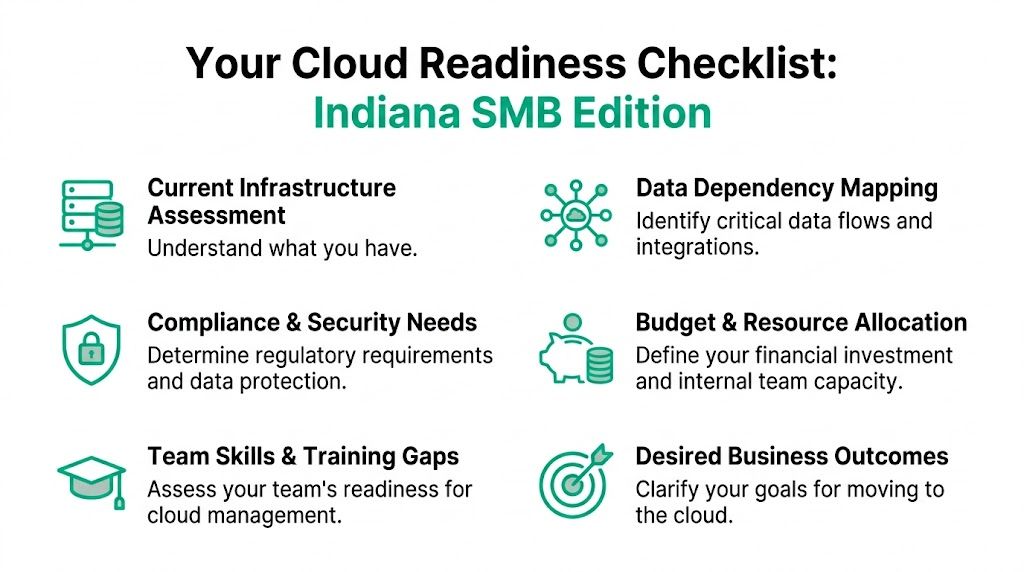
A cloud migration usually succeeds or fails before anyone touches a server. The prep work decides whether the cutover is routine or whether your team spends a weekend chasing broken logins, printer mappings, and missing data paths.
Start with three blunt questions. What are you moving. Why are you moving it. What stops working if the plan is wrong.
Start with business reality
Owners in Greenwood, Franklin, and across Johnson County often get pulled into technical conversations too early. CPU, storage tiers, Azure versus AWS, backup retention. Those matter later. The first pass should stay tied to business operations.
Ask questions like these:
- Revenue exposure: Which systems stop invoicing, scheduling, production, dispatch, or customer response if they go down?
- Downtime tolerance: Which apps can be offline for an hour, and which ones create immediate pain for staff or customers?
- Budget model: Are you trying to trade irregular hardware failures and replacement costs for a predictable monthly spend?
- Growth plan: Are you adding remote staff, opening another site along the I-65 corridor, or trying to standardize IT between offices?
That changes the conversation fast.
A CPA firm has different priorities than a machine shop. A clinic dealing with protected health information has different requirements than a distributor trying to keep handheld scanners and shipping systems online. National providers often flatten those differences into a standard discovery template. Local planning works better because the business context is clear from the start.
Inventory what actually exists
The server list is never the full story.
What causes trouble is the stuff nobody wrote down. Scheduled tasks running under an old admin account. A workstation in the back office that hosts a vendor app. Shared folders tied to mapped drives that only make sense to two employees. A printer workflow that feeds shipping or production and breaks the minute someone changes the path.
Use a practical inventory:
- Core applications: ERP, accounting, practice management, inventory, CRM, file storage, email, and any custom software
- Dependencies: Databases, shared folders, VPN reliance, local print services, SSO, and vendor integrations
- Network stack: Firewall, switches, UniFi networking, VLAN layout, Wi-Fi coverage, and remote access paths
- Data map: What data moves between systems, who touches it, and what needs segmentation for security or compliance
If part of your project includes a website or application cutover, keep a separate operational list. This website migration checklist helps catch items that infrastructure teams often miss.
A good inventory also shows what should stay put for now. Indiana manufacturers with shop-floor systems, old serial-connected equipment, or latency-sensitive apps often need a phased approach instead of a full move all at once.
Review security and compliance before design
A cloud diagram is easy to draw. A compliant one takes work.
Indiana SMBs often have regulatory duties without a full in-house compliance team. We see this with medical offices handling HIPAA data, law firms managing sensitive records, logistics companies working under customer security requirements, and defense-adjacent manufacturers being asked about CMMC long before they feel ready.
Check these areas before any provider recommends architecture:
- Regulated data: HIPAA, CMMC, client contract requirements, and retention rules
- Access controls: MFA, least-privilege access, conditional access policies, and disciplined offboarding
- Protection stack: Endpoint security, email filtering, immutable off-site backups, and log retention
- Framework alignment: NIST CSF or another security baseline your leadership, insurer, and auditors can all work from
Skills matter too. A team that has managed local Windows servers for ten years may still need help with cloud identity, policy-based security, and cost controls. That is not a failure. It is a planning item, and it should be treated that way before the migration starts.
For a stronger starting point, this 10-point IT infrastructure audit checklist for 2026 is useful for turning scattered notes and tribal knowledge into a real migration plan.
Choosing Your Migration Strategy and Local Partner
The right migration strategy starts with one blunt question. What are you trying to fix?
If the answer is failing hardware, the strategy should favor speed and stability. If the answer is high maintenance, poor remote access, and rising software costs, a straight move to cloud infrastructure may only relocate the problem. Indiana SMBs get into trouble when a provider treats every server, app, and file share like the same project.
The 6 Rs in plain English
Most migration decisions fall into six practical options:
- Rehost: Move the app with minimal changes. Good for urgent hardware exits and shorter timelines.
- Replatform: Keep the app, but improve pieces around it so it runs better in the cloud.
- Refactor: Redesign the app for cloud services. Higher effort, but often the best long-term fit for core systems.
- Repurchase: Replace the old software with a SaaS product.
- Retire: Shut down systems no one should still be paying for or supporting.
- Retain: Keep the workload on-premises for now because of latency, licensing, equipment dependencies, or compliance limits.
We see all six across Johnson County.
A Greenwood manufacturer may keep a production system local because it talks directly to shop-floor equipment and cannot tolerate connection delays. A dental group with aging file servers may move documents, email, and backup first. A small distributor running a line-of-business app from 2008 may be better served by replacing it than trying to preserve it in a cloud VM for another five years.
Cloud Migration Strategies Compared
| Strategy | Description | Best For | Typical Timeline | Cloud-Native Benefit |
|---|---|---|---|---|
| Lift-and-shift | Moves workloads with minimal redesign | Aging servers, urgent exits from failing hardware, quick stabilization | Shorter | Low |
| Replatforming | Keeps the app but improves how it runs in cloud infrastructure | Businesses that want a middle ground between speed and efficiency | Moderate | Medium |
| Refactoring | Rebuilds or redesigns the app for cloud-native services | Core systems that need long-term scale, resilience, and automation | Longer | High |
What works and what backfires
Lift-and-shift has a place. It is often the right call when an old server is close to failure, a lease is ending, or the business needs to stop babysitting hardware.
The trade-off is simple. You gain speed, but you usually keep the same app limitations, the same messy permissions, and sometimes the same licensing headaches. Cost can also disappoint if nobody rightsizes the environment after the move. Replatforming usually gives Indiana SMBs a better middle ground when the budget will not support a full rebuild but leadership still wants better security, resilience, and manageability.
Refactoring makes sense for systems that drive the business, not for every forgotten utility server in the back room.
If a provider recommends the same migration method for every workload, they are selling a package, not making an engineering decision.
Why local fit matters in Indiana
This matters more than national firms like to admit.
A provider serving the I-65 corridor needs to understand how Indiana businesses operate. Local medical practices often need HIPAA controls without a full compliance department. Small manufacturers may face customer security questionnaires tied to CMMC or NIST expectations before they have formal programs in place. Logistics companies around Greenwood, Franklin, and Columbus often depend on old print workflows, warehouse endpoints, and line-of-business software that looks minor on a diagram but causes real disruption if missed.
That is where local context changes the plan.
In our work, national providers often arrive with polished templates and very little patience for the odd details that make SMB environments real. They miss branch office internet limitations. They underestimate how common shared PCs and multi-role employees still are. They build for a neat org chart, then hand the result to an office manager, controller, or operations lead who also has three other jobs.
One local resource businesses often review is this guide to cloud migration solutions for Indianapolis businesses, which shows how staged migrations, compliance reviews, and support planning are usually handled for central Indiana companies.
Questions to ask before you sign
Ask direct questions before you commit:
- How do you choose the strategy for each workload? They should explain why an app should be rehosted, replatformed, replaced, or left alone.
- Who maps the design to compliance requirements? That includes HIPAA, CMMC, cyber insurance controls, retention rules, and customer contract obligations.
- Who supports us after the cutover? Some firms disappear after project close and hand support to a different team that has never seen your environment.
- How fast can we reach the people doing the work? For many Indiana SMBs, local response matters more than a national logo.
- What should stay on-prem for now? A serious provider will tell you what not to move yet.
Good answers are specific. Vague answers usually mean the hard planning has not been done.
Executing a Zero-Downtime Migration
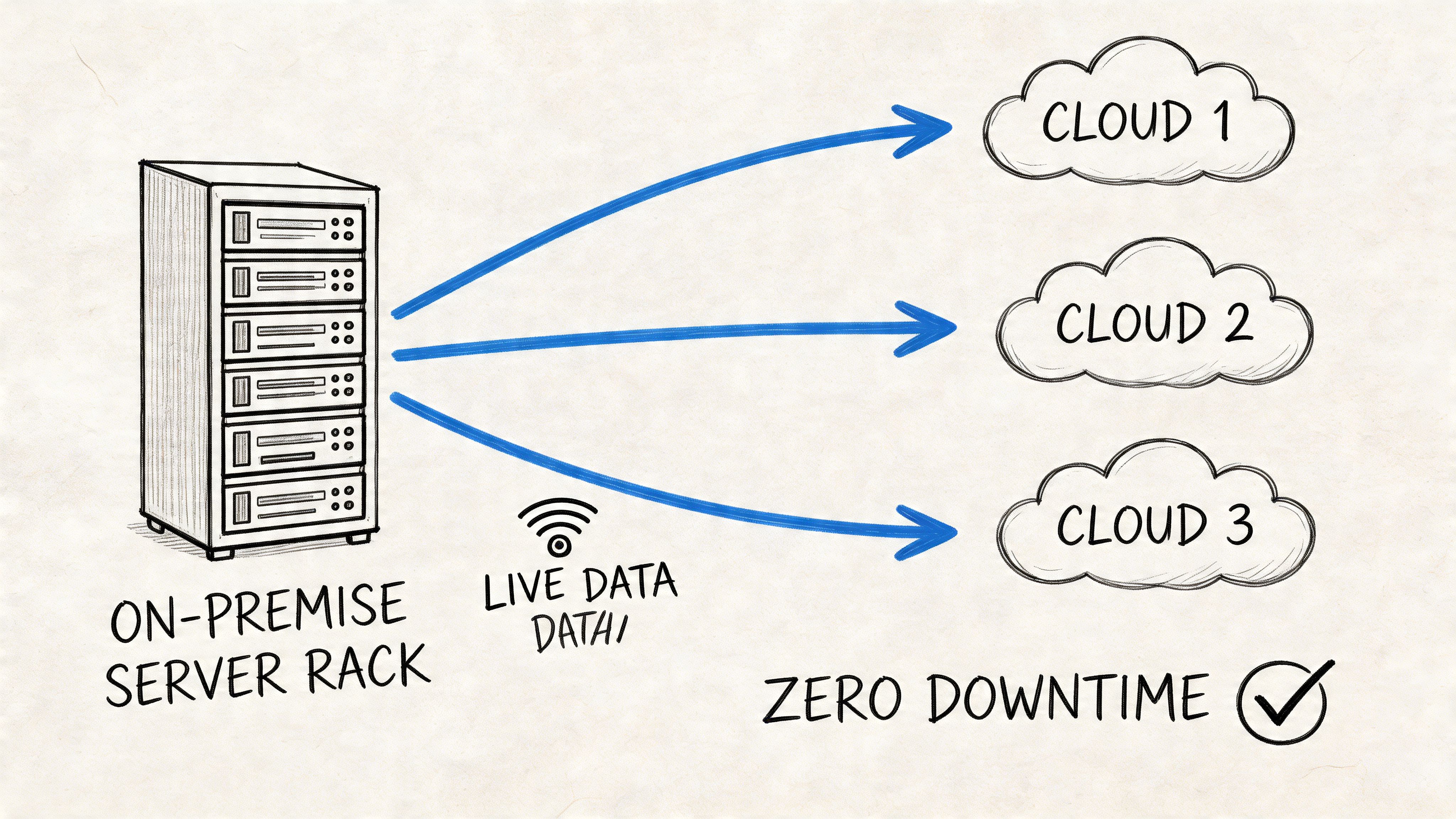
A professional migration should feel boring. That’s the goal.
No chaos. No mystery. No “we’ll know more once we flip the switch.” The reason businesses get hurt during migrations is usually not the cloud platform itself. It’s poor sequencing, weak testing, and vague ownership.
The runbook is the difference
Every serious migration needs a migration runbook. That runbook spells out what gets moved, in what order, by whom, under what conditions, with what validation checks, and what happens if something fails.
Without that level of detail, teams improvise. Improvisation is how businesses end up with broken permissions, disconnected apps, and Monday-morning surprises.
Here’s what belongs in the runbook:
- Workload order: Which apps move first, and which systems must remain in place until dependencies are cleared.
- Technical checks: DNS cutover planning, authentication testing, backup verification, and data integrity validation.
- Owner assignments: Internal stakeholders, vendor engineers, and after-hours escalation contacts.
- Rollback triggers: Specific conditions that force a pause or revert, instead of wishful thinking.
Technical pitfalls are a major cause of migration failure. 80% of service mismatches and rollbacks are caused by rushed sequencing of workloads, and lift-and-shift migrations without optimization can create 15% cost hikes instead of savings, according to EPI-USE’s migration failure analysis.
What a calm cutover looks like
A real-world migration around the Indy metro usually starts long before go-live. Teams build the target environment first. Identity gets tested. Access policies are applied. Backups are verified. Parallel testing runs in the cloud while users still work in the existing environment.
That parallel phase matters. It’s where you catch weird printer dependencies, old hard-coded paths, and application latency issues before users feel them. It’s also where a good provider starts implementing Zero Trust architecture, not after the move. That means least-privilege access, segmented workloads, strong identity controls, and logging that feeds into SOC-as-a-Service monitoring.
Don’t judge a migration by how fast data copies. Judge it by how well users work the next morning.
A practical checklist for those controls is covered in these data migration best practices that secure Indiana businesses in 2026.
Testing beats confidence
After parallel testing, the team schedules a cutover window that fits the business, not the vendor. For some companies that’s after hours. For others it’s a weekend. For healthcare or logistics operations, it may be a phased move with fallback options for critical workflows.
A good walkthrough of core migration mechanics can help non-technical stakeholders understand the process before signoff:
Rollback planning is where experience shows. Anyone can say “we have a backup.” That’s not enough. The team needs tested restore procedures, known recovery points, and a clean decision tree for backing out changes if validation fails. In data-heavy environments, that discipline matters just as much as the move itself.
Thriving After the Move with Post-Migration Support
A cloud migration isn’t done when the last workload comes online. That’s when the management work starts.
If nobody tunes cost, watches alerts, hardens access, and reviews performance, the cloud turns into a monthly invoice with a lot of mystery attached to it. A strong provider treats post-migration support as operations, not cleanup.
FinOps keeps cloud spend honest
The cloud is flexible. That’s good for uptime and scale. It’s also how businesses overbuy resources, forget unused workloads, or leave storage and compute running long after they’re needed.
FinOps solves that by putting finance and IT in the same conversation. Teams tag resources correctly, review usage, right-size compute, and tie spending back to actual business activity. That’s how the cloud becomes a predictable budget instead of a moving target.
Security after migration looks different
In the server closet era, many businesses relied on perimeter defense. In the cloud, that model isn’t enough. You need continuous visibility.
That usually includes:
- Identity-first controls: MFA, role-based access, and conditional access policies.
- Monitoring: SOC-as-a-Service, centralized logs, alert triage, and suspicious activity response.
- Resilience: Immutable off-site backups, tested restore workflows, and retention policies that match legal and business needs.
- Network design: Segmented cloud networking, secure remote access, and performance tuning for branch offices or hybrid users.
A helpful follow-up for backup planning is this guide to enterprise data backup solutions that guarantee business uptime.
Cloud maturity isn’t just “we moved it.” It’s “we can secure it, afford it, and recover it.”
The upside is bigger than hosting
The right post-migration setup creates room for better operations. Teams can support remote staff more cleanly, standardize security policy, and adopt newer tools without another hardware cycle hanging over them.
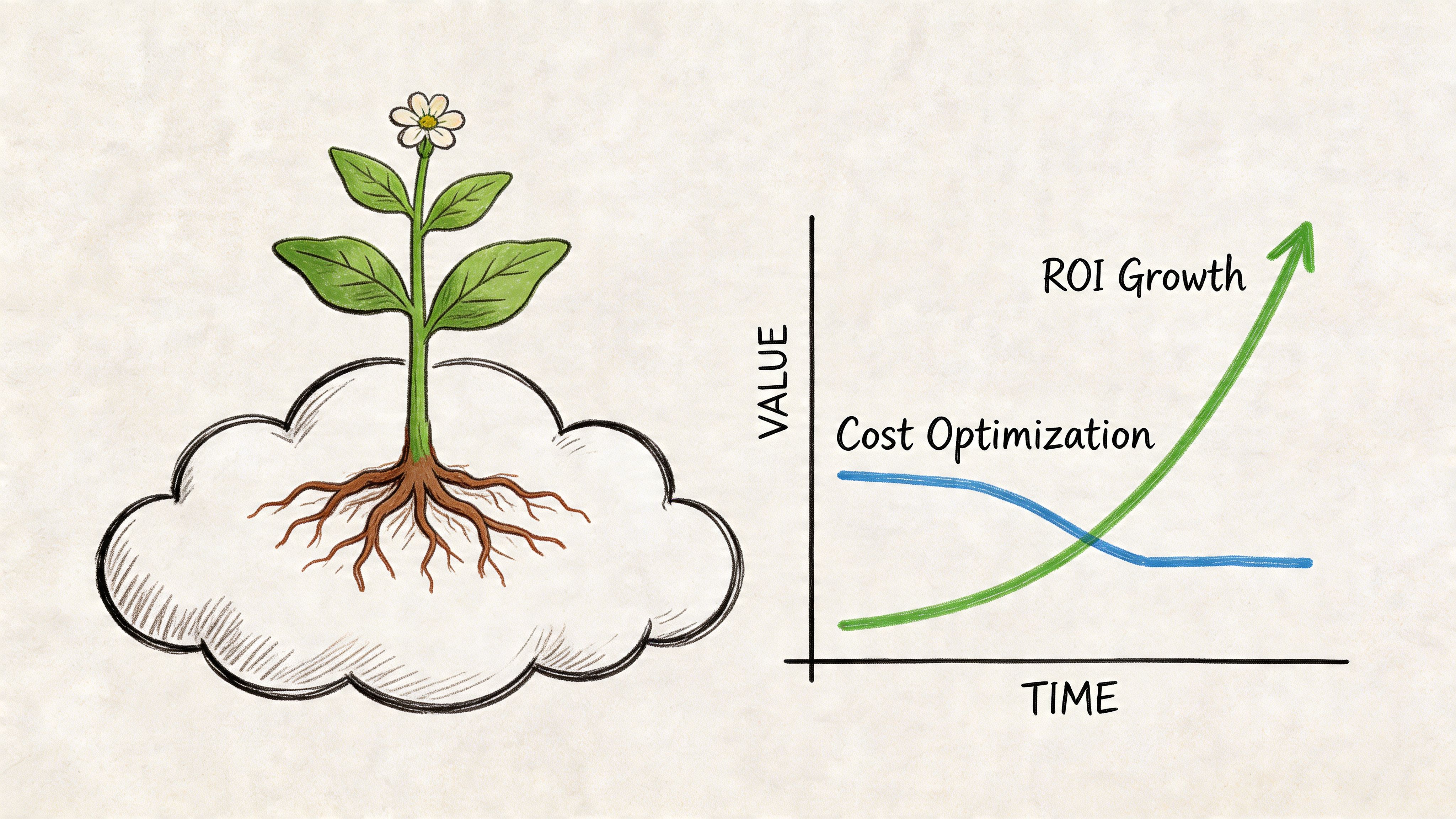
Emerging trends for 2026 show that successful migrations are also preparing businesses for what comes next. With the right partner, migrations can deliver 25% cost cuts and 40% performance boosts, while creating infrastructure ready for AI and machine learning workloads and aligned with sustainability goals, according to Cloud Migration Services’ 2026 trend analysis.
That future-readiness matters in Central Indiana. Hamilton County growth, downtown Indy tech hiring, and pressure on mid-market firms to automate more work all point in the same direction. Businesses need infrastructure that can support reporting, analytics, automation, and secure collaboration without another forklift upgrade.
Stop Wasting Time on IT and Start Growing
Most business owners didn’t start their company because they wanted to babysit servers, argue with backup alerts, or wonder whether a failing SSD is about to ruin their week.
They started to build something. Serve customers. Add locations. Hire people. Improve margins.
That’s why the right cloud migration matters. It removes the single point of failure sitting in your office, replaces surprise hardware costs with a steadier operating model, and gives your team access to systems that are easier to secure, monitor, and support. It also cuts the wasted tech time that drags down staff productivity. When people can get into files, apps, and systems without delay, those hours go back into real work.
Good providers reduce friction, not just move data
The best cloud migration service providers don’t talk only about platforms. They talk about outcomes. They design around recovery, compliance, user experience, and budget control. They know when hybrid is the smart answer. They know when a line-of-business app should be replaced instead of moved. They know how to pair migration with stronger networking, better endpoint security, and cleaner backup policy.
For owners thinking beyond infrastructure, it also helps to look at operational automation. This overview of automated data processing is a useful example of the kind of business process improvement that becomes easier once your systems are modernized and better integrated.
What businesses around Greenwood usually need
For many companies on the south side, the winning formula is pretty consistent:
- A staged migration: Move the highest-risk infrastructure first.
- A compliance-aware design: HIPAA, CMMC, and NIST CSF requirements need to be baked in early.
- A network that supports the cloud: UniFi networking, better Wi-Fi design, and secure remote access matter just as much as the server move.
- A post-cutover support plan: Cost reviews, SOC monitoring, backup testing, and user support keep ROI from slipping.
If you’re a business owner in Greenwood, Indianapolis, or anywhere along the I-65 corridor and you’re tired of dealing with aging hardware, flaky infrastructure, or migration plans that sound good until real work starts, it’s time for a direct conversation.
If your business is in Greenwood or the greater Indianapolis area and you want a clearer path to reliable cloud infrastructure, Finchum Fixes IT offers a Free Network Assessment to identify single points of failure, compliance gaps, and practical migration options without the sales fluff.