Custom ERP Software Development: The SMB Roadmap
A broken ERP isn't a software problem first, it's a cash-flow and uptime problem. If your Greenwood or Whitestown operation is still juggling QuickBooks, Shopify, a homemade Access database, and a stack of spreadsheets, you're already paying for it in missed handoffs, late approvals, and too many hours spent reconciling numbers that should match the first time.
Custom ERP software development fixes that by tying finance, inventory, production, and reporting into one system built around how your people work. For Indiana SMBs on the I-65 corridor, that usually means fewer Friday fire drills, cleaner audits, and less wasted tech time turning into billable hours again.
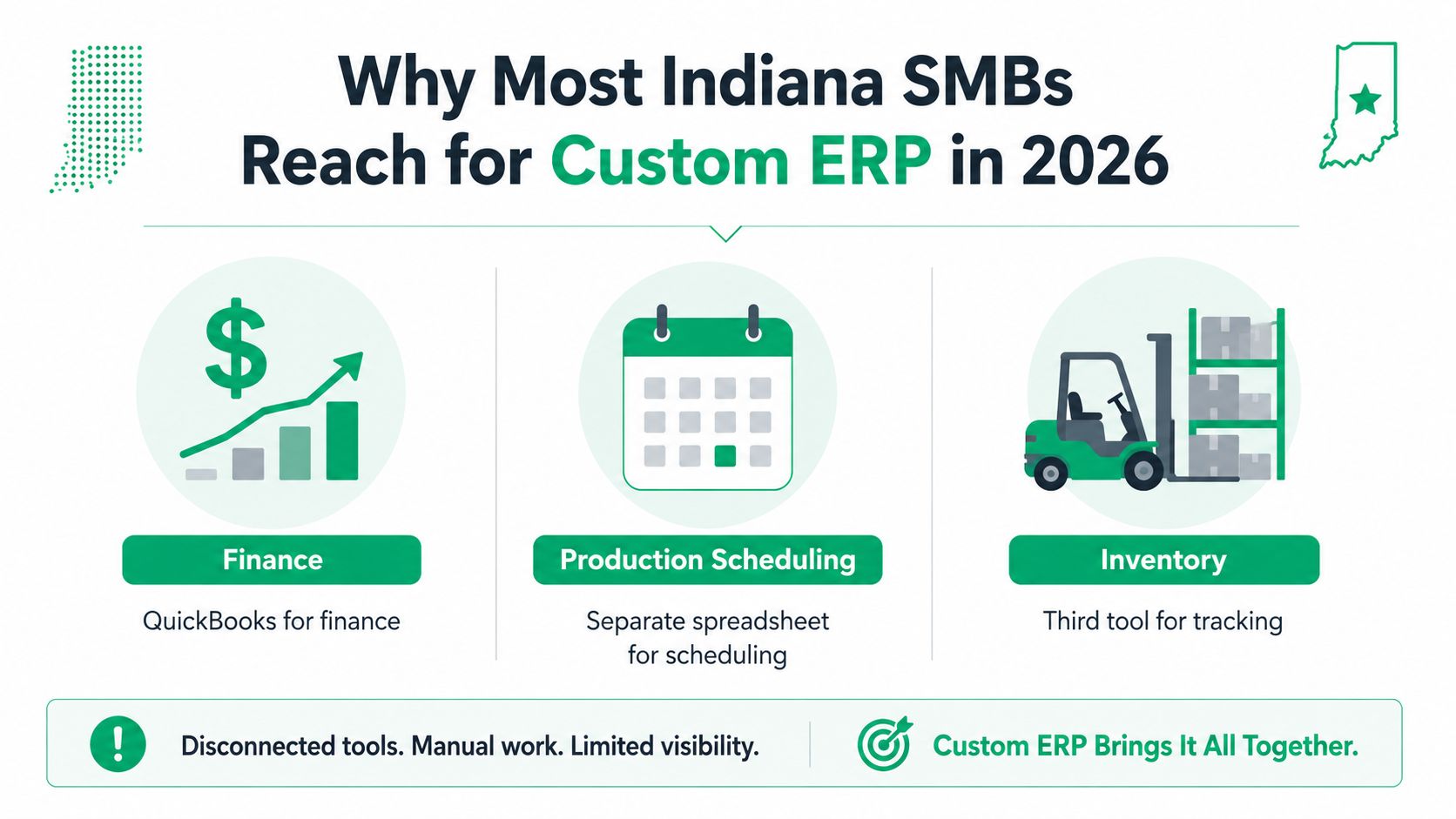
Why Most Indiana SMBs Reach for Custom ERP in 2026
A Greenwood manufacturer calls on Friday because the numbers don't line up again. Finance is in QuickBooks, production is on a spreadsheet, inventory lives in a third tool, and one missed export means the shipping team is waiting while someone in the office tries to figure out which file is right.
That's the moment most Johnson County business owners stop talking about “better reporting” and start asking for custom ERP software development. The global ERP market was valued at $48 billion in 2022 and is projected to reach $78.4 billion by 2026 (NetSuite ERP statistics), which tracks with what's happening on the ground. Larger Indiana firms aren't buying another disconnected app, they're replacing manual work with one system that can connect finance, operations, sales, supply chain, and reporting without the spreadsheet gymnastics.
What custom ERP actually delivers
A custom build doesn't mean “reinvent everything.” In practice, it means connecting the tools you already use, maybe a shipping API to NetSuite data, maybe purchase approvals that route correctly between two plants, maybe a warehouse screen that updates without three separate logins. Off-the-shelf ERP platforms like SAP, Oracle NetSuite, Microsoft Dynamics, and Odoo still have their place, but they usually need configuration and integration first, and that's where many Indiana teams find the gap between the package and the plant floor.
Practical rule: If the process is common, buy it. If the process is a differentiator or a compliance risk, build around it.
The reason downtime matters here is simple. A fragmented stack turns every outage, failed export, or manual workaround into lost output, and in a busy plant or distribution shop that gets expensive fast. If your team is already losing hours every week reconciling data between systems, the ERP conversation isn't about software elegance, it's about recovering those hours before the next Friday crash.
For a nearby example of how automation thinking applies in Indiana, see these business process automation examples for Indiana companies. If that sounds familiar, the rest of this roadmap is worth your time.
Discovery and Scoping That Prevents Costly Rework
A serious ERP project starts with a workshop, not a sales deck. In central Indiana, the discovery sessions that save money bring operations, finance, warehouse, and IT into the same room, then trace how orders move, where approvals stall, and which data still gets copied by hand because no system talks cleanly to the next one. That is the point where an Indiana SMB owner can see whether the project will reduce downtime and recover ROI, or just produce another expensive system that never fits the floor.
At Finchum Fixes IT, discovery sessions with local operations teams usually come down to five deliverables. You need process maps, a data dictionary, an integration inventory, role-based user personas, and an explicit MVP scope that locks release one before anyone starts talking about phase two. If a vendor cannot produce those artifacts, they are selling hope, not delivery.
What good discovery looks like
A clean discovery cycle usually runs 4 to 8 weeks, as outlined in the AgileEngine guide. After that, the build should move in two-week sprints, with testing and QA running throughout instead of waiting until the code is “done.” The sprint rhythm is also a common fit for adaptive software delivery practices used by Indiana teams, because it forces decisions early, before the budget gets buried in rework.
The usual mistakes are predictable:
- Bundling every nice-to-have into release one. That is how a small scope turns into a long, expensive launch.
- Underestimating legacy data migration. Old Access files and spreadsheet tabs always hide more cleanup than the owner expects.
- Skipping change-management planning. If users do not know what changes, they will work around the system and build shadow processes anyway.
Budget rule: If the vendor skips process maps or says “we'll figure out the data later,” expect extra change orders.
A useful vendor screen is whether they can speak both business and technical. Microsoft, CompTIA, and Cisco credentials help, but local references matter more. Ask for artifacts from a real Indiana operation, not just a polished pitch, and watch whether the team can explain the difference between requirements, integrations, and the final MVP without hand-waving.
For a closer look at how adaptive delivery works for Indiana firms, this guide to adaptive software development in Indiana is worth a read. If a partner cannot show you a discovery output by week one, keep walking.
When a vendor wants to skip software security review on connected tools, I tell teams to vet Zendesk apps before OAuth approval the same way you would inspect any other third-party connector. It is a small habit that prevents ugly surprises later.
Build Versus Extend in 2026
Most Johnson County buyers aren't asking whether they should “buy ERP or build ERP.” They're deciding how far they need to go between configuration, customization, and full custom development. That line matters, because the wrong choice usually turns into budget drift and another half-finished system nobody loves.
The practical middle ground is often extending Odoo, Microsoft Dynamics 365, NetSuite, or SAP rather than starting from scratch. If finance, purchasing, and basic reporting are standard, but a few workflows are unique, platform extension usually gives you a faster path with less risk. If your manufacturing process is proprietary, your compliance rules are strict, or your shop-floor integration is tied to legacy MES equipment, a full custom build starts to make more sense.
How to sort the options
A simple way to think about it is this. Configuration changes labels and settings. Customization changes modules and business logic inside the platform. Custom development changes the actual application design, data model, and integration flow.
Use that spectrum to judge the four major options:
- Odoo, strong when you want flexibility and lower entry cost.
- Microsoft Dynamics 365, strong for Microsoft-heavy shops that need enterprise controls.
- NetSuite, useful when cloud finance and reporting are the priority.
- SAP, usually a fit for complex, larger operations with heavier process structure.
Industry fit matters too. A healthcare clinic with HIPAA requirements, a defense supplier dealing with CMMC, and a general manufacturing firm following NIST CSF don't need the same starting point. The platform has to support the compliance posture you live with, not the one the brochure suggests.
Hard truth: Over-customization is the fastest way to turn a good platform into a bad project.
That trap is expensive because too much custom work can increase implementation costs and delays by 20 to 50% (MoldStud custom ERP tips). I've seen that happen when teams try to make an ERP behave like three different systems at once. If your use case is mostly commodity finance with a handful of differentiators, extend the platform. If your workflow is the business, build it properly.
For a related view on retiring older platforms without creating chaos, these legacy modernization strategies fit right into the same decision.
Choosing the Tech Stack That Survives Contact with Reality
A good ERP stack should make operations easier, not give the IT team a science project. On the floor, that means warehouse users get a clean screen, supervisors get approvals that don't stall, and leadership gets data it can trust without three exports and a prayer.
The stack in plain English
Start with the front end. A React or Angular admin panel works well for office users, while mobile apps help warehouse and field teams enter data where the work happens. Behind that, use an API layer built on REST or GraphQL, ideally behind an API gateway so integrations don't turn into a mess of point-to-point connections.
The data tier should be boring in the best way. PostgreSQL or SQL Server gives you a reliable base, and the backup plan should include immutable off-site backups so ransomware or a bad deploy doesn't wipe out your rollback path. For Indiana buildings with old wiring and flat networks, I'd rather see Zero Trust architecture than a “trusted internal network” that assumes everything on the LAN is safe.
A practical shop-floor stack often includes:
- UniFi networking for predictable site connectivity.
- Bitdefender GravityZone on endpoints.
- SOC-as-a-Service monitoring for after-hours coverage.
- Immutable off-site backups for the database tier.
Lock these decisions during discovery
Good stack choices are decided early, not during week twelve when the budget is already tight.
That means locking the mobile framework, the API style, the database, the authentication model, and the backup approach before coding starts. It also means being clear about AI components if you need them, like predictive reorder suggestions, invoice OCR, or demand forecasting. Those features only work well when the underlying data model is clean and the network isn't dropping connections in the middle of a shift.
For a more technical breakdown of database choices and why they matter to Indiana firms, this database design guide for business ROI is a good fit. If the stack can't survive contact with reality in a Greenwood warehouse or a downtown Indy office, it's the wrong stack.
What Custom ERP Costs and How Long It Takes
Owners usually want a straight answer here. The honest answer is that custom ERP software development is a project budget, not a shelf item. The price depends on scope, integrations, data cleanup, and compliance work, but that framing is better than guessing from a one-line quote.
For a practical benchmark, Clockwise Software cost analysis places standalone ERP modules in the $180,000 to $400,000 range, while full custom ERP systems commonly land between $500,000 and $1.5 million+ depending on scope and complexity. The same analysis puts mid-market full implementations around $300,000 to $700,000, and annual maintenance at 18% to 25% of build cost each year.
Cost and timeline benchmarks
| Build Scope | Typical Cost (2026) | Typical Timeline | What Is Included |
|---|---|---|---|
| Core financial management module | $60,000 to $120,000 | 3 to 5 months | General ledger, accounts payable, accounts receivable, basic reporting |
| Multi-module ERP rollout | $150,000 to $350,000 | 6 to 10 months | Finance, procurement, inventory, and 2 to 3 external API integrations |
| Full custom ERP system | $500,000 to $1.5 million+ | Up to a 15.5-month median in manufacturing | Broader process coverage, deeper integrations, training, migration, and support |
That table is only the visible part of the bill. The same cost analysis notes a median manufacturing ERP implementation cost of $450,000 with a median timeline of 15.5 months. It also shows how change orders, migration work, training, and integration cleanup can push the final total to 3 to 4 times the original estimate.
These app development cost benchmarks are useful as a reality check because they show the same pattern across software projects, scope, integrations, and quality control drive the price more than the label on the project.
A 50-person Indiana operation that is still reconciling orders, inventory, and shipping by hand can feel those costs every week. Each delay adds more lost hours, more spreadsheet fixes, and more time spent working around aging servers or a homemade Access database that was never built to carry the load.
If your team is still manually reconciling orders, inventory, and shipping, every month you delay turns into more lost hours and more budget leakage.
For a shop like that, the key question is not whether the build looks expensive. It is whether the system pays back through recovered staff time, fewer reconciliation tasks, and fewer outage-driven interruptions. That is the ROI that matters in a manufacturer or distributor trying to stop wasting time on preventable work.
Testing, Deployment, and the First 90 Days After Go-Live
Launch week is where ERP projects stop being slides and start being real. I've seen good builds stumble because someone rushed the cutover from QuickBooks, an EDI connector to a retail partner broke at the wrong time, or a warehouse mobile app choked during a peak shift. Those failures are painful, but they're also predictable if the test plan is serious.
The pre-flight checklist should start with UAT from at least 15 to 20 end users across departments, not just one power user who already likes the system. It should also include regression testing, load testing on critical integrations, and migration dry-runs from the legacy systems before anyone touches production.
What needs to happen before go-live
-
Run a pilot go-live for one department.
That gives you a controlled way to find workflow gaps before the whole company moves. -
Test rollback before launch day.
If the cutover fails, the team needs a documented path back to the old system. -
Validate security and compliance controls.
NIST CSF is the baseline for general business, while HIPAA and CMMC need tighter evidence and access controls. -
Verify endpoint and backup protection.
Bitdefender GravityZone on every endpoint and immutable off-site backups on the data tier are standard, not optional.
The first 90 days should be treated as a stabilization sprint. Daily standups, hypercare support, and fast hotfix turnaround keep user confidence from collapsing. That matters because when users trust the new ERP, they stop keeping shadow spreadsheets, and the data finally stays clean.
On a recent central Indiana rollout, the difference between success and noise was simple. The team stayed in hypercare long enough to catch small workflow breaks before they became habits, and the business avoided the usual post-launch scramble. If you've got a service desk, use it; if you don't, local support keeps the whole thing from wobbling.
Post-Launch Support, ROI, and When to Plan the Next Module
The hardest ERP question after launch is ownership. Internal IT can keep the lights on, the implementation partner can handle the first wave of fixes, or a managed-IT handoff can own the support path long term. For SMBs, that decision should be based on who can respond to users, patch integrations, and keep backups testable without drama.
What support should cover
A real support plan includes security patches, API breakage from third-party vendors, version upgrades, and backup and restore testing. Those tasks aren't flashy, but they're the difference between a system that ages well and one that slowly turns into technical debt. The maintenance budget should still be framed against the 18% to 25% annual maintenance benchmark already covered, because that line item decides the five-year cost of ownership.
For teams trying to improve the day after go-live, this knowledge base creation guide for Indiana SMBs is a solid companion. Good documentation lowers support calls and keeps the same question from eating staff time every week.
How to measure ROI without guessing
Track a short list of KPIs and review them quarterly:
- Order-to-cash cycle time to see whether cash is moving faster.
- Inventory accuracy to catch shrink and data drift.
- Production schedule adherence to measure whether the floor is following plan.
- Monthly close days to track finance speed.
- Downtime hours avoided to translate uptime into recovered labor and output.
ROI is visible when people stop rekeying the same data three times a day.
That's where the business-continuity frame matters. Every hour you avoid in manual reconciliation is an hour returned to billable work, customer service, or production. If your ERP rollout is measured well and supported properly, it stops being a sunk cost and starts acting like a capacity machine.
If your Greenwood or Indianapolis business is planning a custom ERP rollout, or you just finished one and want to harden it, Finchum Fixes IT can handle the network, cybersecurity, and support side that keeps the system stable. A Free Network Assessment or Security Risk Audit is the right next move if you want a local team to look at your setup before the next outage does it for you.
Visit Finchum Fixes IT if you want a Greenwood-based team to review your ERP environment, map the weak spots in your network, and tighten the security and support pieces around a custom rollout. If you're in the Indianapolis area and want a Free Network Assessment or Security Risk Audit, reach out before the next deadline, outage, or integration break turns into another expensive weekend.