Custom Software Development for Small Businesses Guide
Custom software is worth it for a small business when manual workflows consume real hours or create repeated errors. Well-scoped projects often reach payback within 12 to 24 months, especially when they replace duplicate data entry, subscription sprawl, and avoidable process failures.
A Greenwood business owner may recognize the scene immediately. An aging server sits in a business park near the I-65 corridor, staff members keep three spreadsheets open, and a spotty Wi-Fi signal in an old brick building interrupts every cloud application they use. The company bought software to simplify operations, but employees still retype customer details, reconcile inventory by hand, and call the office when a job record doesn't load.
That isn't a software shortage. It's a workflow problem.
Custom software development for small businesses works when it removes one expensive bottleneck first. The right project doesn't begin with a giant platform, a glossy dashboard, or a promise to replace every application. It begins with one process that costs the team time or causes errors, then expands only after the first version proves its value.
Why Off-The-Shelf Tools Fall Short for Indianapolis Businesses
A logistics company in Greenwood can run accounting in QuickBooks, customer follow-ups in a CRM, dispatch in a scheduling application, and inventory in a separate workbook. Each product may work well alone. The gap appears at every handoff.
A dispatcher enters a job in the CRM. Another employee copies those details into a spreadsheet. The warehouse checks that file against inventory, while accounting later compares the invoice with the original customer record. A changed part number or a technician updating the job by phone can leave the systems out of sync.

Employees then appear slow because they are compensating for disconnected software. Adding another SaaS subscription may create another login while leaving the duplicate entry, reconciliation, and checking in place.
Practical rule: Don't automate a vague complaint. Measure the handoff that creates the most rework, then build around that specific failure.
Custom development fits when the workflow supports a business advantage or includes requirements generic products cannot handle. A local contractor might need bidding software shaped around its estimating method. A healthcare office may require a controlled portal that supports HIPAA obligations. A service company may need scheduling, parts tracking, and customer approvals to update one shared record.
Standard tools still make sense for email, accounting, document editing, and basic calendars. The decision depends on what the company loses by forcing a distinctive operation into a generic template. This Indiana guide to custom software versus off-the-shelf tools compares the two approaches.
In our 17 years of local service, the strongest projects have started with one recurring spreadsheet reconciliation. That small fix can become a shared workflow, then a secure internal application. Customer notifications, reporting, and mobile access can follow after the first process proves worth extending.
That approach also fits Indianapolis hardware realities. An old server, inconsistent Wi-Fi in a brick building, or a technician working from a phone can expose weaknesses that a generic cloud workflow leaves unresolved. Design around the actual operating conditions before adding another application.
The useful question is how much longer the company can afford to pay people to move the same information between systems.
Why The Custom Software Market Is Shifting to Small Businesses
Custom development no longer belongs only to companies with large internal technology departments. One market estimate places the global custom software development market at USD 43.16 billion in 2024 and projects it to reach USD 146.18 billion by 2030, with a 22.6% CAGR from 2025 to 2030. The same estimate identifies SMEs as the fastest-growing segment, as reported in this custom software development market analysis.
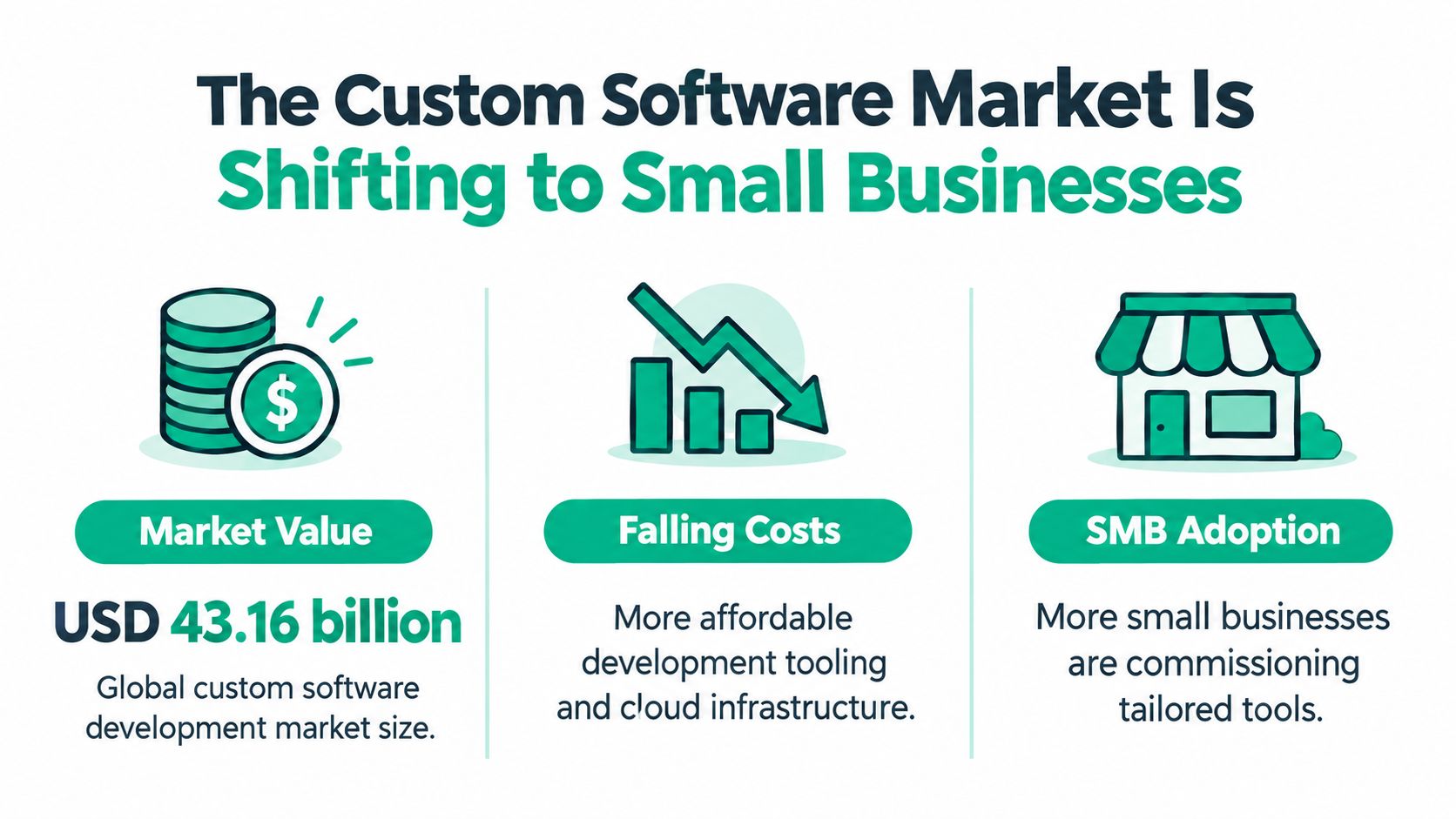
The important shift isn't about market size alone. Development teams can now assemble modular cloud applications, managed databases, authentication services, reporting tools, and mobile interfaces without building every underlying component from scratch. That lets a small company fund a focused operational asset rather than an oversized enterprise platform.
A separate market report estimates that SMEs represent 31.8% of custom software market revenue and are growing at a 9.3% CAGR, compared with 7.4% CAGR for large enterprises in that analysis. Another study projects SME expansion at a 20.15% CAGR between 2026 and 2031, while large enterprises held 57.30% of global spend in 2025. These figures come from different market methodologies, so they shouldn't be treated as one combined forecast, but they point in the same direction. Smaller firms are becoming faster-growing buyers of custom software, as detailed in this SME custom software market report.
For Johnson County business owners, that changes the buying conversation. A local provider can design a narrow application around dispatch, compliance records, customer portals, or internal approvals without forcing the company into a long enterprise procurement cycle. Hamilton County growth creates similar pressure, because expanding teams often expose the limits of spreadsheets before they have the budget or staffing for a large IT department.
The asset belongs to the business, but ownership brings responsibilities. Someone must maintain the code, secure the hosting environment, document integrations, test updates, and decide what happens when a third-party API changes. Lower entry barriers make custom work more accessible, not maintenance-free.
The sensible approach is modular. Build the workflow that produces the clearest return, keep standard tools where they work, and connect the pieces through documented integrations. That gives a small business control without turning every business function into a software project.
How The Development Lifecycle Actually Works
A good project doesn't start with months of abstract planning. It starts with a working session that follows the information through the business.
Consider an Indianapolis service company that schedules technicians, tracks parts, and collects customer approval in the field. The first task is to document what enters the process, who changes it, where it goes, and which event marks the job complete. This reveals whether the core bottleneck is scheduling, inventory visibility, approval capture, or billing.
Discovery and architecture
Discovery produces a narrow problem statement. “Build a field-service platform” is too broad. “Give dispatchers one live view of technician availability and parts assigned to each job” can guide a first release.
The architecture then defines the boundaries. A typical design might use a responsive React frontend, a secured API, and a managed PostgreSQL database hosted in a cloud environment. Authentication should support role-based access, while audit logs record important changes. The exact stack can vary, but the responsibilities can't remain vague.
The first build
The MVP is the smallest useful version, not a rough mockup that nobody can operate. It might allow dispatchers to create jobs, assign technicians, reserve parts, and record status changes. It doesn't need every report, integration, or mobile feature on the first release.
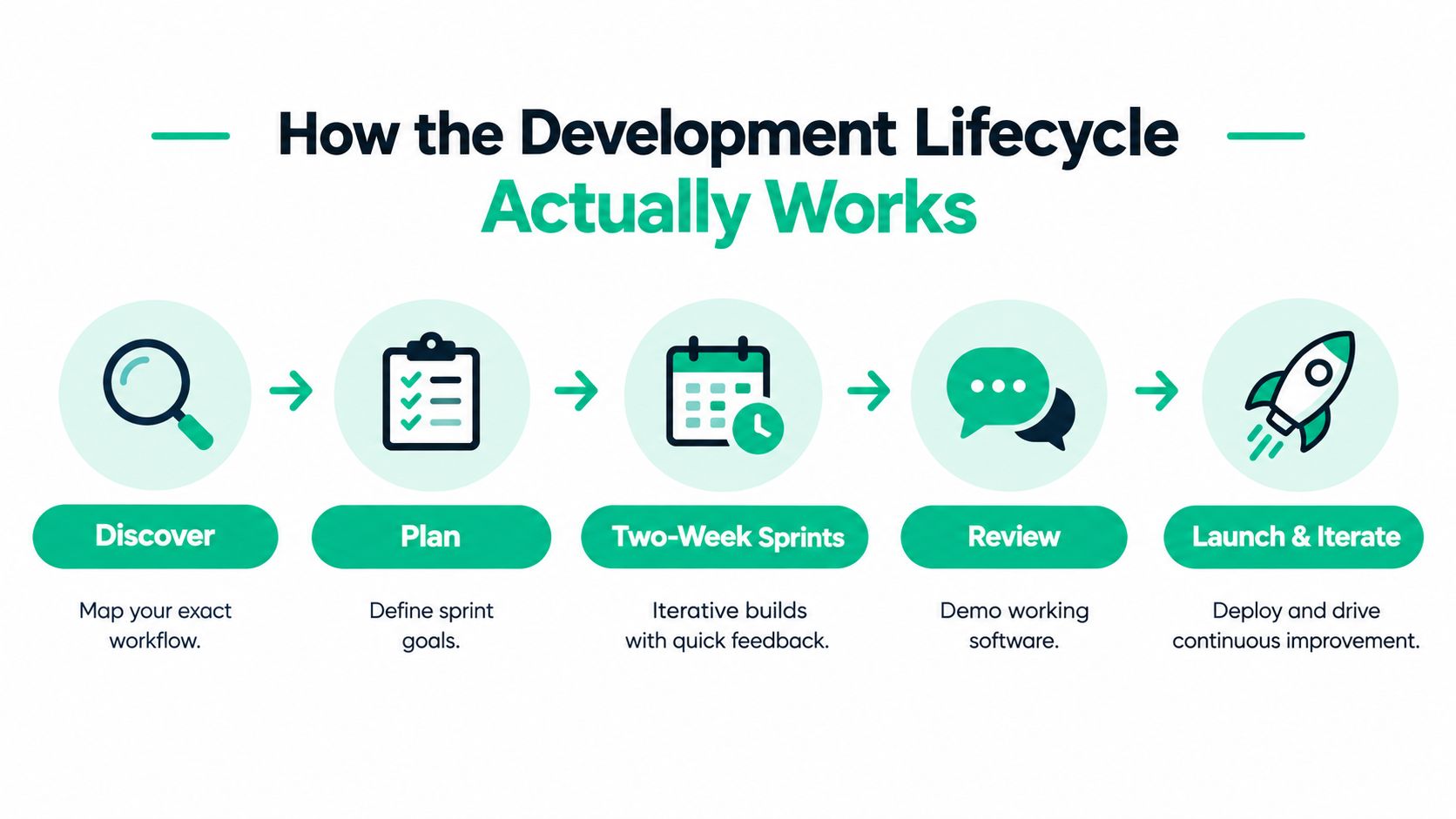
Two-week sprints keep the work visible and make corrections affordable. A team demos working software, receives feedback from the people who use it daily, and adjusts the next sprint.
Testing with real users
Employees find problems that specifications miss. A dispatcher may need keyboard-first navigation. A technician may work in a basement with unreliable connectivity. A manager may require an export that wasn't mentioned in the initial meeting.
When we dissembled a similar client's failing RAID array for data recovery, the physical failure was only part of the problem. The recovery process also exposed assumptions about file naming, permissions, and who depended on the data. Software users behave the same way. They reveal operational dependencies that a project plan won't predict.
| Phase | Duration | Deliverable |
|---|---|---|
| Discovery | Initial sprint | Workflow map and measurable success criteria |
| Architecture | Early planning | Data model, security boundaries, and integration plan |
| Build | Two-week sprints | Working features that address the selected bottleneck |
| Review | Each sprint | User feedback and prioritized corrections |
| Launch and iteration | Ongoing | Deployed application, monitoring, and planned improvements |
Deployment isn't the finish line. It includes backups, access reviews, monitoring, documentation, and a support path for users who encounter a problem at the worst possible time. Businesses comparing lifecycle approaches can review this guide to software development life cycle models for Indiana businesses.
Calculating ROI and Preventing Costly Downtime
Custom software earns its place in the budget by saving labor, avoiding errors, or keeping revenue-producing work available. If the project can't connect to one of those outcomes, the scope probably isn't ready.
Downtime provides a useful continuity test. Atlassian estimates that downtime can cost large and medium businesses nearly $9,000 per minute, while small businesses may lose about $137 to $427 per minute. Its basic model is straightforward: downtime cost equals minutes of downtime multiplied by cost per minute, as explained in this cost of downtime guide.
A small company shouldn't automatically apply the largest figure to its own operation. Instead, calculate what stops when the scheduling system, customer portal, payment process, or file server becomes unavailable. Include idle staff time, delayed jobs, missed calls, recovery labor, and customers who move to another provider.
A practical three-year model
Well-scoped small-business projects often reach payback within 12 to 24 months when they remove manual work, subscription sprawl, and process errors, according to this custom software ROI guidance.
Compare:
- Current stack: Subscription costs, manual labor, duplicate entry, error correction, and integration work over three years.
- Custom option: Discovery, development, hosting, support, maintenance, security, and future changes over the same period.
- Adoption risk: What happens if employees use only part of the workflow or continue keeping shadow spreadsheets?
- Continuity value: What work can continue if a single application or local server fails?
A custom application doesn't create ROI merely because it is modern. It creates ROI when the team stops performing the old work. That requires training, permissions that match job responsibilities, and reports that managers trust.
For a Greenwood office, the technical fix may involve more than code. An unreliable switch, weak access point, or aging desktop can make a sound application look broken. UniFi networking, endpoint monitoring, cloud resilience, and a tested recovery procedure need to support the software.
A proactive system monitoring approach helps catch infrastructure failures before they interrupt billable work. The aim is predictable monthly budgeting, fewer emergency repairs, and more staff time spent serving customers instead of explaining why systems are unavailable.
When To Build vs When To Buy SaaS
Buying SaaS is usually right when the function is common and doesn't distinguish the company. Email, accounting, file collaboration, payroll, and basic scheduling benefit from mature products with established support and regular updates.
Build when the workflow contains proprietary know-how, unusual approvals, complex integrations, or compliance requirements that competitors don't share. A defense contractor managing CMMC evidence may need a controlled process around its documentation. A healthcare provider may need access rules and audit history shaped around HIPAA. A municipal contractor may have a bidding workflow that standard project-management software cannot represent cleanly.
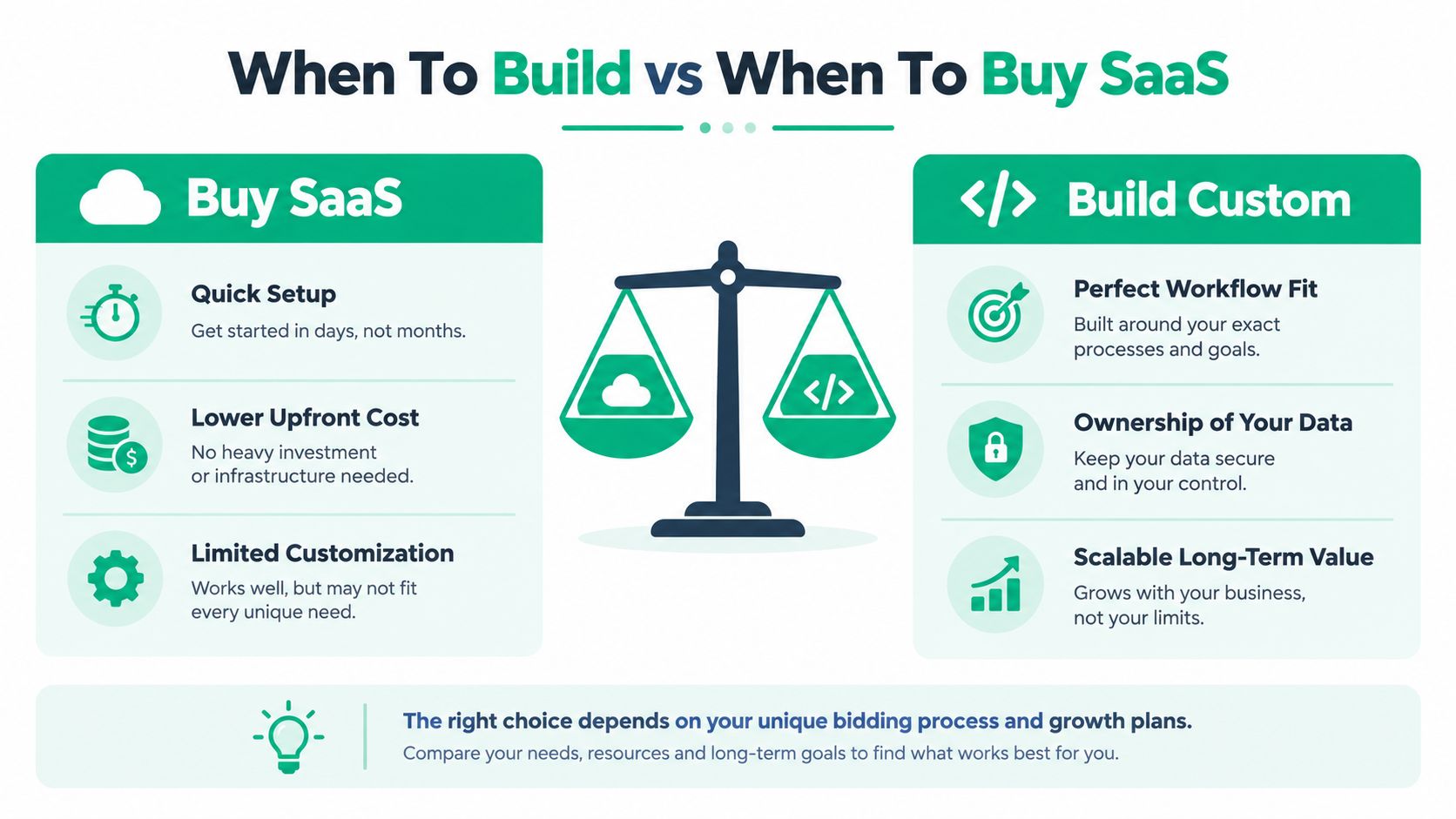
The easy choice has hidden costs. A SaaS product may require workarounds, duplicate records, extra seats, manual exports, and dependence on a vendor's roadmap. Custom software has different risks, including maintenance, security ownership, and dependence on the development partner.
| Situation | Recommendation |
|---|---|
| Generic function with strong mature products | Buy SaaS |
| Workflow creates a competitive advantage | Build a focused custom module |
| Multiple systems require repeated manual entry | Build an integration or shared workflow |
| Requirements are unclear | Map the process before choosing |
| ROI can't be measured within 24 months | Reduce scope or continue buying |
| Maintenance can't be funded for at least three years | Avoid custom development for now |
A decision guide should also account for how the business changes. If the process will be replaced soon, don't build around it. If the workflow is stable, expensive, and central to delivery, ownership may justify the investment.
Recent decision guidance recommends proceeding only when measurable ROI can be defined within 24 months and the business can afford maintenance for at least three years, as discussed in this small-business custom software decision guide. Those limits protect owners from turning a narrow problem into a permanent technology expense.
Start with one module. Keep email, accounting, and other commodity services where they work. Connect them to the custom workflow only when the integration removes a measurable source of waste.
Security, Compliance, and Local Data Risks
Custom software gives a business control over its data flows, but it also makes security decisions visible. The application needs defined identities, permissions, logging, backups, vulnerability management, and an owner responsible for reviewing them.
A healthcare organization in Indiana must consider HIPAA. A defense contractor along the I-65 corridor may face CMMC requirements. A general business can use the voluntary NIST Cybersecurity Framework 2.0 to understand, assess, prioritize, and communicate cybersecurity risk. NIST also provides a small-business quick-start guide for organizations with modest or no formal cybersecurity plan, as described in its NIST CSF 2.0 small-business guidance.
Build security into the workflow
Zero Trust architecture starts with verification rather than assumed trust. The application should grant users only the access required for their role, recheck sensitive actions, and preserve an audit trail. A manager may approve invoices, while a technician can update job status but can't export every customer record.
Device security matters too. NIST's small-business guidance specifically recommends full-disk encryption for tablets and laptops, which turns a broad policy into a concrete control. Endpoint protection such as Bitdefender GravityZone can add centralized visibility, policy enforcement, and threat response across managed devices.
Data recovery needs the same specificity. Immutable off-site backups are read-only copies that can't be altered or deleted after being written. WORM-style storage helps resist ransomware, accidental deletion, and administrative compromise, as explained in this guide to immutable backups.
A backup that has never been restored is an assumption, not a recovery plan. Test restoration, document recovery priorities, and confirm that the custom application can be rebuilt from source code, configuration, database backups, and secrets stored through an approved process.
If the software uses artificial intelligence or sends data to an external model, review retention, access, prompt handling, and output validation. This resource on LLM security best practices from AletheionAGI offers useful context for that review.
Security should fit the business rather than become a binder nobody follows. The practical target is a documented, tested set of controls that supports HIPAA, CMMC, NIST CSF, insurance requirements, and customer expectations without blocking legitimate work. Indiana SMBs can also use this compliance and security guide when translating requirements into daily procedures.
AI Integration Opportunities for Smarter Tools
AI becomes useful when it removes repetitive judgment from an existing workflow. A small business doesn't need to build a chatbot from scratch to gain value from automation.
A downtown Indy service company might upload an invoice, use optical character recognition to extract vendor, amount, and purchase-order details, then route the record for human approval. A parts application could examine prior job records and flag likely items for an upcoming appointment. Staff still make decisions, but they don't start every task with manual transcription.
The application should treat AI as one component, not as an authority. Validate extracted fields, show confidence or exception states where appropriate, and route uncertain results to a person. Keep sensitive data inside approved boundaries and log important automated actions.
Good first candidates
- Document intake: Extract fields from invoices, work orders, and forms.
- Classification: Route requests to the correct department or queue.
- Summarization: Turn long service notes into a concise customer update.
- Search: Let staff find answers across approved internal documents.
- Forecasting support: Surface likely parts, staffing needs, or follow-up tasks from existing records.
The strongest AI projects start with clean workflow data. If employees enter inconsistent customer names, dates, and part numbers, the model will produce unreliable results. Custom development can add validation at the point of entry, which improves both ordinary reporting and later AI use.
SME-focused custom software is projected to grow rapidly, according to the market research cited earlier. For a small company, that doesn't mean buying an expensive AI program. It means adding a controlled API integration to the narrow application already removing manual work. This 2026 SMB roadmap for generative AI application development provides a practical way to think about that progression.
Choosing the Right Local Development Partner
A development partner should understand the business process, the network carrying the application, and the recovery plan behind the database. Code alone won't fix a failing switch, an unencrypted laptop, or a server that has never passed a restore test.
Ask candidates to explain:
- Scope control: What is the smallest first release that solves the bottleneck?
- Architecture: How will the design limit rework, regression risk, and maintenance?
- Security: How will roles, encryption, logging, backups, and incident response work?
- Ownership: Who owns the source code, documentation, data, and deployment credentials?
- Support: Who responds when the application fails during a busy workday?
- Infrastructure: Can the provider diagnose UniFi networking, endpoint issues, cloud access, and local hardware?
- Compliance: How will the design support HIPAA, CMMC, or NIST CSF priorities where applicable?
Technical debt deserves direct attention. Research on startups found that code debt had the strongest association with productivity and quality problems, so a cheap first build can become expensive if it creates repeated rework. A responsible partner explains testing, dependency updates, observability, and refactoring before the first release, not after the application becomes difficult to change.
Outsourcing can work well when the business keeps architectural ownership and defines measurable outcomes. This overview of outsourcing custom development is useful for comparing delivery models and vendor responsibilities.
For businesses in Greenwood, proximity also matters. Finchum Fixes IT provides computer diagnostics and repair, cybersecurity, networking, data recovery, custom software development, and technical support from its local operation, with urgent response averaging under two hours according to the company's service description. A local partner should be able to inspect the old workstation, test the Wi-Fi, review the backup, and discuss the application in the same conversation.
That is the standard to use. Don't select a developer solely from a portfolio of polished screens. Choose the team that can connect workflow design, infrastructure, security, recovery, and ongoing support to a business result.
Finchum Fixes IT can map the manual bottleneck, review the Greenwood or Indianapolis network supporting it, and plan a focused custom application with security and recovery built in. Schedule a Free Network Assessment or Security Risk Audit through Finchum Fixes IT to identify the first practical improvement before you commit to a larger software project.