IT Services for Small Business in Indiana: What You Need
A small business in Indiana doesn't need more technology for its own sake. It needs dependable systems that keep payments moving, protect customer data, restore files after an incident, and turn wasted troubleshooting time into billable work. The right IT services for small business create that stability through managed support, secure networks, cloud systems, recovery planning, and practical security ownership.
A familiar Southside problem starts with an aging server in a Greenwood business park. Staff wait for applications to load, customers stand at the counter while payment software catches up, and the office Wi-Fi drops whenever several people join a video call. Nobody sees one dramatic failure, but the business loses time in small, expensive pieces.
The fix isn't another emergency repair. It's a managed plan that finds the root cause, replaces weak infrastructure on schedule, and monitors the systems that carry revenue.
What Waiting on IT Actually Costs
At 10:30 on a busy weekday, a Greenwood office can lose revenue without a complete outage. The accounting application freezes, payment processing slows, and employees start calling one another for workarounds. Customers wait while staff troubleshoot instead of serving them. By the time a technician arrives, the business has already paid for the interruption.
The owner often hears familiar explanations: the server is old but still works, the wireless signal is fine in the front office, and the accounting application freezes only occasionally. Each statement sounds reasonable until the busiest hour arrives and several weak points fail together.
A reactive technician may restart the server, replace a failing drive, or add an inexpensive access point. Those steps can restore service temporarily, but they do not explain the underlying failure or prevent its return. Break-fix support charges you after the interruption has already damaged your day.
Downtime estimates make the business impact easier to calculate. Industry data places small-business downtime at roughly $127 to $427 per minute, while a micro-SMB can reach about $1,670 per minute, or approximately $100,000 per hour, depending on the operation and outage. The SMB downtime cost analysis outlines the usual cost categories, including lost revenue, idle labor, recovery work, and contractual penalties.
The Greenwood failure chain
One weak component can trigger several business problems:
- Aging hardware: A storage warning goes unnoticed until an application database becomes unavailable.
- Poor wireless design: Thick brick walls and misplaced access points create dead zones where staff lose access to cloud systems.
- No ownership: Employees report problems separately, so nobody identifies the recurring pattern.
- Emergency recovery: The owner pays for urgent labor while staff wait, customers leave, and scheduled work slips.
Practical rule: If an IT problem has appeared more than once, treat it as an infrastructure issue rather than a user inconvenience.
A managed provider examines the office before the next failure. The team inventories the server, reviews event logs, checks storage health, maps wireless coverage, confirms backup integrity, and documents the response for a critical system outage. Monitoring can then alert someone before a disk fills, a backup stops, or a network device begins dropping connections.
That work turns maintenance into revenue protection. A proactive system monitoring workflow lets the business correct defects during a quiet window instead of during a customer transaction. Teams considering automation for routine requests can also review this blog about AI support, while keeping human judgment in the process.
Along the I-65 corridor, growing companies depend on cloud applications, digital payments, shared files, and connected equipment. Johnson County owners should not have to choose between hiring expensive internal specialists and waiting for a technician after failure. Reliable IT services for small business tie technology to uptime, cash flow, and customer service.
What Managed IT Services Actually Include
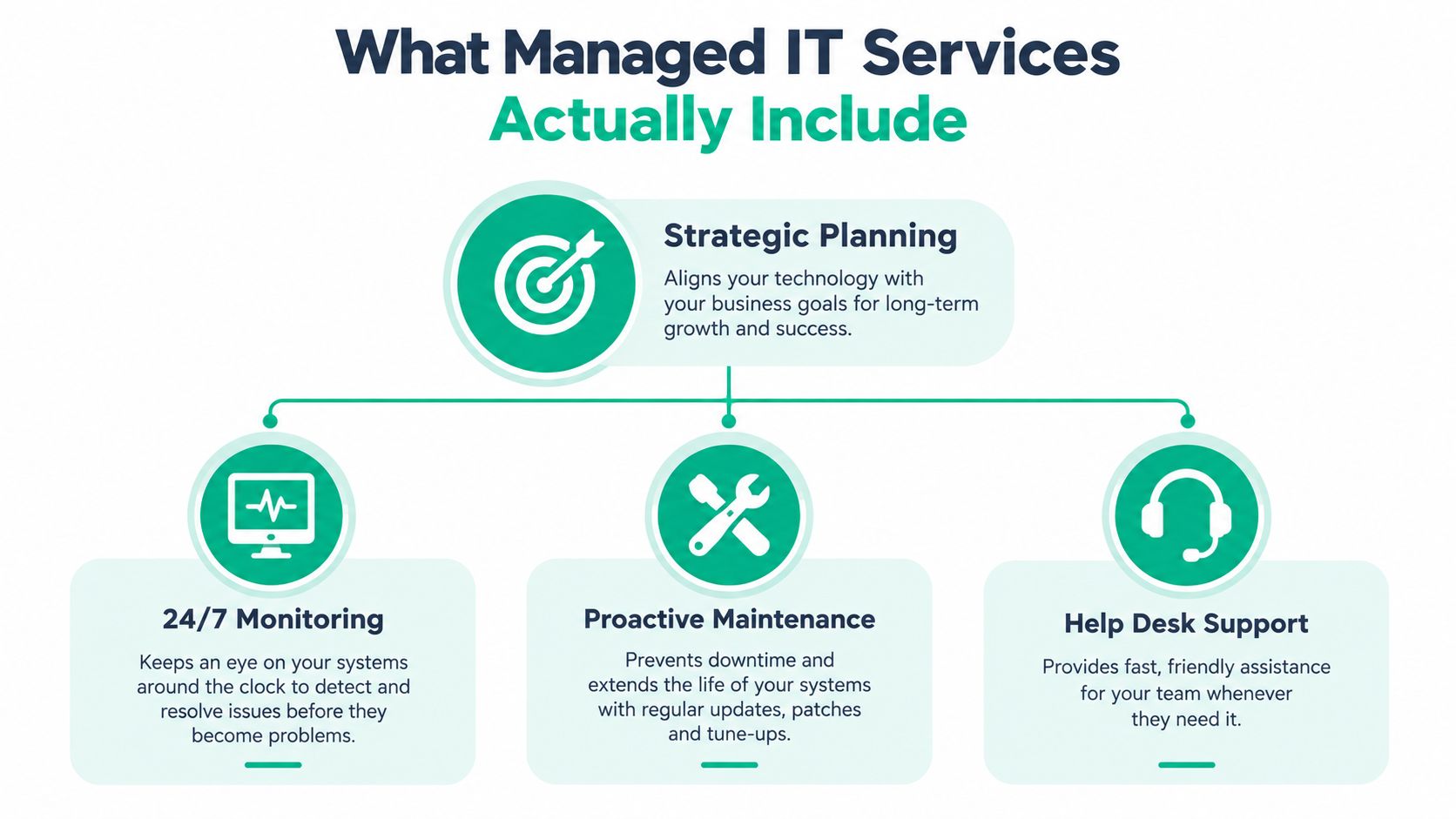
Managed IT means an outside technology team accepts ongoing responsibility for defined systems, security controls, maintenance, and support. It is not just a help desk with a monthly invoice. A useful agreement combines planning, monitoring, maintenance, user assistance, and recovery preparation.
Industry coverage indicates that managed IT has become a mainstream operating model for smaller companies. One roundup reports that more than half of SMBs use managed IT services, while another cited finding says 76% of SMEs rely on an MSP for at least some IT functions. The same coverage notes that 90% of enterprises use MSPs, showing that outsourced expertise has moved well beyond occasional computer repair. See the managed IT services market overview for that industry context.
Five operating pillars
Strategic planning connects technology purchases to business goals. The provider should know when a server can be retired, which applications belong in the cloud, and how a second location will connect securely.
Monitoring watches endpoints, servers, backup jobs, network equipment, and security alerts. The point isn't to collect dashboards. It's to route meaningful warnings to a person who can act before a warning becomes an outage.
Proactive maintenance includes patching, capacity checks, hardware lifecycle planning, configuration review, and recurring security tasks. A provider that only reboots a frozen workstation isn't managing the environment.
Help desk support gives employees a defined path for reporting issues. Good support records the symptom, identifies the cause, and looks for a recurring pattern instead of closing every ticket with a temporary workaround.
Continuity planning prepares the business to restore critical applications and data. That includes tested backups, recovery priorities, access procedures, and a clear decision-maker during an incident.
A per-user or per-device plan can make monthly budgeting easier, but the contract still needs boundaries. Ask whether projects, hardware, after-hours response, cloud licenses, security incidents, and onsite work are included. This managed service pricing guide is a useful starting point for comparing pricing structures without assuming every provider defines “managed” the same way.
The difference between reactive and proactive support shows up in the work queue. Break-fix waits for a ticket. Managed support uses ticket history, monitoring, and scheduled reviews to reduce the number of urgent tickets in the first place. A practical list of managed IT benefits can help owners connect those service components to daily operations.
The result is not “technology that never fails.” That promise isn't credible. The result is a business that detects failures sooner, responds through a known process, and budgets for maintenance before an emergency invoice arrives.
Calculating IT ROI Through Downtime Prevention
IT ROI becomes clearer when support is measured against protected revenue, not ticket volume. The practical question is how much revenue and productive labor does the business protect when systems stay available?
Begin with one operating hour. Add lost production or sales, wages paid while employees wait, recovery and restart labor, penalties, and customer-service costs. Divide the hourly total by 60 to estimate the per-minute burn rate. This downtime cost calculation method gives an owner a consistent way to compare a managed plan with the financial impact of an outage.
Apply the formula to a Greenwood business
Consider a Greenwood company with 8 employees, each earning $35 per hour, during a 4-hour outage. Unproductive wages alone equal:
8 employees × $35 per hour × 4 hours = $1,120
That figure excludes missed orders, delayed customer work, recovery labor, and revenue that depends on the unavailable system. If the outage also stops payment processing or access to a cloud application, the business impact rises beyond payroll. The calculation therefore provides a floor, not a complete loss estimate.
A useful ROI comparison is:
Avoided downtime cost + avoided recovery labor + recovered billable work − IT investment = estimated IT value
Suppose monitoring, tested backups, or a network change prevents that type of interruption. Compare the protected loss with the annual cost of the service or project. The result will not be exact, but it gives an owner a defensible basis for deciding whether prevention is cheaper than repeated disruption.
Broader industry benchmarks show why the exposure varies widely by business and system. Atlassian's downtime analysis provides context for higher-impact environments, while earlier estimates can help frame smaller operations. Neither benchmark replaces local figures. A professional office may lose billable work, a distributor may stop order flow, and a clinic may face scheduling and compliance consequences.
Turn support into a financial decision
A network upgrade that prevents payment interruptions has a measurable business benefit. So does a cloud design that lets staff continue working after a hardware failure. Count the employee time no longer spent restarting devices, searching for files, or waiting for replacement equipment.
Recovery objectives make the estimate more precise. A company that must resume work quickly needs a different design from one that can operate later in the day. Use this guide to understand recovery time objectives for Indiana SMBs, then set recovery targets around the systems that generate revenue.
A predictable monthly budget also changes the decision. Planned maintenance, security reviews, replacement cycles, user support, and recovery testing become operating costs instead of emergency invoices. That shift turns wasted technology time into available work hours and positions IT as a direct revenue protector.
Core Technical Solutions for Indiana Businesses
A good technology stack assigns each tool a job. UniFi networking addresses coverage and manageability. Bitdefender GravityZone protects endpoints. Immutable off-site backups protect recovery data. Zero Trust architecture controls access. SOC-as-a-Service monitoring gives security events a human response path.

Networking and cloud access
Spotty Wi-Fi in an old brick building isn't solved by placing a stronger consumer router in the center of the office. Masonry, metal shelving, neighboring networks, and access-point placement all affect signal quality. A UniFi deployment can use wired backhaul, centrally managed access points, separate staff and guest networks, and latency-optimized mesh nodes where cabling isn't practical.
That design protects revenue by keeping cloud applications, phones, scanners, and payment devices connected. It also gives the provider visibility into roaming problems and overloaded channels instead of forcing employees to guess whether the issue is “the internet.”
Cloud computing can reduce dependence on one physical server, but migration still requires planning. Review identity access, licensing, application dependencies, offline work procedures, and recovery options before moving a workload. A cloud subscription without access controls and tested recovery is not a continuity plan.
Endpoint security and recovery
Bitdefender GravityZone can form part of a layered endpoint program, alongside patching, least-privilege access, email protection, and security awareness. The product matters less than the operating process around it. Someone must review alerts, isolate a compromised device, verify remediation, and document what happened.
Immutable off-site backups serve a different purpose. They are designed so backup data cannot be changed or deleted during the retention period, giving the business a clean restore point after ransomware, accidental deletion, or disaster. IBM's explanation of immutable snapshots describes why attackers must not be allowed to tamper with the copies needed for recovery.
A backup that has never passed a restore test is an assumption, not a recovery system.
When a drive or array fails, bit-level data recovery examines storage at the sector level rather than treating files as a simple folder copy. That matters when a file system is damaged, a RAID array is degraded, or a deleted file must be reconstructed. Recovery should happen on a controlled copy, not through repeated experimentation on the original media.
Access and security operations
Zero Trust architecture treats every user, device, and session as something to verify. It supports role-based access, multifactor authentication, device health checks, and limited permissions. SOC-as-a-Service monitoring adds continuous review of security events so a small company isn't waiting for an employee to notice unusual account activity.
For a practical look at endpoint controls, use this Indiana SMB endpoint protection guide. General business programs can use the voluntary, outcome-based NIST Cybersecurity Framework, while healthcare organizations may need controls aligned with HIPAA and defense contractors may need to address CMMC. NIST CSF can act as a crosswalk for identifying gaps and prioritizing remediation, as explained in this NIST framework comparison.
How to Choose the Right Vendor in Central Indiana
The lowest monthly quote rarely tells you whether a provider can protect a business during a difficult outage. A vendor serving a Johnson County office should understand local travel, onsite access, older buildings, cloud dependencies, and the difference between a minor ticket and a revenue-threatening incident.
Start with the operating agreement, not the sales presentation.
Ask questions that expose the model
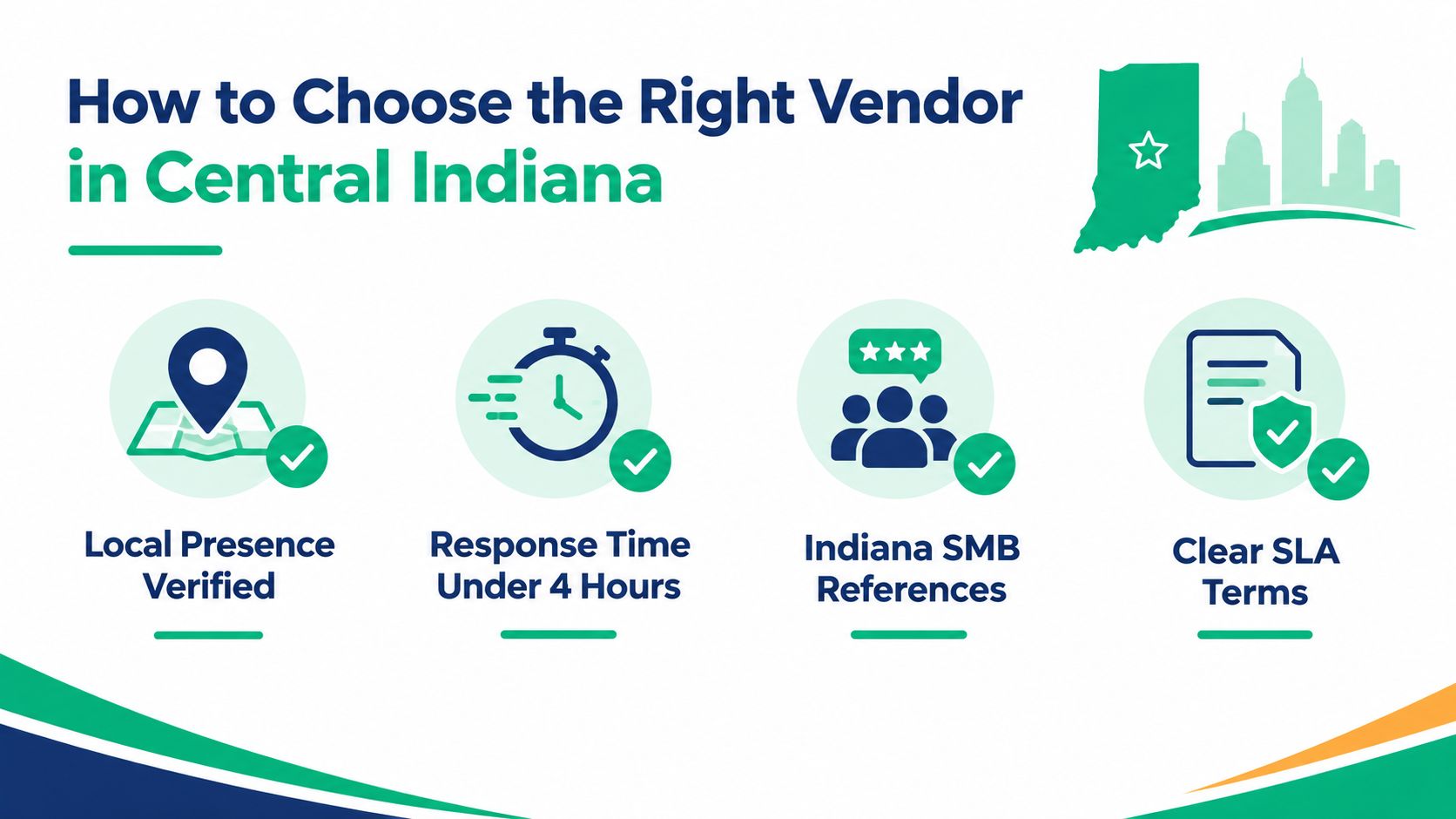
- Verify local presence: Ask where technicians are based, how onsite dispatch works, and who responds when a Greenwood system fails.
- Define urgent response: Get response and restoration targets in writing. “Fast support” has no value until the contract defines the clock, escalation path, and exclusions.
- Request comparable references: Speak with Indiana businesses that have a similar number of users, locations, compliance obligations, or legacy systems.
- Read the SLA carefully: Check coverage hours, after-hours treatment, project fees, backup responsibilities, security incident handling, and termination procedures.
A qualified provider should explain who reviews security alerts, who owns administrator credentials, how backups are tested, and what evidence supports compliance work. For HIPAA, that may include access control, audit logging, and protected health information procedures. For CMMC, the conversation should address controlled information, documented practices, and the contractor's responsibility for evidence. For general operations, ask how the vendor maps risks to NIST CSF functions.
Don't confuse certifications with competence. Credentials from Microsoft, CompTIA, or Cisco can indicate training, but they don't prove that a team can diagnose your switching environment or recover your data. Ask for a plain-English explanation of a similar problem and the steps the provider took to prevent recurrence.
Vendor risk also extends beyond technology. Review insurance, subcontractor access, data ownership, breach notification, and contract language with counsel when the relationship affects sensitive information. Businesses can assess vendor risk with counsel before signing an agreement that leaves responsibilities unclear.
Use this managed service provider selection guide to structure interviews. A strong vendor will welcome technical questions, document assumptions, and tell you what the quoted service doesn't cover. That honesty is more valuable than a polished promise.
Migration, Onboarding, and Measuring Success
Changing providers or replacing legacy hardware doesn't require shutting down the business. It requires sequencing. The provider should discover the environment first, protect the data before moving it, prepare users for the change, and schedule the final cutover around the least disruptive operating window.
A controlled transition
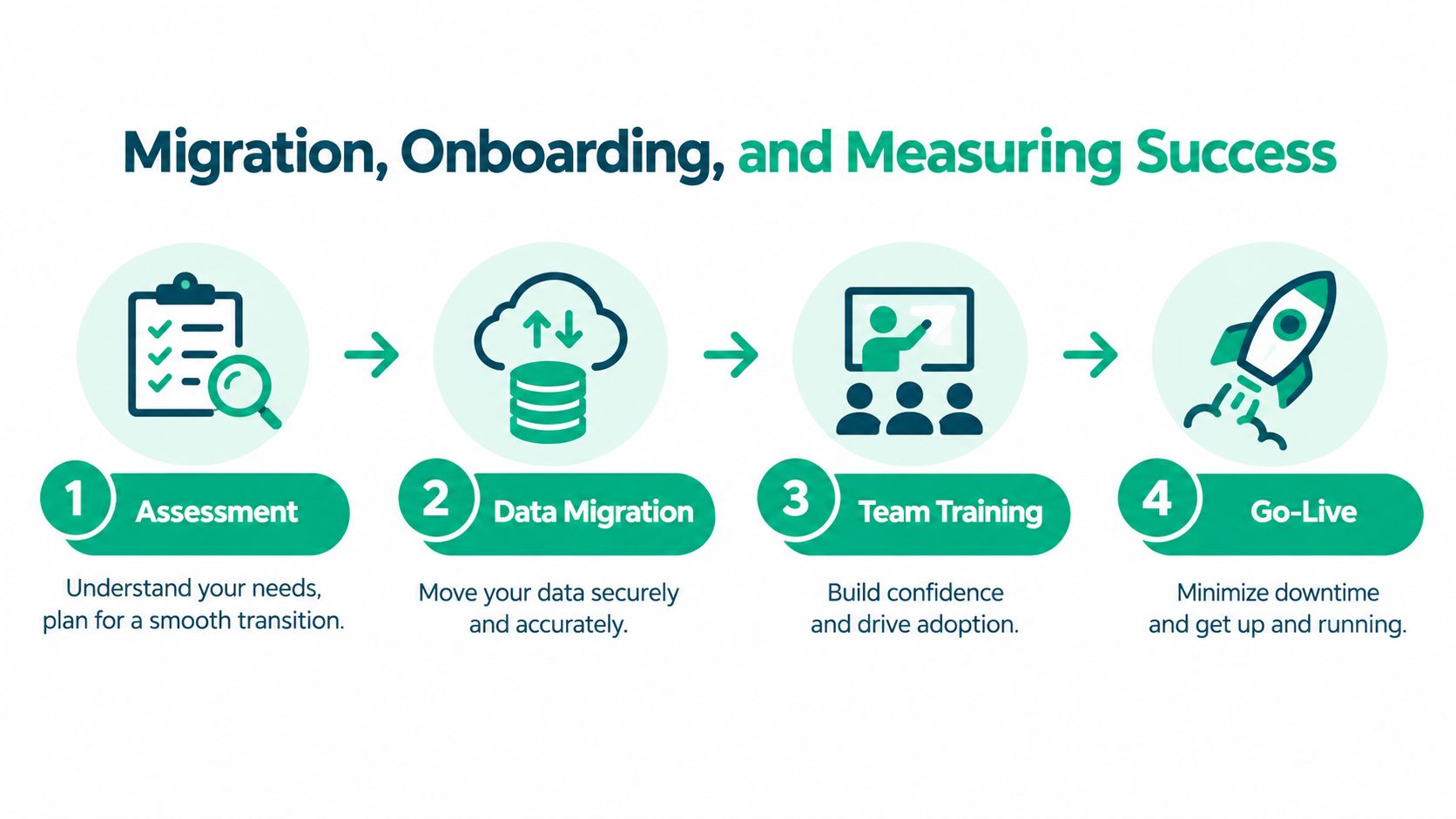
Assessment establishes the inventory. Document devices, applications, owners, dependencies, credentials, backup status, network paths, and business priorities. A Windows workstation with recurring corruption might receive a controlled diagnostic using sfc /scannow, chkdsk /scan, and relevant Windows Event Viewer logs before anyone decides whether replacement is necessary.
Data migration protects the source before copying anything. Confirm the destination, permissions, version compatibility, rollback process, and restore test. For a cloud move, preserve an accessible recovery copy and verify that users can open the files they need.
Team training prevents avoidable support tickets. Show employees where files live, how to report an incident, how multifactor authentication works, and what they should do when a suspicious message arrives. Short, role-based instruction works better than a generic security lecture.
Go-live includes a named escalation contact, a cutover checklist, and a validation pass. Test printing, line-of-business applications, shared storage, remote access, backups, and user logins before declaring success.
Measure what protects the business
Track trends rather than vanity metrics. Useful measures include recurring incidents, unresolved critical alerts, backup restore results, time to acknowledge urgent tickets, time to restore priority services, patch coverage, and user-reported interruptions. Review those measures with the monthly budget so the owner can see whether planned work is reducing operational risk.
For a Greenwood company replacing a server or opening a second location, success means fewer surprises and a clear next decision. The right onboarding process turns migration from a gamble into a managed business project.
The Hidden Human Risk in Small Business IT
Buying another security product won't solve a problem nobody owns. Employees click convincing messages, reuse weak habits, share access for convenience, and delay reporting suspicious activity because they fear blame. An untrained owner or office manager may then become the person responsible for critical security decisions without the time or experience to manage them.
Recent survey data shows the gap clearly. 73% of SMB owners say getting employees to take cybersecurity seriously is a challenge, only 23% are very satisfied with their cyber plan, and 23% are very confident in identifying threats, according to Mastercard's small-business cybersecurity study. The same source reports that 52% of SMBs rely on an untrained internal staff member or the owner for critical security functions, while only 34% have a formal incident response or continuity plan involving a cybersecurity professional.
Assign ownership before an incident
A practical security program answers four questions:
- Who approves access? Managers should know which systems each role needs and when access must be removed.
- Who reviews alerts? A dashboard is useless if nobody investigates unusual activity.
- Who declares an incident? Employees need a clear escalation route that doesn't depend on guessing.
- Who tests recovery? A named person must confirm that backups restore and that the business can resume priority work.
The business also needs a repeatable response to employee mistakes. Training should cover invoice fraud, suspicious links, password reuse, lost devices, and the correct reporting route. Simulated exercises can reveal whether staff know what to do without humiliating them.
A provider can supply tools, monitoring, and playbooks, but leadership still has to make security part of normal operations. Process, ownership, and employee readiness are the weak links that software alone cannot repair.
That is especially important for healthcare offices, defense suppliers, and professional firms handling confidential records. HIPAA and CMMC work isn't just a technology purchase. It requires evidence, assigned responsibility, documented procedures, and recurring review.
Frequently Asked Questions
Will onboarding disrupt operations? A staged assessment, protected migration, user training, and planned go-live can keep disruption controlled.
How does a local provider handle emergencies? Ask for written escalation rules, response targets, onsite coverage, and after-hours terms before signing.
Does managed IT guarantee compliance? No. A provider can map controls, collect evidence, monitor systems, and support HIPAA, CMMC, or NIST CSF work, but leadership remains responsible for governance and approvals.
Finchum Fixes IT provides managed IT support, cybersecurity, networking and Wi-Fi design, data recovery, secure migration, software development, and technical support for businesses in Greenwood and Indianapolis. Schedule a Free Network Assessment or Security Risk Audit through Finchum Fixes IT to identify the systems most likely to interrupt revenue and set a practical protection plan.