Microsoft Secure Score Explained for SMBs
Microsoft Secure Score is useful, but it is not a safety grade. It shows how much of Microsoft's recommended security control set you're using inside Microsoft 365, and Microsoft says it is not an absolute measure of breach likelihood. Read it as a prioritization tool, not a green light to relax.
The Day a Greenwood Owner Opened the Defender Portal
A Greenwood business owner calls after a phishing scare. Nobody clicked the worst link, but one employee entered a password on a fake Microsoft page, and now everyone's rattled. She signs into the Defender portal, lands on Secure Score, sees a percentage with a friendly-looking bar, and assumes things are probably fine.
Then she scrolls.
There's a long list of improvement actions. Some look urgent. Some look vague. Most look like they were written by a committee. She's staring at the screen thinking the same thing I hear all over Johnson County and the I-65 corridor: “Is this good, bad, or just Microsoft being Microsoft?”

That confusion is normal. Secure Score looks simple from ten feet away. It isn't. One fix barely moves the dial. Another fix changes user sign-in behavior and sparks three helpdesk calls before lunch. If your Microsoft 365 setup was done quickly, inherited from a former provider, or pieced together during growth, the score can feel more like a guilt dashboard than a business tool. A lot of local firms hit that point right after a rushed tenant rollout, and that's why I often point owners to a practical Microsoft 365 setup guide for small business.
What the owner usually assumes
Most SMB owners make three bad assumptions on first view:
- Green means safe. It doesn't. A polished dashboard isn't a control.
- Every action matters equally. It doesn't. Some changes cut real risk. Some barely matter.
- The score is fixed math. It isn't. Microsoft changes the model.
Practical rule: If you treat Microsoft Secure Score like a credit score, you'll make bad decisions.
In our 17 years of local service, we've seen the same pattern in Greenwood business parks, downtown Indy offices, and Hamilton County growth shops. The companies that get value from Secure Score don't panic over the number. They use it to organize real work: identity protection, email hardening, device control, backups, and continuity planning.
And yes, continuity matters. Downtime can cost up to $9,000 per minute. That's why this isn't just a cybersecurity topic. It touches networking, cloud computing, IT support, software controls, and data recovery strategy.
What Microsoft Secure Score Actually Measures
Microsoft defines Secure Score as a numerical summary of your organization's security posture in the Microsoft Defender portal, and Microsoft also says it is not an absolute measure of breach likelihood. It reflects how extensively your organization is using Microsoft security controls that reduce risk, and Microsoft says teams can use it to compare against similar organizations, track progress over time, and prioritize remediation actions through the Defender experience documented here in the Microsoft Secure Score documentation.
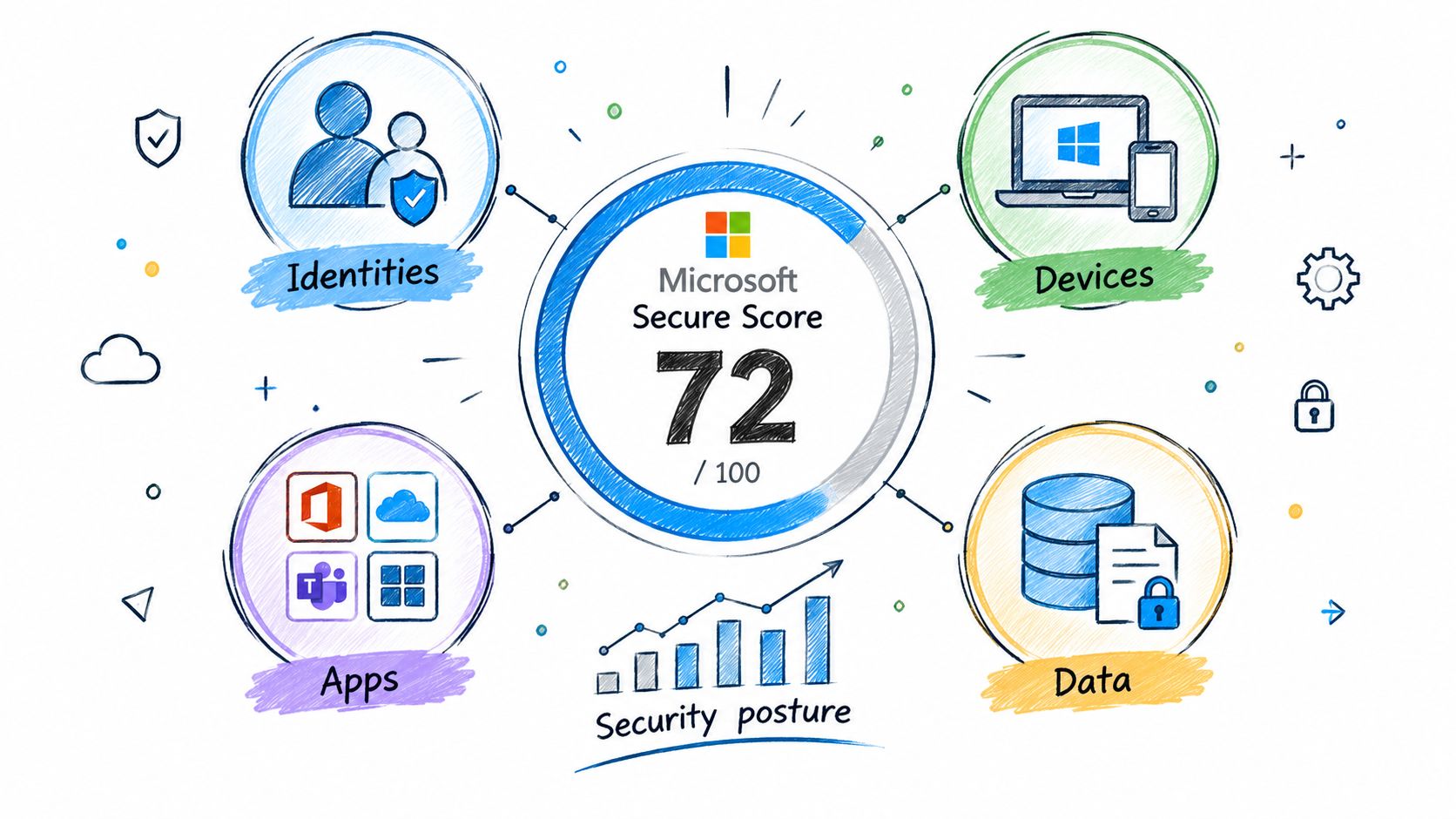
You'll find it at the Defender portal under https://security.microsoft.com/securescore, inside the broader exposure management workflow. Microsoft shows the score as a percentage and also as points achieved out of total possible points, which makes it usable for benchmarking and KPI tracking in a real security program, not just as a dashboard ornament, according to the Microsoft improvement actions documentation.
Where SMBs get tripped up
Owners and office managers around Greenwood usually expect one clean answer. Secure Score doesn't work that way. It pulls posture information across identities, devices, apps, and data inside your Microsoft estate. If you manage laptops with Intune, email with Exchange Online, files in SharePoint, and sign-ins through Entra ID, the score rolls those worlds together.
That's useful. It's also why the number can feel muddy.
A few practical notes:
- What you can control matters most. If a recommendation depends on licensing or a Microsoft feature you don't use, it may affect how the platform frames your possible score.
- Categories help more than the headline number. Identity, device, app, and data recommendations tell you where your real exposure sits.
- History matters. Microsoft includes a History tab with score changes over time, plus actions and categories, so you can track movement instead of staring at a single snapshot.
One fast check outside the score
If your team sends invoices, quotes, or patient communication through Microsoft 365, email authentication should be checked alongside Secure Score. A simple SPF and DKIM checker can help confirm whether outbound mail authentication is set up cleanly. That won't replace Defender, but it does catch a common blind spot for SMBs trying to reduce spoofing and delivery headaches.
For a broader SMB view, this practical piece on managing cloud security for SMBs pairs well with Secure Score because posture only matters if it lines up with how your cloud tools are being used.
How the Score Is Calculated Behind the Scenes
The math behind Microsoft Secure Score is why small fixes often feel invisible. Microsoft treats it as a weighted security-posture metric. Each control has a maximum point value, and Microsoft divides that control's points across the resources in scope. Microsoft's own example shows that a control worth 6 points across 40 resources gives about 0.15 points per resource, and fixing 7 unhealthy resources adds about 1 point after rounding, as explained in Microsoft's technical community breakdown of Secure Score across the security stack.
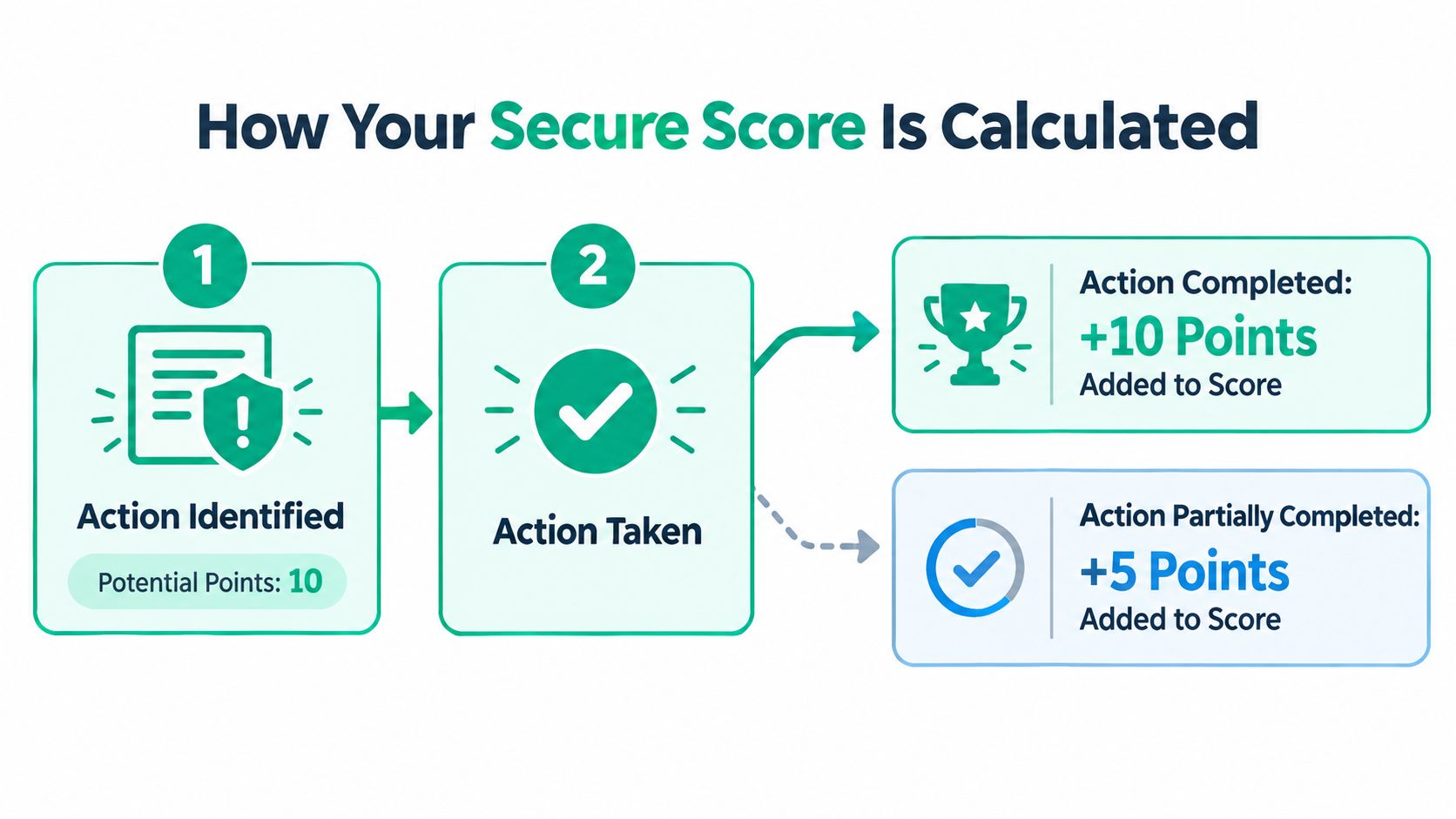
That's the part that gets overlooked. If you fix one mailbox, one stale account, or one laptop in a tenant full of users and devices, the dashboard may barely twitch.
Why one fix may not move much
Think of the score in three layers:
-
Control value
Microsoft assigns a maximum point value to a control. -
Resource spread
Those points get distributed across the users, devices, or other resources covered by that control. -
Completion state
You only gain the related points when the recommendation is addressed for the resource in scope.
So if your team remediates a handful of unhealthy objects, you may have improved real risk and still see only a tiny score bump. That isn't a bug. It's how weighted scoring works.
Here's the practical lesson for SMBs in old brick buildings with flaky Wi-Fi, mixed device ownership, and years of account sprawl: batch changes. Don't clean one account at a time and expect a dramatic story for leadership.
A score that barely moves can still reflect meaningful risk reduction if you fixed the right identity or device problem.
Later in the same cycle, I want clients to verify score movement against patching and endpoint work. This guide on patch management best practices fits that conversation because endpoint posture usually lags behind identity hardening in small teams.
A quick visual helps if you want to see the logic in motion:
What to do with that math
Use the score as a queue, not as a trophy.
- Batch identity fixes together. MFA, legacy auth cleanup, stale admin review, guest account cleanup.
- Group device work by policy. Intune compliance, BitLocker, Defender baseline, Windows Hello.
- Record before-and-after screenshots. Owners understand visible trend lines.
If you're trying to protect uptime, this approach matters. Every wasted hour your office manager spends guessing at Microsoft settings is an hour not spent on billable work, payroll, or customers. Managed work turns that chaos into a predictable monthly budget.
Why the Score Is a Moving Target in 2026
A lot of bad board reporting starts with one mistake. Someone treats Microsoft Secure Score like a fixed benchmark. It isn't fixed.
Microsoft's recent Security Exposure Management updates show the model is still changing. In 2026, Microsoft split side-by-side Microsoft secure score and Cloud secure score, and also moved some Cloud apps recommendations into the Identity category without changing the total score. Microsoft also updated recommendation categories in March 2026 to improve accuracy, which means category trends can shift even when your actual controls don't, according to Microsoft's what's new documentation for Security Exposure Management.
Three ways your trend line can lie
The number can mislead leadership for three common reasons:
| Scenario | November 2025 Snapshot | February 2026 Snapshot |
|---|---|---|
| Category reclassification | App-heavy recommendations appear under one category | Some recommendations appear under Identity instead, even if posture is unchanged |
| Score model changes | Historical category totals reflect the old structure | New category totals reflect updated grouping logic |
| Leadership reporting | Team presents category drop as deterioration | Category movement may be a portal change, not an operational failure |
That's why year-over-year comparisons need context. If a Johnson County owner asks whether the business got “less secure” because Identity dipped while the total score held, my answer is usually no. First check whether Microsoft changed the bookkeeping.
What to tell leadership
Don't present Secure Score as a grade. Present it as posture velocity.
Use language like this:
- We closed higher-impact gaps this quarter.
- Category shifts include Microsoft reclassification changes.
- Trend review combines score movement with actual control deployment.
Boardroom translation: “The score helps us prioritize work, but Microsoft periodically changes the way some recommendations are grouped, so we track both score direction and the controls we actually deployed.”
That message lands better with healthcare groups tracking HIPAA safeguards, defense suppliers mapping to CMMC, and general business owners aligning to NIST CSF. Compliance leaders care about control evidence, not just one moving number.
If you want a stable story, track three things together: Secure Score history, control rollout dates, and business impact. That means ticket volume, sign-in failures, incident noise, and any downtime avoided. The score by itself won't tell you that.
Reading Improvement Actions Like a Pro
The Improvement Actions tab is where Microsoft Secure Score becomes useful. It's also where small teams waste time if they click randomly.
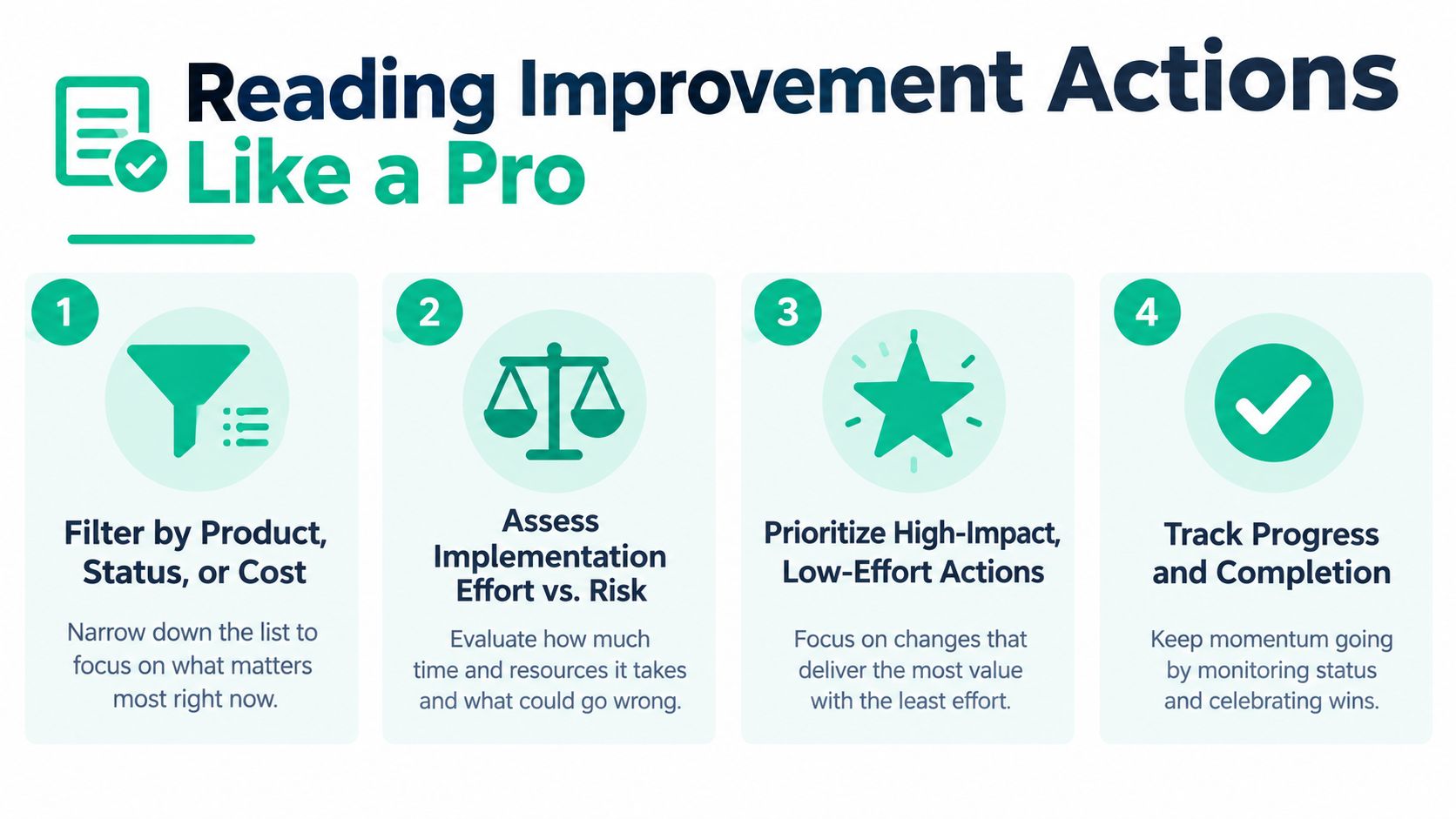
Start by filtering. Use product, status, and cost filters before you touch anything. Then sort your view around practical deployment logic: what cuts risk fast, what breaks nothing, and what won't chew up a week of staff time. Microsoft says the recommended-actions list is sorted by the most impactful items first so administrators can focus on changes that produce the largest score gains, as noted in Microsoft's guidance on investigating and improving security posture.
What deserves attention first
Most SMBs in Greenwood, Franklin, and the south side of Indy should prioritize identity actions before fussing with cosmetic settings.
Focus here first:
-
Privileged access cleanup
Review who has admin roles. If an account has high-level rights, that account needs the strongest protections first. -
Legacy authentication blocking
Old sign-in methods create avoidable exposure and don't fit a Zero Trust architecture. -
Conditional Access tuning
External sharing, risky sign-ins, unmanaged device access, and role-based restrictions matter more than renaming accounts or tweaking low-impact labels.
Microsoft Defender for Identity has also added newer Secure Score actions around privileged service accounts, stale Active Directory accounts, overlapping privileged accounts between Entra ID and Active Directory, and disabling Entra SSO, as described in this summary of newer Defender for Identity recommendations. For many SMBs, that's where the hidden mess lives.
A sequencing rule that works
I tell small teams to read each action through three filters:
- Will this stop account takeover?
- Will this disrupt users?
- Can we verify it quickly?
That usually produces the right order:
-
First wave
Zero-user-impact identity controls, stale account cleanup, privileged role review. -
Second wave
Conditional Access and app access controls that need communication and testing. -
Third wave
Device posture items that depend on Intune enrollment, endpoint baselines, and user hardware consistency.
If you need a plain-English primer before touching those policies, this post on Conditional Access policies explained is worth reading. It helps separate “good friction” from pointless friction.
How We Improve a Customer Score on the I-65 Corridor
A typical engagement starts the same way. A professional services firm between Greenwood and Franklin has Microsoft 365, a couple of old laptops still hanging around, too many admin exceptions, and no clean story for leadership. The owner wants fewer security surprises, cleaner audits, and less wasted staff time.
We don't start with the score. We start with the account map.
Week one in the real world
First, we inventory identity exposure. That means admin roles, guest accounts, stale users, mailbox forwarding surprises, sign-in methods, and exceptions nobody remembers approving. In one common scenario, the problem isn't malware. It's years of drift.
The technical workflow is straightforward:
- Sign into
https://security.microsoft.com/securescore - Review recommended actions by impact
- Cross-check Entra admin roles
- Review device enrollment in Intune
- Validate email protections in Defender for Office 365
- Confirm backup posture, including immutable off-site backups
For tenants that need structured outside help, Finchum Fixes IT can fold this into a managed remediation plan alongside SOC-as-a-Service monitoring, backup validation, UniFi networking cleanup, and endpoint work with tools such as Bitdefender GravityZone where mixed environments require layered controls.
What gets done first
Our sequence is opinionated because random sequencing burns hours.
-
Identity hardening first
Require MFA for privileged roles, remove stale guest access, tighten admin assignments, review service account exposure. -
App and sign-in controls second
Build or tighten Conditional Access policies and review anomaly visibility. -
Device compliance third
Intune enrollment, BitLocker confirmation, Windows Hello sign-in, and baseline cleanup. -
Detection tuning after that
Alert tuning matters because a noisy tool gets ignored. A quiet, verified signal gets action.
When a small business says “we can't afford downtime,” that also means they can't afford alert fatigue, broken sign-ins, or a fake sense of security from a pretty dashboard.
Local context matters. A manufacturer on the south side with shared terminals has different user-friction tolerances than a downtown Indy legal office or a healthcare clinic juggling HIPAA obligations. A defense-adjacent supplier thinking about CMMC will care more about access control evidence. A general business aligning to NIST CSF usually wants practical control mapping and less noise.
The goal is steady posture improvement without crushing billable work. Every hour your internal staff spends guessing through Defender menus is time they aren't serving customers.
Quick Wins a Small Team Can Ship This Week
If you're running a small office on Microsoft 365 Business Premium, you can make real progress in one afternoon. Don't try to “finish security.” Do the controls that cut risk fast and don't create chaos.
Start with identity
Open the Defender portal, then review Secure Score actions tied to sign-in risk. If you have the right licensing and policy maturity, build Conditional Access to require MFA for all users and block legacy authentication. If you're not ready for that, turn on Security Defaults and stop pretending passwords alone are enough.
Use this rhythm:
-
Check role exposure first
Review privileged accounts before broad rollout. -
Pilot smartly
Test on a small admin group, then expand. -
Document the rollback path
Know which account can still get in if a policy is too strict.
A practical companion is this guide on multi-factor authentication best practices, especially if you've never rolled MFA cleanly across a mixed office.
Lock down email and devices
After identity, harden the inbox. In Microsoft 365, that means reviewing Safe Links, Safe Attachments, and anti-phishing policy coverage so shared mailboxes and overlooked users aren't left out. Then confirm that every laptop is enrolled in Intune, BitLocker is active, and Windows Hello is the expected sign-in method for supported systems.
For teams that want a one-sitting checklist, use this:
-
Mailbox protections
Review Defender for Office 365 policies and make sure the same rule set reaches all active staff mailboxes. -
Device baseline
In Intune, confirm compliance visibility before enforcing restrictive access. Policy without device visibility is theater. -
Recovery readiness
Make sure the business has recent restore points, tested backup access, and a clear path to recover data if a device dies. That's where cybersecurity and data recovery meet.
On the hardware side, old laptops with failing drives and weak wireless cards can make policy enforcement look worse than it is. We've seen this in Greenwood offices with aging systems and poor Wi-Fi in thick-wall buildings. Sometimes the fix is security policy. Sometimes it's replacing junk hardware, adding latency-optimized mesh nodes, or rebuilding a damaged profile after a rough sync issue. When we dissembled a similar client's failing RAID array, the lesson was simple: resilience starts before the disaster, not after.
Before you close the browser, take screenshots of the score and the actions list. Leadership responds to visible movement. That visual proof helps justify the next round of work.
Turning Posture Gains Into Uptime and ROI
A higher Microsoft Secure Score only matters if it keeps the business running.
If a phish gets blocked before an employee clicks it, your front desk keeps answering calls instead of waiting on a mailbox rebuild. If a stolen password hits MFA and fails, payroll still runs on time. If a laptop disappears from a truck, Intune gives your team a way to lock it down before customer data leaves with it. That is the payoff. Fewer interruptions. Fewer cleanup days. Less money burned on preventable messes.
Where the return actually shows up
For a small business, the return usually lands in four places.
-
Less downtime
Even brief outages cost significant revenue, delay work, and shake customer trust. A score increase matters when it reduces the odds of account compromise, ransomware spread, or a device incident that stops people from doing their jobs. -
Fewer reactive tickets
Cleaner identity controls usually mean fewer password reset spirals, fewer suspicious sign-in investigations, and fewer mailbox compromise recoveries. -
More predictable IT spending
Planned security work is easier to budget than emergency response, surprise consulting hours, and after-hours recovery. -
More productive staff time
Your employees should be serving customers, shipping orders, billing work, or closing sales. They should not be stuck sorting out fake login prompts or waiting on a compromised laptop to be rebuilt.
Secure Score is a meter, not a destination
Treat Secure Score like a changing operational metric. Watch it. Use it. Do not worship it.
Microsoft updates recommendations. Your licenses change. New users arrive. Old devices hang around longer than they should. One project can raise the score this month, then a new exposure can drag it down next month. That is normal. The score moves because the environment moves.
The smart approach is to tie each improvement action to a business result. Ask blunt questions.
- Does this cut the chance of lockouts, compromise, or data loss?
- Does this reduce support tickets for a team that is already stretched thin?
- Does this help with HIPAA, CMMC, cyber insurance, or a customer security questionnaire?
- Does this protect a system the business cannot afford to lose for half a day?
If the answer is no, push it down the list.
How a good MSP turns score changes into ROI
A local MSP should not chase points for sport. The job is to sequence the work so the business gets risk reduction without wasting billable hours.
On the I-65 corridor, that usually means handling identity first, then endpoint control, then recovery validation, then the long-tail cleanup items that add smaller score gains. That order works because identity failures and unmanaged devices create expensive support problems fast. Backup testing and recovery planning come right behind them because a nice score does not restore a dead server or a corrupted SharePoint library.
That stack has to work together.
- Cybersecurity controls should block common attacks before they become cleanup projects.
- Networking should keep devices stable and visible so compliance policies apply.
- Cloud computing should follow documented policy instead of one-off admin choices.
- Data recovery should include tested restores, not just a dashboard that says jobs passed.
- IT support should catch drift early, before a small issue turns into a day of lost work.
The score helps you prioritize. Uptime is the result you are buying.
For Johnson County owners, the practical move is simple. Review the score regularly. Approve the actions that protect revenue, access, and recovery first. Measure success by fewer disruptions and faster recovery, not by a pretty number in the Defender portal.
If your Microsoft Secure Score is sitting there like a mystery number, we can sort it out. Finchum Fixes IT offers Security Risk Audits and Free Network Assessment options for Greenwood and Indianapolis businesses, with a prioritized remediation roadmap that connects Microsoft 365 posture to uptime, compliance, and a predictable monthly support plan.