SLA Response Time: How to Set Targets That Actually Work
At 8:40 on a Tuesday, an ERP connection drops, printers stop working, and the phones start ringing. SLA response time is the interval before a support professional acknowledges the problem and starts action. Set it by severity, channel, and coverage window, not as one vague promise.
A Greenwood manufacturer can lose more than time while a ticket sits unread. Operators reboot equipment, managers create conflicting fixes, and customers wait for answers. The technical fault may be simple, but the business disruption grows with every unanswered minute. For a small company, managed IT, cybersecurity, networking, cloud services, data recovery, and software support all need clear ownership when an incident starts.
Downtime can cost up to $9,000 per minute, so response commitments belong in the business continuity and ROI conversation, not just the help-desk report. A workable SLA turns wasted technology time into productive, billable hours and replaces surprise repair spending with a predictable monthly budget.
When Five Minutes Feels Like an Hour
At 8:40 a.m., a Greenwood manufacturer loses its ERP connection. Staff gather around printers that won't print, a production supervisor calls from the floor, and a regional sales representative locks themselves out of the system while trying to check an order. The provider receives the ticket, but it sits unread for 23 minutes while phones ring.
That silence changes behavior. Operators restart switches, unplug workstations, and open duplicate tickets. The sales rep tries an old password repeatedly. Nobody knows whether the issue is being investigated, whether the server is reachable, or whether the next shipment will leave on time.
When a technician finally acknowledges the incident, the actual fix takes five minutes. A network setting had changed. The repair is quick because the fault is simple. The damage is larger because no one gave the business a reliable signal that work had started.
The first human touchpoint matters
A portal receipt isn't reassurance. A ticket number isn't ownership. During an outage, the customer needs a person to confirm the severity, name the next action, and establish when the next update will arrive.
That first contact also controls escalation. If the support team identifies a company-wide ERP outage as P1 immediately, an on-call engineer can investigate the network, protect evidence, and stop staff from making risky changes. If the ticket remains in a general queue, the same incident can spread across departments before anyone applies technical triage.
Business owners often notice this in revenue terms first. Slow responses affect opportunities as well as infrastructure, and resources such as estadísticas de pérdida de leads help connect delayed communication with commercial risk.
Questions worth asking before signing
A useful SLA should answer three practical questions:
- Who responds: Is the first contact a named technician, an on-call engineer, or only an automated system?
- How fast do they respond: Does the target change for P1, P2, P3, and P4 incidents?
- What happens next: Does the acknowledgment include a ticket number, severity, owner, and next update?
The right promise depends on business impact. A dental clinic can't treat an electronic health record outage like a request for a new monitor. An accounting firm approaching a filing deadline needs a different escalation path from a routine access question. The number customers feel isn't always the number that fixes the issue. It is the time before someone credible takes responsibility.
What SLA Response Time Actually Means
SLA response time is the elapsed period between ticket creation and a support team's formal acknowledgment and start of action. It isn't the same as resolution time, and it shouldn't be satisfied by an automatic email, a routing event, or a link to a knowledge base.
Think of an emergency room. The reception desk or triage nurse acknowledges your arrival, records the problem, and directs the next step. That resembles response time. The doctor diagnoses the condition and provides treatment, which resembles resolution. Both matter, but combining them lets a provider advertise a fast acknowledgment while the customer waits hours for meaningful work.
Keep the three clocks separate
- First-response time: The period from ticket submission to the first documented human acknowledgment.
- Mean time to resolve, or MTTR: The period from ticket creation until the issue is fixed, confirmed, or otherwise closed under the agreement.
- Mean time between failures, or MTBF: The average operating interval between service failures. It describes reliability, not support responsiveness.
A strong first response doesn't prove that the team resolved the incident well. A short MTTR doesn't excuse leaving the customer without confirmation during the opening phase. MTBF can show that aging hardware, unstable Wi-Fi, or a failing cloud dependency needs engineering attention, but it won't tell you whether the provider answered the phone.
Define a real acknowledgment
Count the response only when the record contains:
- A human owner: The technician or engineer responsible for the next action.
- A severity decision: The ticket's initial priority and the reason for it.
- A concrete next step: For example, checking the UniFi gateway, reviewing Bitdefender GravityZone alerts, or calling the site manager.
- A customer-facing expectation: The next update time or escalation condition.
Don't count an auto-response, a duplicate-ticket notice, a generic “we received your request” message, a routing event, or an unattended knowledge-base link. Automation can improve intake, and this practical guide to instant response offers useful context for designing that first contact, but automation shouldn't masquerade as human engagement.
That distinction protects both sides. The customer gets a measurable commitment, while the provider can separate intake automation from engineering work and report each metric accurately.
Setting Targets by Severity Level
One response number is a poor fit for a mixed SMB queue. A company-wide email outage, a single locked account, and a request for new software don't carry the same operational risk. A four-tier model gives Johnson County business owners a starting point they can adjust to staffing, hours, dependencies, and compliance obligations.
The table below combines practical SMB targets with established IT service benchmarks. Critical incidents commonly receive a 15 to 30 minute acknowledgment target, high-priority issues about one hour, medium issues about four business hours, and low-priority requests one to two business days, as described in Freshworks' ITSM response-time guidance and the University of Minnesota incident process. The resolution targets are negotiation starting points, not universal standards.
SLA Response Time Targets by Severity Level
| Severity | First Response | Resolution Target | Example Scenario |
|---|---|---|---|
| P1, critical | 15 minutes, phone or live acknowledgment | 1 hour | A Greenwood dental clinic loses access to its electronic health record system or payment workflow |
| P2, high | 1 hour | 4 hours | An Indianapolis accounting firm has one department blocked by a failed application or degraded VoIP |
| P3, medium | 4 business hours | Next business day | A Franklin logistics office has a slow application, peripheral problem, or access request with a workaround |
| P4, low | 1 business day | 5 business days | A routine how-to question, equipment request, or non-urgent software change |
A P1 means the business is stopped, revenue is exposed, or a critical system is unreachable. The responder should use the fastest available channel and confirm that a real engineer is engaged. A P2 blocks an important workflow but leaves the organization partially operational. P3 has a workaround, while P4 can wait without creating immediate business risk.
Published institutional agreements show why compliance should be measured against thresholds, not averages. Stanford's server-management SLA requires Level 1 issues during normal business hours to receive a response within 30 minutes 100% of the time, with different commitments for off-hours and lower levels. The same agreement specifies Level 2 within 4 hours, Level 3 within 1 working day, and Level 4 within 3 working days. UCSF's standard uses separate response thresholds for phone and online submissions. These examples appear in the Stanford response SLA.
Practical rule: Set the target around business impact, then confirm that your staffing, monitoring, spare hardware, and escalation process can actually meet it.
For healthcare, add HIPAA-aware incident handling and evidence preservation. For defense contractors, connect escalation and response records to CMMC expectations. General businesses should map security incidents to the NIST CSF, especially when a compromised endpoint, cloud account, or backup system could become a continuity event.
A business impact analysis helps owners rank those consequences before assigning P1 or P2 status. This business impact analysis template can support that exercise.
Coverage Windows and Channel Differences
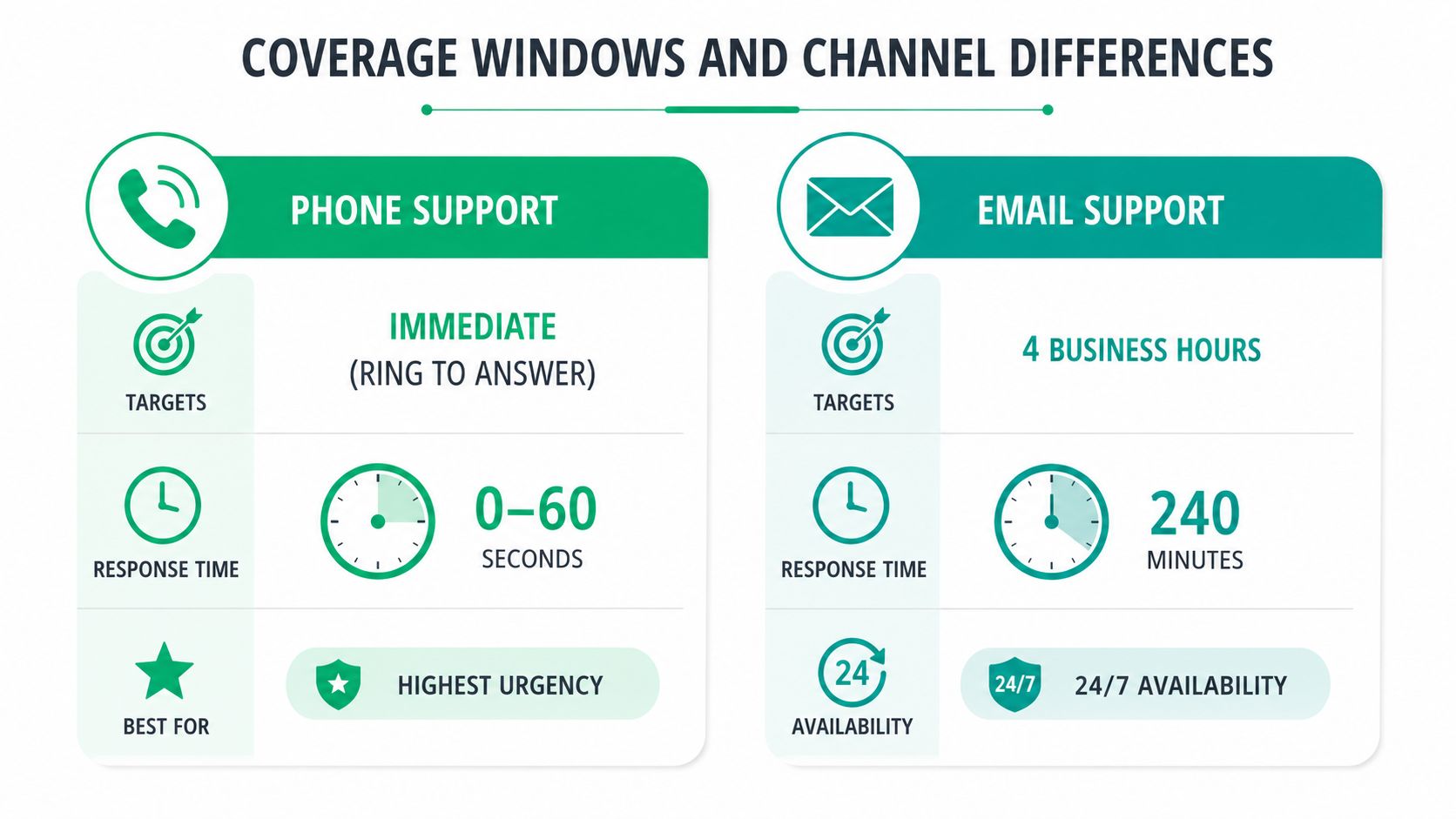
A response target only means something if the agreement defines when the clock runs and which channel starts it. A phone call to a live support line carries more urgency than an email sent after business hours. A portal can capture detailed logs, but an automated receipt doesn't prove that an engineer has taken ownership.
A Greenwood distributor might require phone or live acknowledgment for a P1 during business hours, extended coverage for P2 issues, and next-business-day handling for P4 requests. A downtown Indy tech hub with distributed staff may choose 24/7 P1 coverage because an after-hours outage can affect customers in other time zones. Neither policy is automatically right. The contract needs to match the operating model.
Build two flexible axes
Use coverage windows and channels together:
| Channel | Business-hours approach | After-hours approach | Best use |
|---|---|---|---|
| Phone | Immediate live acknowledgment for P1 | On-call answering or callback with a defined target | Outages, security events, production stoppages |
| Portal | Automated receipt plus human response by severity | Queue and prioritize by impact | Detailed incidents and audit trails |
| Human response within the tier target | Next coverage window unless P1 rules apply | P3 and P4 requests | |
| Live chat | Live queue ownership | Published availability or escalation to phone | Quick triage and user guidance |
Automation helps with ticket classification, duplicate detection, status updates, after-hours P3 and P4 intake, and routing to the right queue. It can also flag a suspected ransomware event, endpoint isolation need, or backup alert for a human to review. It hurts when a P1 caller receives only a bot message while nobody confirms that an engineer is investigating.
The agreement should state the time zone, holidays, maintenance exclusions, and whether business hours mean the provider's schedule or the customer's schedule. It should also state whether a ticket created by email, chat, phone, or monitoring alert enters the same timer.
A help-desk platform can make those rules visible. Businesses comparing options can review this guide to the best help-desk software for small business in Indiana. The tool matters less than the discipline. A beautifully configured portal won't compensate for a missing on-call owner.
The video below is useful for teams reviewing how channel design affects service expectations.
Measuring First-Response Compliance
A response commitment becomes operational only when the ticketing system records the same events for every ticket. In ITSM practice, first-response compliance is the percentage of in-scope tickets acknowledged within the agreed target, rather than an average that can hide late critical incidents.
Use this calculation:
First-response compliance = tickets acknowledged within target ÷ total tickets in scope
The denominator deserves as much attention as the numerator. Define whether the report includes after-hours tickets, monitoring-generated alerts, reopened tickets, duplicates, spam, and tickets that customers miscategorized. If an agreement pauses the clock outside coverage, the report must apply that rule consistently instead of removing difficult tickets after the fact.
Fields that make the report trustworthy
Capture these fields at intake:
- Creation timestamp: Include the source system and time zone.
- First human-touch timestamp: Keep it separate from the automatic receipt.
- Responder identity: Record the technician, engineer, or on-call role.
- Channel: Phone, portal, email, chat, or monitoring alert.
- Severity at intake: Preserve the original classification and later changes.
- Coverage status: Show whether the ticket arrived during an active service window.
Review trends over 30, 60, and 90 days to distinguish a temporary spike from structural drift. A storm-related outage along the I-65 corridor can produce a short-term volume surge. Repeated misses every month suggest a routing, staffing, or monitoring problem.
| Severity | Target | Tickets in Scope | Met Target | Compliance % | Trend vs Prior Month |
|---|---|---|---|---|---|
| P1 | 15 minutes | ||||
| P2 | 1 hour | ||||
| P3 | 4 business hours | ||||
| P4 | 1 business day |
Leave the blanks for actual ticket data. The table is a scorecard structure, not permission to manufacture performance results. Compare each severity separately, then check whether the ticket mix changed. A month with more P1 incidents may produce a different overall result from a month dominated by P4 requests even when the team handled each category consistently.
Response speed also needs an outcome check. Recent benchmark material reports that perceived lost time per IT ticket averages 3h 18m, and it cautions that a fast first response alone doesn't necessarily reduce backlog or resolution time, as discussed in the Milnsbridge SLA benchmark report. That is why a remote monitoring program, endpoint alerting, and capacity review belong beside the response dashboard. A practical starting point is this guide to remote monitoring tools for SMB uptime and compliance.
For logistics firms, operational planning has the same principle. A route planner can expose delays before they become customer complaints, much like a ticket report exposes SLA drift. The route planner that cuts delivery costs is a useful example of turning activity records into management decisions.
Sample SLA Language You Can Use Today
Vague phrases such as “prompt response,” “reasonable efforts,” and “as soon as possible” create arguments because neither party can test them. A useful agreement names the clock, the event that starts it, the evidence that stops it, and the person who receives an escalation.
The following language is designed for an SMB agreement. Adapt the service scope, coverage window, exclusions, and remedy to the actual provider relationship.
Define the response commitment
First response: “Provider will acknowledge each in-scope ticket through the agreed support channel within the applicable target below. Acknowledgment requires a named responder, ticket reference, assigned severity, and documented next action. An automated receipt, routing event, or knowledge-base link alone does not satisfy first-response compliance.”
| Severity | Business impact | First-response target | Primary channel |
|---|---|---|---|
| P1 | Business-stopping outage or active security incident | 15 minutes | Phone or live acknowledgment |
| P2 | Major workflow blocked without a practical workaround | 1 hour | Phone, portal, or email |
| P3 | Limited impact with a workaround available | 4 business hours | Portal or email |
| P4 | Request, question, or planned change | 1 business day | Portal or email |
This clause protects the customer from a technically accurate but practically empty auto-reply. A provider may push back on the requirement for a named responder during a large intake surge. The compromise can be a named on-call role, provided the ticket identifies the responsible queue and the next action.
Separate updates from resolution
Work-in-progress updates: “For P1 and P2 tickets, Provider will document status updates at the frequency agreed for the service window. An update does not reset the first-response clock and does not represent resolution unless the customer confirms restoration or the ticket record documents the approved closure condition.”
Resolution: “Resolution time begins at ticket creation and ends when the service is restored, a supported workaround is accepted, or the customer approves closure. Provider will record the resolution evidence and any follow-up recommendation.”
These sentences stop a provider from counting repeated “we're still looking” messages as completed work. They also prevent a customer from treating an acknowledgment as a repair.
Make escalation automatic
Escalation: “If a P1 ticket has no qualifying acknowledgment after 30 minutes, the system will route it to the on-call lead. If it remains unacknowledged after 60 minutes, it will route to the service delivery manager and notify the customer contact.”
Use named roles, not personal names that become obsolete. Tie the path to the ticketing system of record so both parties can inspect timestamps. Businesses reviewing broader contract protections can use this managed services agreement template guide.
Use measured remedies
Service credits: “If Provider misses an applicable first-response target, Customer may request a service credit against the affected monthly managed-service fee. Credits will be reviewed through the monthly service report and will not limit either party's obligations to investigate, communicate, and correct the underlying cause.”
Service credits are usually healthier than automatic termination triggers. They recognize a service failure without encouraging a provider to abandon a difficult account. The agreement should also define exclusions, including customer-caused delay, unavailable customer contacts, approved maintenance, and force majeure events. Don't allow exclusions to erase ordinary staffing failures.
Negotiation Tips for SMBs in Central Indiana
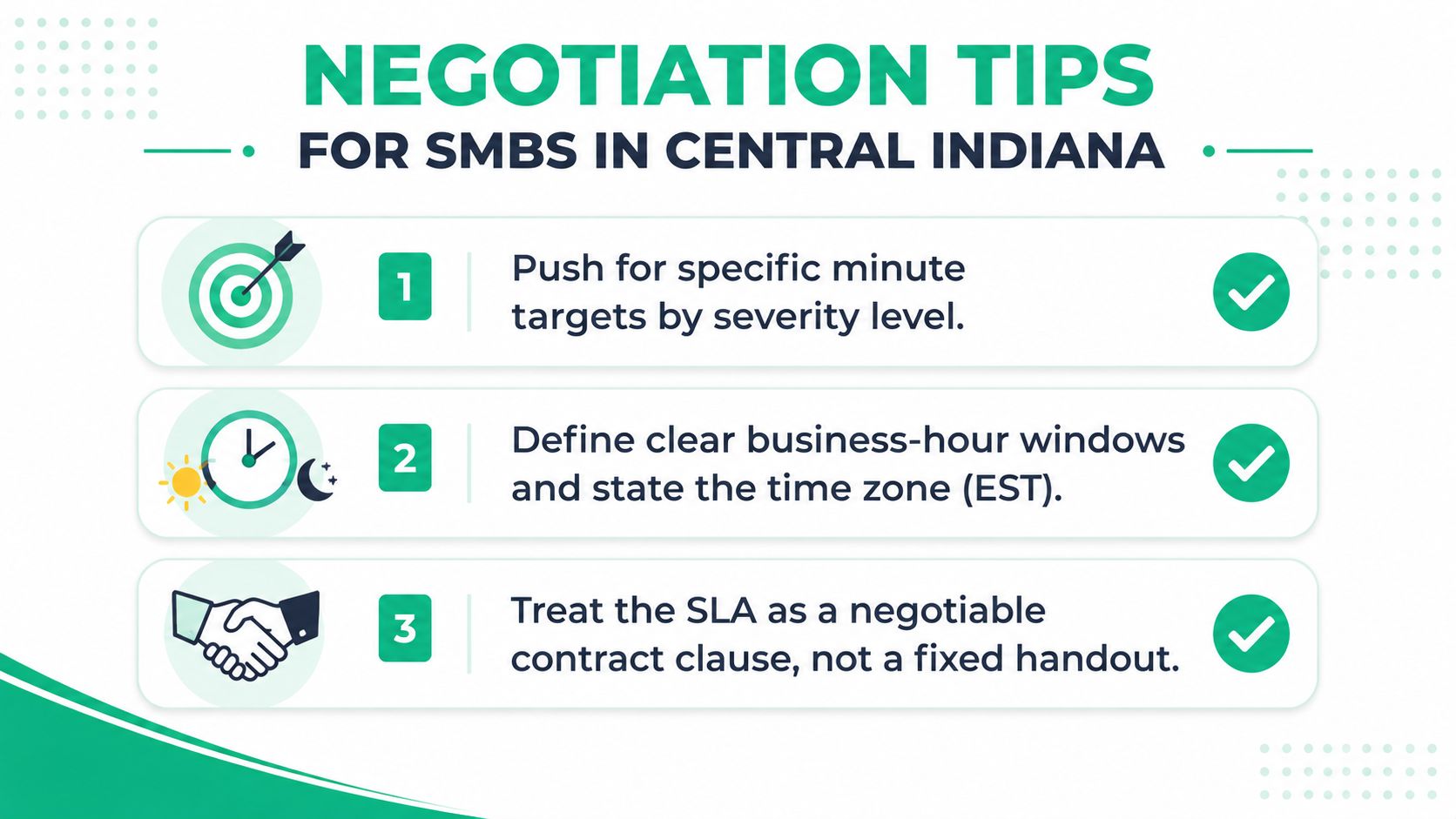
Treat the SLA as a contract clause, not as a sales handout. A provider serving the I-65 corridor should be able to explain who answers at 2 p.m. in Greenwood, who responds after a storm knocks out a site, and how an incident reaches an engineer when the general queue is busy.
Ask for the target in minutes or hours by severity. Put the coverage window in Eastern Time, including holidays and after-hours rules. Require the ticket system of record, monthly reporting, and an escalation path with roles that exist in the provider's operation.
Red flags in a draft
- “Prompt response”: Ask for a measurable first-human-response target.
- “Best efforts”: Ask what action occurs when the target is at risk.
- “Business hours”: Ask for the exact days, hours, time zone, and holiday treatment.
- “Resolved”: Ask whether the customer must confirm restoration and what evidence closes the ticket.
- “24/7 support”: Ask whether that means live engineering, an answering service, monitoring alerts, or a callback queue.
A measurement window of at least 90 days gives both sides enough operating history before penalties trigger. Use service credits rather than penalties so the remedy is meaningful but doesn't make a good provider economically unstable. Replacing an MSP in the I-65 corridor can consume months of rebuild time, especially when the environment includes undocumented VLANs, aging servers, cloud dependencies, HIPAA records, PCI workflows, or CMMC evidence.
A short buyer's checklist
Before signing, confirm that you can answer these questions:
- Severity: What business condition makes a ticket P1 instead of P2?
- Clock: When does response time start, and which timestamps prove compliance?
- Coverage: Who responds during business hours, after hours, weekends, and holidays?
- Escalation: Which role receives an unacknowledged or at-risk ticket?
- Reporting: Will the provider show first-touch timestamps, severity, channel, and compliance by tier?
- Security: Does the process preserve evidence and support HIPAA, PCI, CMMC, or NIST CSF obligations where applicable?
- Continuity: Are immutable off-site backups, tested recovery, and aging hardware remediation part of the broader plan?
A managed provider should also explain the technical controls behind the promise. That may include latency-optimized mesh nodes for an old brick building, Zero Trust architecture for remote access, SOC-as-a-Service monitoring for security events, bit-level data recovery for damaged storage, or a migration plan that removes a failing RAID dependency instead of waiting for it to break.
For owners comparing providers, this guide to choosing a managed service provider can help structure the conversation. Finchum Fixes IT offers managed IT support, cybersecurity, networking, data recovery, and 24/7 technical support, with an operating model that includes urgent response handling for Indiana businesses.
If your Greenwood or Indianapolis business has an SLA that says “prompt response” without defining severity, channel, and coverage, schedule a Free Network Assessment or Security Risk Audit with Finchum Fixes IT. The team can review aging hardware, UniFi networking, endpoint protection, immutable off-site backups, and escalation workflows, then give you a practical response plan tied to business continuity and predictable IT costs.