What Is Two Factor Authentication: Protect Your Business

A lot of Indiana business owners find out they have a password problem before they realize they have a security problem. It usually starts with a morning alert from Microsoft 365, Google Workspace, a bank portal, or payroll software. Someone's password showed up in a breach. Nothing looks broken yet, but now you're wondering whether that one login could shut down the whole workday.
That concern is justified. A single stolen password can turn into locked email, fake invoice fraud, ransomware exposure, or a compliance headache if you handle healthcare data, defense work, or customer financial records. In Greenwood, along the I-65 corridor, that kind of downtime doesn't feel like an abstract IT issue. It means phones stop ringing, orders stall, and your staff burns hours on cleanup instead of billable work.
Your Password Was Breached Is Your Business Next
TL;DR
- If a password gets exposed, the question is no longer whether that account is risky. It is how much damage someone can do before you catch it.
- 2FA cuts off a large share of password-based break-ins with one change. The attacker needs the password and a second proof.
- For most Indiana small businesses, email, payroll, file access, and remote logins should be first in line.
- SMS is better than password-only. Authenticator apps and hardware keys usually hold up better in real business use.
- A good rollout lives or dies on backups, recovery steps, and user training. Skip those, and your help desk tickets go up fast.
- If you handle healthcare data, defense contracts, or regulated client records, 2FA supports compliance and reduces the odds of an ugly Monday morning.
It is 7:12 a.m. Your office manager gets a Microsoft 365 alert saying an employee password was found in a breach. By 8:00, you are asking the right question. If that password still works, what else can someone get into before your staff finishes coffee?
That is why business owners in Greenwood and across Johnson County keep hearing about two-factor authentication. What is two factor authentication? It means a password by itself does not get someone into the account. The user also has to approve a prompt, enter a code, use a hardware key, or provide a biometric sign-in tied to a trusted device.
For a small or mid-sized business, that extra step is usually cheaper than the cleanup from one stolen login. I see the trade-off every day. Owners worry about one more tap on a phone. They worry a lot more after a mailbox starts sending fake invoices or payroll access gets locked up.
Why this matters to operations
Damage usually is not the login itself. It is what the attacker does five minutes later.
- Email exposure: Someone gets into Microsoft 365 and sends payment-change messages from a real mailbox your customers already trust.
- Workflow disruption: Payroll, accounting, scheduling, or remote access gets blocked while your team tries to reset accounts and verify activity.
- Compliance trouble: If your business falls under HIPAA, CMMC, or follows NIST CSF, weak login controls create avoidable audit and risk problems.
- Labor loss: Your office manager, bookkeeper, and IT support stop their normal work to contain one account issue that spreads into several.
Passwords still matter, of course. Weak password habits and no 2FA is a bad combination. If your team needs to tighten the first layer too, review these password management best practices for businesses.
Why small businesses still put it off
The delay usually is not about ignorance. It is about friction.
A local company may have Microsoft 365, QuickBooks, a line-of-business app in the warehouse, a remote desktop setup nobody wants to touch, and a few employee-owned phones mixed in. Owners hear "security upgrade" and picture support calls, locked-out users, and one more project with no clear payoff.
The payoff is fewer account takeovers, less downtime, and less time spent cleaning up preventable access problems. That is the business case.
The companies that struggle most after a breach are often not the ones with the worst intentions. They are the ones that waited because the setup looked inconvenient. If your business depends on cloud logins, email, shared files, banking access, or remote work, 2FA belongs in the same category as backups and antivirus. It protects the systems you use to stay open.
How Two Factor Authentication Actually Works
A clean way to understand 2FA is the bank vault analogy. Your password is one key. The second factor is the bank's key. You need both at the same time to open the vault.
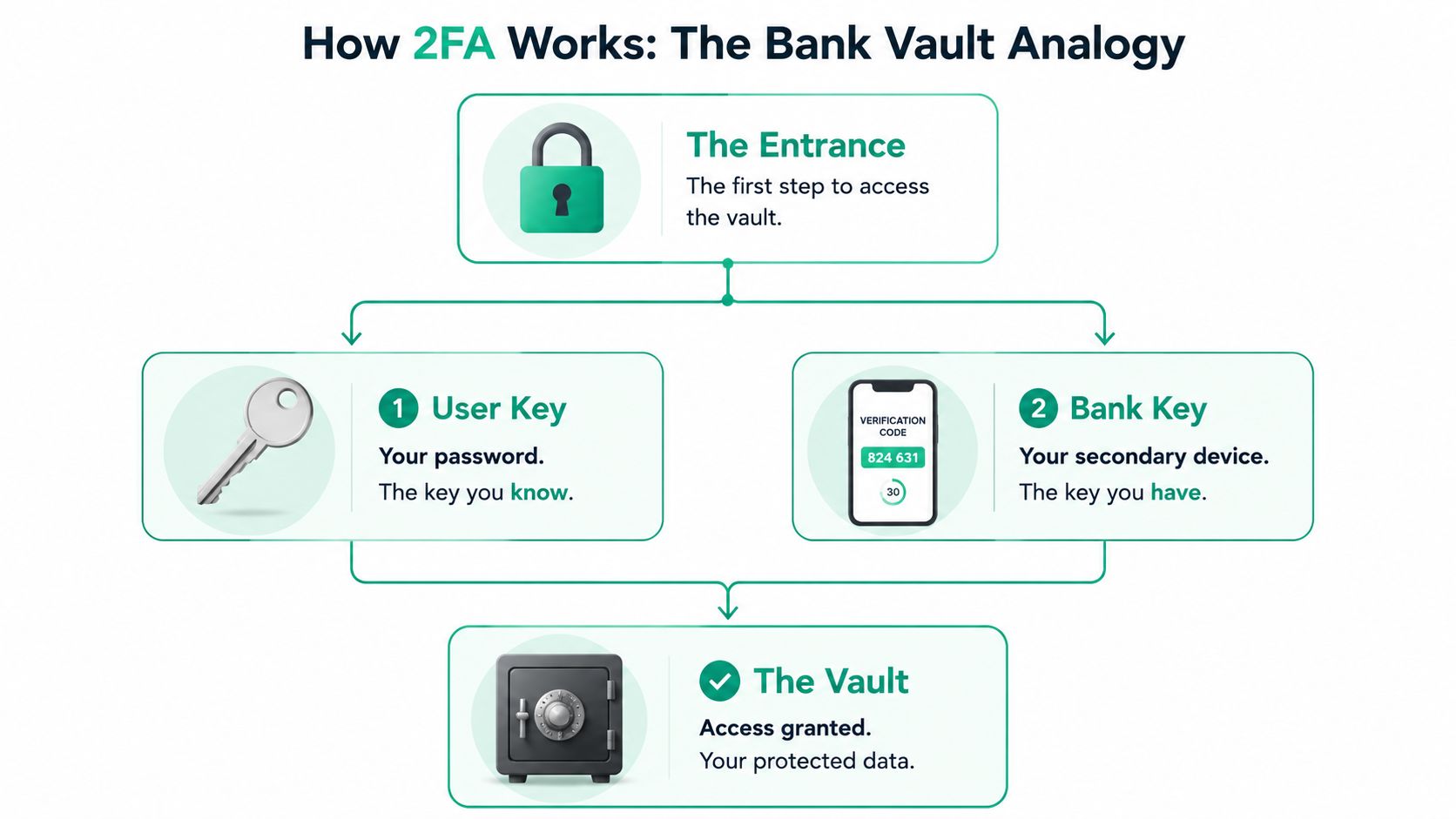
That second factor usually comes from one of three categories:
- Something you know: a password or PIN
- Something you have: a phone, authenticator app, or hardware key
- Something you are: a fingerprint or facial scan
Two-factor authentication uses two different categories, not two things from the same category. Two passwords don't count. A password plus a one-time code does.
What happens during login
Most business owners see only the front end. Enter password. Get prompted again. Approve or type code. Done.
Under the hood, the service checks your first credential, then asks for a second proof of identity before it creates the session. That's why stolen passwords become far less useful. The attacker may know one secret, but they don't possess the second factor.
For companies comparing authentication methods across phones, biometrics, and app-based logins, this guide on passwords and biometrics for Central Indiana businesses is a useful next read.
How authenticator apps work
Authenticator apps are usually the sweet spot for SMBs. Microsoft Authenticator, Google Authenticator, Duo, and Authy all follow the same basic idea.
After the password is accepted, Time-based One-Time Passwords (TOTP) use a shared secret key to generate synchronized 6 to 8 digit codes every 30 seconds using HMAC-SHA1, as defined by RFC 6238, according to this technical explanation of TOTP apps. That's why the code on your phone changes constantly, and why it still works even when your office Wi-Fi is spotty.
Here's the practical version:
- The service and the app agree on a secret during setup.
- Both use time plus that secret to generate a short-lived code.
- You enter the code, or approve the prompt tied to it.
- If the values match inside the allowed time window, access is granted.
That's a big upgrade over plain passwords because the code expires fast and depends on the enrolled device.
How hardware keys work
Hardware keys such as YubiKey use a different model. They don't just show you a code. They use public-key cryptography through FIDO2 WebAuthn.
That matters because the private key stays on the device. It isn't copied out, pasted into a fake page, or typed by the user. The browser sends a challenge, the key signs it, and the server verifies the response. That design is much more resistant to phishing than methods that rely on users reading and entering a code.
What works well in the field
For most SMBs around Greenwood and Indianapolis, the practical order is simple:
| Factor type | How it feels to the user | Operational fit |
|---|---|---|
| Authenticator app | Open app or approve prompt | Best starting point for most office staff |
| Hardware key | Insert or tap key | Best for admins, finance, compliance-heavy roles |
| Biometric with a trusted device | Fingerprint or face scan | Useful where company-managed devices are in place |
Practical rule: Pick the strongest method your staff will actually use every day without help desk drama.
That's the essential balancing act. Security that frustrates users gets bypassed. Security that's too weak creates cleanup work later.
Choosing Your 2FA Method SMS vs Apps vs Hardware Keys
Not all 2FA methods are equal. They all improve on password-only logins, but they don't all handle phishing, device loss, or day-to-day usability the same way.
If you're a Johnson County business owner trying to decide what to turn on in Microsoft 365, QuickBooks, VPN access, remote desktop, or cloud apps, treat each method like a tool for a specific job. Don't ask which one is “best” in the abstract. Ask which one fits your staff, risk level, and support capacity.
The quick comparison
| Method | Security Level | User Convenience | Best For |
|---|---|---|---|
| SMS codes | Basic | Familiar for most users | Temporary use, low-complexity environments |
| Authenticator apps | Strong | Good once enrolled | Most SMB staff and everyday business apps |
| Hardware keys | Strongest practical option for many roles | Very good after setup, but requires physical device management | Admins, finance, executives, HIPAA, CMMC, and higher-risk users |
SMS codes
SMS is usually the easiest to explain. The system texts a code to the user's phone. They type it in and move on.
That convenience is why a lot of businesses start there. It feels familiar, especially for teams that aren't technical. The problem is that convenience can hide weakness. SMS depends on phone number possession and carrier processes, which is not where you want your strongest security control to live.
SMS still has a place. It's better than no second factor at all. But I wouldn't make it the long-term standard for privileged accounts, payroll access, or anything tied to sensitive client data.
Authenticator apps
Authenticator apps are where most SMBs should land first. Microsoft Authenticator fits naturally in Microsoft 365 shops. Duo works well for mixed environments. Authy and Google Authenticator are also common.
The upside is straightforward:
- Stronger than SMS: You're not relying on text delivery.
- Works offline: Helpful in older brick buildings, basements, warehouses, and dead spots around Central Indiana.
- Low hardware overhead: Staff use a device they already carry.
The trade-off is process. You need documented enrollment, secure backup codes, and a plan for lost or replaced phones. Without that, a basic security improvement can become an avoidable lockout problem.
If you want a broader policy view beyond this article, these MFA best practices for businesses are a solid companion.
Hardware keys
Hardware keys take more planning, but they solve several problems well. They're especially useful for owners, executives, administrators, accounting staff, and anyone with higher permissions.
They shine in environments where phishing resistance matters. A hardware key also gives you a cleaner separation between company identity and employee-owned phones. That can simplify offboarding and device policy, especially in regulated businesses.
The trade-offs are obvious too:
- You have to buy, assign, and track physical keys.
- Users need a backup key or a recovery path.
- Some cloud apps support them better than others.
What I'd choose by business type
A one-size-fits-all answer usually creates support tickets. A mixed approach works better.
- Small office with Microsoft 365 and basic cloud apps: Start with authenticator apps for everyone.
- Medical practice under HIPAA: Use authenticator apps broadly, then move admins and billing roles to hardware keys.
- Defense subcontractor thinking about CMMC: Use phishing-resistant methods for privileged users and tighten recovery workflows.
- Warehouse, field service, or construction team: Keep the workflow simple. App-based 2FA often works better than methods that depend on strong signal.
A useful way to train your internal lead
If you have an operations manager or office administrator helping with rollout, it helps when they understand the why behind the controls. A good non-vendor resource is this comprehensive Security+ mock exam, which covers the kind of authentication concepts that make rollout conversations much easier.
Don't choose your 2FA method based only on setup speed. Choose it based on how likely it is to hold up when someone clicks the wrong email.
Real-World Threats 2FA Stops Cold
The attack most businesses picture is some hoodie-wearing stranger “hacking in.” The actual threat is usually less dramatic and more annoying. A reused password from an old breach. A fake Microsoft sign-in page. An employee who gives up one credential because the email looked normal enough at 8:12 on a Monday.
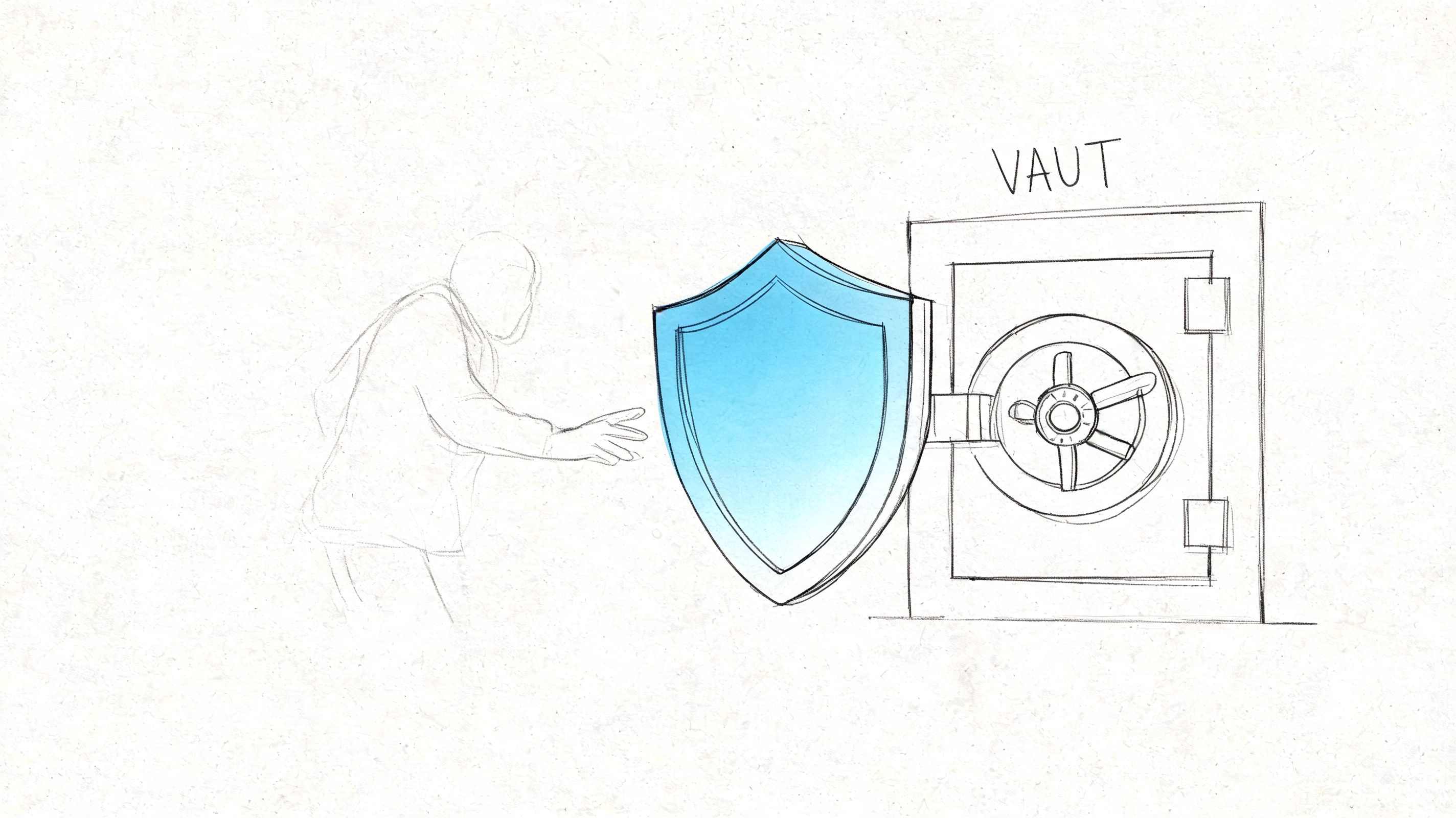
That's where 2FA earns its keep. It doesn't stop every bad thing on the internet. It stops a huge number of the account takeover attempts that turn ordinary business days into recovery projects.
Stolen passwords from old breaches
This one hits SMBs constantly because employees reuse passwords more often than they admit. A password leaks from some unrelated consumer service. An attacker tries that same username and password against Microsoft 365, payroll, CRM, or a remote access portal.
Without 2FA, that can work.
With 2FA, the stolen password is often just a dead end. The attacker gets the first lock open and then hits the second one.
Phishing that captures the first factor
In our local service work, we've seen plenty of phishing attempts aimed at healthcare, legal, and construction offices around Indy. One memorable case involved a medical practice outside Hamilton County. The office manager entered her password into a convincing fake login page after a rushed morning. That part went badly. The attack still failed because the criminal couldn't complete the second step tied to her device.
That's the business value of 2FA. A human made a mistake, and the business stayed standing.
If phishing is one of your top concerns, these practical anti-phishing strategies for business ROI connect the security side to lost time, insurance exposure, and operational disruption.
Why bots hate 2FA
Automated attacks depend on scale. Bots try huge volumes of credential combinations and look for the easy wins. A second factor breaks that workflow.
You can see a plain-language walkthrough here:
The reason this matters for SMBs is simple. Attackers don't need to target your company personally. They just need your login page to be easier than the next one.
Where 2FA fits in compliance
For HIPAA, CMMC, and broader NIST CSF alignment, 2FA is one of those controls that pulls more weight than its setup effort suggests. It helps reduce unauthorized access risk, protects remote logins, and supports a cleaner story during audits and cyber insurance conversations.
Strong 2FA doesn't replace endpoint security, immutable off-site backups, email filtering, or SOC-as-a-Service monitoring. It does make all of those controls less likely to get tested the hard way.
A Practical 2FA Rollout Strategy for Your Indiana Business
The hardest part of 2FA usually isn't the technology. It's rollout. A lot of SMBs have no dedicated IT department, a mix of old and new systems, and staff who just want to get into email and start working.
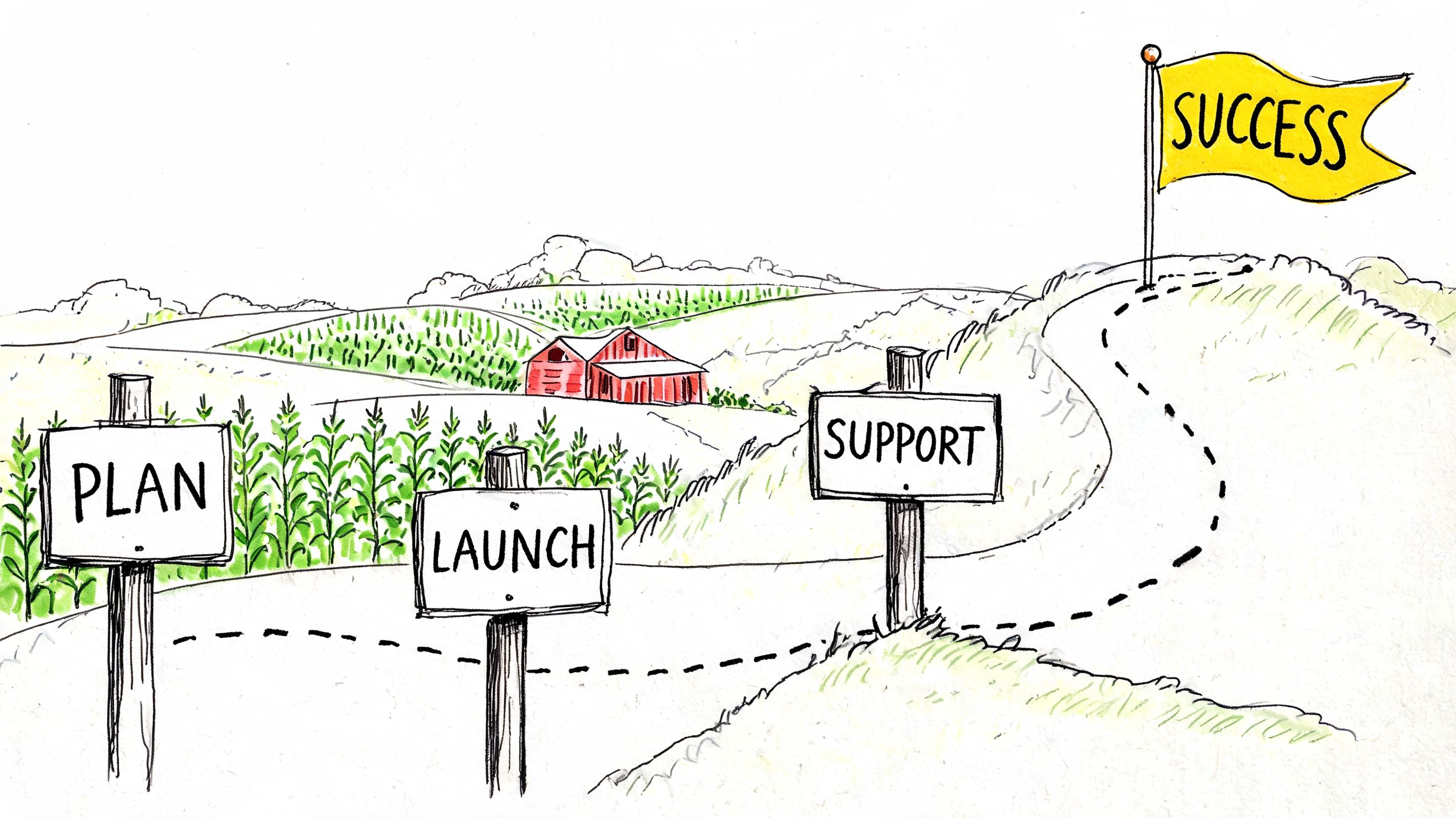
Microsoft notes that many SMBs struggle with 2FA implementation because of perceived friction and inconsistent setup across tools, which often leads to reactive adoption after a breach instead of a planned rollout with training and recovery procedures in place, as explained in this Microsoft overview of 2FA for business.
That tracks with what happens on the ground. A company delays. One account gets popped. Then everyone wants 2FA turned on by Friday.
Start with your highest-risk accounts
Don't begin with every system in the building. Start where compromise hurts the most.
-
Email and identity platforms
Microsoft 365 and Google Workspace come first because they're the front door to resets, approvals, and internal trust. -
Admin and finance roles
Owners, controllers, HR, IT admins, and anyone who can move money or create accounts should be early in the rollout. -
Remote access paths
VPNs, RDP gateways, cloud admin portals, and remote support tools need stronger authentication before lower-risk apps.
Keep the policy boring and clear
A messy 2FA policy creates support calls. A clean one gets adopted.
Use a short written standard that answers these questions:
- Which apps require 2FA first
- Which method is approved
- Who stores backup codes
- What happens when an employee gets a new phone
- How access is restored after device loss
- Who can approve temporary bypasses
If your business already has security gaps beyond authentication, use a full Indiana IT security audit checklist to find them before you stack on new controls.
Pilot before full deployment
A pilot group saves pain. Pick a small mix of users:
- one owner or executive
- one admin person
- one line-of-business employee
- one remote worker
Have them enroll, test backups, replace a device on paper, and document every confusing screen they hit. That gives you the actual playbook, not the vendor fantasy version.
Match the tool to your environment
For many SMBs, the built-in options in Microsoft 365 are enough to get moving. For larger or mixed environments, a unified platform such as Cisco Duo can make policy management cleaner across multiple systems.
This matters even more if your environment includes:
- UniFi networking and remote site access
- shared workstations
- contractors or seasonal staff
- compliance-sensitive data flows
- separate offices with uneven connectivity
Train for the awkward moments
Most lockouts happen during ordinary life events. New phone. Cracked screen. Employee leaves. App got deleted. Nobody knows where the backup codes went.
Cover those in training, not just the happy path.
Field note: The smoothest 2FA rollouts spend less time on the app itself and more time on recovery, offboarding, and who gets the call when someone is standing in the parking lot locked out.
A good rollout should reduce chaos, not add to it. When it's done right, your team spends less time on emergency resets and more time on actual work. That's the ROI side owners care about. Less wasted tech time. Fewer interruptions. More predictable support.
Beyond the Basics Advanced Security and Compliance
Once a business has basic 2FA in place, the next step is making it smarter. That usually means reducing user friction while increasing protection for the logins that look risky.
Adaptive 2FA
Risk-based or adaptive 2FA changes the prompt based on context. If a user logs in from a known device at the office, the system may allow a smoother path. If the same account suddenly appears from an unfamiliar location or device, the system can require a stronger second factor.
According to Cisco's overview of 2FA, risk-based adaptive 2FA can cut user friction by 50% by not prompting for a second factor during 70% of low-risk logins, and FIDO2 hardware keys proved 100% effective against phishing in Google's internal trials, which matters for organizations with stricter security and PCI-DSS concerns in particular. That's covered in Cisco's adaptive and phishing-resistant 2FA explanation.
For a growing company, that's a practical improvement. Staff don't get hammered with prompts on routine activity, and suspicious logins face tighter checks.
Zero Trust and monitored security
Basic 2FA protects the front door. A mature security program assumes every login, device, and request needs verification based on trust level, device health, and role. That's where Zero Trust architecture comes in.
In plain terms:
| Security layer | What it does |
|---|---|
| 2FA | Confirms the user has more than just a password |
| Zero Trust policy | Limits what that user can reach, even after login |
| SOC-as-a-Service monitoring | Watches for suspicious activity around the clock |
That combination is useful for healthcare groups, legal offices, manufacturers, and defense-adjacent firms around Indianapolis that need cleaner alignment with NIST CSF or CMMC expectations.
Why growing firms need more than a checkbox
A startup or fast-growing shop in a downtown Indy tech hub may begin with app-based 2FA and be fine for a while. As the environment gets more complex, the questions change. Which logins are high risk. Which users need hardware keys. Which systems feed alerting into centralized monitoring. Which cloud apps should trust device posture before granting access.
For leadership teams thinking along those lines, this article on protecting digital assets for startups is a useful outside perspective on broadening security controls before growth creates blind spots.
The big point is simple. 2FA is a foundation. It's not the whole house.
Frequently Asked Questions for Indiana Business Owners
Does an authenticator app need cell service or Wi-Fi
Usually, no. Authenticator apps can work offline, which makes them a good fit for old brick buildings, warehouses, and areas where signal is inconsistent.
Is 2FA enough for HIPAA or CMMC
No. It's an important control, but it's one piece of a larger program that should also include endpoint protection, secure backups, access control, patching, and monitoring.
What if an employee loses their phone
That's why every rollout needs recovery procedures. Store backup codes securely, assign an approval process for reenrollment, and avoid making one employee's personal phone the only path back into a business-critical account.
Should every employee get a hardware key
Not always. For many SMBs, app-based 2FA is the right default. Hardware keys make the most sense for privileged users, finance roles, owners, and compliance-sensitive accounts.
Will 2FA slow my staff down
If it's set up poorly, yes. If it's deployed with clear policies, training, and sensible tool choices, it becomes routine quickly and prevents much bigger productivity losses from account compromises.
Your Next Step Toward a More Secure Business
Two-factor authentication is one of the few security controls that makes sense to both the technical team and the owner signing the checks. It protects accounts, reduces avoidable downtime, supports compliance work, and cuts the hours your staff would otherwise waste cleaning up preventable account takeovers.
For Central Indiana businesses, that matters. Whether you're running a medical office in Greenwood, a contractor along the I-65 corridor, or a growing company with remote staff spread across the Indy metro, the same truth applies. Passwords alone aren't enough anymore.
The best time to roll out 2FA is before a breach forces the project onto your calendar. Done well, it fits into a broader security stack that includes Zero Trust decisions, secure cloud identity, endpoint controls like Bitdefender GravityZone, strong Wi-Fi design with latency-optimized mesh nodes or UniFi networking where needed, and immutable off-site backups that keep a bad login from becoming a business shutdown.
If your company is in Greenwood or the greater Indianapolis area, Finchum Fixes IT can help you turn 2FA from a nagging to-do into a clean, documented security control. Schedule a Free Network Assessment or Security Risk Audit to identify weak logins, risky recovery paths, and the fastest way to strengthen business continuity without creating a support nightmare for your team.