Why Is My Internet Out and How to Fix It Fast

Most internet outages come from a local device, router, Wi-Fi interference, DNS, or an ISP and power problem, and a layered check can isolate the fault quickly before you call the provider. Power failures led 11 of 26 major outage events in a 2026 tracker, so the failure may be upstream, not inside your office.
You're at a Greenwood business park, a Teams call has frozen, and three employees are asking the same question: “Why is my internet out?” The router lights look normal, which proves almost nothing. An aging switch, a bad access point, a failed ISP edge site, or a regional power problem can produce the same complaint.
That distinction matters along the I-65 corridor. Rebooting a healthy modem for the fifth time doesn't restore a damaged upstream route, and blaming the ISP doesn't fix a DNS problem on one workstation. A technician isolates the fault in layers, then chooses the smallest fix that restores service without creating a new one.
Why Your Internet Is Out Right Now
A brick office near downtown Indy can make Wi-Fi look unreliable even when the broadband circuit is healthy. Thick walls, metal shelving, neighboring access points, and poorly placed radios create dead zones and roaming problems. In a Greenwood business park, the opposite problem is common: old switches, neglected cabling, and a small battery backup leave network equipment exposed to short power events.
Power deserves attention before you replace hardware. Uptime Institute reporting says on-site power problems remain the biggest cause of significant site outages by a wide margin, and the 2026 outage tracker identified power failures as the leading root cause in 11 of 26 major events. That means a “broken Wi-Fi” complaint may begin in a data center, ISP edge facility, or regional electrical network. Technology Checker's outage analysis provides useful context for that upstream distinction.
Practical rule: If every device fails at once, stop treating the problem as a single laptop issue.
Network, software, and provider failures can accompany power incidents, allowing an outage to spread beyond one building. Severe weather, cable damage, routing errors, and third-party infrastructure can also interrupt service while your local router continues broadcasting a perfectly healthy wireless signal.
The Southside bottleneck
The permanent fix starts with visibility. Document the modem, firewall, switches, access points, ISP handoff, backup power, and critical cloud services. A managed network should show whether the WAN link dropped, whether the firewall lost a route, or whether only one wireless segment is affected. Our broader guidance on network infrastructure and security for Indiana SMBs covers that design perspective.
A UPS helps bridge brief power disturbances and gives equipment time to shut down cleanly. It doesn't replace a generator or solve an ISP failure, but it can keep a firewall and switch online long enough to avoid a local cascade. For a clear explanation of battery-backed protection, review your UPS explained from HighFlow Energy.
The useful question isn't “Is the internet down?” Ask whether one device, one network segment, one site, one provider path, or a major service has failed. That answer determines whether you flush DNS, replace an access point, open an ISP ticket, or activate business continuity procedures.
How to Diagnose an Outage Without Guessing
Technicians don't start with a modem reboot. They start by defining the blast radius. Check a wired workstation, a Wi-Fi laptop, a mobile device, and, if possible, a second site or cellular hotspot. If only one computer fails, the ISP probably isn't your first suspect. If every device at one site fails, investigate the local handoff and WAN path. If several locations fail together, look upstream.
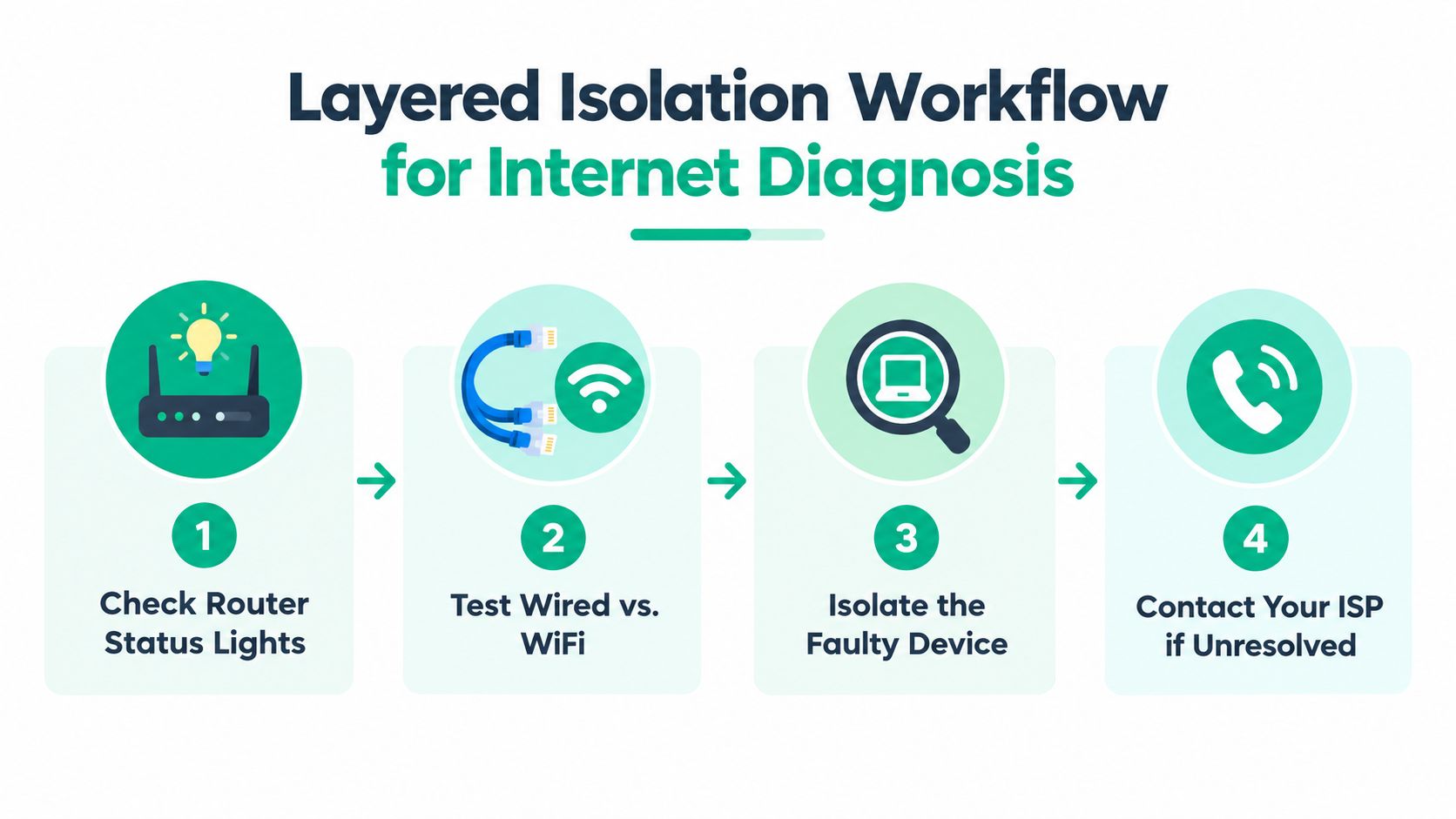
Follow the layers in order
-
Verify the local link. Check the Ethernet connection, switch port, wireless association, and router status lights. A disconnected cable or failed access point is a local fault, not an ISP outage.
-
Confirm IP configuration. On Windows, run
ipconfig /all. Look for an address, subnet information, default gateway, and DNS servers. An absent or self-assigned address points toward DHCP, adapter, or LAN trouble. -
Test the default gateway. Run
ping <default-gateway>. A successful response means the device can reach the local router. Failure suggests a wireless, cable, VLAN, firewall, or local switching problem. -
Test a known remote IP. Run
ping 8.8.8.8. If the gateway responds but this test fails, the WAN connection, firewall route, or provider path deserves attention. -
Test DNS separately. Run
nslookup example.com. If the remote IP responds but name resolution fails, websites may appear down even though the internet path works. That is a DNS problem, not automatically an ISP failure. -
Inspect the route. Use
tracert example.comon Windows ortraceroute example.comon macOS and Linux. The last responding hop can provide a clue, but one silent hop isn't proof of failure because many routers deprioritize diagnostic traffic.
This order prevents a common mistake: calling the provider before proving whether the local network can reach the gateway or resolve names. Network troubleshooting steps for Indiana SMBs expands the workflow for office environments.
Build an inventory before the next incident
A network map makes diagnosis faster. Record switch names, access point locations, WAN circuits, firewall interfaces, VLANs, and critical dependencies. Teams can configure Lansweeper for network discovery to identify connected assets and reduce the guesswork that follows an undocumented device change.
Large-scale outage detection uses the same principle of repeated, distributed testing. One global system probes routable IPv4 /24 blocks every 11 minutes, retries up to 15 times per round, and requires agreement from 6 distributed probe locations before declaring an outage, as described by the ANT Internet outage detection project. Your office doesn't need that scale, but it should use the same discipline: repeat tests, compare locations, and avoid declaring failure from one ping.
Fast Fixes for Your Device Router and WiFi
Start with the device that fails. If one laptop can't connect while a wired desktop and another phone work, don't reset the whole network. Restart the laptop, disable and re-enable its adapter, check airplane mode, and run ipconfig /release followed by ipconfig /renew. Then use ipconfig /flushdns if name resolution remains suspect.
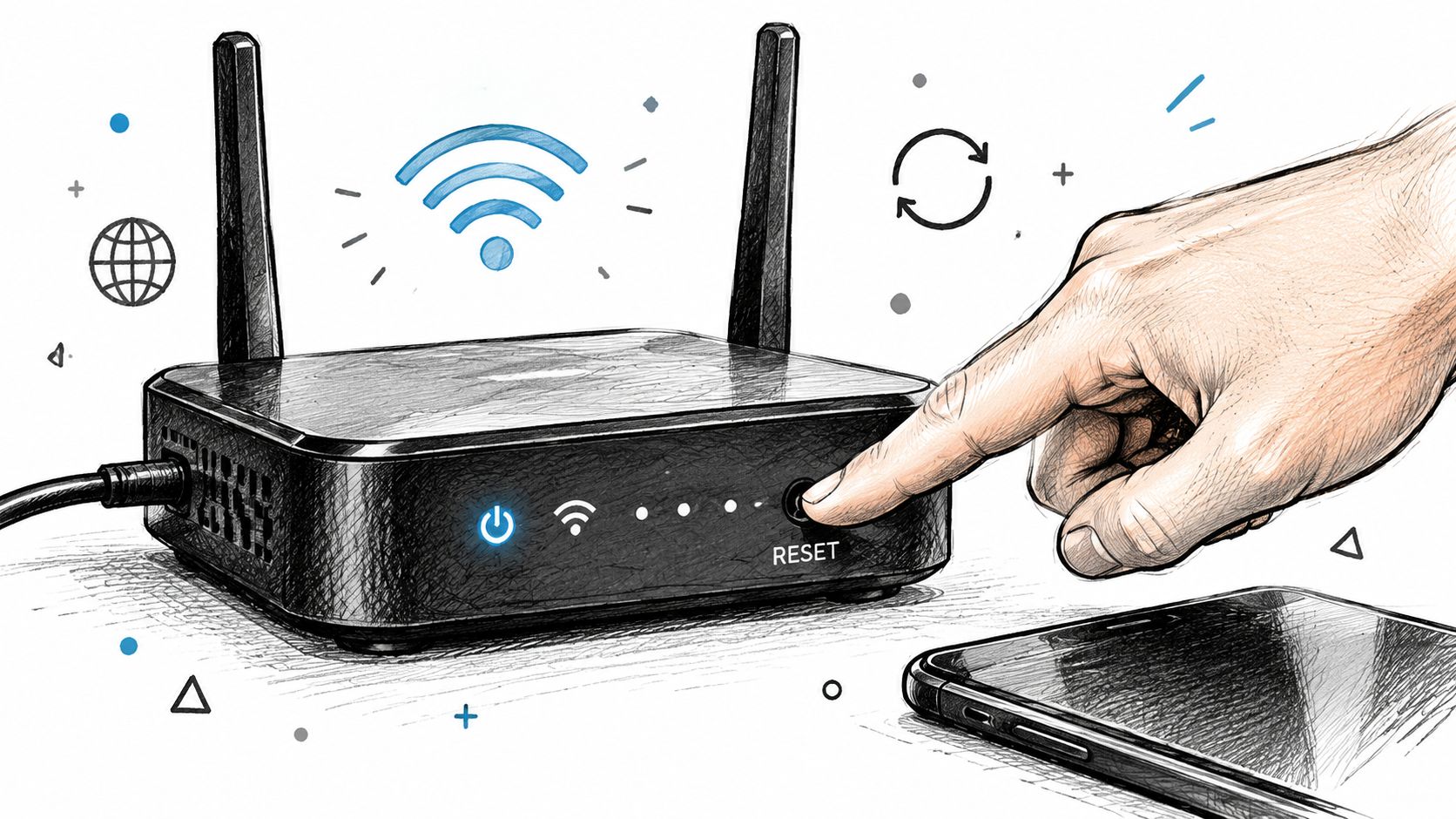
A proper power cycle is more than pulling every plug at once. Shut down the workstation if it has an active session, turn off the router or firewall and modem, wait for the equipment to lose power, then bring the modem up first. Wait for its normal link state, start the firewall or router, and finally bring up switches and access points. A rushed sequence can leave the WAN handoff or DHCP service in an awkward state.
Check wired service before wireless service
Plug a known-good laptop directly into an approved network port. If wired service works but Wi-Fi doesn't, focus on radio coverage, authentication, channel congestion, or access point configuration. If wired and wireless service both fail, inspect the gateway, firewall, modem, and provider handoff.
For UniFi networking, review the controller for disconnected access points, failed adoption, excessive retries, and clients that keep roaming between radios. Don't hide an access point in a cabinet or behind dense furniture. In an old brick building near a downtown Indy tech hub, properly placed latency-optimized mesh nodes can improve coverage, but mesh adds wireless backhaul traffic. Wired uplinks are preferable where cabling is practical.
Wi-Fi interference can come from neighboring networks, cordless devices, industrial equipment, and crowded channels. Move the client close to the access point and compare results. If the connection improves near the radio, the problem is coverage or interference rather than broadband capacity.
Separate DNS and endpoint security issues
Run ping 8.8.8.8, then nslookup example.com. A successful ping with failed lookup points to DNS. You can temporarily test an approved alternate resolver, but business networks should change DNS centrally and document the decision. Randomly changing settings on individual laptops creates inconsistent support conditions.
Security software can also affect connectivity. If Bitdefender GravityZone was recently installed, updated, or assigned a new policy, review endpoint firewall and web protection events before disabling protection. Don't leave a business device unprotected as a permanent workaround. Test under an approved policy exception, confirm the cause, and restore the control.
For a focused laptop workflow, use this guide for a laptop not showing Wi-Fi networks. The distinction between a missing network list and a connected device with no internet saves time.
A short visual walkthrough can reinforce the sequence, but it shouldn't replace checking logs and link status.
When Only Some Websites or Apps Fail
A partial outage is often more confusing than a total outage. Email may load while Teams fails. General web browsing may work while a VPN, cloud accounting platform, or line-of-business application times out. That pattern usually means the network isn't completely disconnected. The failing service may use a different DNS record, CDN, cloud region, authentication path, or routing provider.
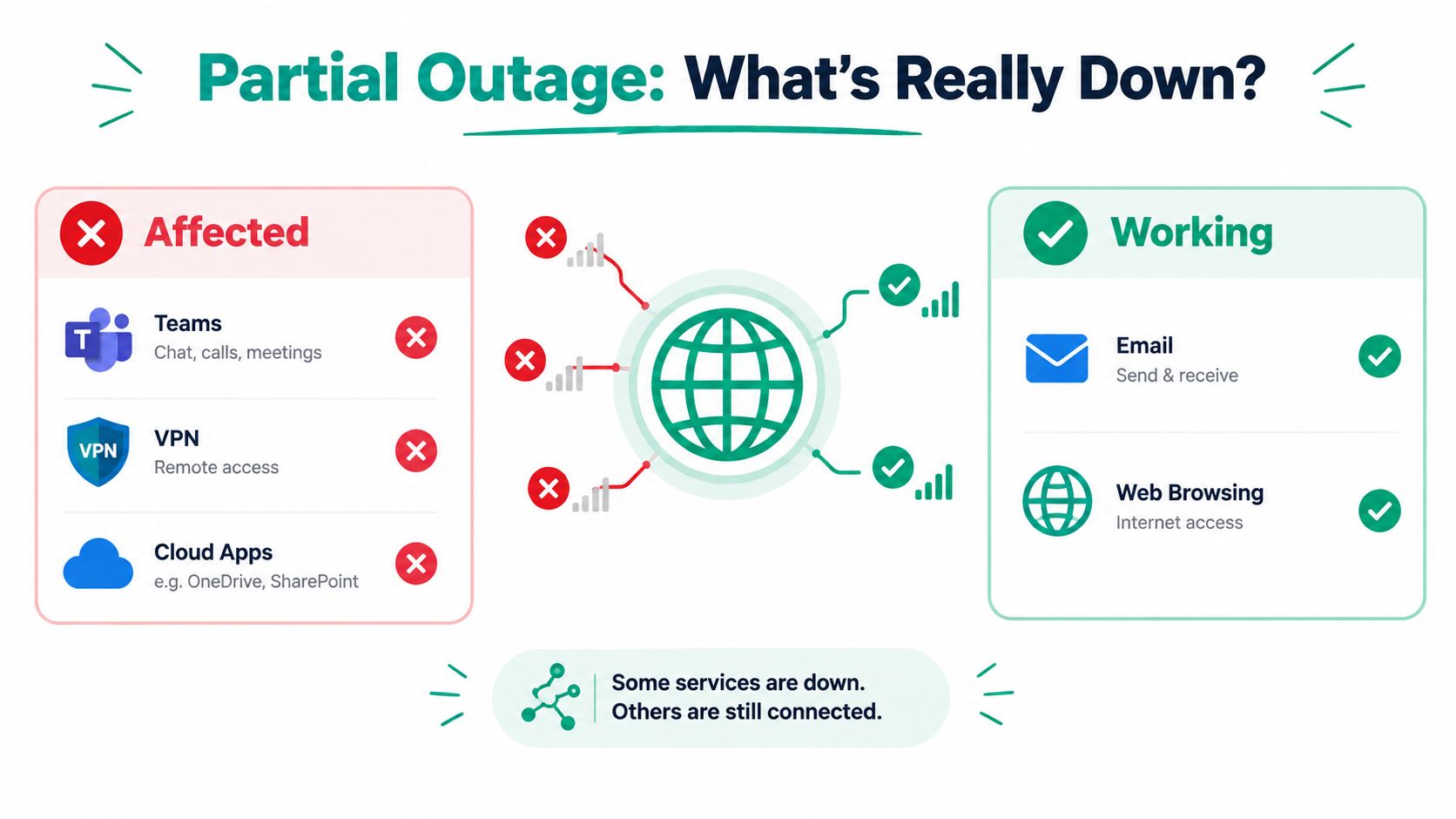
Cloud infrastructure damage, cable cuts, severe weather, DNSSEC misconfigurations, government-directed shutdowns, and provider routing failures can all produce selective impact. Cloudflare's disruption reporting recorded a sharp change in the leading causes across Q1 and Q2 2026, with power failures at 42% of events in Q1 and government-directed shutdowns at 56% of Q2 events. Those figures come from Cloudflare's Q2 2026 Internet disruption summary, and they reinforce one practical point: “the ISP is down” is often too broad an explanation.
Read the symptoms instead of guessing
Run nslookup for the affected service and compare it with a service that works. Test the affected application from a cellular connection, if company policy allows. Review the provider's status page from outside the affected network, check firewall logs, and compare VPN behavior with ordinary HTTPS browsing.
A traceroute can show whether traffic leaves the office and where the path changes, but it doesn't prove that the last visible hop is responsible. A CDN or cloud service may also reject traffic at an application layer while the network path remains healthy. Understanding DNS and how it works helps explain why a name-resolution issue can look like an application outage.
| Symptom | Likely Cause | Next Check |
|---|---|---|
| Every site fails on every device | Local gateway, ISP, or power issue | Test the gateway, wired link, modem, and power |
| Websites load, but one cloud app fails | Service, CDN, cloud, or authentication path | Check service status, DNS lookup, and external access |
| VPN fails while browsing works | VPN gateway, tunnel negotiation, or route issue | Test VPN logs, gateway reachability, and another connection |
| One domain fails everywhere | DNS, domain service, or provider-side issue | Compare resolvers and check the service provider |
| One employee fails while others work | Device, endpoint security, or local profile | Test another device and review client policy |
Businesses in Hamilton County growth markets often depend on several SaaS platforms at once. A single failed dependency can stop payroll, voice, CRM, or remote access while leaving ordinary browsing untouched. That is why monitoring should test important applications, not just whether a router answers pings.
How to Prevent Downtime From Costing You Billable Hours
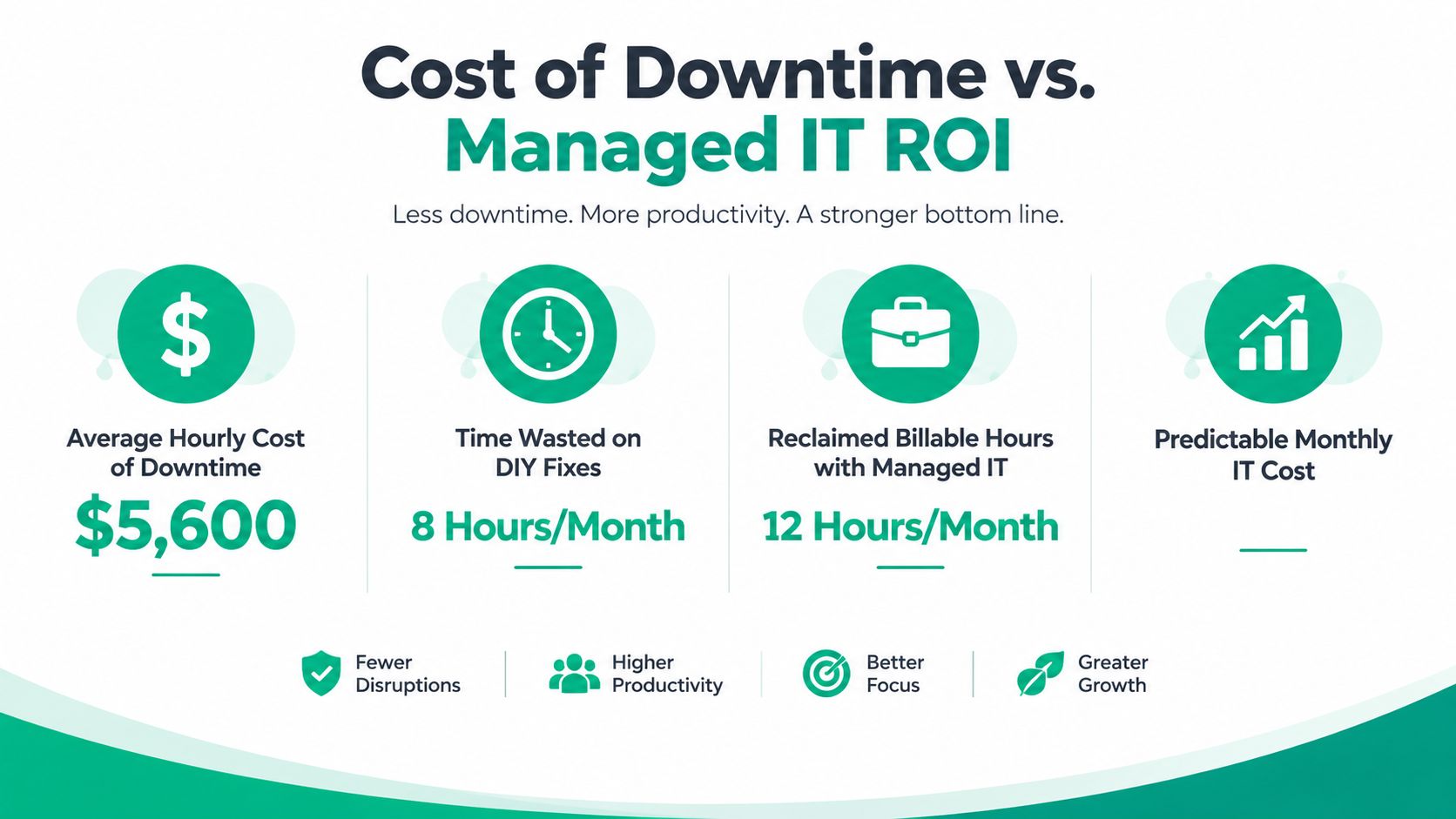
Troubleshooting restores service. Business continuity keeps one failure from consuming the afternoon. Industry sources commonly cite downtime at about $9,000 per minute for larger organizations, with reported estimates ranging from $2,300 to $9,000 per minute depending on company size and industry. Atlassian's cost of downtime guidance explains why a short interruption can become a serious financial event.
That cost includes more than lost internet access. Staff wait for systems, invoices remain unprocessed, appointments move, field crews lose access to records, and leadership spends time coordinating repairs instead of serving customers. Managed IT changes that equation by turning recurring emergency work into monitoring, maintenance, documented response, and a predictable monthly budget.
Build recovery around the business
For general business security, the NIST Cybersecurity Framework 2.0 provides a current structure for managing cyber risk. NIST guidance also connects backup and recovery to business continuity planning, with backup controls protecting the confidentiality, integrity, and availability of backup information. NIST backup and recovery guidance gives the control context.
A usable recovery plan should identify:
- Critical systems: Name the applications that must return first, such as finance, scheduling, voice, production, or clinical records.
- Recovery owners: Assign people who can approve failover, contact vendors, communicate with staff, and validate restored service.
- Alternate connectivity: Keep an approved cellular or secondary circuit option for essential operations.
- Tested backups: Automated backups should run weekly or more often based on data sensitivity, and restores should be tested periodically on non-production systems, according to NIST-linked backup guidance.
For healthcare practices, HIPAA requirements belong in the design conversation. Healthcare organizations can use HIPAA security guidance alongside NIST SP 800-53, the NIST CSF, and other applicable resources, as summarized in this NIST 800-66 HIPAA guide. Defense contractors along the I-65 corridor should also map controls to CMMC, while general Indiana SMBs can use the NIST CSF as a practical security baseline.
Protect the layers that fail differently
Immutable off-site backups help limit the damage from ransomware or an administrator account compromise. They don't solve a dead router, but they protect the data needed after a destructive incident. Bit-level data recovery matters when a failed drive or RAID volume won't mount and ordinary file copying isn't possible.
Zero Trust architecture reduces the assumption that being inside the office network means a user or device should receive broad access. SOC-as-a-Service monitoring adds continuous review of endpoint, identity, and network alerts, which is useful when a small internal team can't watch every signal.
In our 17 years of local service, the difficult jobs rarely resemble the simple “restart it” ticket. When we dissembled a similar client's failing RAID array, the priority was preserving the original media, working from forensic copies, and validating recovered files before returning systems to production. That same discipline applies to outages: stabilize first, change one variable at a time, and verify recovery from the user's perspective.
Finchum Fixes IT provides managed networking, endpoint support, cybersecurity, recovery, and continuity planning for Indiana organizations. Its remote monitoring tools for uptime and compliance support a model where technicians identify weak signals before employees lose billable time.
Get Back Online and Keep It That Way
The fastest answer to “why is my internet out?” comes from isolation, not guesswork. Confirm the scope, test the local link, inspect IP configuration, reach the gateway, test a remote IP, check DNS, and trace the path. Then fix the actual layer, whether that's a laptop adapter, Wi-Fi design, firewall route, provider circuit, or cloud dependency.
Keep this short checklist near the network cabinet:
- Scope first: Test more than one device and include wired service.
- Check power: Inspect the modem, firewall, switches, access points, and UPS.
- Separate DNS: Use
nslookupafter testing direct connectivity. - Check critical apps: Browsing can work while VPN or cloud services fail.
- Document changes: Record what was restarted, replaced, or reconfigured.
- Protect continuity: Maintain tested backups, alternate connectivity, and response contacts.
Central Indiana businesses don't need a heroic reboot ritual. They need a documented network, sensible monitoring, resilient backups, and a response process that keeps a short technical fault from becoming a long revenue problem. For Greenwood and Indianapolis organizations, a Free Network Assessment or Security Risk Audit can expose the weak points before the next outage does.
Finchum Fixes IT can assess your Greenwood or Indianapolis network, troubleshoot device, Wi-Fi, ISP, and cloud-path failures, and build a continuity plan around your actual business needs. Visit Finchum Fixes IT to request a Free Network Assessment or Security Risk Audit and turn recurring internet outages into a managed, measurable IT problem.