Wireless Network Security: A Practical Guide
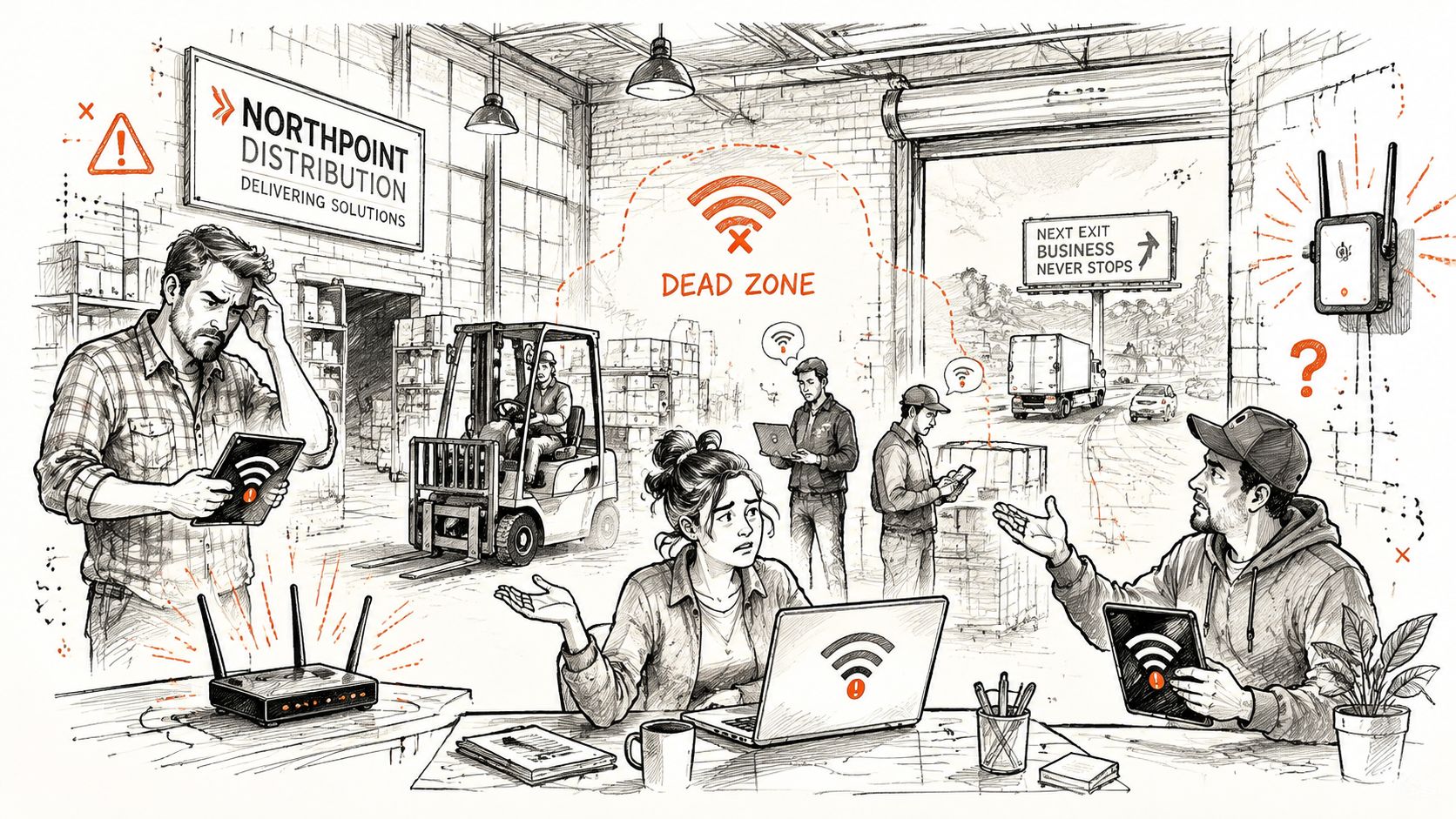
A warehouse manager in Greenwood sees the same complaint every week: the back office Wi-Fi drops, handheld scanners hesitate, and employees move closer to the loading dock to finish a task. A consumer mesh kit fixes the dead zone, but it can also create an unmanaged path into business systems. Wireless network security means protecting the radio signal, authentication process, connected devices, and the surrounding airspace.
The Hidden Costs of Weak Wireless Network Security
A retrofitted brick warehouse along the I-65 corridor can be a difficult radio environment. Thick walls absorb signal, metal shelving creates reflections, and a back office may sit just far enough from the primary access point to generate constant complaints. A business owner may respond by buying a big-box mesh system, connecting it to the existing network, leaving default administrative credentials unchanged, and giving every employee the same wireless password.
Coverage improves. Control does not.
An unmanaged access point can broadcast an internal SSID, place cameras and accounting workstations on the same broadcast domain, or expose its management interface to people who should never reach it. A captured WPA2-PSK handshake can support offline password guessing when the shared password is weak. A compromised IoT device can then provide a starting point for lateral movement, while deauthentication attacks can disrupt clients and conceal activity during a busy workday.
The exposure also extends beyond the access point. Bluetooth devices in scanners, headsets, and conference equipment can create nearby espionage opportunities, and legacy devices may force a downgrade path when they cannot support stronger security settings. In SMB deployments along the I-65 corridor, those adjacent-airspace and control-plane weaknesses often remain invisible until an outage or unfamiliar device exposes them.
One nationwide study reported attacks at 3.92% of examined Wi-Fi access points, while another survey found 24.7% of Wi-Fi hotspots worldwide used no encryption at all. The same research found 61% of tested networks used WPA or WPA2 encryption. Encryption is common, but those figures do not establish that organizations use current standards, strong authentication, or proper segmentation. A network security assessment guide for Indiana SMBs provides operational questions for reviewing those controls.
Downtime turns a wireless issue into a financial issue
A wireless incident can stop shipping, interrupt point-of-sale work, delay patient intake, or strand staff in cloud applications. Widely cited downtime benchmarks put average interruption costs at about $5,600 per minute, while another estimate places the figure at nearly $9,000 per minute (downtime cost analysis).
That math changes the purchase decision. A managed design can turn repeated troubleshooting into productive work while replacing unpredictable outages with a planned monthly operating budget. The relevant question is whether the business can afford an access point that nobody inventories, monitors, patches, or isolates.
How Wi-Fi Security Protocols Evolved and Why It Matters
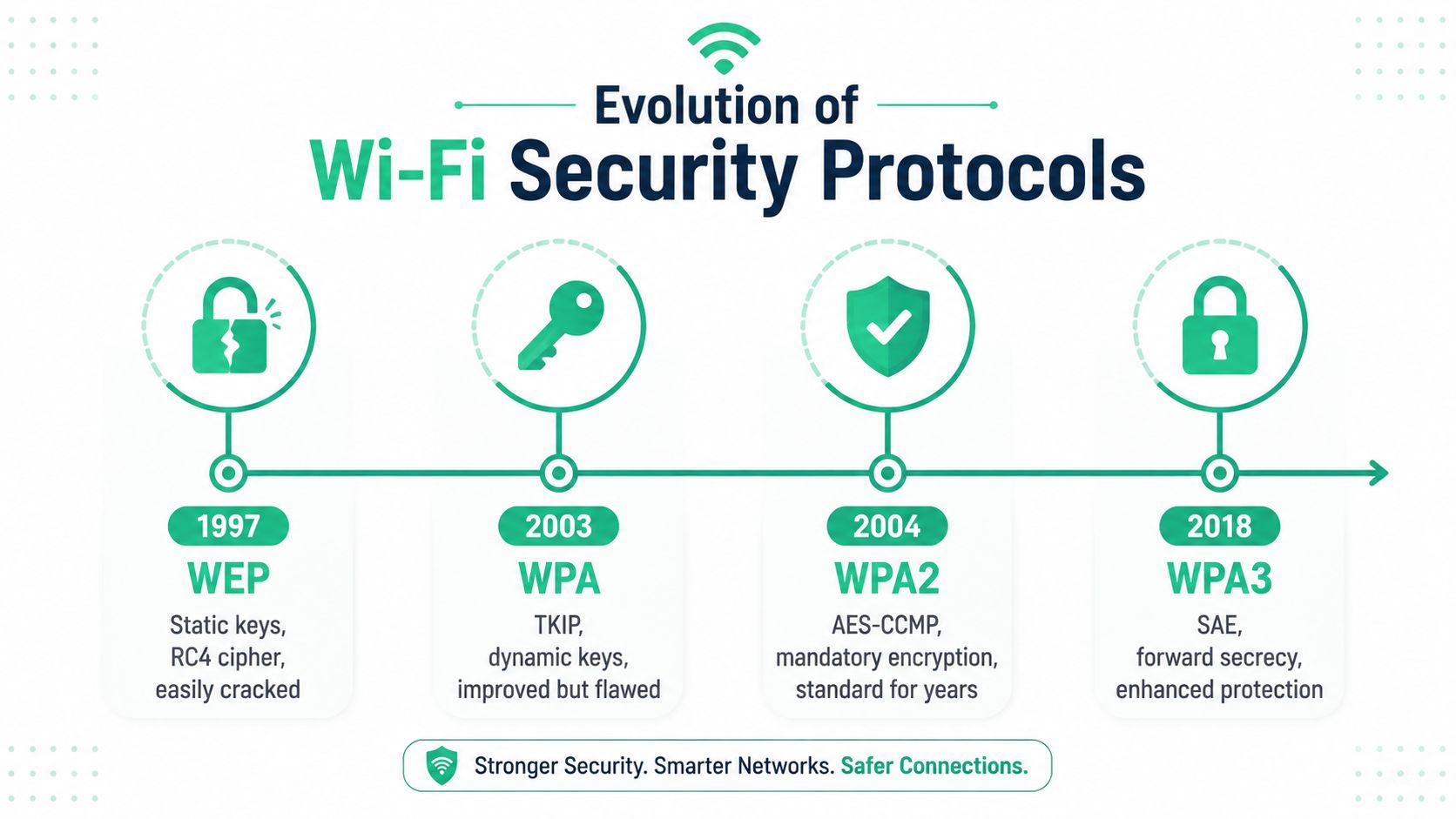
Wi-Fi security has never been static. WEP arrived in 1997, WPA followed in 2003 as an interim fix, WPA2 became the long-term standard in 2004, and WPA3 certification began in 2018. Since July 2020, support for WPA3 has been mandatory for devices carrying the Wi-Fi CERTIFIED logo, according to this Wi-Fi security protocol timeline.
Each generation fixed a real weakness
WEP's static-key design and weak RC4 implementation made the first generation unsuitable for business use. WPA introduced TKIP and dynamic key changes, but it was a transitional measure that retained weaknesses associated with the older design. WPA2 moved mainstream deployments to AES-CCMP, providing the encryption and integrity foundation businesses relied on for many years.
WPA2 improved the cryptography, but many organizations still deployed it with one shared password. That creates an accountability problem. When an employee leaves, the business must change the password everywhere, and a captured authentication exchange can support offline password attacks if the password is predictable.
WPA3 uses Simultaneous Authentication of Equals, commonly called SAE, to address weaknesses in shared-password authentication and make offline password guessing harder. That doesn't make every WPA3 deployment safe. Older clients, transition modes, poor configuration, and unsupported management-frame protections can still leave practical attack paths.
Legacy equipment creates the hard part
Indiana businesses rarely replace every wireless device at once. Barcode scanners, HVAC controllers, medical equipment, cameras, and older payment terminals may only support WPA2 or earlier standards. Administrators then create mixed-mode SSIDs to keep operations running, often without realizing that compatibility has reintroduced a downgrade path.
The practical response is inventory first, then isolate. Put old equipment on a dedicated IoT or operational VLAN, restrict its routes, and document the exception. Don't treat an old scanner as a reason to weaken the employee network. Treat it as a device-replacement project with a defined boundary.
Comparing WEP WPA WPA2 and WPA3 for Modern Business Use
A protocol comparison should include more than the label shown in an access point dashboard. Security teams need to evaluate the cipher, authentication model, client behavior, management-frame protection, and the business reason for keeping legacy support.
| Protocol | Encryption | Authentication | Known Vulnerabilities | Deployment Status |
|---|---|---|---|---|
| WEP | RC4 with static keys | Shared key | Key reuse, packet injection, rapid cracking with common wireless tools | Disable completely |
| WPA | TKIP with dynamic keys | PSK or enterprise authentication | Transitional design, legacy weaknesses, downgrade exposure | Disable completely |
| WPA2 | AES-CCMP | PSK or 802.1X and RADIUS | Offline password attacks against weak PSKs, client and handshake flaws | Enterprise baseline when hardened |
| WPA3 | AES-based protection with SAE | SAE or enterprise authentication | Compatibility issues, implementation flaws, transition-mode risk | Preferred where clients support it |
WEP and WPA shouldn't remain enabled for convenience. They expand the attack surface and encourage administrators to preserve old clients instead of replacing them. NIST guidance for federal WLANs requires CCMP for IEEE 802.11 networks, reinforcing the operational rule to avoid WEP and TKIP and use modern WPA2 or WPA3 cipher suites (NIST WLAN security guidance).
Enterprise authentication changes the operating model
WPA2-Enterprise with AES remains a practical baseline when paired with 802.1X, RADIUS, and a strong EAP method. EAP-TLS uses certificates rather than a shared employee password, while PEAP-MSCHAPv2 can fit organizations that aren't ready to distribute certificates, although it demands careful password and certificate validation practices.
WPA3-Enterprise supports stronger enterprise cryptography for regulated environments, including 192-bit security configurations where required. WPA3-Personal is still a major improvement over a weak shared password, but it doesn't provide the same per-user accountability as certificate-based access.
For smaller companies, a disciplined PSK design can be a temporary step. Use separate keys for separate networks, rotate them after personnel changes, and document every device that depends on the key. This business PSK security guide explains why one password across every SSID is a poor long-term control.
Enterprise Controls That Actually Protect Your Network
A password identifies a group. 802.1X identifies an access request. That difference matters in a clinic, warehouse, law office, or downtown Indy tech hub where employees, contractors, guests, scanners, and personal devices share radio coverage.
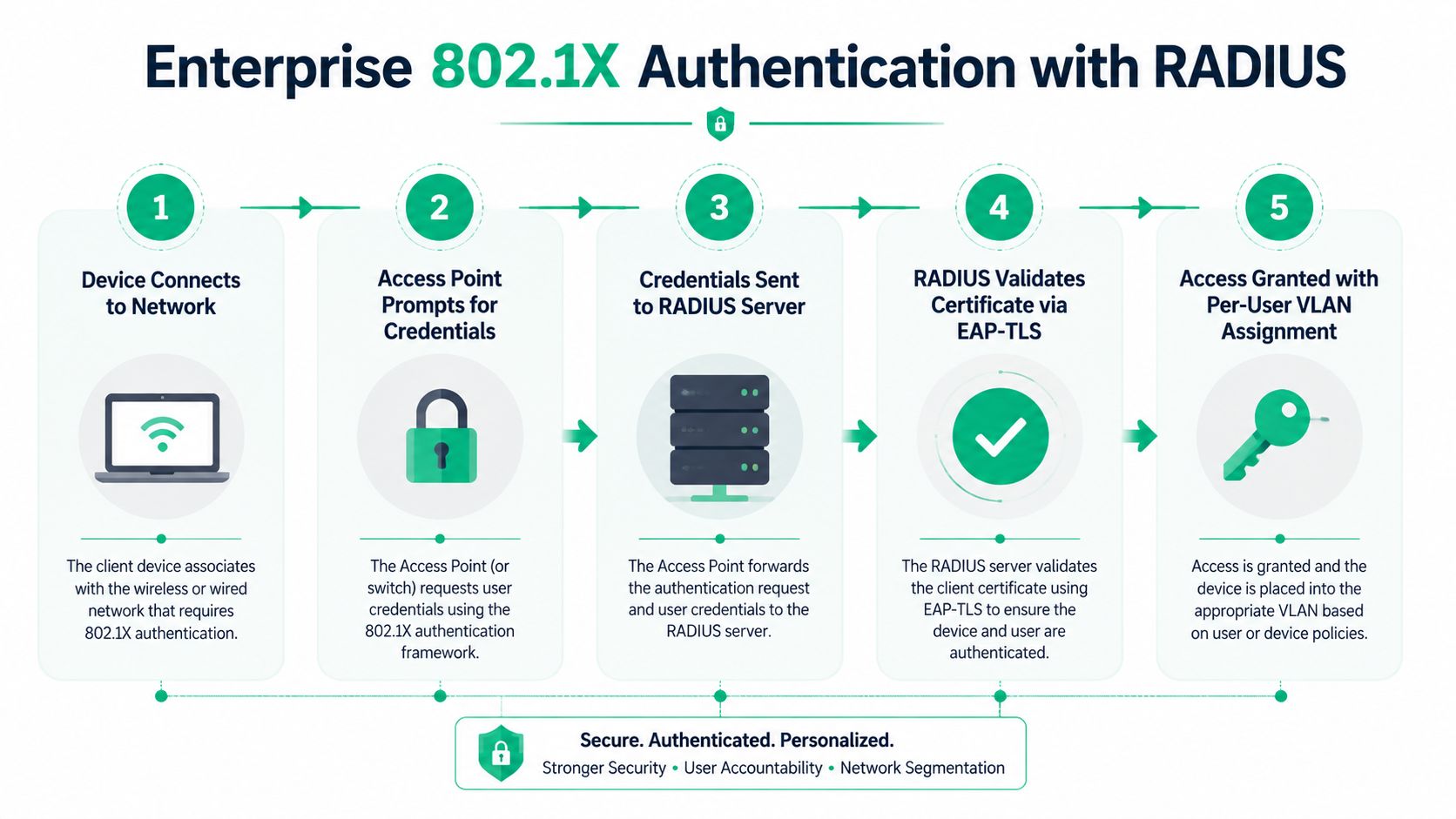
The standard flow uses an access point as the authenticator and a RADIUS server as the decision point. Microsoft Network Policy Server can fill that role in a Windows environment, while FreeRADIUS works well for Linux-based deployments. The RADIUS response can assign a user or device to a specific VLAN, apply policy, and record the authentication event.
Build the migration in a controlled sequence
Start with an inventory of access points, switches, RADIUS clients, endpoint operating systems, and devices that cannot use 802.1X. Create a test SSID and validate one Windows device and one macOS device before touching production.
For EAP-TLS, deploy a trusted certificate authority, issue certificates to managed endpoints, and configure the supplicant to validate the RADIUS server certificate. PEAP-MSCHAPv2 can serve as a transitional option, but disable automatic acceptance of unknown server certificates. That single checkbox is responsible for many avoidable credential leaks.
Watch for three common failures:
- RADIUS timeouts: Values set too low can trigger repeated authentication requests and create an authentication storm during a busy morning.
- VLAN attributes: A malformed tunnel or VLAN attribute can authenticate a user but place the device in the wrong network.
- Fallback PSKs: Leaving a shared-password SSID active beside the enterprise SSID gives users a weaker path around the control you just deployed.
Protected Management Frames require equal attention. IEEE 802.11w PMF cryptographically protects defined management frames, including deauthentication and disassociation frames, and uses BIP with an IGTK for replay protection. Optional PMF improves supported connections, but required PMF is the meaningful setting where compatible clients permit it. It blocks unauthenticated disconnect floods and reduces forged management-traffic abuse.
For venues with dense visitor traffic, this overview of event venue wireless security solutions offers useful context on access control, coverage, and wireless-connected systems. For the perimeter and segmentation layer, pair the WLAN design with a documented small-business firewall selection guide.
Hidden Threats Most Wireless Security Checklists Miss
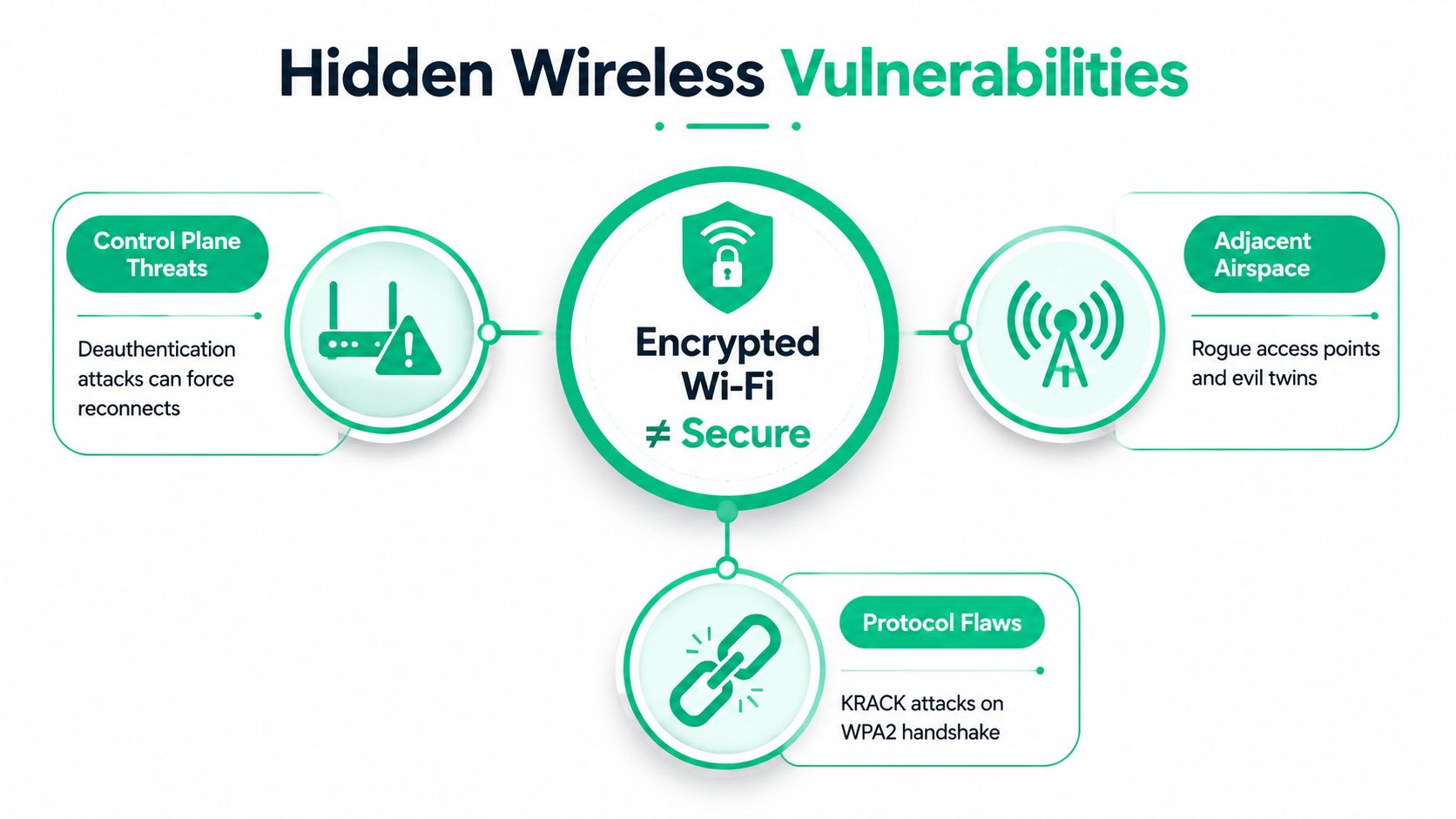
A business can run WPA3 and still lose control of its wireless environment. In Indiana offices along the I-65 corridor, the overlooked exposure often sits in management traffic, neighboring radio space, or older devices that provide a downgrade path.
Deauthentication is a control-plane problem
A deauthentication attack abuses management traffic to push clients away from an access point. An attacker can cause disruption, steer a client toward an evil twin, or prompt an insecure reconnection without joining the corporate WLAN. Protected Management Frames reduce this exposure only when clients support them and the WLAN requires them. Mixed fleets, especially older scanners, printers, and handhelds, commonly leave that gap open.
Analysts found only 6% of more than 500,000 wireless networks worldwide adequately protected against wireless deauthentication attacks, leaving 94% vulnerable (wireless threat analysis). Their report also identified 937 new wireless CVEs in 2025, about 2.5 per day. That supports continuous monitoring and firmware review instead of treating the initial configuration as a finished task.
The nearby radio spectrum belongs in the risk register
Bluetooth earbuds, wireless keyboards, consumer spy devices, and unmanaged peripherals can create espionage or compliance concerns. Bastille's 2025 wireless airspace threat report identifies Bluetooth-enabled devices and other wireless equipment as potential corporate espionage vectors, including supply-chain and common-standard risks.
Legacy clients also matter. A device that cannot use current protection may reconnect through a weaker SSID, an old security mode, or an employee-installed extender. Keep those systems on a restricted network, record their dependencies, and replace them when the operational cost of isolation exceeds their value.
In multi-tenant buildings near I-65, signals can reach a neighboring suite, parking area, or shared hallway. A professional wireless network site survey guide for 2026 helps identify coverage gaps, rogue radios, wireless bridges, and signal boundaries before they become incidents. A specialized service such as private investigator bug sweeps in Birmingham addresses physical surveillance rather than WLAN defense, but the principle is the same: information can cross walls you do not control.
Use a heat map with a wireless intrusion prevention system. The heat map shows where signals travel. The WIPS identifies radios that behave like threats.
A Prioritized Hardening Checklist for SMB Networks
A small business doesn't need a massive transformation project to improve wireless network security. It needs a sequence that closes the most dangerous gaps first and creates evidence for the next decision.
Tier one actions
Start with the controls that remove obvious exposure:
- Disable WPS: WPS adds convenience but creates another authentication path that many businesses don't need.
- Set a modern minimum: Require WPA2-AES at minimum, and use WPA3 where compatible clients support it.
- Require PMF where possible: Use required mode for dedicated modern-client SSIDs, and isolate devices that can't comply.
- Replace defaults: Change access-point administrator credentials, remove unused accounts, and restrict management access to a management VLAN.
- Separate guests: Place guest traffic on an isolated VLAN with client isolation and sensible bandwidth controls.
A UniFi networking deployment can make VLAN and SSID policy visible in one management plane, but the platform still needs disciplined credentials, firmware maintenance, logging, and review. Hardware doesn't compensate for an undocumented design.
Tier two work
Within the next operating cycle, move employee access to 802.1X and RADIUS. Use EAP-TLS for managed endpoints, stage certificates with a test group, and keep legacy devices on a restricted network with only the routes they need.
Deploy wireless detection with Kismet for focused visibility or an enterprise WIPS when the business needs centralized alerting and response. Disable unused SSIDs and legacy data rates below 12 Mbps where the client inventory permits. Review every access point's management plane and send authentication, association, rogue-device, and deauthentication alerts to the SIEM.
This Indiana SMB wireless network design resource is useful when office expansion, warehouse construction, or Hamilton County growth makes the original RF plan obsolete.
Tier three resilience
Build recurring validation into the managed service:
- Document coverage boundaries and signal overshoot.
- Test for rogue APs and deauthentication activity.
- Conduct wireless penetration testing on a scheduled basis.
- Review firmware and client compatibility before enabling stricter modes.
- Integrate wireless events with endpoint protection such as Bitdefender GravityZone and with SOC-as-a-Service monitoring.
The right control set depends on the site. An Indianapolis office with conference rooms has a different RF profile from a Johnson County warehouse filled with metal racks. Treat the wireless environment as a living system, not a checkbox.
Compliance and Business Continuity Tied to Wireless Security
Wireless controls support compliance only when the business can show how they operate. A configuration screenshot proves less than a documented access policy, certificate inventory, alert record, and review trail.
For healthcare organizations, HIPAA Security Rule safeguards include access control, audit controls, integrity protection, person or entity authentication, and transmission security. A WPA3-Enterprise or hardened WPA2-Enterprise deployment with 802.1X, RADIUS logging, segmentation, and managed endpoint certificates can support those control objectives, but the organization still needs procedures and evidence.
NIST CSF gives general businesses a practical structure: Identify, Protect, Detect, Respond, and Recover. Wireless asset inventory belongs in Identify. Strong authentication and segmentation belong in Protect. Rogue AP and deauthentication alerting belong in Detect. Incident playbooks belong in Respond. Protected, isolated, encrypted, access-controlled, retention-locked backups that are regularly tested belong in Recover (backup resilience guidance).
| Framework / Requirement | Wireless Control | Audit Evidence |
|---|---|---|
| HIPAA access and authentication | 802.1X, RADIUS, EAP-TLS, role-based VLANs | Authentication logs, certificate records, access policy |
| NIST CSF Identify | Wireless asset and client inventory | Approved device register, site survey, ownership records |
| NIST CSF Protect | WPA2-AES or WPA3, segmentation, restricted management | Controller configuration, firewall rules, change records |
| NIST CSF Detect and Respond | WIPS, SIEM integration, deauthentication alerts | Alert history, escalation workflow, incident tickets |
| Business continuity | Isolated backups and tested recovery | Restore test results, retention policy, recovery runbook |
A wireless outage can waste revenue long before it becomes a reportable security event. Managed monitoring reduces the time between a rogue device appearing and a technician investigating it. That makes wireless hardening a continuity investment, not merely an insurance questionnaire exercise.
Next Steps for Indiana Business Owners
The strongest first moves are straightforward. Migrate employee access from WPA2-PSK toward WPA3-Enterprise or properly managed 802.1X, separate corporate and guest traffic with VLANs, and deploy continuous wireless monitoring with alerts for rogue access points and deauthentication floods.
The sequence matters. Start with a client inventory so an older scanner or HVAC controller doesn't disrupt operations. Then test the enterprise SSID, enforce PMF on compatible clients, isolate exceptions, and connect wireless logs to your broader incident process. Businesses expanding along the I-65 corridor or adding offices in Hamilton County should complete this work before the new access points go live.
A Free Network Assessment should produce more than a sales presentation. A useful engagement can include a wireless heat map that identifies coverage gaps and rogue radios, a protocol audit that flags legacy downgrade paths, and a remediation roadmap with estimated effort and cost ranges. The written executive summary should be suitable for leadership, a board review, or an insurance carrier.
A single wireless weakness can also become a recovery problem. Use immutable off-site backups, endpoint monitoring, and tested restoration procedures so a compromised access point doesn't turn into a prolonged outage. Finchum Fixes IT provides networking, cybersecurity, data recovery, and managed support for Indiana businesses, including technical work that ranges from bit-level data recovery to Zero Trust architecture and SOC-as-a-Service monitoring.
Schedule a Free Network Assessment for your Greenwood or Indianapolis business and request a written Security Risk Audit focused on authentication, segmentation, control-plane protection, Bluetooth exposure, and business continuity. The goal is a prioritized decision, not a collection of generic Wi-Fi tips.
Finchum Fixes IT helps Greenwood and Indianapolis businesses design secure wireless networks, segment guests and legacy devices, and monitor the airspace for rogue access points and deauthentication activity. Visit Finchum Fixes IT to schedule a Free Network Assessment and receive a practical remediation plan for your business.