Computer Repair Quote Guide for Indiana Businesses

A computer repair quote is an itemized estimate for diagnostics, labor, parts, fees, exclusions, and warranty coverage. Routine computer repairs commonly fall between $80 and $300, while diagnostics may run from $40 to $149, often credited toward an approved repair, depending on the depth of testing and the job's scope.
Your office computer has started freezing in a Greenwood business park. The Wi-Fi drops whenever someone walks into the back conference room. A server makes an ugly clicking sound, and nobody wants to be the person who approves a vague “hardware repair” estimate.
That's where a proper computer repair quote earns its keep. It isn't just a parts-and-labor receipt. It's a business continuity decision that should tell you what failed, what the technician will do, what the work excludes, and how the repair protects productivity.
What a Computer Repair Quote Really Means for Your Business
A business owner on the Southside usually doesn't care whether a failing workstation needs a particular controller board or storage interface. They care whether payroll runs, whether customer records remain available, and whether employees spend the morning staring at a loading screen.
A quote translates technical uncertainty into an approval decision. It should separate the initial diagnostic from repair labor, replacement parts, data migration, security work, onsite service, and any condition that could change the final price. That clarity matters whether the issue is an aging desktop in a Greenwood office or spotty Wi-Fi inside an old brick building along the I-65 corridor.
The repair economy is substantial, not a tiny side trade. The broader electronic equipment repair services market was valued at $137.1 billion in 2024 and is projected to reach $210.3 billion by 2030, with another forecast projecting $253.5 billion by 2034 at a 6.3% CAGR, according to Global Market Insights' electronic equipment repair services analysis. That mature market supports more structured quoting, especially when a business needs a repair, a migration plan, and a way to reduce repeat failures.
Practical rule: If a quote doesn't explain what happens when the first diagnosis reveals a second problem, it isn't finished.
Consider a workstation that boots slowly. A basic software cleanup may be enough. If testing finds a failing SSD, encrypted user data, and a license-dependent accounting application, the job changes. A trustworthy provider will explain those decision points before adding work.
For a broader explanation of how ongoing monitoring, maintenance, and support differ from one-off break-fix work, review this definition of managed IT services. Businesses comparing a one-time repair with ongoing support can also review computer repair services for Indiana businesses to see how diagnostics and continuity planning fit together.
Finchum Fixes IT has provided local service for 17 years, giving Indiana businesses a useful local reference point. The important question isn't, “How much is the part?” It's, “What will this quote prevent, and what remains outside the scope?”
Inside a Trustworthy Computer Repair Quote
Think of a repair quote as a restaurant check. A vague total is like being handed a bill that says “dinner” with no dishes, portions, or explanation. A useful quote names each item so you can decide what to approve.
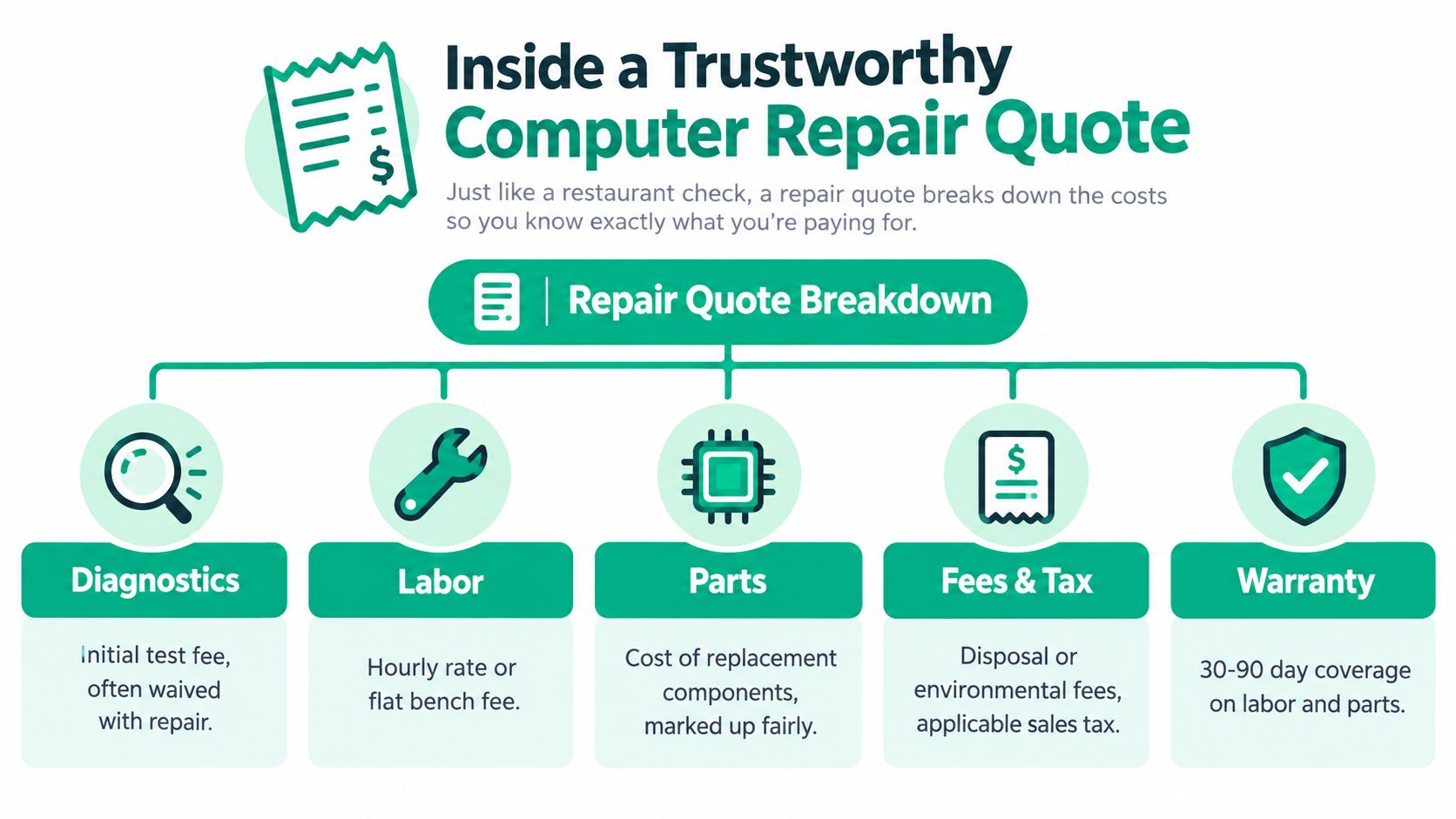
Diagnostics come first
The diagnostic line tells you how the provider will identify the fault. Basic checks may be free to $79, while deeper board-level or liquid-damage assessments commonly fall around $99 to $149, according to TechVoo's 2026 computer repair cost guide. Some providers apply that fee to the approved repair, which makes sense when the diagnostic work is necessary for a larger job.
The quote should state what testing includes. That may involve hardware health checks, memory testing, event-log review, malware scanning, network testing, or controlled startup analysis. “Diagnostic” shouldn't mean unlimited troubleshooting with no boundary.
Labor and parts need separate lines
Labor may appear as a flat bench fee, an hourly rate, or a fixed task price. Parts should identify the component or a meaningful specification, such as an SSD model, laptop panel type, power supply rating, or network appliance.
Ask whether the quote includes installation, firmware updates, driver setup, testing, and disposal of the failed part. A cheap component can become an expensive repair if the provider leaves configuration and verification out.
Fees, warranty, and exclusions finish the picture
A complete quote identifies applicable taxes or disposal fees and gives warranty terms for labor and parts. It should also list exclusions, such as liquid damage discovered after disassembly, failed data recovery, unavailable applications, missing credentials, or additional motherboard work.
For a practical look at what diagnostics involve in Indiana business environments, see this computer diagnostics and repair guide.
Security work belongs in the same conversation. The NIST Cybersecurity Framework organizes security activity into Identify, Protect, Detect, Respond, and Recover, as described in the NIST Cybersecurity Framework reference. A managed quote can map inventory and asset records to Identify, patching and endpoint protection to Protect, alerting to Detect, incident handling to Respond, and backups plus restoration testing to Recover.
That turns “better security” into named work. It also helps a Johnson County business compare a repair-only quote with a support plan that prevents the same failure from returning.
What Actually Drives Your Repair Price Up or Down
Two machines can show the same symptom and need completely different work. “Won't boot” might mean a damaged power adapter, corrupted software, a failed SSD, or motherboard trouble. The quote changes because the risk, tools, time, and recovery path change.
A 2026 pricing summary places common computer repairs between $80 and $300, with national routine-repair averages around $119 to $169. The same summary puts a diagnostic near $40 and a premium-laptop motherboard swap near $900, illustrating how widely a computer repair quote can vary, as reported by iFixit's right-to-repair timeline and pricing discussion.
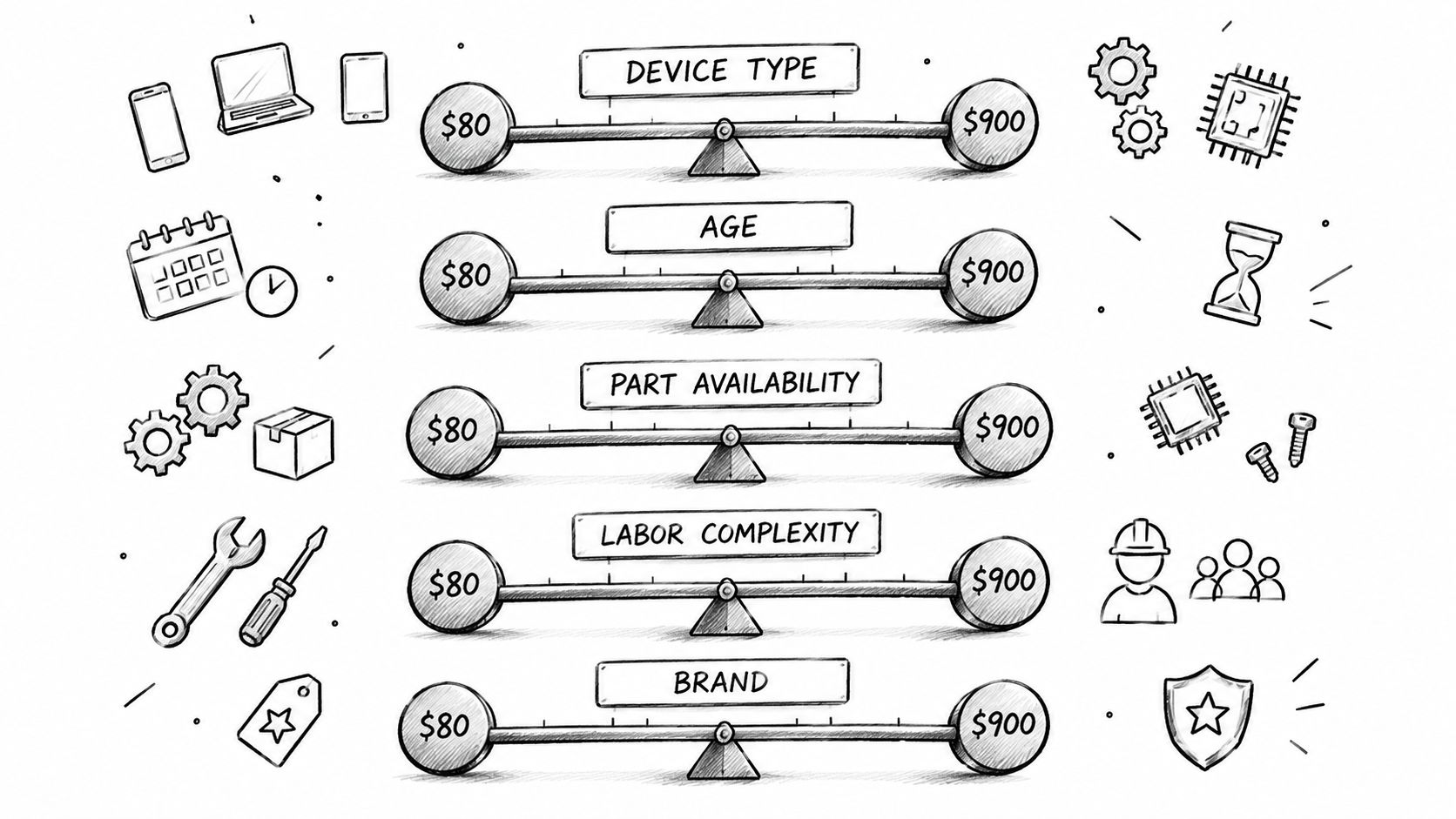
Device type and age
A business desktop with accessible components is different from a sealed ultrabook. A workstation may accept a standard SSD, while a premium laptop may require a proprietary board or display assembly. Older hardware also creates a support question. If the device can't run required software or security updates, repairing one component may only postpone replacement.
A Hamilton County company with specialized design software may rationally repair a high-performance workstation because its configuration and peripherals matter. A basic office PC with multiple failing components may not deserve the same treatment.
Parts and availability
The part itself is only one variable. Availability affects scheduling, and compatibility affects risk. A quote should identify whether the provider is using an original, compatible, refurbished, or customer-supplied component.
The same principle applies to business networking and security tools. A UniFi networking upgrade may involve hardware, VLAN configuration, wireless coverage testing, and user access policies. Bitdefender GravityZone may add endpoint licensing and policy configuration rather than installing an antivirus program.
Procurement teams comparing quotes can benefit from a structured Procright procurement platform guide, especially when the question is whether separate line items reflect real scope.
Labor complexity
A quick software cleanup is not the same as bit-level data recovery from a failing drive. Board-level diagnosis requires different equipment and carries different uncertainty. A Zero Trust architecture setup also involves identity, access, device trust, segmentation, and policy decisions, not just a cable swap.
Urgency and location
An office near downtown Indy tech hubs may need rapid onsite response. A business along the I-65 corridor may need travel, after-hours coordination, or temporary equipment while a part ships. Those requirements belong in the quote instead of appearing later as surprise charges.
Finchum Fixes IT describes urgent response averaging under two hours. The value of that response depends on the business impact, not merely the distance to the office.
Data handling and continuity
A repair involving customer records, employee files, or regulated information needs a controlled workflow. For healthcare organizations, the HIPAA Security Rule requires covered entities and business associates to use administrative, physical, and technical safeguards for electronic protected health information, as explained in HIPAA's Security Rule guidance.
A defense supplier may need a different compliance lens. CMMC addresses protection of Federal Contract Information and Controlled Unclassified Information through requirements based on NIST SP 800-171, as outlined in this CMMC overview for small businesses. In that setting, secure restoration, configuration control, and documented remediation can matter as much as the replacement part.
For another Indiana-focused pricing discussion, see how much computer repair costs for a business in 2026. Preventive tools such as SOC-as-a-Service monitoring and latency-optimized mesh nodes can also change the long-term quote by reducing repeat incidents rather than merely fixing today's symptom.
Sample Computer Repair Quote Breakdowns You Can Compare
A useful comparison starts with the same categories. If one provider includes migration and another doesn't, their totals aren't comparable. The table below uses realistic scope examples, not promises for a specific device or site.
| Repair Scenario | Diagnostics | Parts and Labor | Data and Warranty |
|---|---|---|---|
| Quick software cleanup | System health review, startup analysis, malware screening, and software checks. The quote should state whether deeper hardware testing is excluded. | Cleanup, approved updates, unwanted software removal, and verification. | User files remain in place. Confirm whether backup, application reconfiguration, and post-repair monitoring are excluded. |
| Laptop screen and SSD replacement | Display inspection, storage-health testing, model and connector verification, and boot assessment. | Replacement screen, compatible SSD, installation, operating-system verification, and labor. | Confirm whether data cloning, encryption handling, application setup, and failed-drive recovery are separate. Warranty should identify parts and labor coverage. |
| Small-business server with immutable off-site backups | Hardware health review, storage-array assessment, backup-status check, network dependency review, and recovery planning. | Server components, labor, configuration, backup setup, restoration testing, and possible migration work. | Confirm secure migration, access control, retention scope, recovery testing, and exclusions for unsupported applications or damaged media. |
The first scenario may suit a workstation that runs slowly but has healthy storage. The second is more involved because a screen repair and SSD replacement can create two separate technical paths. If the old drive is failing, cloning may not be safe, and a data-recovery decision must appear before the technician starts.
The server example shows why a low parts total can mislead. An aging server in a Greenwood business park may support file shares, accounting software, printers, and line-of-business applications. Replacing a disk without documenting services, permissions, backup validation, and restoration steps can leave the business with a running server that still can't support work.
Immutable off-site backups deserve their own line because they address recovery from deletion, corruption, or ransomware. The quote should explain what is protected, how restoration is tested, and who approves a recovery action. “Backup included” is too vague to approve responsibly.
For a downtown Indy office, a secure migration may cost more than a simple device swap, but it can preserve user profiles, application settings, and business files. That difference is the heart of a continuity-based computer repair quote. The lowest number isn't automatically the lowest business cost.
How to Request and Compare Quotes Like a Pro
Start with facts, not a guess about the failed part. Tell the provider the device model, operating system, symptoms, error messages, recent changes, unusual sounds, network impact, and whether the issue affects one user or several.
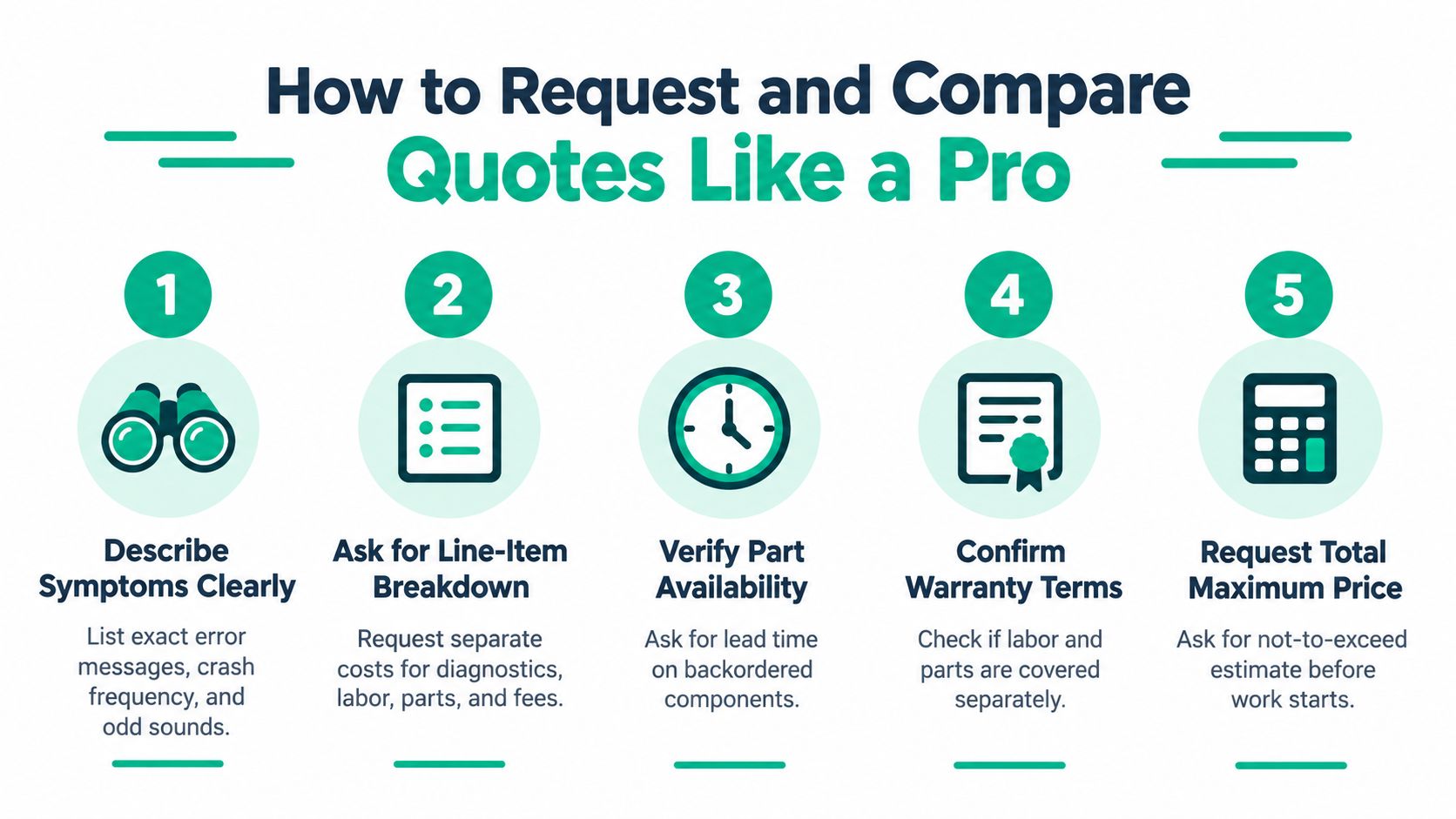
Use a five-part request
-
Describe the symptom precisely. “The computer is slow” is weak. “Outlook freezes after login, the SSD reports errors, and the user can't open the accounting database” gives the technician a useful starting point.
-
Request an itemized estimate. Ask for separate diagnostics, parts, labor, travel, data transfer, software work, taxes, and optional services. Ask whether the diagnostic fee is credited if you approve the repair.
-
Ask about hidden decision points. What happens if testing finds motherboard damage? What if storage is failing? What if the device requires data migration, application reinstallation, or a secure wipe?
-
Confirm part availability and warranty. Ask whether the component is in stock, what condition it's in, and whether coverage applies separately to the part and the labor. The quote should state what voids coverage.
-
Set an approval boundary. Request a total maximum price or a not-to-exceed amount before work begins. Require a call or written approval if the technician discovers additional scope.
A cheap quote with missing migration, security, and recovery work is not an apples-to-apples comparison.
For healthcare, ask how the workflow protects ePHI under HIPAA. For defense contractors, ask how the work supports CMMC expectations and NIST SP 800-171 controls. For a general Indiana business, ask how the provider maps patching, endpoint protection, monitoring, incident response, and backup validation to the NIST CSF functions.
Response time also belongs in the comparison. Finchum Fixes IT reports urgent response averaging under two hours, but every provider should state its own service window instead of relying on vague promises. A Johnson County manufacturer may need onsite escalation, while a professional office might only need remote triage and a loaner plan.
Don't forget the customer-facing side. A reliable technical operation helps a business turn website visitors into customers, but that opportunity disappears when staff lose access to phones, files, scheduling tools, or payment systems.
Red Flags and Smart Tips When Choosing a Local IT Vendor
The familiar 50% repair rule sounds tidy. If a repair costs more than half the replacement price, replace the device. That rule can help a consumer compare basic hardware, but it's too blunt for many businesses.
A business may rationally approve a repair above that threshold when the device holds a specialized configuration, supports an application that is difficult to reinstall, or can return an employee to work faster than a replacement rollout. The quote should compare repair cost with migration labor, downtime, configuration loss, security exposure, and operational disruption.
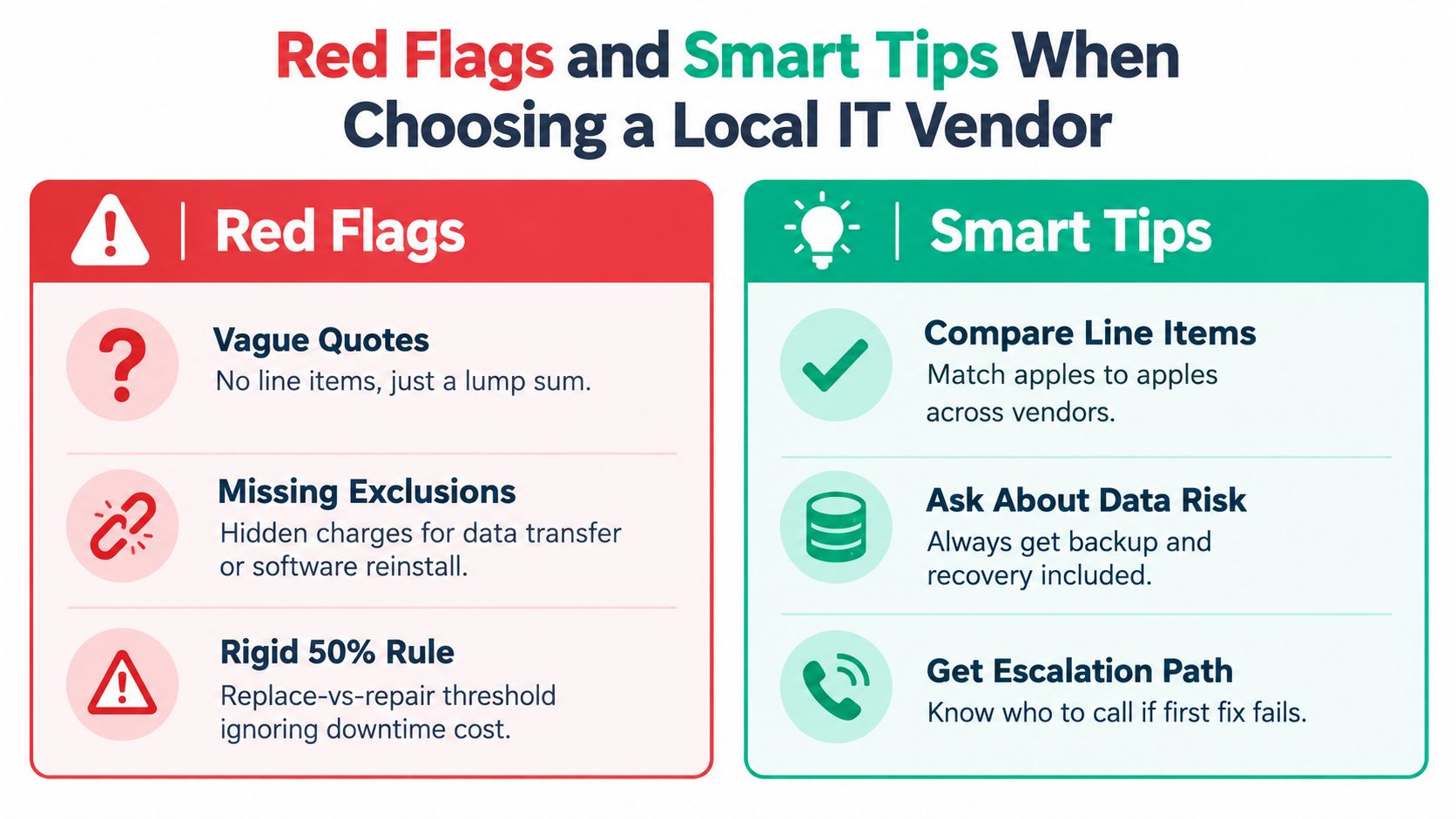
Warning signs
- Vague pricing: A single lump sum hides whether you're paying for parts, labor, travel, or optional work.
- Missing exclusions: The provider doesn't explain what happens if data transfer fails, software credentials are unavailable, or the motherboard has additional damage.
- No written warranty: You can't tell whether the provider covers labor, parts, or neither.
- No secure handling process: The quote ignores device custody, access control, data wiping, or recovery privacy.
- Rigid replacement advice: The vendor applies the 50% rule without asking what downtime and configuration loss would cost.
Better signals
Look for documented remediation, a clear escalation path, and technicians with relevant Microsoft, CompTIA, or Cisco credentials. A capable provider should explain whether the job is bench repair, onsite support, remote troubleshooting, network remediation, data recovery, or managed maintenance.
In our 17 years of local service, the difference between a “geek with a screwdriver” and a managed IT partner has shown up in the paperwork. A technician can replace a failed component. A partner also checks why the failure mattered, how users regain access, and what control prevents the same outage from returning.
For a deeper provider-selection framework, review this managed service provider expert guide.
A quote should also say who owns the next decision. If the first repair fails, who escalates it? If a drive deteriorates during cloning, who stops the process? If a restored workstation lacks a critical application, who handles the handoff? Those details separate responsible scope from optimistic pricing.
Turning Your Quote Into Predictable Uptime and ROI
Downtime has a simple business formula: minutes of downtime multiplied by cost per minute. Widely cited benchmarks put average IT downtime at about $5,600 per minute, with later estimates approaching $9,000 per minute for midsize and large organizations, according to Atlassian's cost-of-downtime analysis.
Using the earlier benchmark, one hour of downtime equals about $336,000 in losses. That figure won't describe every Greenwood business, but the formula changes the approval conversation. Faster diagnostics, preventative maintenance, tested backups, and clear escalation can preserve billable hours that would otherwise vanish into outage recovery.
A repair quote becomes more valuable when it identifies the next control. That may be patch management, endpoint protection, UniFi networking, Bitdefender GravityZone, immutable off-site backups, or SOC-as-a-Service monitoring. The goal is not to sell more line items. It's to convert emergency labor into predictable monthly budgeting and reduce the chance that one failed device interrupts the whole office.
Remote monitoring also supports the NIST CSF Recover function when alerts, backups, and restoration procedures are maintained before a crisis. See how remote monitoring tools boost uptime and compliance for SMBs.
For healthcare organizations, that planning must account for HIPAA safeguards. For defense suppliers, it must account for CMMC obligations and controlled information. For other Indiana businesses, the same discipline still applies. Identify the asset, protect it, detect problems early, respond quickly, and recover with a tested process.
Finchum Fixes IT provides itemized computer repair quotes, secure data recovery and migration, cybersecurity, networking, cloud support, custom software development, and managed IT for businesses in Greenwood and Indianapolis. Schedule a Free Network Assessment or Security Risk Audit through Finchum Fixes IT to find the repair risks, downtime gaps, and continuity decisions hiding behind your next quote.