Managed IT Services Columbus Ohio: Expert Guide 2026
In Columbus, managed IT services usually cost $1,000 to $5,000 per month for small businesses with 10 to 50 employees, or $100 to $250 per user, while mid-sized firms often pay $8,000 to $18,000 monthly when security and vCIO support are included. The right provider doesn't just fix tickets. They prevent downtime, tighten security, and turn IT into a predictable operating cost.
Managed IT services are a proactive partnership where a third-party provider takes full responsibility for a company's IT infrastructure and support for a predictable monthly fee. The point is simple. Prevent problems before they interrupt operations, protect revenue, and keep staff working instead of waiting on broken tech.
A lot of Columbus owners are in the same spot right now. Staff are dealing with flaky Wi-Fi in an older building near Downtown, Microsoft 365 permissions are a mess, backups exist but nobody's sure they'll restore, and every issue turns into an expensive interruption. That's when the question shifts from “Do we need outside IT help?” to “How do we stop this from happening again?”
Is Your IT a Business Asset or a Liability
A warehouse team near Rickenbacker can't print shipping labels because a core switch is failing. An accounting office in Grandview has laptops dropping off Wi-Fi because the building's layout kills signal strength. A small healthcare clinic in Dublin keeps pushing off patching because no one wants to risk breaking the EHR during office hours.
That's what bad IT looks like in practice. Not dramatic movie-style outages. Just constant drag on payroll, customer service, and momentum.
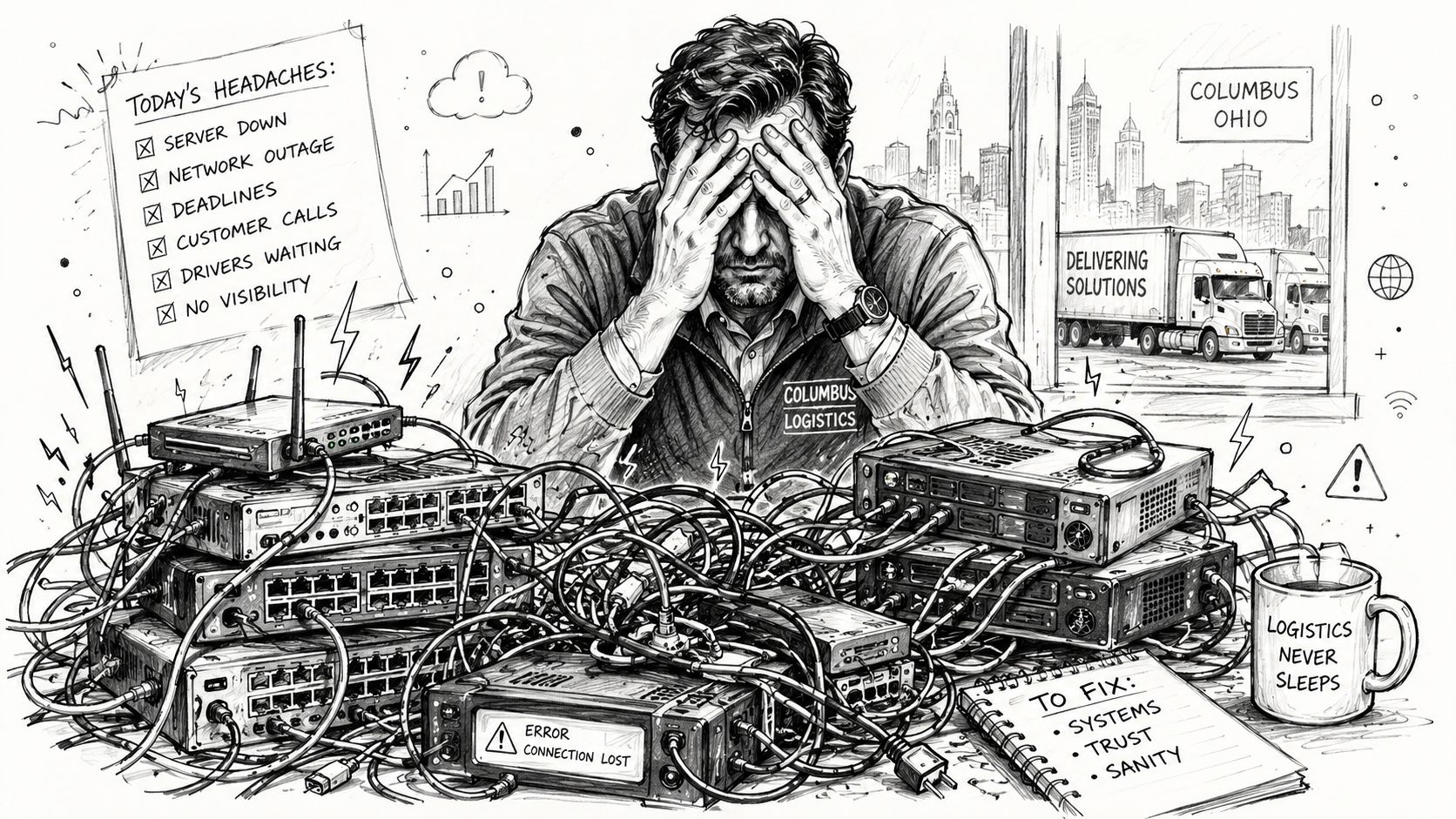
The financial hit gets ugly fast. Downtime costs businesses an average of $9,000 per minute, and for a 50-employee organization, one hour of downtime can equal $540,000 in lost productivity and potential revenue, according to Securafy's Columbus downtime analysis.
The problem usually starts small
Most companies don't wake up one day with a full-blown infrastructure crisis. They accumulate one.
- Aging hardware stays in production: old firewalls, tired switches, and servers that should've been retired keep hanging on.
- Support stays reactive: users call only after email breaks, files vanish, or line-of-business software freezes.
- Security gets bolted on later: MFA is partial, backup alerts go unread, and nobody owns patch verification.
That pattern is common in businesses that grew faster than their systems.
Practical rule: If your team only talks about IT when something breaks, your environment is already costing you more than the monthly support bill you're trying to avoid.
What a managed approach changes
A good managed services relationship replaces scramble mode with process. That means monitored devices, patch cadence, verified backups, documented escalation, and somebody owning the messy middle when Microsoft 365, your ISP, and a line-of-business vendor all point fingers at each other.
That's the inherent value behind managed IT services in Columbus, Ohio. It's not a pile of tools. It's accountability.
The Core Components of Managed IT Services
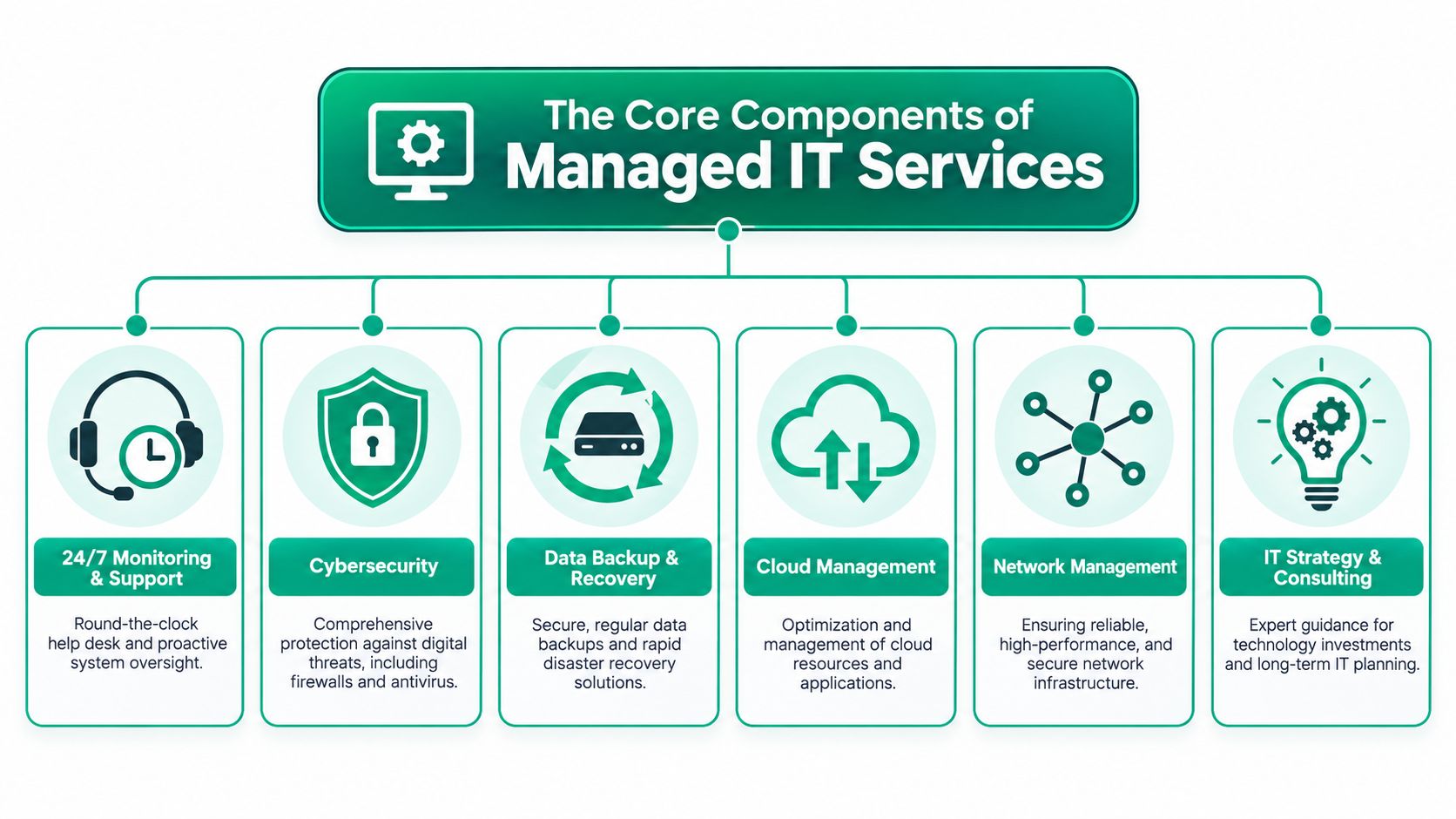
A complete managed IT plan should cover more than a help desk. If all you're buying is ticket closure, you're still exposed. Strong providers build around support, security, cloud, networking, recovery, and strategy.
Support that fixes root causes
A real support stack includes remote help desk, device monitoring, patch management, backup monitoring, and vendor coordination. Those are also core benchmarks for high-quality Columbus MSP agreements, as outlined in Clutch's Columbus MSP benchmark overview.
The difference shows up in the ticket queue. Weak support closes incidents. Strong support removes recurring ones.
For example, if users keep losing access to a shared app, the answer isn't “reboot and try again.” It may be a permissions issue in Microsoft 365, unstable WAN performance, or a failing network path. One basic diagnostic workflow is to test the path first, then validate identity controls:
- Run
Test-NetConnectionfrom PowerShell to verify connectivity to the destination service. - Review switch and firewall logs for dropped sessions.
- Confirm the user's MFA status with
Get-MgUser. - Check conditional access policies and sign-in behavior.
- Document the fix so the next engineer doesn't start from zero.
Security that isn't bolted on
Cybersecurity should be built into daily operations, not sold as a panic purchase after an incident.
This guide for Indiana businesses on managed IT services gets into the operating model, but the short version is this: endpoint security, identity controls, email protection, backup verification, and response workflows need to work together.
Effective cloud and recovery planning also requires independent backups for Microsoft 365, including Exchange, SharePoint, OneDrive, and Teams, plus tools like Bitdefender GravityZone for endpoint protection and commands like Get-MgUser to verify MFA status, as detailed in Securafy's practical MSP comparison guide for Columbus.
If your provider says Microsoft 365 is “already backed up in the cloud,” keep asking questions until they explain tenant retention versus independent backup.
Networking and cloud that match the building
Columbus companies in older brick buildings and renovated offices often fight RF interference, dead zones, and bad access point placement. That's where UniFi networking can be useful, especially when you need latency-optimized mesh nodes and clear visibility into client behavior across the floor.
A modern stack often includes:
- UniFi wireless design: better coverage mapping, roaming behavior, and simpler management for multi-AP spaces.
- Cloud management: administration for Microsoft 365, identity policies, and secure access.
- Immutable off-site backups: protection against deletion, corruption, and ransomware-style data loss.
Recovery and development
Data recovery isn't just restoring last night's backup. In serious failures, teams may need bit-level data recovery techniques to salvage information from damaged storage before a full rebuild.
Some MSPs also support light software development for internal workflow tools, reporting dashboards, or automation around tickets, approvals, and field operations. That's not every company's first need, but it matters when repetitive manual work is draining your staff.
The True ROI of Proactive IT Management
The ROI case for managed IT is usually easier than owners expect. It starts with one basic shift. Stop paying for chaos.
Reactive environments waste time in small chunks all day long. A laptop takes forever to log in. The printer goes offline. Teams can't access SharePoint. A VPN client fails after an update. None of those issues sounds catastrophic by itself, but together they eat payroll and patience.
Where the return shows up
Managed services improve business continuity in ways finance teams value.
| Business problem | Reactive result | Proactive managed result |
|---|---|---|
| Unplanned outages | Lost work, missed deadlines, finger-pointing | Monitoring and escalation catch failures earlier |
| Surprise hardware failures | Emergency spend and rushed replacements | Planned lifecycle budgeting |
| Staff fighting slow systems | Wasted tech time | More billable and productive hours |
| Security gaps | Recovery costs and business disruption | Stronger controls and steadier operations |
That's why a monthly managed services agreement often feels cheaper after the first few months. Not because the invoice shrank, but because the noise did.
Predictable budgets beat expensive surprises
A break-fix model tends to hide risk until it becomes urgent. Then you're authorizing emergency work, replacement hardware, after-hours labor, and vendor coordination under pressure.
A managed model changes that conversation. Budgeting becomes operational instead of emotional.
For owners thinking through that trade-off, this IT budget planning guide focused on ROI and resilience is worth reading because it frames IT as a continuity function, not just overhead.
The best ROI from managed IT often comes from problems employees never have to notice.
What works and what doesn't
What works:
- Proactive patching: fewer unresolved vulnerabilities and fewer recurring endpoint problems.
- Backup verification: restores are tested before anyone needs them.
- Clear ownership: one team coordinates vendors during incidents.
What doesn't:
- Tool sprawl without process: buying security software nobody tunes.
- Cheap support contracts: low monthly fees that exclude strategy, recovery testing, or meaningful documentation.
- Undefined escalation: everyone assumes someone else is handling it.
That's the blunt truth. ROI comes from discipline.
Navigating Cybersecurity and Compliance in Ohio
For Columbus businesses, cybersecurity isn't just an IT issue. It's an operations issue, a legal issue, and sometimes a contract issue.
A medical practice has to think about HIPAA. A defense supplier has to think about CMMC. Almost everyone else should still be building around the NIST CSF because it gives structure to security work that too often happens in fragments.
What Ohio is signaling to the market
Ohio requires local government entities to adopt a cybersecurity program based on the NIST CSF, including mandatory MFA, daily tested backups, and annual employee training, according to the State of Ohio webinar on building a cyber program with NIST CSF.
If the state expects that level of discipline for public entities, private businesses should pay attention. The same controls map cleanly to common private-sector needs:
- HIPAA environments: access controls, auditability, backup discipline, and documented incident response.
- CMMC-driven environments: identity management, evidence collection, and controlled handling of sensitive systems.
- General business security: governance, asset visibility, detection, response, and recovery.
What strong security looks like in practice
Good security programs don't start with fear. They start with structure.
A workable stack often includes Zero Trust architecture, where users and devices prove who they are before access is granted, and SOC-as-a-Service monitoring, where alerts are reviewed consistently instead of piling up unnoticed. That's how teams catch odd login behavior, failed backup jobs, and endpoint problems before they turn into outages.
For leaders reviewing controls, auditability matters too. If you're thinking about who changed what, when, and why, Crufti's insights on audit software are useful because they break down how audit trails support accountability instead of becoming another compliance checkbox.
Security maturity shows up in boring things done consistently. MFA coverage, tested backups, log review, access cleanup, and staff training.
Plain-English questions to ask your provider
Security conversations go bad when providers hide behind jargon. Ask direct questions instead.
- How do you confirm MFA is enforced for all users who need it?
- How do you know backups are restorable, not just running?
- Who reviews alerts after hours?
- How are privileged accounts documented and monitored?
- What evidence can you produce during a compliance review?
If you want a practical owner's checklist before talking to vendors, this small business cybersecurity checklist for 2026 is a good place to start.
Decoding Managed IT Services Pricing in Columbus
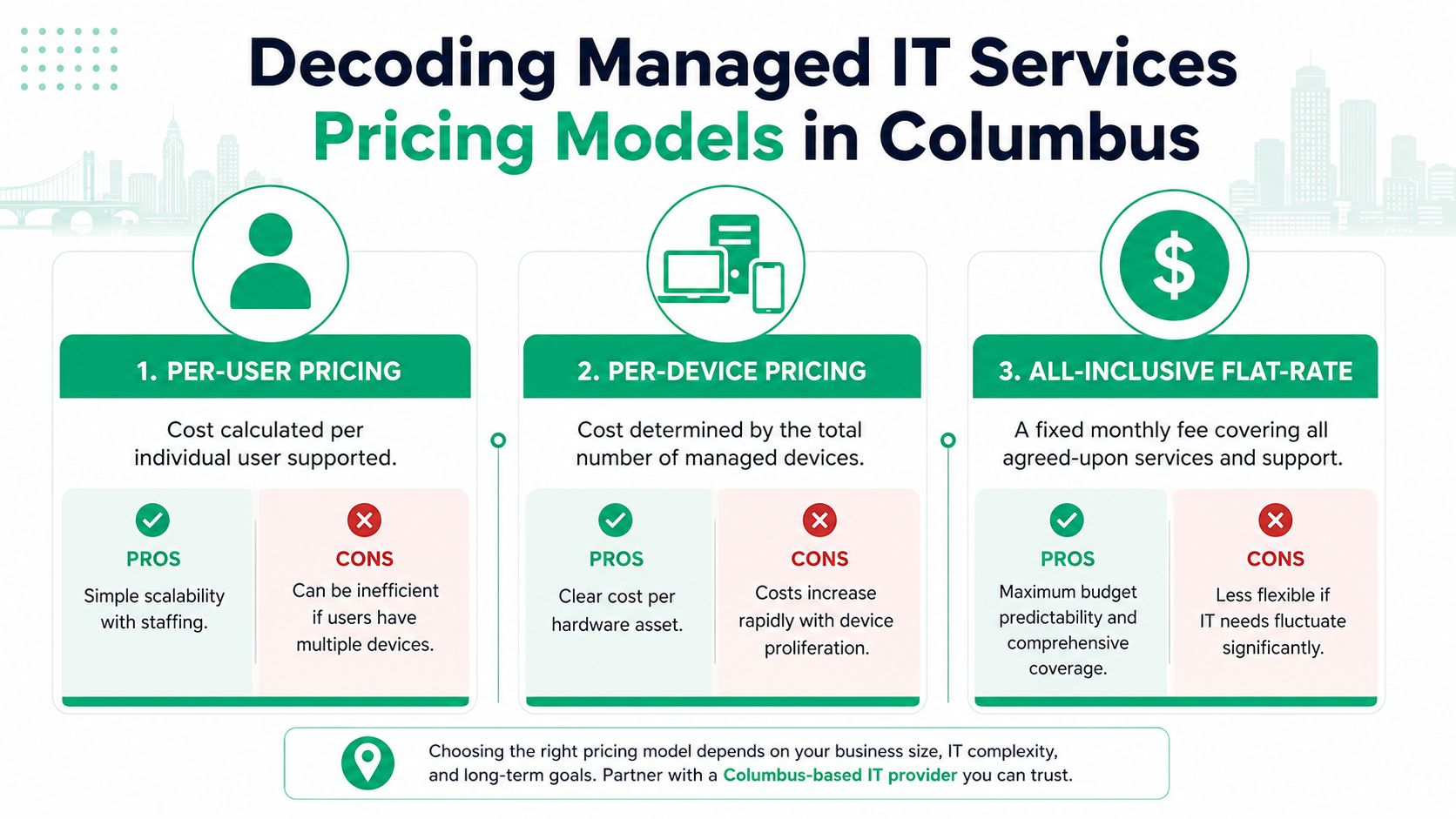
Pricing gets confusing because providers package services differently. Some charge per user. Some charge per device. Some quote a flat monthly agreement and layer on project fees for things like migrations, firewall replacement, or security hardening.
The important part isn't just the number. It's what the number includes.
What Columbus businesses usually pay
For small businesses with 10 to 50 employees in Columbus, managed IT typically runs $1,000 to $5,000 per month, with per-user rates averaging $100 to $250. Mid-sized firms with 50 to 100 employees often land between $8,000 and $18,000 monthly, especially when advanced security and vCIO services are included, based on ITCompanies.net's Columbus managed IT pricing overview.
Another Columbus pricing reference puts the market at $125 to $200 per user per month, notes that small businesses with 5 to 20 employees typically invest $1,000 to $3,500 monthly, and lists break-fix rates of $150 to $225 per hour, plus project costs like $3,000 to $25,000 for cybersecurity hardening and $5,000 to $75,000 for network rebuilds, according to EasyIT's breakdown of Columbus IT services pricing.
How pricing models differ
| Pricing model | Best fit | Watch for |
|---|---|---|
| Per-user | Office teams with predictable staffing | Users with many devices can drive hidden complexity |
| Per-device | Environments built around hardware counts | Device-heavy shops can see costs pile up |
| Flat-rate | Owners who want budget certainty | Scope needs to be defined clearly |
If you want a clean explanation of per-device, value-based, and tiered pricing plans, that breakdown is useful because it shows where each model fits and where buyers get surprised.
The trade-off owners should focus on
Cheap monthly pricing can exclude security tooling, backup monitoring, after-hours response, strategic planning, or even Microsoft 365 administration. That's where contracts look affordable until the first major issue.
For a more practical Midwest budgeting lens, this guide on the real managed IT services cost in Indiana does a good job of framing what businesses should compare line by line.
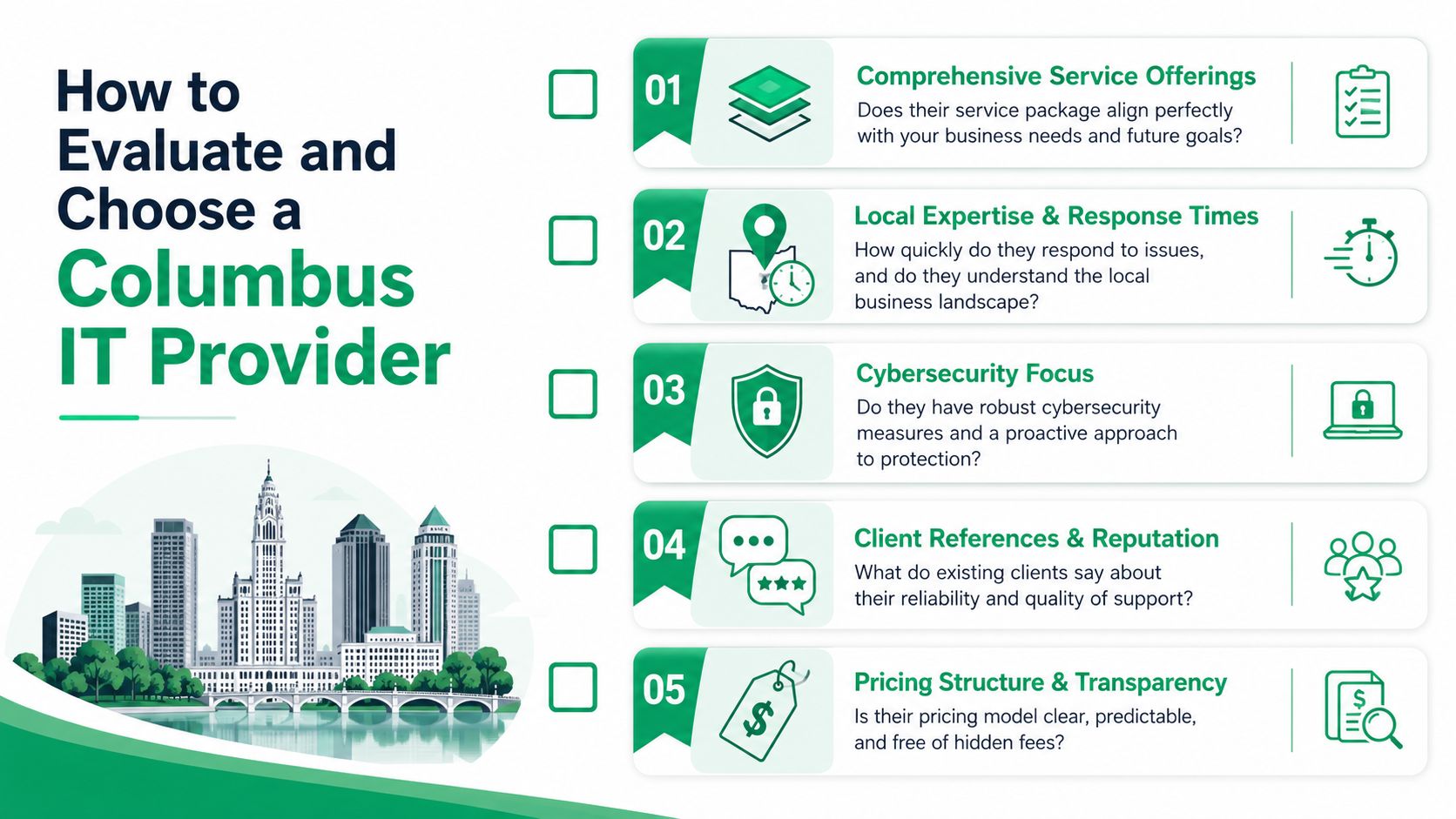
How to Evaluate and Choose a Columbus IT Provider
Most provider websites sound the same. Fast response. Proactive support. Security-first mindset. Strategic guidance. That language doesn't help much when you're trying to trust someone with backups, identity, and outage response.
You need a way to separate polished marketing from operating discipline.
Start with the SLA, not the sales deck
A lot of Columbus MSPs advertise 24/7 support, but 68% of SMBs still experience 4 to 8 hour delays for standard ticket resolution, which is why transparent, tiered SLAs matter, according to EasyIT's review of support transparency in Columbus.
That's the first thing to test. Not whether they say “24/7,” but what that means.
Ask for:
- Emergency response definitions: what counts as critical, and who answers live.
- Standard ticket expectations: how long routine requests sit before first response.
- Escalation paths: what happens when a ticket stalls or another vendor is involved.
What to compare side by side
A useful shortlist review should look like this:
| Evaluation area | Strong provider | Weak provider |
|---|---|---|
| Response clarity | Defined SLA tiers with examples | “We're always available” |
| Security ownership | Named controls and review process | Generic mention of antivirus |
| Backup accountability | Monitoring plus restore validation | “Backups are in place” |
| Documentation | Repeatable onboarding and asset records | Tribal knowledge |
| Strategic planning | Regular roadmap discussions | Only responds to tickets |
Ask every finalist the same five questions. The comparison gets clearer fast.
Local fit matters more than hype
Columbus is not one-size-fits-all. A legal office in the Brewery District, a manufacturer near the outer belt, and a healthcare group in Dublin won't need the same support pattern. Some need on-site speed. Some need compliance depth. Some need cloud cleanup and stronger user lifecycle controls.
As of 2025, Agency List shows exactly 6 approved managed IT services agencies in Columbus, and names local providers including Astute Technology Management, which has operated since 1998 under founder Eric Madden, along with Aventis Systems and Netgain Technology, in a market shaped by broader managed services growth projections through 2031, according to Agency List's Columbus managed IT directory.
That concentrated market is a good reason to be picky.
For owners building a shortlist, this MSP evaluation guide for 2026 is a solid framework.
A simple vetting checklist
- Ask about onboarding: what gets documented in the first month.
- Ask about Microsoft 365: who owns administration, security, and backup verification.
- Ask about recovery: whether they've restored data under pressure, not just sold backup licenses.
- Ask about co-managed options: especially if you already have an internal IT person.
- Ask for examples from similar businesses: not generic testimonials.
Providers that answer directly tend to operate directly.
Your Next Step Toward Proactive IT
Good managed IT is boring in the best possible way. Systems stay patched. Wi-Fi works. Backups restore. Users know where to call. Leaders aren't approving emergency spend every time a firewall or server hiccups.
That's the shift Columbus businesses are really buying. Less noise, less downtime risk, better security posture, and clearer budgeting.
A provider worth hiring should understand networking, cloud computing, data recovery, cybersecurity, software development support where needed, and everyday IT support without turning every conversation into jargon soup. They should also know when remote tools solve the problem and when an on-site visit is the only sensible move.
If you're a Columbus-area business ready to make IT more predictable, the right next step is a scoped review of your environment, your risks, and your current support model. If you're in the Greenwood or Indianapolis area and want that same level of clarity, ask for a Free Network Assessment or a Security Risk Audit before you sign another support contract.
Columbus Managed IT Services FAQs
Is co-managed IT a good fit if we already have an internal IT person
Yes, often more than full outsourcing.
The co-managed IT model is growing 35% annually as businesses with 1 to 2 internal IT staff look for help with capacity-heavy work like 24/7 security monitoring and help desk support, according to Cloud Cover's Ohio co-managed IT overview. This works well for companies where the internal IT lead wants to keep ownership of business systems, vendor relationships, or strategy, but needs outside support for monitoring, escalations, and security operations.
That model is especially useful for businesses around the I-270 outer belt that have grown past “one smart person handling everything.”
When do we need on-site support instead of remote support
Remote support handles a lot. User issues, Microsoft 365 administration, policy changes, many security tasks, and routine troubleshooting can all be done without someone driving over.
On-site support matters when the problem is physical. Failed switches, damaged cabling, bad access point placement, storage hardware problems, or a server that won't boot often need hands on the equipment. That's also where networking design, rack cleanup, hardware refreshes, and certain recovery tasks move faster in person.
How should we think about backup and data recovery for Microsoft 365
Don't assume native retention equals full backup.
A stronger plan includes independent backup for Exchange, SharePoint, OneDrive, and Teams, plus restore testing and clear retention policies. If the environment handles sensitive client, medical, legal, or contract data, document who can restore, where copies live, and how quickly critical data can be recovered.
Can an MSP help with software development too
Sometimes, yes.
Not every provider should be building custom apps, but some can support light software development for internal tools, automation, reporting dashboards, and workflow improvements. The key is separation of duties. Your MSP should still maintain strong infrastructure, security, and documentation practices while any development work follows change control and testing standards.
If your business needs practical help with managed services, cybersecurity, networking, data recovery, or advanced troubleshooting, Finchum Fixes IT is a strong place to start. For businesses in the Greenwood and Indianapolis area, a Free Network Assessment or Security Risk Audit is the fastest way to find weak spots before they turn into downtime.